

Most full-time employees are expected to work around 2,080 hours per year, based on a 40-hour workweek over 52 weeks. In reality, very few people actually hit that number. So, how many hours do most people really work in a year?
Holidays, paid time off, sick days, and schedule changes can significantly lower the total hours worked. On the flip side, if you work overtime, part-time, or follow a non-traditional schedule, your total could be much higher or lower than the standard estimate.
Knowing your actual work hours matters because it affects your pay, budget, time off, and how you plan projects. Whether you’re a business owner, manager, or employee, understanding your real work hours gives you a clearer view of your time and productivity.
Here’s what this guide will cover:
- How to calculate your total work hours (with and without time off)
- Work hour estimates for weekly schedules ranging from 20 to 80 hours
- Real-world examples by job type and industry
- Why these numbers matter for pay, productivity, and planning
- Legal considerations and non-traditional work shifts
- Helpful tools and calculators for tracking your time
TIMECLICK TIP
Don’t assume you’re working 2,080 hours a year.
The OECD reports the average U.S. worker logs closer to 1,811 hours per year. That’s 269 fewer than the 40-hour/week estimate. Always calculate based on how you actually work, not the default math.
Table of Contents
- Quick Answer: How Many Working Hours Are in a Year?
- GUIDE SUMMARY
- How to Calculate Hours Worked Per Year
- Step 1: Weekly Working Hours × 52
- Step 2: Subtract Time Off
- Real-World Work Hour Examples
- Annual Work Hours by Job Type and Industry
- Key Considerations
- Calculate Your Work Hours
- Why Knowing Your Annual Work Hours Matters
- Budgeting and Income Planning
- Planning PTO Strategically
- Work-Life Balance
- Payroll and Compliance Accuracy
- Smarter Decision-Making
- Legal Limits: What Employers Should Know
- Federal vs. State Labor Law Comparison
- PTO Laws by State (Quick Summary)
- Track Your Hours Automatically with TimeClick
- What You Can Do with TimeClick:
- Frequently Asked Questions About Annual Work Hours
- Final Thoughts

Quick Answer: How Many Working Hours Are in a Year?
In the U.S., a standard full-time schedule is based on 40 hours per week for 52 weeks, which adds up to 2,080 work hours per year.
That number doesn’t include time off for vacations, sick days, or holidays, which most people take. So, while 2,080 hours is a good starting point, your actual total is usually lower.
Note: The 2,080-hour standard is specific to the U.S., but work hours vary a lot around the world. For example, workers in Germany average about 1,349 hours per year, while those in Mexico often work more than 2,200 hours. If you’re outside the U.S., your baseline will depend on local labor laws and cultural norms [Source].
GUIDE SUMMARY
How Many Work Hours in a Year?
- Standard full-time: 40 hours/week × 52 weeks = 2,080 hours/year
- Subtract time off: This includes holidays, vacation, sick days, and unpaid leave
- Actual times vary: Most people end up between 1,800 to 1,950 hours/year
- Why it matters: Knowing your hours helps you plan pay, projects, and PTO
- Work more or less? Use the time card calculator to adjust based on your weekly hours
How to Calculate Hours Worked Per Year

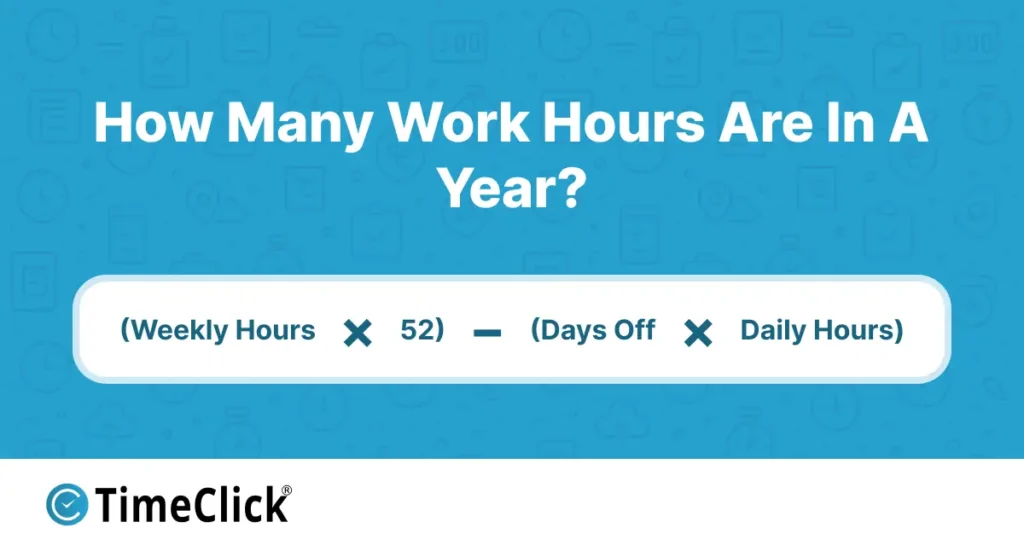
Whether you work full-time or part-time, figuring out your annual work hours is simple with this formula:
(Weekly hours × 52) − (Days off × Daily hours)
For payroll and compliance, "hours worked" means the time you're actually on the clock. It doesn't include paid holidays or PTO.
Example Calculation
If you work 40 hours per week, 8 hours per day, and take 10 vacation days plus 11 paid holidays:
Calculation: (40 × 52) − ((10 + 11) × 8) = 2,080 − 168 = 1,912 hours
To get the most accurate number, track your actual worked days instead of relying on estimates. This helps you account for unpaid time off or seasonal changes in your schedule.
Step 1: Weekly Working Hours × 52
Start by calculating how many hours you usually work each week. Multiply that by 52 weeks to get your total hours before subtracting time off. If your schedule changes during the year, calculate each period separately and add them together for a more accurate total.
| Weekly Work Hours | Estimated Yearly Hours |
|---|---|
| 20-hour workweek | 1,040 work hours/year |
| 25-hour workweek | 1,300 work hours/year |
| 30-hour workweek | 1,560 work hours/year |
| 35-hour workweek | 1,820 work hours/year |
| 37.5-hour workweek | 1,950 work hours/year |
| 40-hour workweek | 2,080 work hours/year |
| 45-hour workweek | 2,340 work hours/year |
| 50-hour workweek | 2,600 work hours/year |
| 55-hour workweek | 2,860 work hours/year |
| 60-hour workweek | 3,120 work hours/year |
| 65-hour workweek | 3,380 work hours/year |
| 70-hour workweek | 3,640 work hours/year |
| 75-hour workweek | 3,900 work hours/year |
| 80-hour workweek | 4,160 work hours/year |
TIMECLICK TIP
Use payroll reports or timesheets from last year as a starting point. These records give you a solid baseline, and you can adjust for any expected changes.
Step 2: Subtract Time Off
Next, subtract the hours you won't be working because of paid time off, holidays, or sick leave.
Example Calculation:
If you work 8-hour days and take:
- 10 vacation days
- 5 sick days
- 11 holidays
That's 26 days off. Multiply by 8 hours per day:
26 × 8 = 208 hours off
Start with 2,080 hours (40 hours per week × 52 weeks):
2,080 − 208 = 1,872 actual work hours for the year
Real-World Work Hour Examples
Here are some examples of how work hours can vary depending on your job and schedule:
- Construction Crew (45 work hrs/week, 15 days off):
(45×52) − (15×9) = 2,340 − 135 = 2,205 annual work hours
- Retail Associate (30 work hrs/week, no time off):
30×52 = 1,560 annual work hours
- Marketing Agency Employee (37.5 work hrs/week, 20 days off):
1,950 − (20×7.5) = 1,800 annual work hours
- Project Manager (salaried, 40 work hrs/week, 15 days off):
(40×52) − (15×8) = 2,080 − 120 = 1,960 annual work hours
TIMECLICK TIP
If you're new to your role, plan for around 11 to 14 vacation days in your first year. According to the U.S. Bureau of Labor Statistics, that's the average for full-time employees with one year of service.
Your job type, schedule, and PTO policy all play a role in your actual work hours. By calculating your hours accurately, you'll be able to better plan your time, income, and workload.
Annual estimates are a good baseline, but small businesses that bill by the hour or run payroll need exact numbers, not averages. Time tracking software for small business captures real clock-in and clock-out data, so the hours you pay match the hours actually worked, week after week.
Annual Work Hours by Job Type and Industry

Different industries have their own schedules, expectations, and demands, which can have a big impact on how many hours you work each year. Whether you’re salaried, hourly, part-time, or shift-based, your actual hours might look very different from the standard 2,080.
| Industry | Typical Weekly Hours | Estimated Annual Hours | Notes |
|---|---|---|---|
| Retail | 30 to 35 | 1,560 to 1,820 | Often part-time. Shifts may change based on season and staffing needs. |
| Construction | 40+ | 2,080+ | Longer hours are common during peak seasons and may include overtime. |
| Healthcare | 36 to 40 | 1,872 to 2,080 | Often includes 12-hour shifts, nights, and weekend work. |
| Tech / IT | 40 to 50+ | 2,080 to 2,600+ | Deadlines and support needs can lead to extended hours. |
| Hospitality | 30 to 40 | 1,560 to 2,080 | Evening, weekend, and holiday shifts are typical in this field. |
| Education | Varies | ~1,300 to 1,600 | Teachers often work fewer days but longer hours during the school year. |
According to the Bureau of Labor Statistics, the average hours worked can vary widely depending on the industry, role, and whether the position is full-time or part-time.
Key Considerations
These numbers are averages, so your actual hours will depend on your specific job, employer, and policies around overtime, breaks, and paid time off.
TIMECLICK TIP
If you’re not sure what counts as paid time, PTO, or holiday leave in your role, check with your HR team or supervisor. Company policies can vary, and even hourly employees might have benefits you didn’t know about.
Calculate Your Work Hours
Wondering how many hours your role adds up to in a year? Use the free Time Card Calculator to figure out your total based on your actual schedule.

Once you know your actual annual work hours, you’ll have the information you need to better plan your time, income, and workload. Understanding your real work hours is key to making smarter decisions about your schedule and productivity.
Why Knowing Your Annual Work Hours Matters

Knowing how many hours you work in a year isn't just a number. It's a practical tool that helps you plan your finances, manage your health, and make the most of your time. Whether you're an employee, contractor, or business owner, understanding your annual work hours can make a big difference.
Budgeting and Income Planning
Let's say you earn $25 an hour. If you assume you're working 2,080 hours a year, your projected income is $52,000. But if you take three weeks off, your total hours drop to 1,960, which lowers your earnings to $49,000. That difference adds up quickly.
Knowing your actual work hours helps you:
- Get a more accurate picture of your take-home pay
- Plan for savings, investments, and expenses
- Set realistic income goals for the year
Planning PTO Strategically
If you're hourly, freelance, or part-time, time off isn't free. Every day off affects your income. Knowing your yearly hours lets you plan vacations and personal days without cutting too much into your earnings.
For businesses, understanding employee work hours helps ensure there is enough coverage during busy times like holidays or product launches. It's easier to plan when you know how often employees are likely to take time off.
Work-Life Balance
If you're not tracking your hours, it's easy to overwork and burn out. Keeping an eye on your annual hours gives you a clear view of your workload so you can:
- Spot burnout risks before they become a problem
- Adjust your schedule to avoid working 50 or more hours a week too often
- Set boundaries to protect your mental health and personal time
TimeClick Tip
Over 75 percent of employees say work-related stress has hurt their mental health. Tracking your hours can help you catch overwork early and take steps to protect yourself before burnout sets in.
When you treat your time like a budget, you'll avoid overcommitting and make sure you're investing enough in rest and recovery.
TimeClick Tip
If you feel overworked but your tracked hours are within a healthy range, the problem might be the intensity of your workload, not the time. Use your tracked hours as a guide to check both time and workload.
Payroll and Compliance Accuracy
For employers, tracking work hours is key to accurate payroll and staying compliant with labor laws. This is especially important for hourly staff, overtime pay, and benefits eligibility.
Accurate tracking ensures:
- Employees are paid correctly for every hour worked
- Overtime is calculated and paid properly
- Labor law requirements for breaks, holidays, and sick leave are met
Even small mistakes, like missing 10 minutes a day, can lead to big payroll errors over time. Inconsistent rounding, such as rounding to the nearest 15 minutes, can also cause compliance issues.
Example: The U.S. Department of Labor has found many wage and hour violations tied to inaccurate timekeeping and employee misclassification. These problems could have been avoided with better tracking systems.
Smarter Decision-Making
When you know how much time you actually have to work, you can plan smarter. Whether you're scheduling a project, budgeting client hours, or setting personal goals, real data beats guessing every time.
Bottom line: When you know your true work hours, you're in control of your time, money, and energy.
Understanding your hours is important, but knowing the legal limits around them matters too. Staying informed about labor laws helps employers create fair policies and lets employees protect their rights, avoiding costly mistakes.
Legal Limits: What Employers Should Know

Work hour laws in the U.S. are mainly governed by the Fair Labor Standards Act (FLSA), but state-specific rules often add extra layers of regulation. Here’s what every employer and employee needs to know:
- Full-time vs. Part-time Definitions: The FLSA doesn’t define "full-time," but most employers consider 40 hours per week the standard. Benefits like healthcare under the ACA often kick in for employees working 30 or more hours per week. Make sure your policies align with these benchmarks to avoid confusion.
- No Federal Requirement for Paid Time Off: The FLSA doesn’t require employers to provide paid vacation, holidays, or sick leave. These benefits are up to the employer unless you’re in a state or city with its own PTO laws, such as California, New York, or Washington.
- Overtime Rules: Non-exempt employees must receive overtime pay at 1.5 times their regular rate for any hours worked over 40 in a single workweek. Exempt roles, like salaried executives, are an exception, but misclassifying employees can result in hefty fines and back pay.
- Meal and Rest Breaks: While the FLSA doesn’t mandate meal or rest breaks, many states do. For instance, California requires a 30-minute meal break for shifts over 5 hours and a paid 10-minute rest break for every 4 hours worked. Check your state’s rules to stay compliant.
- State-Specific Laws: Some states go beyond federal requirements. For example, Massachusetts limits how many consecutive hours nurses can work, while Illinois mandates PTO payouts when employment ends. Always review your state’s labor laws to ensure compliance.
- Timekeeping Requirements: Employers must maintain accurate records of hours worked and wages paid. Missing or incorrect records can lead to compliance issues, especially during audits or disputes. Tools like TimeClick can simplify time tracking and help you keep legally sound records.
TIMECLICK TIP
Misclassifying employees can be expensive.
If you’re unsure whether an employee is exempt or non-exempt, consult a labor law expert. Misclassification can lead to thousands of dollars in back wages and penalties.
Federal labor laws set the foundation, but many important rules (like paid leave and break requirements) are determined at the state level. Knowing how these laws apply to your business can help you avoid costly mistakes and keep your policies up to date.
Federal vs. State Labor Law Comparison
Federal labor laws set the foundation for workplace rules, but state laws often add their own requirements. Here’s a quick comparison to help you understand how they differ. Always check your state’s latest regulations for the most accurate details.
| Category | Federal Law (FLSA) | State Example |
|---|---|---|
| Minimum Wage | $7.25/hour (as of 2026) | California: $16/hour |
| Paid Sick Leave | Not required | New York: Up to 56 hours/year |
| Meal Breaks | Not required | California: 30 minutes after 5 hours |
| Rest Breaks | Not required | Washington: 10 minutes for every 4 hours |
| Overtime | 1.5× after 40 hours/week | Same, but some states also track daily limits |
Want to know what applies in your state? Use the official State Labor Law Lookup Tool from the U.S. Department of Labor to find specific rules for your location.
Key takeaway: Even if you follow a standard 40-hour workweek, compliance isn’t automatic. Make sure your time tracking, employee classification, and PTO policies meet both federal and state requirements. This protects your business and ensures your team is treated fairly.
One of the biggest differences between states is how they handle paid time off (PTO). While federal law doesn’t require PTO, many states have their own rules. Let’s break down how PTO laws vary across the country.
PTO Laws by State (Quick Summary)
Here’s a snapshot of PTO-related laws in several major states. This includes whether paid sick leave is required, if unused time must carry over, and whether PTO must be paid out when an employee leaves.
| State | Paid Sick Leave Required | Carryover Required | Payout on Termination |
|---|---|---|---|
| California | Yes | Yes (unused PTO must carry over) | Yes (PTO is treated as wages) |
| New York | Yes (56 hours/year in most cases) | Yes (unless the policy states otherwise) | No (unless the policy promises it) |
| Texas | No | No requirement | Only if the employer’s policy allows it |
| Illinois | Yes | Yes (if accrued) | Yes (if accrued and earned) |
| Florida | No | No requirement | No (employer discretion) |
| Washington | Yes (1 hour per 40 worked) | Yes | No (unless a contract requires it) |
Note: Always check your state’s labor department website or consult HR to confirm the latest PTO rules.
For a deeper dive into each state’s paid time off regulations, including sick leave accrual rates, employer obligations, and exceptions, check out our full guide to PTO laws by state.
Still have questions about how annual work hours or time off policies apply to you? These FAQs cover what you need to know, whether you’re hourly, salaried, or somewhere in between.
Track Your Hours Automatically with TimeClick
Manually calculating your work hours is helpful, but it’s not something you want to do every week. Once you factor in PTO, overtime, and rounding, manual math can get messy. That’s where TimeClick comes in.
Whether you’re managing a team or tracking your own time, TimeClick makes it easy. It’s built for small businesses, in-office teams, and anyone who values accuracy without the hassle of cloud-based systems.

What You Can Do with TimeClick:
- Clock in/out with one click: Track start and end times without spreadsheets or paper.
- Auto-deduct unpaid time: Set rules for breaks and lunches so totals adjust automatically.
- Enforce buffer rules: Prevent early punches and track punctuality with grace periods.
- Track PTO and holidays: Manage time-off requests and see availability at a glance. Watch the full webinar below:
- Export payroll-ready reports: Send clean timesheets directly to QuickBooks or other payroll software.
- Run offline: No cloud, no recurring fees. TimeClick stores everything securely on your local system.
With TimeClick, you don’t have to guess or recalculate your hours. PTO and schedules stay organized and accurate in real time.
Start your free 14-day trial today and see how much time you save with automated tracking.
Frequently Asked Questions About Annual Work Hours
How many work hours are in a year without time off?
If you work 40 hours a week with no vacation, sick days, or holidays, your total comes to 2,080 hours per year (40 hours × 52 weeks). This is the standard baseline for full-time work.
How many work hours are in a year with holidays?
With 11 paid holidays and an 8-hour workday, you’d take 88 hours off. Subtract that from 2,080, leaving you with 1,992 hours worked for the year. To count days instead of hours, see how many work days are in a year.
What about leap years?
Leap years add an extra day: February 29. If it’s a weekday, that’s one more workday. Instead of 261 weekdays, you’d have 262, which equals 2,096 work hours for a full-time schedule (262 × 8 hours/day). Note: 2026 isn’t a leap year, but 2028 will be.
How do I calculate how many work hours in a year I actually work?
Use this formula: (Weekly Hours × 52 Weeks) minus (Days Off × Daily Hours). It’s a simple way to calculate your total based on your schedule. For a faster option, try the TimeClick Time Card Calculator to do the math for you.
How do I calculate hours for a 4-day workweek?
If you work four 8-hour days a week, that’s 32 hours per week. Multiply by 52 weeks to get 1,664 work hours per year.
How many hours do salaried employees work?
Most salaried employees are expected to work around 40 hours a week, which totals 2,080 hours per year. However, some roles may require unpaid overtime or offer flexible schedules, so actual hours can vary.
What’s considered full-time & how many working hours is that per year?
The IRS defines full-time as 30+ hours per week for benefits eligibility, but most employers use 40 hours per week as the standard. Working 40 hours a week across 52 weeks equals 2,080 hours per year.
Do I need to track hours if I’m salaried?
It depends on your role and company policies. Even salaried employees can benefit from tracking hours to manage projects, maintain work-life balance, or stay transparent in hybrid or flexible work environments.
How do holidays work if I’m salaried?
For salaried (exempt) employees, holiday pay depends on your employer’s policy. There’s no federal requirement for paid holidays, but most full-time salaried workers receive holiday pay as part of their benefits package. Check with your employer to confirm.
Can PTO be carried over from year to year?
It depends on your employer’s policy and state laws. Some companies have "use-it-or-lose-it" policies, while others allow carryover up to a certain limit. For example, in California, unused PTO must roll over or be paid out. Always check your employee handbook or state labor laws for details.
How do I make sure my calculations are accurate?
Use tools like the TimeClick Time Card Calculator to avoid errors. For ongoing tracking, TimeClick’s full software can automatically track time, PTO, and breaks.
Final Thoughts

Knowing how many hours you work in a year isn’t just a nice-to-know. It’s essential for planning your time, income, and team operations. While 2,080 hours is a standard estimate, your actual number depends on your schedule, PTO, and how consistently you track time.
Whether you’re managing payroll, estimating labor costs, or improving work-life balance, accurate tracking makes everything easier. It helps you avoid burnout, spot trends, and make smarter decisions, whether you’re a business owner, manager, or employee.
If you’re ready to stop guessing and start tracking, TimeClick makes it simple. It’s fast, reliable, and built for teams that value accuracy without added complexity.
Start your free 14-day trial and get a real answer to how many work hours in a year you’re actually putting in.
Start your FREE TimeClick Trial Today.