Running a small business is hard enough without time tracking turning into a constant headache. What starts as a simple system with a few employees can quickly become a mess of missed clock-outs, confusing schedules, and payroll problems that keep you up at night.
That’s when most business owners start looking for time clock software. The trouble is, most comparison articles don’t actually help. They focus on flashy features and marketing claims, but skip over how these tools actually work in the real world.
This guide is here to help. We’ll break down how time clock software performs for small businesses: what works, what doesn’t, and what to watch out for as your team grows. If you’re ready to make payroll easier and take time tracking off your plate, you’re in the right place.
Table of Contents
- How We Evaluated Time Clock Software for Small Businesses
- How Employees Clock In and Out
- What Payroll Looks Like at the End of the Pay Period
- Pricing as Teams Grow
- Reliability and Offline Functionality
- Who the Software Is Actually Built For
- Quick Comparison: Top Time Clock Software Options at a Glance
- 1. Clockify (See Reviews)
- 2. When I Work (See Reviews)
- 3. Homebase (See Reviews)
- 4. Buddy Punch (See Reviews)
- 5. QuickBooks Time (See Reviews)
- 6. Deputy (See Reviews)
- 7. Connecteam (See Reviews)
- 8. ClockShark (See Reviews)
- 9. Time Clock MTS (See Reviews)
- 10. TimeClick (See Reviews)
- Patterns We See After Comparing All 10 Time Clock Tools
- Subscriptions Almost Always Get More Expensive Over Time
- Cloud-Only Tools Trade Convenience for Dependency
- Feature-Heavy Platforms Aren't Always Better
- Free Plans Are Usually Stepping Stones, Not Destinations
- Long-Term Annoyance Matters More Than First Impressions
- How to Choose Based on How Your Business Actually Runs
- If Your Team Works from One Physical Location
- If You Manage Shift-Based or Hourly Schedules
- If You Have Remote or Field Employees
- If Payroll Accuracy Is Your Biggest Challenge
- If You Value Predictability and Simplicity
- Where TimeClick Fits (and Why Some Businesses Opt Out of Subscriptions Entirely)
- Frequently Asked Questions
- Final Takeaway

How We Evaluated Time Clock Software for Small Businesses
There’s no perfect time clock solution for every business. A tool that works great for a restaurant might fail for a construction crew. A sleek cloud app might seem promising at first but become frustrating when costs rise or the internet goes down.
Instead of judging software by how many features it offers, we focused on how well these tools perform in real-world situations. Here’s what we prioritized during our evaluation:
How Employees Clock In and Out
If clocking in is confusing or unreliable, mistakes are bound to happen. We looked at how easy it is for employees to use each system, whether they’re on a shared computer, mobile phone, or job site.
What Payroll Looks Like at the End of the Pay Period
The real test of any time clock is payroll day. We evaluated how clean the reports are, how much manual fixing is required, and how smoothly hours export to payroll systems.
Pricing as Teams Grow
Many tools seem affordable at first but become costly as you add employees, locations, or features. We considered not just the starting price, but how costs scale over time.
Reliability and Offline Functionality
Some systems rely entirely on internet access, while others keep working offline. We assessed how each tool performs when things don’t go perfectly, because real businesses rarely operate under ideal conditions.
Who the Software Is Actually Built For
Every tool has strengths and weaknesses. We focused on identifying which types of businesses will benefit most from each option and which might find it a poor fit.
Our goal isn’t to sell you software. It’s to help you avoid the frustration of switching tools again in a year.
Quick Comparison: Top Time Clock Software Options at a Glance
If you’re looking for a quick overview before diving into the details, this table gives you a high-level comparison of the top time clock software options. It’s not meant to replace the in-depth breakdowns below but can help you narrow your choices quickly.
| Software | Best for | Pricing model | Mobile use | Offline support | Average rating |
|---|---|---|---|---|---|
| Clockify | Very small or remote teams | Free + per-user upgrades | Yes | No | |
| When I Work | Shift-based scheduling | Per user per month | Yes | No | |
| Homebase | Retail and hospitality | Per location per month | Yes | No | |
| Buddy Punch | Remote and field teams | Base fee + per user | Yes | No | |
| QuickBooks Time | QuickBooks users | Base fee + per user | Yes | Limited | |
| Deputy | Larger small businesses | Per user per month | Yes | No | |
| Connecteam | Deskless teams | Flat monthly tiers | Yes | No | |
| ClockShark | Construction and field work | Base fee + per user | Yes | Yes | |
| Time Clock MTS | Single-location offices | One-time license | No | Yes | |
| TimeClick | Predictable, on-site teams | One-time license | Yes | Yes |
This table is just the starting point. Keep reading for a deeper look at each tool, including what they’re good at, who they’re best for, and what to watch out for.
1. Clockify (See Reviews)

What it's good at
Clockify is a popular choice for small businesses because it offers a genuinely free option that's easy to use. It's a great starting point for teams that want to track hours without committing to paid software right away.
Good fit for
- Very small teams or startups
- Businesses testing time tracking for the first time
- Remote or hybrid teams working on projects
Pricing reality
Clockify's core time tracking features are free for unlimited users, which is a big reason for its popularity. Paid plans unlock additional features like approvals, advanced reporting, GPS tracking, and invoicing. These upgrades are priced per user per month, so costs can increase as your team grows.
Features that matter day to day
- Timer-based and manual time entry
- Daily and weekly timesheets
- Basic reports with export options
- Available on web, desktop apps, and mobile
Pros
- Free version is genuinely useful
- Simple for employees to understand
- Great for tracking time by project or client
Cons
- Not designed as a full attendance or punch clock
- No built-in scheduling in the free version
- Advanced features require paid upgrades
Bottom line
Clockify is an excellent entry-level option for businesses that want to start tracking time with minimal commitment. However, many businesses eventually outgrow it when they need stronger payroll controls or attendance-focused features.
2. When I Work (See Reviews)
What it's good at
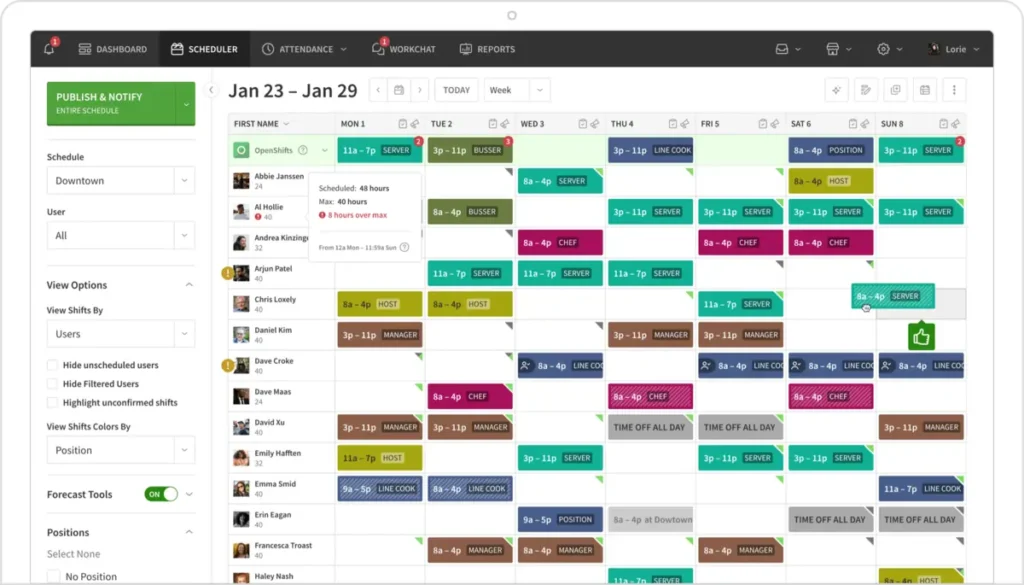
When I Work is built with scheduling as its primary focus, with time tracking added as a secondary feature. It's especially popular with shift-based businesses that need an easy way to manage schedules and clock-ins from a mobile device.
Good fit for
- Retail, hospitality, and service businesses
- Teams with rotating shifts
- Managers who spend significant time building schedules
Pricing reality
When I Work charges per user per month, but time tracking isn't included in the cheapest plan. To access both scheduling and clock-in features, most businesses end up paying for multiple modules. While the per-user price starts low, costs can rise steadily as your team grows.
Features that matter day to day
- Drag-and-drop shift scheduling
- Mobile clock in and clock out
- Shift reminders and notifications
- Time-off requests and availability tracking
Pros
- Scheduling is fast and intuitive
- Employees appreciate the mobile app
- Shift reminders help reduce no-shows
Cons
- Time tracking costs extra
- Limited depth in reporting
- Less control for businesses with complex pay rules
Bottom line
When I Work is a great fit for businesses where scheduling is the main challenge. However, if your priority is detailed time tracking or payroll accuracy, it may feel limited as your needs grow.
3. Homebase (See Reviews)
What it's good at
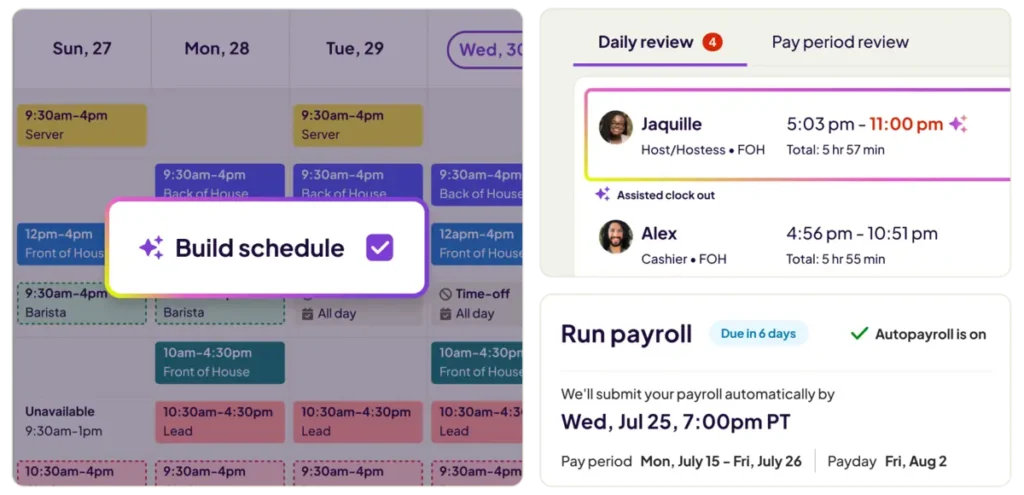
Homebase combines scheduling, time tracking, and basic team management into one platform. It's especially popular in industries like retail, food service, and hospitality, where hourly shifts and frequent schedule changes are common.
Good fit for
- Retail stores, cafes, and restaurants
- Hourly teams working from a single location
- Businesses that want scheduling and time tracking in one place
Pricing reality
Homebase offers a free plan, but it's limited. As soon as you need advanced scheduling, labor cost controls, or support for multiple locations, you'll need to upgrade to paid plans. These are priced per location per month, and costs can rise quickly as your needs grow.
Features that matter day to day
- Employee scheduling with shift swaps
- Clock in and clock out via mobile or tablet
- Overtime alerts and labor cost estimates
- Team messaging and announcements
Pros
- Easy to use for both managers and staff
- Strong scheduling tools for shift-based work
- Free plan helps small teams get started
Cons
- Paid plans become necessary as you grow
- Limited flexibility for complex workflows
- Less control over data compared to installed software
Bottom line
Homebase is a great choice for small, shift-driven teams that want a simple all-in-one tool. However, businesses with multiple locations or more complex payroll needs may find it restrictive over time.
4. Buddy Punch (See Reviews)

What it's good at
Buddy Punch is designed to prevent time theft by offering multiple verification options. It's ideal for managers who need to trust clock-in data, especially for remote or field-based employees.
Good fit for
- Businesses with remote or mobile employees
- Teams where accurate clock-ins are a concern
- Owners who want visibility without micromanaging
Pricing reality
Buddy Punch charges a monthly base fee plus a per-user cost. For very small teams, the base fee can feel expensive. As your team grows, the pricing becomes more reasonable, but it remains an ongoing subscription.
Features that matter day to day
- Clock in via mobile app, browser, or kiosk
- GPS tracking and geofencing
- Photo verification at clock-in
- Overtime alerts and automatic clock-outs
Pros
- Strong tools to prevent buddy punching
- Flexible clock-in options
- Easy for employees to understand
Cons
- Monthly fees add up over time
- No true offline mode
- Minimum costs make it less appealing for very small teams
Bottom line
Buddy Punch is a solid choice if keeping clock-ins honest is your top priority. However, if predictable long-term costs matter more, the subscription model may eventually feel burdensome.
5. QuickBooks Time (See Reviews)
What it's good at
QuickBooks Time integrates seamlessly with the QuickBooks ecosystem, making it a natural choice for businesses already using QuickBooks for payroll and accounting. It feels more like an extension of the platform than a separate tool.
Good fit for
- Businesses already using QuickBooks for payroll
- Teams with remote or field employees
- Owners who prefer to keep everything under one brand
Pricing reality
QuickBooks Time charges a monthly base fee plus a per-user cost. The price can climb quickly as you add employees, and there's no free plan. For small teams, the cost may feel high compared to simpler tools.
Features that matter day to day
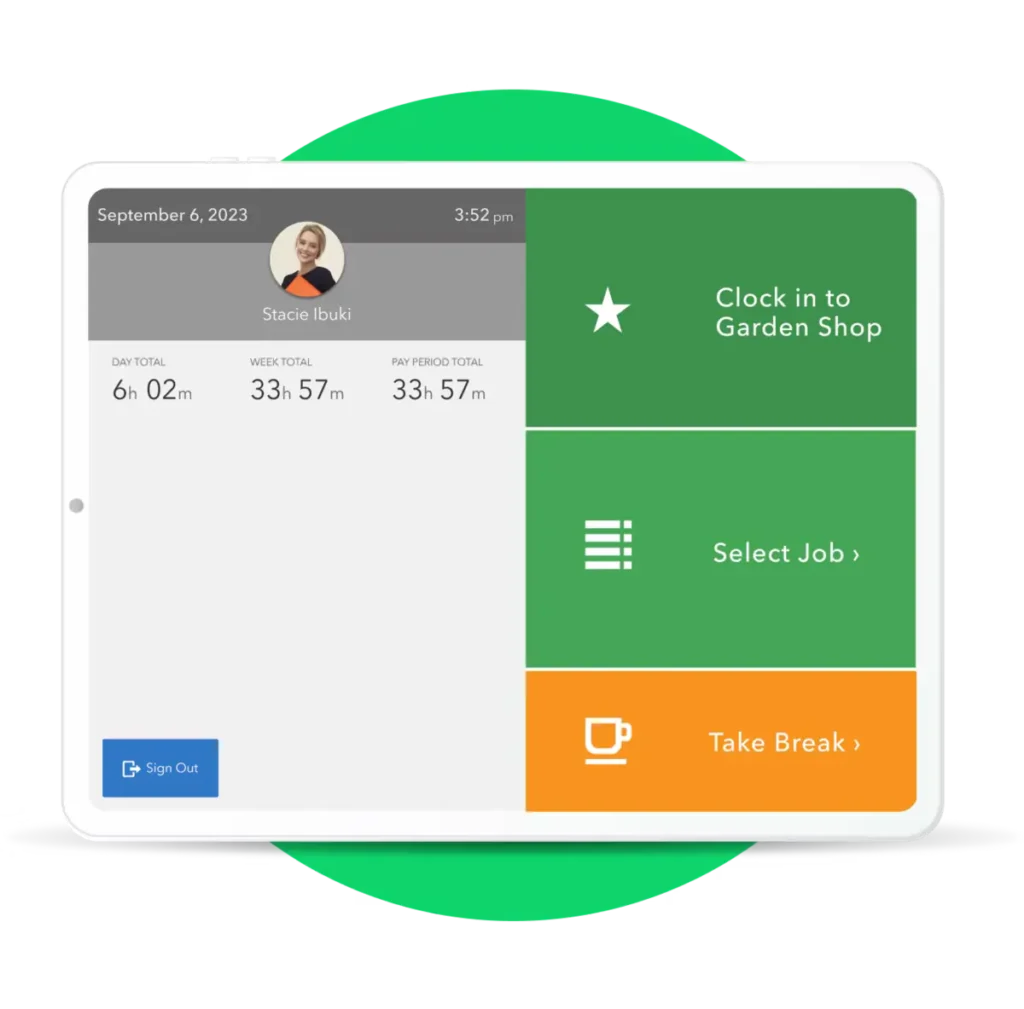
- Mobile and web-based clock in and out
- GPS tracking and geofencing
- Scheduling and overtime alerts
- Direct payroll sync with QuickBooks
Pros
- Strong payroll integration with QuickBooks
- Reliable mobile app for remote teams
- Good reporting for payroll review
Cons
- Gets expensive as your team grows
- Locked into the QuickBooks ecosystem
- Less flexibility outside Intuit tools
Bottom line
QuickBooks Time is a great option if you're already invested in QuickBooks and want fewer systems to manage. However, if cost control or flexibility is a priority, it may feel restrictive over time.
6. Deputy (See Reviews)
What it's good at
Deputy is a powerful platform designed for businesses with complex staffing needs. It offers advanced scheduling tools, compliance features, and workforce management capabilities, making it ideal for larger teams or industries with strict labor rules.
Good fit for
- Larger small businesses with many employees
- Industries with strict labor compliance requirements
- Managers who need advanced scheduling controls
Pricing reality
Deputy charges per user per month. While the entry price is reasonable, costs increase steadily as your team grows. There's no free plan beyond the trial period, so it's best suited for businesses ready to invest in a subscription.
Features that matter day to day
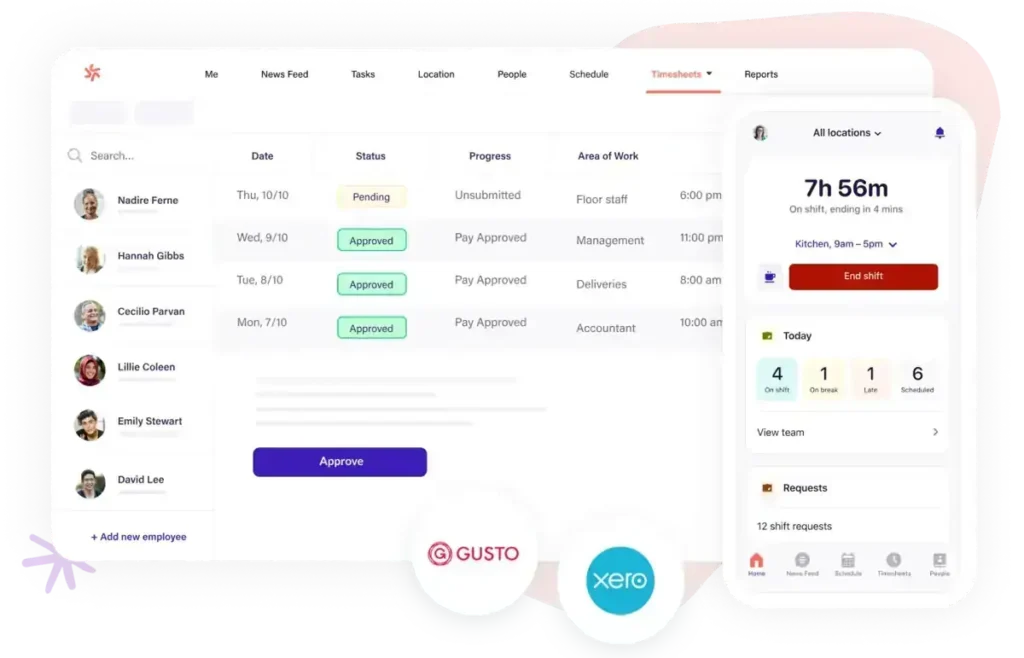
- Advanced employee scheduling
- Mobile clock in with GPS tracking
- Overtime and compliance controls
- Timesheet approvals and payroll exports
Pros
- Excellent scheduling tools
- Strong compliance support
- Scales well for growing teams
Cons
- More complex than many small businesses need
- Subscription costs add up over time
- Requires internet access to function
Bottom line
Deputy is a great choice for businesses with complicated schedules and compliance needs. For simpler teams, it may feel like more software than necessary.
7. Connecteam (See Reviews)

What it's good at
Connecteam goes beyond time tracking by combining scheduling, team communication, training, and basic HR tools into one mobile-first platform. It's designed for businesses with deskless or mobile employees who need an all-in-one solution.
Good fit for
- Businesses with deskless or mobile employees
- Teams that want time tracking plus communication tools
- Owners who prefer having everything in one app
Pricing reality
Connecteam offers a free plan for very small teams, with flat monthly pricing for up to a set number of users. While the initial cost is affordable, unlocking advanced features requires higher-tier plans, which can add up as your needs grow.
Features that matter day to day
- Mobile clock in and clock out with GPS tracking
- Employee scheduling and shift management
- Team chat and announcements
- Forms, checklists, and basic HR tools
Pros
- Strong mobile experience
- Good value for small teams
- Useful beyond just time tracking
Cons
- Can feel overwhelming if you only need a time clock
- Some features are locked behind higher-tier plans
- Setup takes time to configure properly
Bottom line
Connecteam is a great option if you're looking for an all-in-one employee app. However, if your only goal is tracking hours, it may feel like more software than you need.
8. ClockShark (See Reviews)
What it's good at
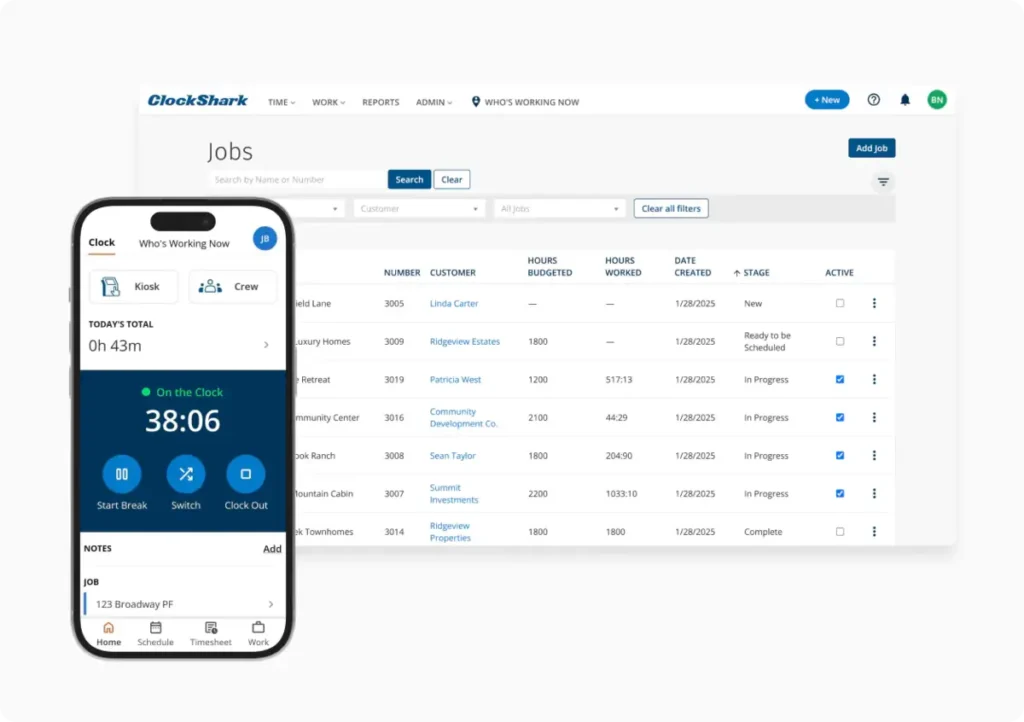
ClockShark is purpose-built for field service and construction businesses. It focuses on job-based time tracking and GPS visibility, allowing managers to see where crews are working in real time.
Good fit for
- Construction and contracting businesses
- Field service teams
- Companies that track time by job or project
Pricing reality
ClockShark charges a monthly base fee plus a per-user cost. It's priced for businesses that need its specialized features, making it less appealing for general time tracking needs.
Features that matter day to day
- GPS-enabled mobile clock in and out
- Job and task-based time tracking
- Offline clock-ins that sync later
- Payroll and accounting integrations
Pros
- Excellent for field-based work
- Strong job costing features
- Works offline in remote areas
Cons
- Not ideal for office-based teams
- Costs add up for larger crews
- Limited flexibility outside field use cases
Bottom line
ClockShark is a standout choice for construction and field service businesses. For general office or retail teams, it's likely more than you need.
9. Time Clock MTS (See Reviews)

What it's good at
Time Clock MTS is a locally installed time clock system that runs on your own computers instead of relying on the cloud. It's designed for businesses that want a straightforward punch clock without monthly subscriptions or internet dependency.
Good fit for
- Businesses with a single physical location
- Teams that prefer a shared clock-in station
- Owners who want to keep time data local
Pricing reality
Time Clock MTS uses a one-time license model. You pay upfront based on the edition you need, and the software continues to work indefinitely. Optional updates and support are available after the first year but aren't required.
Features that matter day to day
- PC-based clock in and clock out
- PIN or password-based punches
- Overtime and PTO tracking
- Payroll-ready reports
Pros
- No monthly fees
- Works without internet access
- Simple and reliable for on-site use
Cons
- Windows-only software
- No mobile app
- Interface feels dated
Bottom line
Time Clock MTS is a dependable option for businesses that want a traditional, on-premise time clock. While it lacks modern flexibility, it handles the basics well for on-site teams.
10. TimeClick (See Reviews)

What it's good at
TimeClick focuses on doing one thing exceptionally well: tracking employee time without unnecessary complexity or long-term costs. It's built for small businesses that want a reliable, easy-to-use time clock system they can own outright.
TimeClick also offers a mobile app for teams needing remote clock-ins, while keeping the core system functional even without constant internet access.
Good fit for
- Small to mid-sized businesses with a physical location
- Teams that want predictable costs
- Owners who prefer to avoid subscription-based software
Pricing reality
TimeClick uses a one-time license model with optional upgrades. You pay once, use it as long as you want, and aren't charged per employee. This makes long-term costs predictable, even as your team grows.
Features that matter day to day
- Desktop-based clock in and clock out
- Optional mobile app for remote or off-site clock-ins
- Works offline
- Unlimited employees per license
- Payroll exports and reporting
Pros
- No monthly or per-user fees
- Very easy for employees to use
- Reliable even without internet
Cons
- Not a full HR platform
- Best suited for on-site teams
- No macOS version
Bottom line
TimeClick is an excellent choice for businesses that want time tracking to be simple, predictable, and hassle-free. If you're tired of subscription creep and just need a dependable time clock, it's worth serious consideration.
Patterns We See After Comparing All 10 Time Clock Tools
When you line these tools up side by side, some clear patterns emerge. This is the part most roundup articles skip, but it's often where small business owners have their "oh, that makes sense" moment.
Subscriptions Almost Always Get More Expensive Over Time
At first glance, many time clock tools seem affordable. A few dollars per user per month doesn't sound like much. However, as your team grows, locations expand, and you unlock advanced features, those costs quietly stack up.
What starts as a small monthly expense can quickly turn into a significant line item. Often, businesses stop questioning the cost, even if the software itself hasn't improved.
Cloud-Only Tools Trade Convenience for Dependency
Online time clocks are convenient when everything works. However, they rely on internet access, third-party servers, and ongoing subscriptions.
When connectivity drops or systems go down, clock-ins stop. For some businesses, this isn't a big deal. For others, it leads to missed punches, payroll headaches, and frustrated employees.
Tools that can function offline or locally often feel more reliable in the long run.
Feature-Heavy Platforms Aren't Always Better
Some tools on this list pack in features like scheduling, HR management, messaging, and training. While these extras can be helpful, they also add complexity.
For many small businesses, simplicity is key. They need time tracking that works without distractions. Overloading a platform can slow down setup, confuse employees, and make simple tasks harder than they need to be.
Free Plans Are Usually Stepping Stones, Not Destinations
Free time clock software can be a great starting point, especially for small teams. However, as businesses grow, they often outgrow free plans. Features like approvals, compliance controls, reporting, and payroll exports typically require paid upgrades.
This doesn't make free tools bad. It just means they're often temporary solutions rather than long-term answers.
Long-Term Annoyance Matters More Than First Impressions
The tools that shine in demos aren't always the ones businesses stick with. Over time, small frustrations like editing time cards, fixing reports, dealing with billing changes, or retraining staff can add up.
The best time clock software is often the one you stop thinking about. It works so seamlessly that it fades into the background, letting you focus on running your business.
How to Choose Based on How Your Business Actually Runs
There's no one-size-fits-all time clock solution. The best choice depends less on feature lists and more on how your team operates day to day.
If you're deciding between a few options, these scenarios can help you find the right fit quickly.
If Your Team Works from One Physical Location
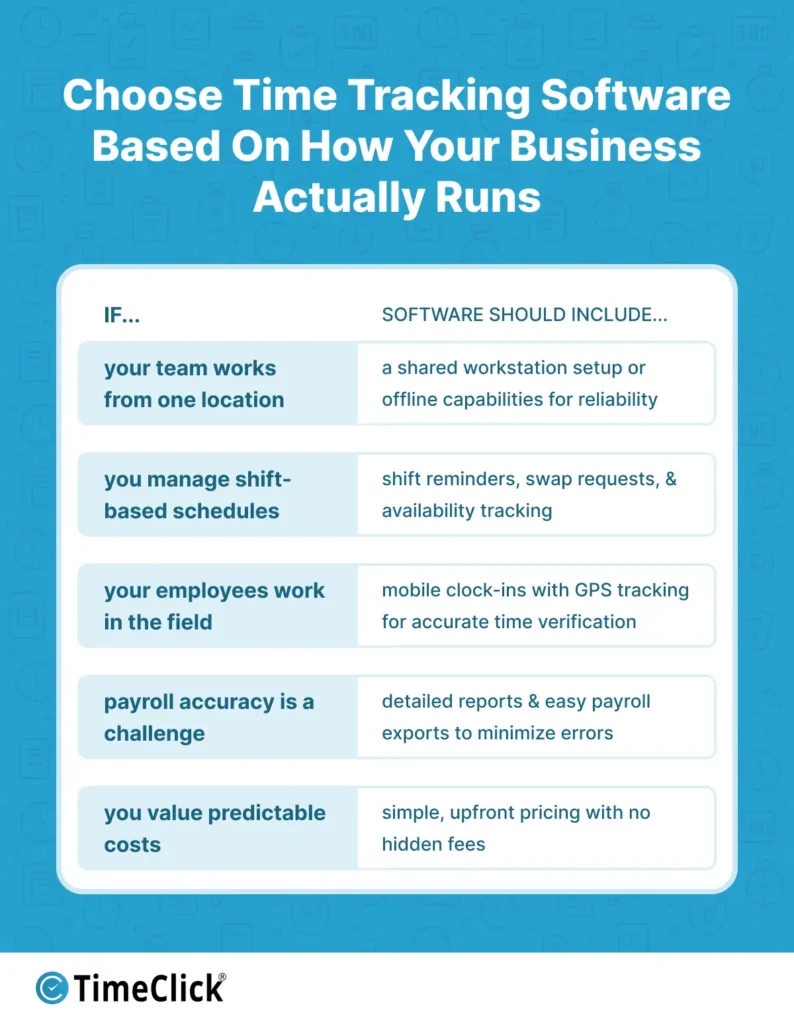
For businesses with a shared workspace, a simple and reliable clock-in station is often the best choice. A shared computer or kiosk setup keeps the process consistent and easy for employees.
In these cases, tools that work offline or store data locally are often more dependable, especially if your internet connection isn't always reliable.
If You Manage Shift-Based or Hourly Schedules
If scheduling takes up a lot of your time, look for software that simplifies building and adjusting schedules. Features like shift reminders, swap requests, and availability tracking can save you hours every week.
However, keep in mind that scheduling-focused tools may charge extra for time tracking or advanced reporting, so factor that into your decision.
If You Have Remote or Field Employees
For teams working off-site, mobile clock-ins are a must. Features like GPS tracking, geofencing, or user-friendly mobile apps can help verify hours without requiring constant check-ins.
The downside is that these tools often rely on internet access and typically come with ongoing subscription costs.
If Payroll Accuracy Is Your Biggest Challenge
If payroll day feels like a constant battle with time card errors, prioritize tools with strong reporting and export capabilities. Clean, easy-to-read reports and seamless payroll exports are more valuable than flashy dashboards.
Choosing software that minimizes manual edits can reduce disputes and save time in the long run. For more insights, check out our article on how employee time tracking software improves payroll accuracy.
If You Value Predictability and Simplicity
Some business owners prioritize flexibility, while others just want a system that works consistently without surprises. If you prefer to avoid rising costs, unexpected plan changes, or feature removals, simpler software with predictable pricing is often the better choice.
The best time clock software is the one that fits your workflow today and still feels like the right decision a year from now.
Where TimeClick Fits (and Why Some Businesses Opt Out of Subscriptions Entirely)
When you compare all these tools side by side, one pattern stands out: most time clock software revolves around subscriptions, cloud access, and ongoing monthly fees.
For many businesses, that model works. The flexibility of mobile access, remote clock-ins, and automatic updates can be worth the cost.
But not every business wants to rent software forever.
Some owners prioritize predictability over endless features. They want time tracking that works the same way every pay period, without worrying about price hikes, forced plan upgrades, or what happens if the internet goes down.
That's where TimeClick comes in.
TimeClick takes a completely different approach. It's designed for small businesses that want to own their time clock software, keep control of their data, and avoid ongoing per-user fees. The system runs directly on your computers, works offline, and doesn't change just because your team grows.

Want to see why over 8,000 small businesses across the US and Canada trust TimeClick? Take a closer look at TimeClick's time tracking features here.
At the same time, TimeClick doesn't lock you into a rigid setup. For teams that need it, there's an optional mobile app for remote or off-site clock-ins. The key difference is that mobile access is a choice, not a requirement.
This approach resonates with businesses that:
- Operate from a physical location where most employees work
- Want predictable, long-term costs
- Prefer to avoid subscriptions for basic time tracking
- Value reliability and simplicity over feature overload
TimeClick isn't trying to replace full HR platforms or workforce management suites. Instead, it focuses on solving one problem exceptionally well: tracking employee time accurately without creating unnecessary headaches.
For businesses tired of subscription creep and looking for a solution that stays out of the way, that difference makes all the difference.
Frequently Asked Questions
Small business owners often ask these questions when they start comparing time clock software seriously.
Is free time clock software good enough for a small business?
Free tools can work well for very small teams or short-term needs. However, most businesses outgrow them as they require features like approvals, detailed reporting, or payroll exports. At that point, the time saved by upgrading often outweighs the cost of staying free.
How much should a small business expect to spend on time clock software?
Costs vary depending on the pricing model. Subscription-based tools may seem affordable initially but can become expensive as you add employees or unlock features. One-time license options have a higher upfront cost but are easier to budget for in the long run.
Do I really need mobile clock-in features?
Mobile clock-ins are essential for teams that work remotely or move between job sites. However, if most of your employees work from a single location, a shared workstation or desktop setup is often simpler, more reliable, and cost-effective.
What happens if the internet goes down?
Cloud-only systems typically stop working until the connection is restored, which can lead to missed punches and payroll issues. Software that works offline can continue tracking time and sync data later, offering more reliability in these situations.
How hard is it to switch time clock software later?
Switching is possible but requires effort. You'll need to retrain employees, adjust payroll workflows, and potentially migrate data. That's why it's important to choose a tool that fits your long-term needs, not just one that's easy to start with.
What should I prioritize: features or simplicity?
For most small businesses, simplicity is more important. Extra features are only valuable if you use them regularly. A tool that handles the basics well and stays out of the way often saves more time than a complex system with unused options.
Final Takeaway
Choosing time clock software doesn't have to be complicated. Most small businesses aren't searching for the most advanced system. They want something reliable that reduces admin work and keeps payroll simple.
The best tool is the one that fits how your business operates. Consider where your employees work, how often schedules change, and whether ongoing costs or internet dependency are concerns. Cloud-based tools prioritize convenience, while offline or one-time license options offer more predictability and control.
The goal is to have accurate time tracking, smoother payroll, and fewer headaches. When your time clock software works quietly in the background without demanding attention, you know you have made the right choice.
Not using TimeClick yet? Try our time clock software free. Simple setup, unlimited users, and built for small businesses. No credit card required.
Start your FREE TimeClick Trial Today.