
On this page
- What Timesheets Are (and How Small Teams Actually Use Them)
- What Time Clock Software Is
- Timesheets vs Time Clock Software: Side-by-Side Comparison
- Accuracy and Payroll Impact
- Time Theft, Rounding, and Human Error
- Cost Over Time: What Small Teams Actually Pay
- Compliance, Recordkeeping, and Risk
- Why Some Businesses Still Use Manual Timesheets
- When Timesheets Still Make Sense
- When Time Clock Software Is the Better Fit
- How to Choose the Right Option for Your Team
- Frequently Asked Questions
- Final Thoughts
If you run a small team, you’ve probably asked yourself: do I really need a time clock, or are timesheets good enough?
Timesheets can feel like the easiest option at first. You trust your team, they write down their hours, and payroll gets done without much hassle. But as your team grows, schedules get more complicated. That’s when many business owners start wondering if time clock software might be a better fit.
This article isn’t here to sell you on one option. Instead, we’ll break down how timesheets and time clock software work for small teams, where each one starts to struggle, and how to decide which approach makes the most sense for your business right now.
What Timesheets Are (and How Small Teams Actually Use Them)
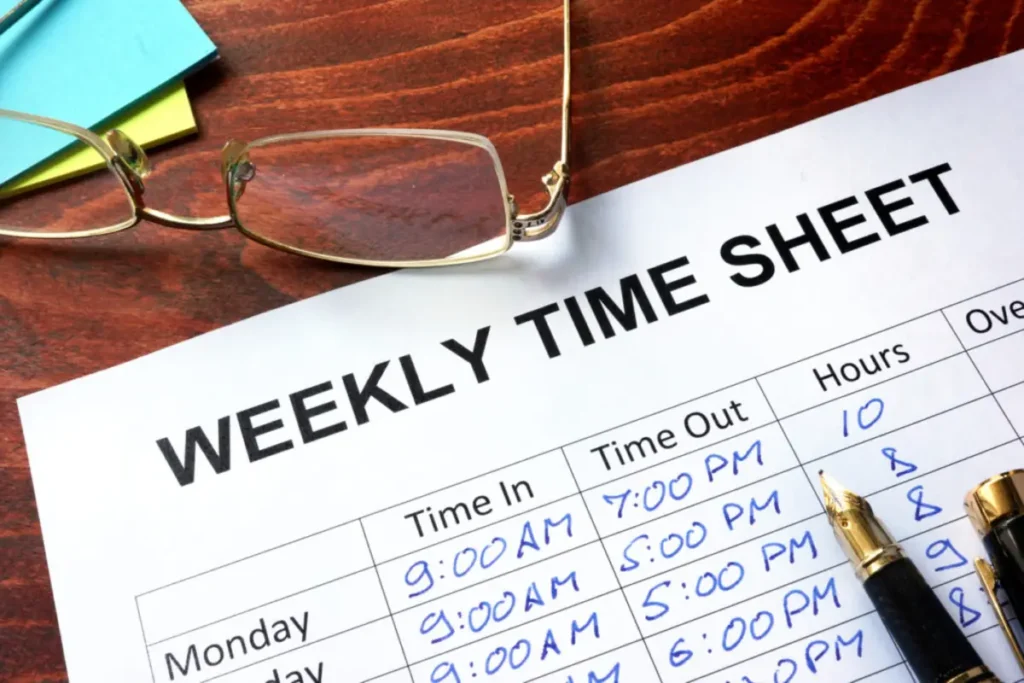
Timesheets are one of the simplest ways to track work hours. Employees write down when they worked, total up their hours for the day or week, and hand it in for approval.
Most small teams stick to one of these three methods:
- Paper timesheets filled out by hand
- Spreadsheets like Excel or Google Sheets
- Basic templates sent via email
It’s easy to see the appeal. Timesheets are quick to set up, cost almost nothing, and don’t require any new software. For very small teams with predictable schedules, they can feel like the simplest solution.
The challenge comes in how they’re actually used. Most people don’t track their time as they work. Instead, they fill out timesheets later, sometimes days later. Start times get guessed, breaks are forgotten, and end times are rounded off.
It’s rarely intentional. People are busy, and details slip through the cracks. But those small inaccuracies add up over a pay period.
On top of that, timesheets shift the burden to whoever handles payroll. Someone has to review the entries, catch mistakes, ask follow-up questions, and clean everything up before paychecks can go out. As the team grows, this process quietly turns into a bigger and bigger task every pay period.
Timesheets aren’t inherently bad. They just depend on habits that tend to break down as schedules, roles, or team size start to change.
What Time Clock Software Is

Time clock software takes the guesswork out of tracking hours by replacing manual entries with real-time clock-ins and clock-outs. Instead of writing down hours later, employees log their time as they start and finish work.
Here’s how it typically works: an employee clocks in at the start of their shift and clocks out when they’re done. The system automatically records the exact times, so there’s no need to rely on memory or estimates.
Depending on the setup, employees can clock in using a computer, a shared workstation, a tablet, or even their phone. Some systems run online through a browser, while others are installed directly on your business computers.
The key difference is timing. Time clock software tracks hours as they happen, not after the fact. This means totals are calculated automatically, overtime is flagged based on your rules, and managers can review hours before payroll runs instead of scrambling to fix errors afterward.
Many systems also include safeguards, like limiting who can edit time entries and keeping a log of any changes. This makes it easier to answer questions later and avoids back-and-forth over what was worked.
For small teams, time clock software isn’t about flashy features. It’s about cutting down on errors, reducing questions, and saving time every pay period.
Timesheets vs Time Clock Software: Side-by-Side Comparison
| Comparison Factor | Timesheets | Time Clock Software |
|---|---|---|
| Time entry method | Employees write down hours manually, often after the work is done | Employees clock in and out as they work |
| Accuracy of recorded hours | Relies on memory and estimates | Records exact times automatically |
| Rounding and estimation risk | Common, especially at the end of the week | Minimal since time is logged in real time |
| Ease of correcting mistakes | Edits are informal and hard to track | Edits usually require approval and are logged |
| Payroll preparation effort | Requires manual review and calculations | Totals and reports are generated automatically |
| Overtime calculation handling | Calculated manually | Calculated automatically based on rules |
| Break tracking | Often missed or recorded inconsistently | Tracked as part of the clock-in process |
| Time theft prevention | Very limited | Stronger controls depending on the system |
| Audit trail and change history | Usually none | Changes are tracked and reviewable |
| Compliance recordkeeping | Only as reliable as the records kept | Records are stored and organized automatically |
| Setup time | Almost none | Short setup with some initial configuration |
| Training required for employees | Minimal | Minimal if the system is user-friendly |
| Scalability as team grows | Becomes harder as the team grows | Scales easily with more employees |
| Cost upfront | Free or very low | May require a purchase or subscription |
| Cost over time | Hidden costs in admin time and errors | More predictable long-term costs |
| Internet dependency | None | Depends on whether the system is online or offline |
| Data ownership and control | Stored wherever the files are kept | Depends on whether it’s cloud-based or installed locally |
| Reporting and exports | Limited and manual | Built-in reports and payroll-ready exports |
| Suitability for remote or field teams | Hard to manage consistently | Much easier to manage |
| Suitability for very small teams | Works well for very small, simple setups | May feel like more than needed at first |
Accuracy and Payroll Impact

Most payroll issues don’t actually start in payroll. They begin earlier, when hours aren’t tracked properly or are logged too late.
With timesheets, employees often fill in their hours after the fact. They’re trying to remember when they started, when they stopped, and how long their breaks were. Even with the best intentions, the numbers tend to drift.
It might be a few minutes rounded here or a forgotten break there, but over a full pay period, those small gaps can add up to real money.
For the person handling payroll, this creates extra work. You’re double-checking totals, chasing down missing details, and fixing errors before you can even process paychecks. And if something slips through, it often leads to complaints or corrections later.
Time clock software simplifies this process. Hours are recorded as they happen, not pieced together days later. Start times, end times, and breaks are logged automatically, so the data is more accurate from the start.
This accuracy carries over to payroll. Totals are already calculated, overtime is flagged based on your rules, and instead of guessing if the numbers are right, you’re reviewing clear, reliable records before running payroll.
The result? Fewer surprises. Payroll takes less time, corrections become rare, and employees trust the numbers because they can see exactly where they came from.
Accurate time tracking doesn’t just make payroll easier. It makes it less stressful. When the data is solid, payroll stops feeling like a chore and starts feeling routine.
Time Theft, Rounding, and Human Error

Talking about time theft can feel uncomfortable, especially when you trust your team. But lost time isn’t always intentional, and it happens more often than you might think.
With timesheets, rounding is almost unavoidable. Someone starts a few minutes early or finishes a little late and rounds to the nearest quarter hour. Another person forgets to subtract a break. On their own, these don’t seem like a big deal, but they add up quickly when they happen every day across multiple employees.
Then there’s plain human error. People forget when they clocked out, mix up days, or fill out timesheets at the end of the week when everything starts to blur together. Even the most careful employees can make mistakes when they’re relying on memory.
Time clock software helps eliminate these issues by recording time as it happens. Employees clock in when they start and clock out when they’re done, leaving less room for guesswork and fewer opportunities for hours to drift.
Some systems also include helpful safeguards, like limiting early clock-ins, requiring approval for edits, or keeping a log of changes. These features aren’t about micromanaging. They’re about creating clear, reliable records that everyone can trust.
When time is tracked in real time, rounding becomes a thing of the past, honest mistakes drop off, and payroll reflects what actually happened instead of what someone tried to piece together later.
Cost Over Time: What Small Teams Actually Pay

At first, timesheets seem like the cheaper option. There’s nothing to buy, no software to set up, and they’re easy to start using right away.
But the hidden costs often show up later. Someone still has to gather the timesheets, check for mistakes, fix errors, and get everything ready for payroll. That takes time, and time is money.
Even small mistakes can add up. A few minutes here and there from rounding, missed breaks, or overtime miscalculations might not seem like much, but across an entire team, those little gaps can grow into bigger problems.
Time clock software, on the other hand, has a more predictable cost. Whether it’s a one-time purchase or a monthly subscription, you know what you’re paying upfront.
For most teams, the real question is whether you’d rather spend time or money. Manual tracking might save you some cash at the start, but automated systems can save you hours of work every pay period.
Compliance, Recordkeeping, and Risk

Labor laws don’t ease up just because your business is small. If you have hourly employees, you’re still required to keep accurate records of hours worked, overtime, and breaks.
Timesheets can meet those requirements, but only if they’re filled out correctly and stored consistently. In practice, this is where things often fall apart. Files get misplaced, old records are hard to track down, and edits happen without any clear explanation of when or why.
If questions come up later, whether from an employee or a labor agency, it can be difficult to explain what actually happened. You’re left relying on handwritten notes or spreadsheet entries that may have been changed multiple times.
Time clock software helps reduce that risk by creating a clear and reliable record. Clock-ins and clock-outs are timestamped, changes are logged, and reports can be generated quickly without digging through folders or emails.
This kind of organized recordkeeping is especially important when something goes wrong. Whether it’s a dispute over overtime, a missed break claim, or an audit request, having clear and accurate data makes these situations much easier to handle.
Why Some Businesses Still Use Manual Timesheets
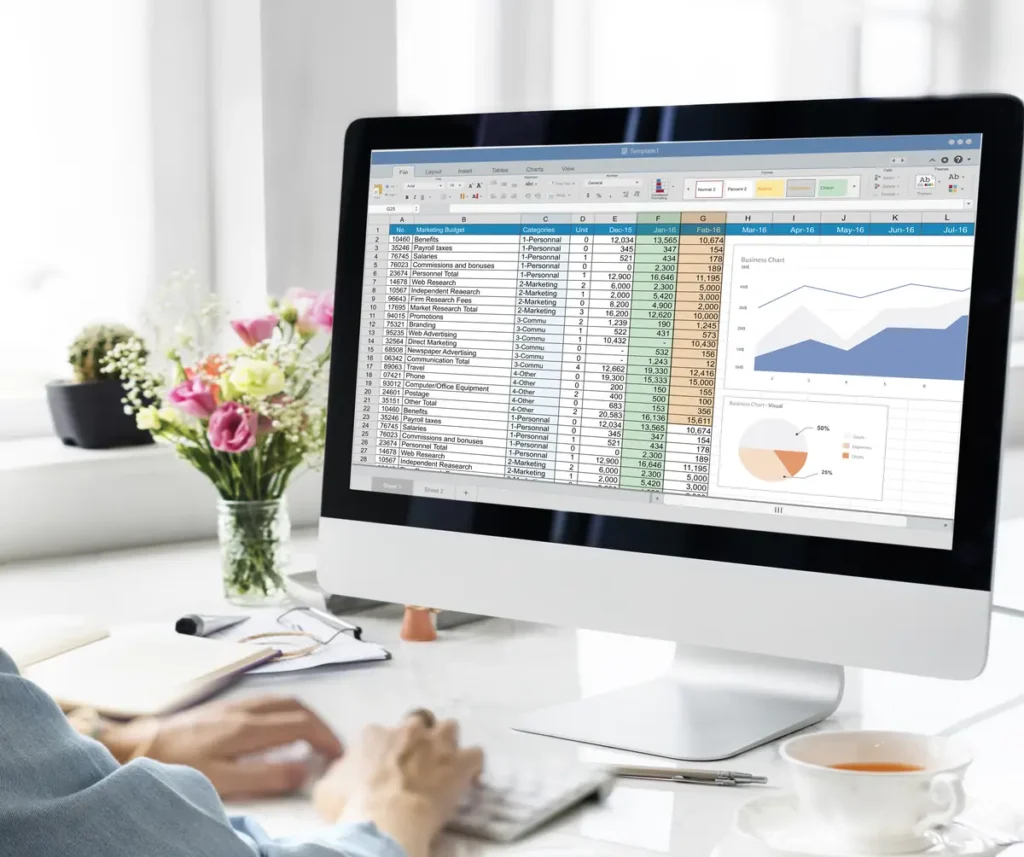
Even with the rise of time tracking software, plenty of businesses stick with manual timesheets, and in the right situations, they can work just fine.
Small teams are a great example. If you’ve only got two or three employees, it’s often easy enough to keep track of hours without needing a more formal system.
Manual tracking also works well when schedules are consistent. If your team works the same hours every day, there’s not much room for confusion about start and end times.
Some businesses also have low compliance risks. If overtime is rare and schedules don’t change much, timesheets can be a straightforward solution that’s easy to manage.
For teams like these, the simplicity of timesheets can make them a better fit than investing in a more advanced system.
When Timesheets Still Make Sense

Timesheets might have their limits, but they’re not without their place. In some situations, they work just fine, and switching to a new system wouldn’t add much value.
If you’ve got a very small team with fixed schedules, timesheets can do the job. When the same people work the same hours every day, manual tracking doesn’t create much hassle.
They’re also a practical choice for short-term or temporary work. If you’re running a one-off project or hiring someone for a limited time, setting up a full clock-in system might feel like overkill.
For some businesses, timesheets stick around because one person handles everything. If you’re the owner, manager, and payroll processor all rolled into one, and you already know who worked when, timesheets can feel manageable.
The common thread here is simplicity. Timesheets work best when the team is small, schedules are predictable, and there’s little room for confusion.
But as soon as things start to change (more employees, rotating shifts, or increasing payroll questions), the cracks in the system tend to show up quickly.
When Time Clock Software Is the Better Fit

There’s a point where timesheets stop feeling "good enough." Payroll takes longer, questions pile up, and you find yourself checking the same numbers repeatedly instead of trusting them.
Time clock software becomes a better fit when schedules are no longer predictable. Rotating shifts, varying start times, or employees covering for each other create complexity that manual tracking struggles to handle.
If your team works across multiple locations or out in the field, managing timesheets becomes even harder. Tracking time as it happens gives you real-time visibility without needing to chase people for updates.
Another clear sign it’s time to switch is when payroll becomes a constant source of stress. Fixing recurring issues like missed punches, rounding errors, or overtime questions can be exhausting. A clock-in system often reduces these problems faster than you might expect.
As your team grows, time clock software also makes more sense. What works for three people often falls apart when you have ten. Choosing a system that can grow with your team helps you avoid a bigger transition later when you’re already busy.
How to Choose the Right Option for Your Team

There’s no one-size-fits-all answer for every small business. The real question is which option fits how your team works day to day.
Start by looking at schedules. If everyone works the same hours with little variation week to week, timesheets might still do the job. But if hours shift often or coverage changes regularly, a clock-in system can take the guesswork out of tracking.
Next, think about where your team works. Office-based teams can often manage with simpler setups. For remote employees, field crews, or teams spread across multiple locations, tracking time as it happens is usually a better fit.
Payroll complexity is another factor. If overtime, breaks, or different pay rules are already causing confusion, automated tracking can make calculations more consistent and easier to review.
Be honest about how much manual work you’re willing to take on. Some business owners don’t mind reviewing timesheets every pay period, while others would rather spend that time focusing on running the business.
Finally, consider how you want to pay for the tool. Some teams prefer monthly software subscriptions with ongoing updates. Others might prefer a one-time purchase that gives them full control of their data without recurring fees.
For example, some small businesses choose tools like TimeClick because it offers a straightforward time clock they own. It runs on their own computers, works offline, and doesn’t require ongoing monthly payments.
When you consider these factors together, the choice usually becomes much clearer. The right setup is the one that makes time tracking easier, not harder.
Frequently Asked Questions
Here are the questions small business owners often ask when deciding between timesheets and time clock software.
Is time clock software better than timesheets for small teams?
It depends on your team’s needs. Timesheets can work well for very small teams with fixed schedules. Time clock software becomes a better option when schedules vary or payroll errors start to become an issue.
Are timesheets still legal for tracking employee hours?
Yes, timesheets are legal as long as they accurately record hours worked and meet recordkeeping requirements. The challenge is maintaining consistency and accuracy over time.
Can I use a free online clock-in system?
Free options are available, but they often come with limitations. These might include a cap on the number of users, basic reporting features, or restricted access to past records. Many teams outgrow free tools as their needs evolve.
Do online time clocks require an internet connection?
Most online systems need an internet connection to record and sync time entries. However, some installed systems can work offline and sync later, which is helpful in areas with unreliable internet service.
How long should employee time records be kept?
In the U.S., federal regulations generally require keeping payroll and time records for at least two to three years. Some states have longer requirements, so it’s a good idea to keep records well-organized and easily accessible.
Is time clock software hard for employees to use?
Most systems are designed to be simple. If clocking in and out only takes a click or two, employees usually adapt quickly with minimal training.
Final Thoughts

Both timesheets and time clock software can work, but the right choice depends on how much effort you want to spend managing time. Timesheets are fine for small teams with steady schedules, but as things get more complex, even minor issues can add up quickly.
Time clock software simplifies tracking by removing guesswork and making payroll easier to trust. If time tracking feels like a recurring headache, it might be time to switch. The best system is one that works quietly in the background, letting you focus on running your business instead of fixing timekeeping problems.
Not using TimeClick yet? Try our time clock software free. Simple setup, unlimited users, and built for small businesses. No credit card required.
Start your FREE TimeClick Trial Today.