
Getting payroll right is essential. Even small errors can lead to frustrated employees, longer processing times, and compliance risks. Accurate hour tracking keeps payroll clean, predictable, and defensible; not something you have to second-guess every pay period.
Many businesses start with simple methods like spreadsheets or handwritten logs, which work for small teams. But as you grow, these methods often lead to mistakes. This guide will show you how to calculate hours reliably, avoid common pitfalls, and choose the right tools for your business.
Table of Contents
- What “Total Work Hours” Actually Means for Payroll
- The Old Way: How Businesses Used to Add Up Hours (And Where It Goes Wrong)
- The Modern Way: How to Calculate Total Work Hours Using Online Tools
- Step-by-Step: How to Calculate Work Time Using an Online Calculator
- Step 1: Gather Clock-In and Clock-Out Times
- Step 2: Subtract Unpaid Breaks
- Step 3: Add Daily Totals Together
- Step 4: Review for Overtime Rules
- Step 5: Export or Record the Results
- Common Mistakes That Cause Hour Calculation Errors
- Forgetting to Subtract Unpaid Breaks
- Mixing Standard Time and Payroll Decimal Time
- Inconsistent Rounding
- Manual Overtime Calculations
- Editing Time After the Fact Without Records
- How Hour Tracking Connects Directly to Payroll Accuracy and Compliance
- Frequently Asked Questions
- Final Thoughts
What “Total Work Hours” Actually Means for Payroll
When it comes to payroll, "total work hours" are the hours you're legally and financially responsible for paying your employees. Sounds straightforward, right? But in reality, things can get messy when you factor in how time is actually recorded across different shifts, managers, and schedules.
The tricky part isn’t the math. It’s keeping things consistent. Time gets logged at slightly different moments. Breaks don’t always happen on schedule. Employees forget to clock in or out. Adjustments are made after the fact. Each of these might seem minor on their own, but over an entire pay period and across multiple employees, those little inconsistencies can add up fast.
This isn’t theoretical, either. Around one in three employers make payroll errors each year; a significant source of business risk and additional cost (Payroll error statistics & impact).
Then there's the way time flows through your systems. It might start in a clock-in app, get transferred to a spreadsheet, and eventually land in payroll. If rounding rules, break policies, or time formats change at any point in that process, your totals might not match what actually happened on the floor.
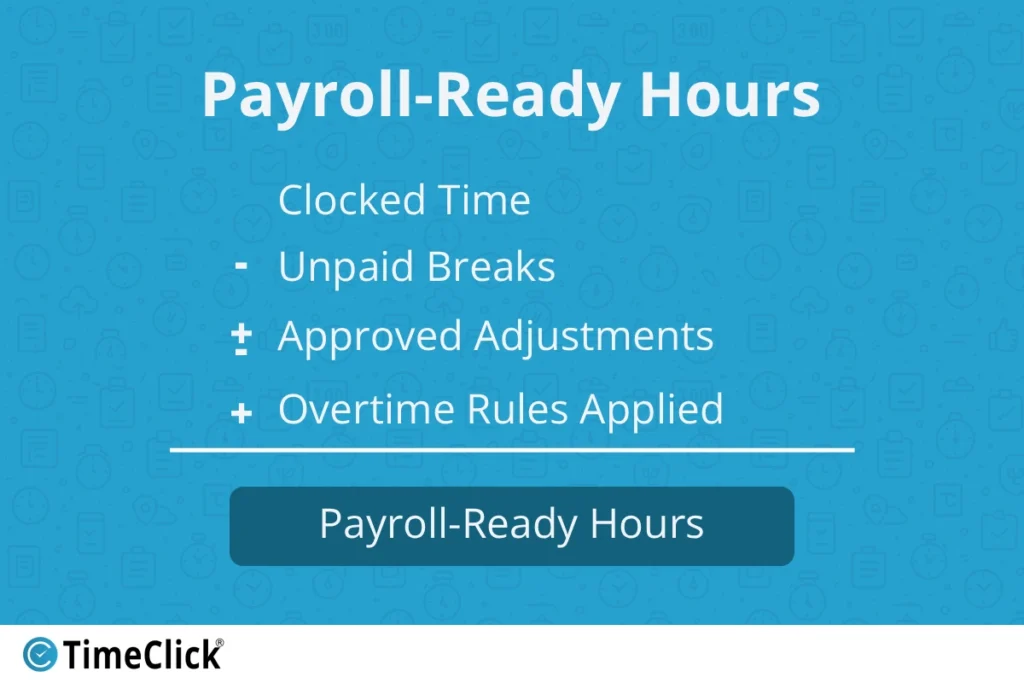
So, total work hours for payroll aren't just about the length of a shift. They're the hours that have been verified, aligned with your policies, and are ready for payroll. That means they account for your break rules, overtime policies, and pay structure, not just the hours an employee was scheduled to work.
This is why consistency matters more than speed. When time is captured and calculated the same way every time, payroll becomes predictable. When it isn’t, even small differences add up. A five-minute rounding gap multiplied across 15 employees over two weeks can quietly turn into hours of payroll variance. Instead of running payroll confidently, you end up chasing discrepancies.
The Old Way: How Businesses Used to Add Up Hours (And Where It Goes Wrong)

Before online hour tools were common, most businesses handled time tracking manually. Some still do. On paper, it seems simple enough. Write down a start time. Write down an end time. Add it all up at the end of the week. In reality, this is where small errors quietly begin to stack up.
Paper time logs depend on memory and handwriting. If someone forgets to write something down, you're left guessing later. If the handwriting is messy, you're trying to interpret numbers. And if a timesheet gets lost, there's no backup.
Spreadsheets feel more organized, but they come with a different kind of risk. One wrong formula, one accidental overwrite, or one cell copied into the wrong place can throw off an entire pay period. Most business owners don't notice until the payroll totals look completely wrong.
Another common issue is end-of-week reconstruction. This happens when someone tries to remember their hours after the fact. Maybe they check old texts, look at security camera timestamps, or just make an estimate. None of those methods are reliable in the long run.
Manual hour math also breaks down when overtime rules come into play. Once you're calculating daily overtime, weekly overtime, or state-specific labor rules, doing it by hand becomes risky fast. The more people you have, the harder it gets to stay consistent.
This is why many businesses eventually move toward online time card calculator tools. It's not because manual tracking never works, but because it stops working reliably once you grow past a certain point.
The Modern Way: How to Calculate Total Work Hours Using Online Tools
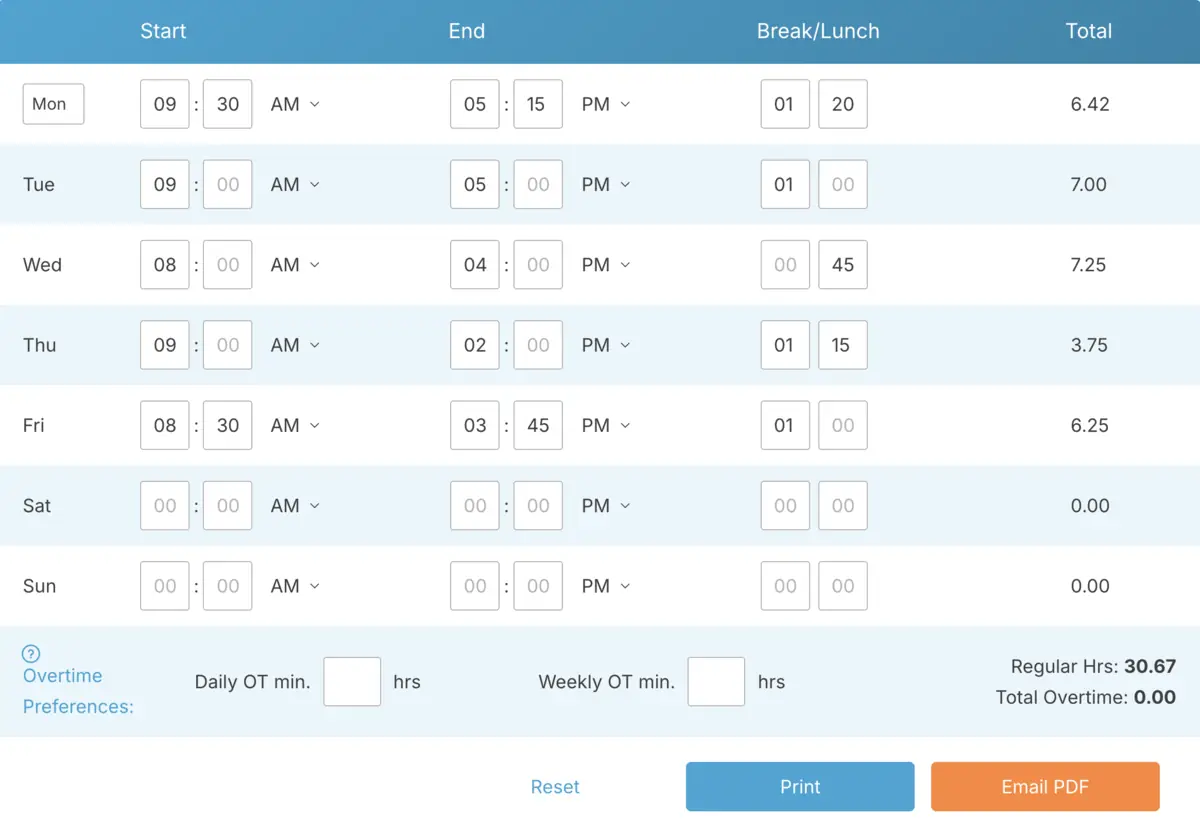
Modern online hour calculation tools are built to remove the guesswork. Instead of reconstructing time after it happens, employees enter their time directly, and the system handles the math for you automatically.
Most browser-based work hour calculators follow the same basic flow.
- You enter a clock-in time.
- You enter a clock-out time.
- You subtract any unpaid break time.
- The system calculates the total instantly.
Some tools also help convert time into payroll-ready formats if needed.

The biggest advantage is consistency. The same math happens every single time, no matter who enters the data. That alone eliminates a huge percentage of the payroll corrections that businesses normally deal with.
Online tools also make recordkeeping much easier. Instead of digging through paper logs or old spreadsheet versions, you can pull up historical time data in seconds. That's a huge deal for audits, compliance questions, or employee disputes months down the road.
For many small businesses, moving to online hour calculation isn't about adding complexity. It's about removing chaos and making payroll predictable week after week.
As teams grow, many businesses transition from standalone calculators to full time tracking systems that handle clock-ins, approvals, overtime rules, and exports all in one place. The goal remains the same: consistent and accurate totals, but with far fewer manual steps involved.
Step-by-Step: How to Calculate Work Time Using an Online Calculator
If you've never used an online tool to total employee hours, the process is usually very straightforward. The whole point is to remove mental math and make sure the same rules are applied every time.
Here's what the process typically looks like for a business.
Step 1: Gather Clock-In and Clock-Out Times
Start with the actual times employees started and stopped working. This could come from a digital clock-in system, a badge swipe, or manual entry if you're using a basic browser calculator.
Step 2: Subtract Unpaid Breaks
If your employees take unpaid lunches or breaks, you need to subtract that time from the total shift.
Step 3: Add Daily Totals Together
Once each shift is calculated, you'll total them for the work week or pay period. Most online work hour calculators do this for you once the daily entries are in.
Step 4: Review for Overtime Rules
If your business pays overtime, check the totals against your policy. Some tools can calculate overtime automatically, while more basic calculators just give you the raw totals.
Step 5: Export or Record the Results
Once you've verified the totals, record them for payroll or export them if your calculator has that feature. The key is to lock in the totals before payroll processing begins.
When businesses follow the same steps every pay period, payroll becomes faster and much more predictable.
Common Mistakes That Cause Hour Calculation Errors
Most payroll mistakes don't come from one huge error. They usually come from small calculation habits that seem harmless but create bigger problems over time.
That’s part of why time accuracy matters so much financially. The American Payroll Association has estimated that time theft alone can cost businesses between 1.5% and 5% of total gross payroll annually (TimeDock).
Forgetting to Subtract Unpaid Breaks
This is one of the most common issues. If breaks aren't removed consistently, your payroll totals will slowly creep upward and create budgeting problems.
Mixing Standard Time and Payroll Decimal Time
Switching between hours and minutes and decimal payroll formats without realizing it creates math errors fast. This usually happens when data moves between spreadsheets and payroll systems.
Inconsistent Rounding
If some managers round time one way and others round differently, your totals become inconsistent across teams. This can create compliance risks depending on local labor rules.
Manual Overtime Calculations
Trying to calculate overtime by hand often leads to missed thresholds or incorrect totals. This is especially true when pay periods cross weeks or include special schedules.
Editing Time After the Fact Without Records
If time entries are changed after the shift without any tracking, it becomes difficult to explain the changes later. That creates trust issues with your team and problems if records are ever reviewed externally.
Online time card calculator tools help prevent most of these issues. They force consistent calculation rules across every employee and every pay period.
How Hour Tracking Connects Directly to Payroll Accuracy and Compliance
Federal wage and hour laws require businesses to keep accurate records of hours worked and total hours each workweek (Recordkeeping Requirements under the FLSA). That includes regular hours, overtime, and in some cases, break tracking. If records are incomplete or inconsistent, businesses usually end up doing manual reconstruction during audits or disputes.
And this isn’t a niche problem. Studies tied to payroll and workforce research suggest time theft impacts roughly 75% of businesses in the United States each year (Tilson HR).
Even small time errors can create bigger issues. If someone is underpaid, it creates trust problems and legal risks. If someone is overpaid, it affects your labor cost forecasting and profitability. Over time, both situations add unnecessary stress to your payroll operations.
Accurate hour tracking also helps businesses respond to questions much faster. If an employee asks about their paycheck, you can show them exact timestamps instead of trying to explain spreadsheet math or handwritten notes.
Online work hour tracking and time card calculation tools help standardize your recordkeeping. Instead of relying on memory or manual math, they create consistent records that are easier to review, store, and reference later if needed.
For most businesses, the goal isn't perfection. It's consistency. When time data is captured the same way every time, payroll becomes predictable and much easier to defend if questions ever come up.
Frequently Asked Questions
Businesses often have the same questions when they start using online tools to total up employee work time. Here are a few of the most common ones, answered simply.
What's the easiest way to total up employee hours each week?
The easiest option is to use an online time card calculator or a digital time card system. These tools automatically add up daily totals and always use the same math. You get fewer manual mistakes and a faster payroll process overall.
How do you figure out work hours when employees take unpaid breaks?
Begin with the full shift time and subtract any unpaid breaks. For example, if someone works from 8 AM to 5 PM with a one-hour unpaid lunch, their paid time is 8 hours, not 9.
Are online hour calculators accurate enough for payroll?
Most online calculators are very accurate because they always apply the same calculation rules. Just make sure the clock-in and clock-out times are entered correctly.
What's the right way to handle overtime calculations?
Overtime usually depends on the total hours someone works in a day or week, based on labor laws or your company's policy. Many modern online tools can calculate this automatically once all the hours are entered.
What's the difference between standard time and payroll decimal time?
Standard time uses hours and minutes to track time, while payroll decimal time converts minutes to fractions of an hour. So, 30 minutes becomes 0.50 instead of 0.30. Most online tools can do this conversion for you, which makes payroll calculations much more accurate.
Final Thoughts
Accurate hour tracking is the foundation of smooth payroll. Whether you use a simple online calculator or a full time tracking system, the key is consistency. Applying the same rules every time reduces errors, protects your budget, and builds trust with your team.
As your business grows, moving away from manual methods is a natural step. It’s not about adding complexity. It’s about simplifying processes and making payroll one less thing to worry about.
Not using TimeClick yet? Try our time clock software free. Simple setup, unlimited users, and built for small businesses. No credit card required.
Start your FREE TimeClick Trial Today.