
Payroll errors go beyond administrative headaches. They can result in overpayments, missed wages, compliance violations, and a loss of employee trust. The foundation of accurate payroll lies in consistent weekly hour totals.
When hours are calculated correctly, payroll runs smoothly, overtime is managed, and compliance risks are minimized. This guide explains exactly how employers calculate weekly work hours for payroll and how to avoid common calculation mistakes.
Table of Contents
- What Counts as “Weekly Work Hours” for Payroll
- How Employers Structure Weekly Cutoff Periods
- How Most Employers Actually Total Weekly Hours (Step-by-Step)
- Step 1: Track Daily Start and End Times
- Step 2: Subtract Unpaid Breaks
- Step 3: Turn Shifts Into Daily Paid Hours
- Step 4: Add Up Paid Time for the Week
- Step 5: Apply Overtime Rules
- Comparing Methods for Calculating Weekly Work Hours
- Handling Split Weeks Inside Biweekly Payroll
- Where Weekly Hour Calculations Usually Go Wrong
- End-of-Week Reconstruction
- Mixing Time Formats
- Manual Overtime Calculations
- Break Tracking Inconsistency
- How Online Work Hour Tools Simplify Weekly Payroll Totals
- Easy Ways to Improve Weekly Hour Accuracy This Pay Period
- Use the Same Time Entry Rules
- Set a Deadline for Edits
- Train Managers on Policies
- Double-Check Hours Before Payroll
- How Accurate Weekly Hours Affect Payroll Costs and Compliance
- Choosing the Best Way to Calculate Weekly Hours for Your Business
- 1 to 10 Employees
- 10 to 50 Employees
- 50+ Employees
- Common Questions About Weekly Hour Calculations
- Final Thoughts: Weekly Hour Totals Are Key to Reliable Payroll
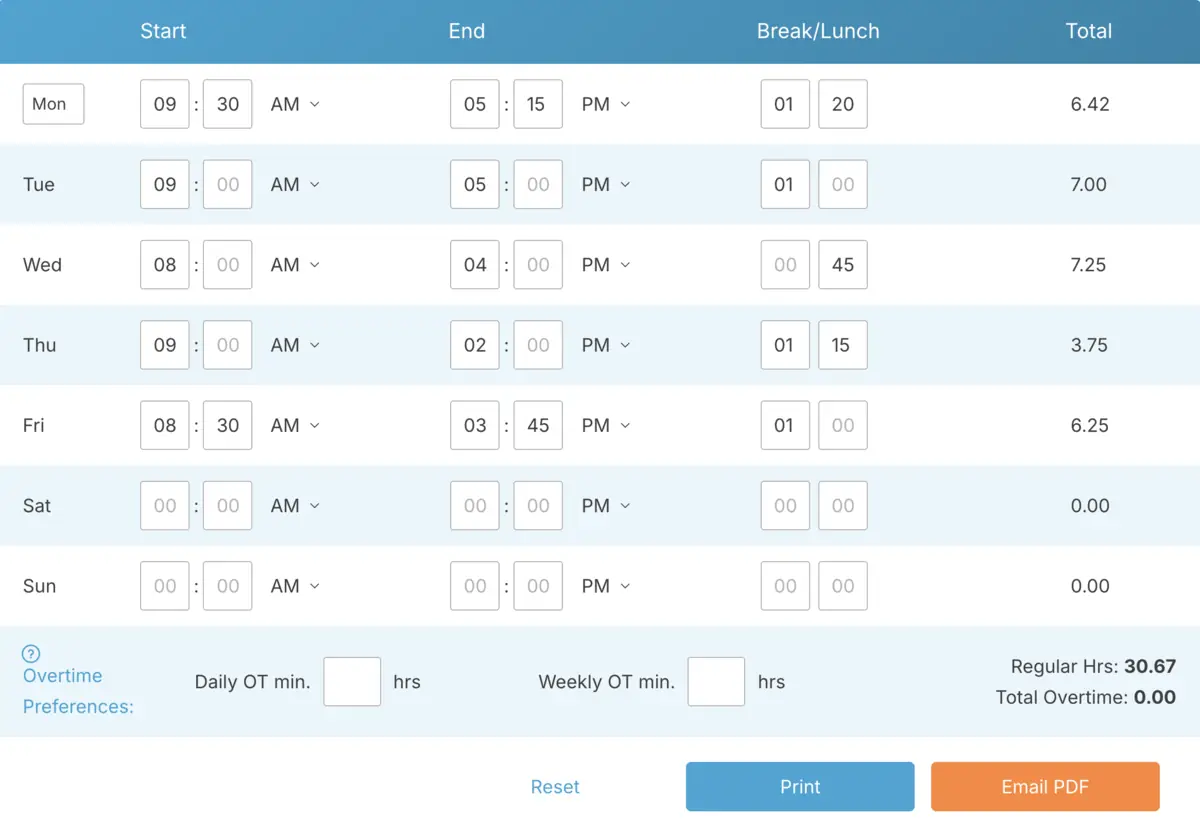
What Counts as “Weekly Work Hours” for Payroll

Weekly work hours aren’t always the same as scheduled hours on the calendar. For payroll, weekly hours mean the time an employer is legally required to pay. This includes approved work time after breaks, policy adjustments, and overtime rules are factored in.
For example, an employee might be scheduled for 40 hours, but the hours they’re paid for could be different. Maybe they worked extra one day, left early another day, or had unpaid lunch breaks deducted. Payroll is based on the actual hours worked and approved, not the hours planned on the schedule.
Another important step is verification. Many employers separate raw clock-in time from approved payroll time. Raw time is the exact time recorded when someone clocks in and out. Approved time is what managers finalize after checking breaks, edits, or exceptions to policies. This is the step where weekly totals are prepared for payroll.
Overtime rules can also affect how weekly totals are calculated. Once an employee works more than a certain number of hours in a week, those extra hours are often paid at a higher rate. This makes weekly totals more than just numbers. They directly affect payroll costs and compliance.
Under federal wage regulations, employers must define a fixed workweek and apply overtime consistently within that period.
How Employers Structure Weekly Cutoff Periods
Before calculating weekly hours, employers need to define what counts as a “week.” Most businesses stick to a fixed seven-day period, like Sunday through Saturday or Monday through Sunday. The key is consistency. Once you set a weekly cutoff, it’s important to stick with it and avoid shifting it around.
Why is this so important? Payroll totals, overtime calculations, and reporting all rely on that defined week. If hours from one week accidentally spill into another, even accurate math can lead to incorrect totals.
For instance, if your payroll runs biweekly but overtime is calculated weekly, you still need to total each seven-day period separately within the pay period. Employers who clearly define and consistently follow a weekly cutoff avoid unnecessary confusion and errors.
A well-defined weekly structure simplifies everything. Once the boundaries are set, calculating weekly hours is as straightforward as adding up the right shifts within that fixed timeframe.
How Most Employers Actually Total Weekly Hours (Step-by-Step)
Most payroll teams follow a similar process to turn daily time records into weekly payroll totals. The tools might vary, but the steps are usually the same. The goal is clear: track time accurately, apply company rules, and create a weekly total that payroll can rely on.
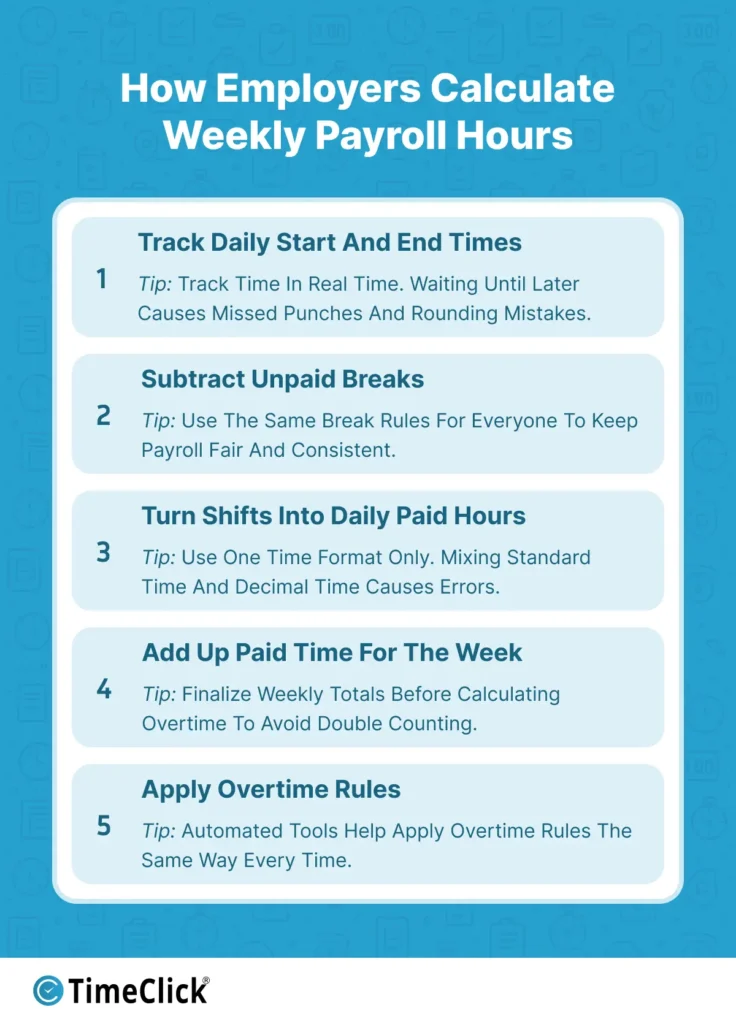
Step 1: Track Daily Start and End Times
Everything begins with tracking daily time. This can be done using a digital clock-in system, badge swipe, online tool, or even manual entry, depending on the business. The most accurate data comes from recording time as shifts happen, rather than trying to recreate it later.
When employees log their time in real time, there are fewer mistakes to fix at the end of the week. But when time is entered later from memory, it’s more likely to have rounding errors or missing punches.
Step 2: Subtract Unpaid Breaks
Most employers subtract unpaid breaks, like lunch, from the total shift time before calculating weekly hours. Some businesses do this automatically, while others require employees or managers to log break time manually. The key is to apply the same break rules to everyone.
Inconsistent break tracking is one of the most common reasons weekly payroll totals end up higher than expected. Even small daily differences can add up across a team by the end of the week.
Step 3: Turn Shifts Into Daily Paid Hours
After breaks are subtracted, shifts are converted into daily paid hours. Some payroll teams use standard hours and minutes, while others switch to payroll decimal format. For example, 8 hours and 30 minutes converts to 8.5 hours in payroll decimal format. Problems often happen when both formats are mixed without realizing it.
This is where many businesses use an online time card calculator or work hours tool. It’s not that the math is hard, but automated tools ensure consistent calculations and prevent small errors from piling up.
Step 4: Add Up Paid Time for the Week
Once daily totals are confirmed, payroll teams add up all approved paid hours for the workweek. Most businesses use a fixed seven-day payroll period. If a shift crosses into another week, company policy or payroll system rules decide how to split the hours.
Weekly totals should always be finalized before applying overtime rules. This keeps the math clean and avoids double counting.
Step 5: Apply Overtime Rules
After confirming total weekly hours, overtime rules are applied based on company policies and labor laws. Some businesses only track weekly overtime, while others also track daily overtime depending on state rules. Automated tools are helpful here because they apply overtime thresholds consistently.
By following this process every week, payroll becomes easier to manage and verify.
Comparing Methods for Calculating Weekly Work Hours
Different businesses use different tools to total weekly hours. The method you choose affects how much time payroll takes and how often mistakes happen. Here’s how the most common weekly hour calculation methods compare.
| Method | Risk Level | Time Required | Best For |
|---|---|---|---|
| Manual Spreadsheet | High | High | Very small teams |
| Online Calculator | Medium | Low | Small teams |
| Full Time Tracking System | Low | Very Low | Growing teams |
As teams grow, the risk of small calculation inconsistencies increases. What works for five employees may not scale smoothly to twenty or fifty. Choosing the right structure early can prevent payroll bottlenecks later.
Handling Split Weeks Inside Biweekly Payroll
Many small businesses pay employees every two weeks, but weekly hour totals are still crucial. Even in a biweekly pay period, each seven-day workweek needs to be calculated separately before combining the totals.
Confusion often arises when employers total all hours across fourteen days without breaking them into two distinct weeks. This makes it harder to spot weekly patterns or calculate overtime accurately.
A better approach is to treat the pay period as two separate weekly blocks. Calculate and confirm each week individually, then combine the totals for payroll processing. This method keeps everything organized and minimizes last-minute corrections.
By treating weekly blocks as fixed units within a biweekly pay period, payroll becomes more predictable, easier to review, and less prone to errors.
Where Weekly Hour Calculations Usually Go Wrong
Most payroll mistakes don’t happen because of one big error. They usually come from small habits that seem harmless but slowly cause bigger problems over time. On average, organizations make about 15 payroll corrections per pay period, which shows how easily those small issues add up.
End-of-Week Reconstruction
This occurs when employees or managers attempt to piece together time records after the fact. They might rely on texts, schedules, or rough estimates. The longer the gap between working and recording time, the less accurate the weekly totals tend to be.
Mixing Time Formats
Switching between standard time and payroll decimal time without noticing can lead to quick math errors. For example, adding 8.45 + 8.30 without converting properly can result in inaccurate totals. This is especially common when time data is transferred between spreadsheets, payroll systems, and manual calculators.
Manual Overtime Calculations
Manually tracking overtime across multiple employees increases the risk of missing thresholds. It becomes even more challenging when pay periods span weeks or involve varying shift patterns.
Break Tracking Inconsistency
When managers handle break deductions differently, weekly totals can become inconsistent across departments. Over time, this leads to payroll corrections and may raise compliance issues if records are reviewed later.
Most businesses switch to automated hour totaling systems not because manual math fails, but because consistency becomes harder to maintain as teams expand.
How Online Work Hour Tools Simplify Weekly Payroll Totals

As teams grow, many businesses stop using paper or spreadsheets and switch to automated tools for tracking hours. The main benefit isn’t speed. It’s making sure the rules are the same every time, no matter who enters the data.
These tools can automatically subtract break time, add up daily hours, and get weekly totals ready for payroll. This saves payroll teams from doing a lot of extra checking at the end of the week. Ernst & Young’s U.S. payroll survey found that 1 in 5 payrolls contain errors, at about $291 per error on average. Cutting down on manual checking can add up to real savings over time.
Another big benefit is spotting overtime early. Instead of finding out about overtime after the week is over, these tools can flag it as it happens. This helps managers keep labor costs under control.
Keeping records is also much easier. Instead of searching through old papers or files, businesses can quickly find past time records. This is really helpful during audits, disputes, or reviews.
The value isn’t complexity. It’s predictable, repeatable calculations. When everyone’s hours are calculated the same way, payroll totals are easier to trust.
Easy Ways to Improve Weekly Hour Accuracy This Pay Period
You don’t need to overhaul your entire time tracking system to improve weekly hour accuracy. Small changes can make a big difference right away. Most payroll teams see better results just by making time entry and review more consistent.
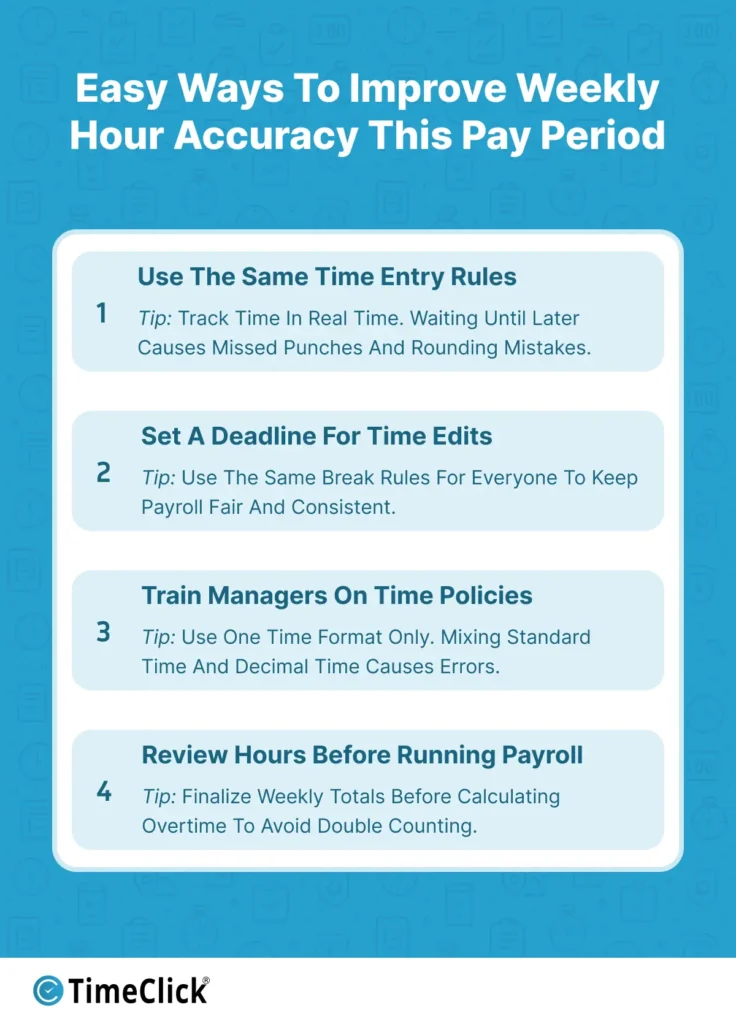
Use the Same Time Entry Rules
Make sure everyone records time the same way. If some employees track exact minutes and others round their hours, weekly totals can get messy. Even small differences add up over a pay period.
Set a Deadline for Edits
Create a clear cutoff for time edits each week. Once totals are approved, lock them before payroll starts. Many payroll teams set this cutoff 24 hours before payroll processing begins. This stops last-minute changes that can delay payroll or cause mistakes after paychecks go out.
Train Managers on Policies
A lot of payroll issues happen because managers don’t apply break or overtime rules the same way. When managers know the policies, payroll reviews are faster and more accurate.
Double-Check Hours Before Payroll
Take a few minutes to review weekly totals before running payroll. Catching one mistake early is much easier than fixing it after paychecks are sent.
These simple steps can make payroll more reliable. Over time, they reduce errors, speed up processing, and help employees trust their paychecks are correct.
How Accurate Weekly Hours Affect Payroll Costs and Compliance

Weekly hour totals aren’t just about paychecks. They impact labor costs, compliance, and payroll stability. When totals are accurate, businesses can better predict labor costs and avoid unexpected overtime spikes.
Both overpaying and underpaying employees cause problems. Overpaying quietly raises labor costs over time, often without being noticed. Underpaying is a bigger issue. It can hurt employee trust, lead to disputes, and even result in costly wage claims. In one survey, 40% of employees said they’d experienced a payroll error in the past year, which is why getting weekly totals right matters as much for trust as it does for compliance.
Accurate weekly totals also help with compliance. Many labor laws require businesses to keep reliable time records. If records are incomplete or messy, businesses may have to rebuild them during audits. Even if nothing was done wrong, that process is stressful and takes a lot of time.
Good time tracking also makes it easier to answer employee questions. If someone asks about their paycheck, employers can show exact timestamps and approved totals instead of trying to explain confusing spreadsheets or guessed hours.
The goal isn’t perfection. It’s consistency. When weekly hours are tracked and calculated the same way every time, payroll becomes predictable and much easier to handle.
Choosing the Best Way to Calculate Weekly Hours for Your Business
The best way to track and total weekly work hours depends on your team size, how complex schedules are, and how often payroll mistakes happen. What works for a small team might not work as your business grows or schedules get more flexible.
1 to 10 Employees
Small teams can often use simple tools like hour calculators or basic digital time tracking. Managers usually know everyone’s schedule well, so reviewing weekly totals is quicker. At this size, it’s more important to be consistent than fully automated.
The biggest challenge for small teams is building habits that won’t cause problems later. Even small businesses benefit from using standardized methods early on.
10 to 50 Employees
As teams grow, reviewing weekly hours takes more time. Overtime becomes more common, and managers spend more time double-checking entries. Many businesses in this range start using automated time tracking with centralized reports.
The goal here is to cut down on manual work while keeping payroll accurate. This is also when businesses often add approval steps and better reporting tools.
50+ Employees
For larger teams, full time tracking systems are usually a must. These systems automatically handle break rules, overtime policies, and approvals. At this size, manually adding up weekly totals can delay payroll and increase the risk of compliance issues.
For big teams, the focus shifts from just calculating hours to managing time data across departments, locations, and payroll cycles.
Common Questions About Weekly Hour Calculations
Even businesses with solid payroll systems often have similar questions about weekly hour totals. Most of these focus on consistency, overtime, and how time data connects to payroll.
What’s the easiest way to total employee hours for payroll?
Most businesses use automated hour calculators or time tracking software. These tools ensure the same rules are applied every time, helping to avoid math mistakes and speeding up payroll.
How do you calculate weekly hours when employees take unpaid lunches?
Unpaid break time is usually subtracted from the total shift hours before adding up weekly totals. Many businesses use automated tools to make sure break rules are applied consistently for everyone.
What’s more important for payroll: daily totals or weekly totals?
Both are important. Daily totals help check for accuracy, but weekly totals determine overtime and final payroll costs.
Can small businesses use simple hour calculators for payroll?
Yes, if schedules are simple and overtime is rare. As teams grow or schedules get more complicated, many businesses switch to full time tracking systems to save time and reduce errors.
Why do payroll mistakes often start with time tracking?
Payroll systems depend on accurate time data. If time entries are missing, inconsistent, or calculated differently across teams, payroll errors are much more likely to happen.
Final Thoughts: Weekly Hour Totals Are Key to Reliable Payroll
Reliable weekly hour calculations aren’t optional. They’re the foundation of predictable payroll. Consistent tracking ensures fewer errors, better compliance, and smoother payroll operations.
Whether you rely on a simple hour calculator or a full time tracking system, the goal is the same: apply clear and consistent rules every time. As your business grows, investing in reliable time tracking processes pays off with fewer payroll corrections, reduced compliance risks, and stronger employee trust in paycheck accuracy.
Not using TimeClick yet? Try our time clock software free. Simple setup, unlimited users, and built for small businesses. No credit card required.
Start your FREE TimeClick Trial Today.