
Overtime might seem simple: work more than the weekly limit, and you pay extra. The real challenge, however, is managing the calculations. Spreadsheets may start organized, but even a small mistake like an edited formula or misplaced cell can throw everything off. By the time payroll is due, you’re left questioning whether the numbers are accurate.
This guide will show you how to calculate overtime step by step, highlight common spreadsheet pitfalls, and offer ways to make the process smoother and more reliable.
Table of Contents
- What Counts as Overtime Hours?
- How to Calculate Overtime Hours Manually
- Step 1: Add Up Total Hours Worked for the Week
- Step 2: Identify Hours Over 40
- Step 3: Calculate Overtime Pay
- Step 4: Add Regular Pay and Overtime Pay
- Why Spreadsheets Create Overtime Problems
- Formulas Get Changed Without Anyone Noticing
- Breaks Aren’t Subtracted Consistently
- Mixing Standard Time and Decimal Time
- Too Many Versions of the Same File
- The Cleaner Way to Calculate Overtime Without Excel
- Spreadsheet vs Calculator-Based Overtime Tracking
- Common Overtime Calculation Mistakes
- Forgetting to Subtract Unpaid Breaks First
- Mixing Daily and Weekly Overtime Rules
- Calculating Overtime on Scheduled Hours
- Inconsistent Rounding Rules
- Not Locking Totals Before Payroll
- When You’ve Outgrown Manual Overtime Math
- Multiple Pay Rates
- Rotating or Irregular Shifts
- Multiple Locations or Managers
- Frequent Payroll Corrections
- Practical Ways to Make Overtime Calculations More Reliable Starting Today
- Capture Time as It Happens
- Subtract Breaks Immediately
- Use One Clear Overtime Rule
- Review Overtime Totals Before Payroll Runs
- Keep Digital Records
- Frequently Asked Questions
- Overtime Doesn’t Have to Be Complicated
What Counts as Overtime Hours?
Before diving into calculations, it’s important to know what actually qualifies as overtime.
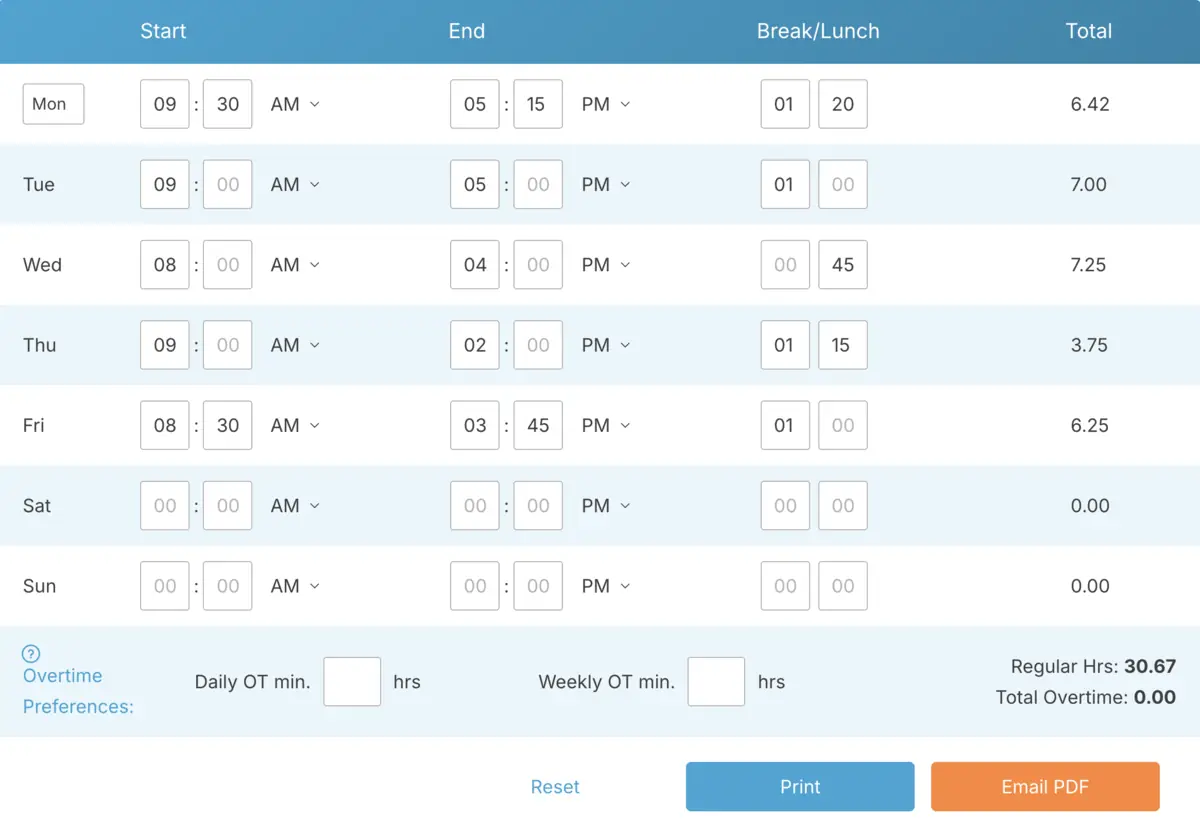
In the U.S., federal law generally defines overtime as any hours worked over 40 in a single workweek for non-exempt employees. These extra hours are usually paid at one and a half times the employee’s regular hourly rate.
It sounds simple, but small misunderstandings can lead to payroll headaches.
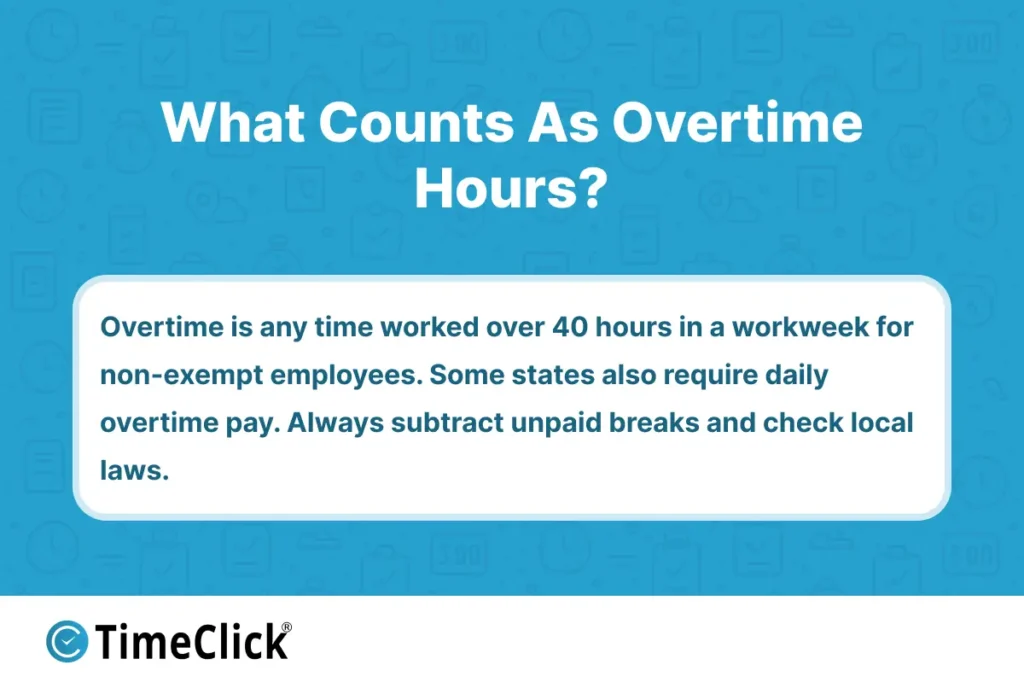
First, overtime is based on hours actually worked, not scheduled. For example, if someone is scheduled for 40 hours but only works 38, there’s no overtime. On the other hand, if they’re scheduled for 40 but end up working 44, those extra 4 hours may qualify.
Second, unpaid breaks need to be subtracted before calculating total hours worked. If an employee clocks 9 hours in a day but takes a one-hour unpaid lunch, only 8 hours count toward overtime.
Third, some states have additional rules. For instance, certain states require overtime pay for hours worked beyond a daily limit, not just weekly totals. If your business operates in one of these states, you’ll need to account for those rules separately.
The bottom line? Overtime calculations start with accurate work hour totals. Once you’ve got that, separating regular time from overtime becomes much easier.
How to Calculate Overtime Hours Manually
You don’t need Excel or fancy software to calculate overtime correctly. All you need is clear totals and a consistent process. Here’s how to do it step by step.
Step 1: Add Up Total Hours Worked for the Week
Start by looking at actual clock-in and clock-out times for each day. Subtract any unpaid breaks first, and only count the hours actually worked.
For example, let’s say an employee worked the following hours in one week:
- Monday – 9 hours (including a 1-hour unpaid lunch, so 8 hours worked)
- Tuesday – 8 hours
- Wednesday – 9 hours (1-hour unpaid lunch removed, so 8 hours worked)
- Thursday – 10 hours (1-hour unpaid lunch removed, so 9 hours worked)
- Friday – 9 hours (1-hour unpaid lunch removed, so 8 hours worked)
Now, add up the worked hours:
8 + 8 + 8 + 9 + 8 = 41 total hours worked

If you want a deeper walkthrough of how to total weekly hours before separating overtime, check out our guide How to Calculate Total Work Hours Accurately Online
Step 2: Identify Hours Over 40
Under federal rules, overtime kicks in after 40 hours in a workweek.
In this example, the employee worked 41 hours. That breaks down as:
- 40 hours of regular time
- 1 hour of overtime
Step 3: Calculate Overtime Pay
Next, figure out the employee’s regular hourly rate. Let’s say they earn $20 per hour.
Overtime is paid at 1.5 times the regular rate:
$20 × 1.5 = $30 per overtime hour
So, in this case:
- Regular pay: 40 hours × $20 = $800
- Overtime pay: 1 hour × $30 = $30
Step 4: Add Regular Pay and Overtime Pay
Finally, add the two together:
$800 + $30 = $830 total gross pay for the week
That’s it. No complicated formulas or hidden spreadsheet cells. Just straightforward math applied in the right order.
The key is consistency. Always subtract unpaid breaks first, calculate total weekly hours before separating overtime, and apply the overtime rate only to the extra hours worked.
Why Spreadsheets Create Overtime Problems

Spreadsheets seem like a safe choice. They’re organized, with neat rows, columns, and formulas. Everything looks under control.
The real issue isn’t the math. It’s how easily spreadsheets can fall out of sync with reality.
Formulas Get Changed Without Anyone Noticing
Maybe a manager copies a formula from another tab. Someone accidentally types over a cell. A new row gets added, and suddenly the overtime formula skips the last employee.
Nothing crashes. There’s no alert. The numbers just quietly change, and you might not catch it until it’s too late.
Breaks Aren’t Subtracted Consistently
Sometimes unpaid breaks are removed before totals are calculated. Other times, they’re subtracted at the end, or forgotten entirely. This inconsistency can push someone over or under the overtime threshold without anyone realizing it.
Mixing Standard Time and Decimal Time
This happens more often than you’d think. Someone enters 8 hours and 30 minutes as 8.30 instead of 8.50. The spreadsheet reads it as eight hours and eighteen minutes. That small error adds up quickly when you’re calculating hours for multiple employees.
Even if your formulas are perfect, overtime calculations based on incorrect time formats will always be wrong.
Too Many Versions of the Same File
There’s the original file, the edited version, and the copy someone downloaded to make changes locally. By the time payroll is due, you might have three slightly different versions of the same overtime data.
Spreadsheets are powerful, but they rely on manual control. The more people involved, the more fragile the system becomes.
Most overtime mistakes don’t come from complex math. They come from small inconsistencies that spreadsheets quietly allow.
The Cleaner Way to Calculate Overtime Without Excel
If spreadsheets create problems because of inconsistency, the solution isn’t more complicated formulas. It’s getting rid of the formulas altogether.
A simple browser-based time card tool or online work hours calculator can handle overtime automatically once you enter the raw hours. Instead of building and maintaining your own formulas, the system applies the same rules every time.
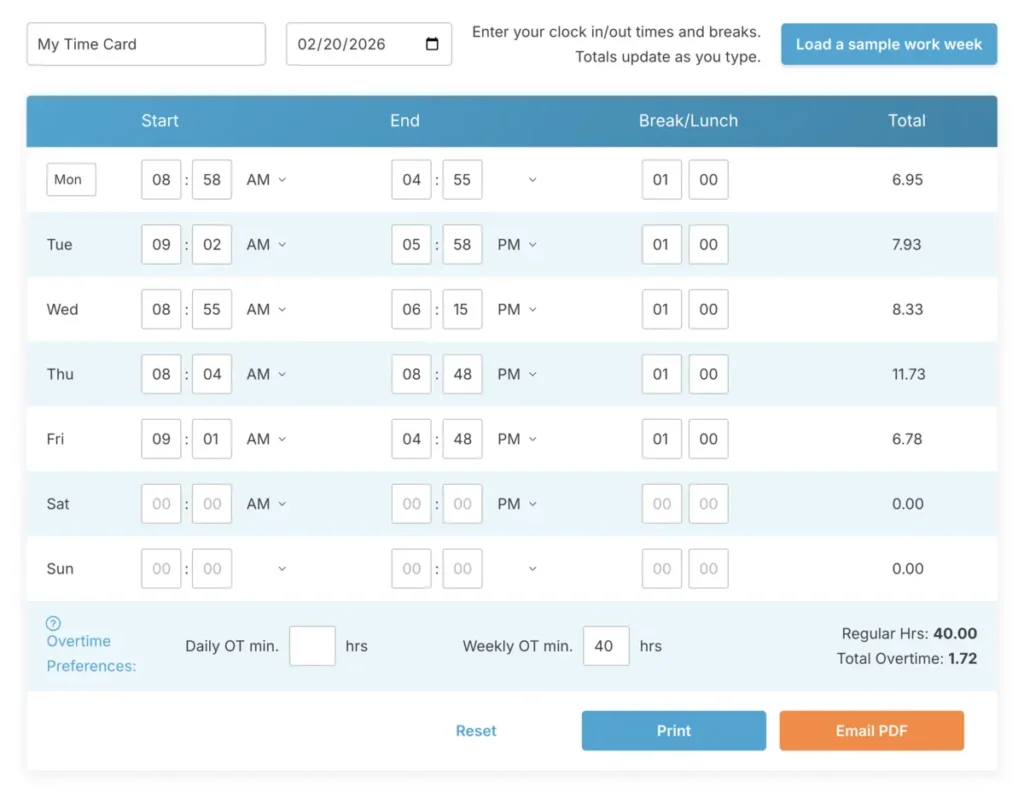
Here’s how it usually works:
- Employees enter their clock-in and clock-out times.
- Unpaid breaks are subtracted right away.
- Total weekly hours are calculated automatically.
- Any hours over 40 are flagged as overtime.
- The correct overtime rate is applied instantly.
No cells to adjust. No risk of overwriting a formula. No wondering if you’re working off the right version of the file.
The biggest advantage is consistency. The same overtime rule applies to every employee, every pay period. That alone eliminates most of the small errors that tend to creep into spreadsheet systems.
A lot of business owners stick with spreadsheets because they’re familiar. But as your team grows, switching to a dedicated time card calculator or structured hour tracking tool can save you more time than it costs.
It doesn’t have to be fancy software. Even a basic online work hours calculator that separates regular and overtime hours can make a big difference in reducing payroll mistakes.
Spreadsheet vs Calculator-Based Overtime Tracking
Deciding between spreadsheets and an overtime calculator? Here’s a focused comparison on how they handle overtime math.
| Factor | Spreadsheets | Overtime Calculator |
|---|---|---|
| Formula Errors | High risk from manual edits or mistakes | No manual formulas to manage |
| Overtime Thresholds | Must be manually programmed and checked | Automatically separates regular and overtime hours |
| Break Deduction | Inconsistently applied | Subtracted automatically |
| Time Format | Prone to errors mixing decimal and standard time | Consistent format every time |
Spreadsheets may work for small teams, but as payroll grows, even small errors can lead to big problems. Calculators ensure consistent, reliable overtime math every time.
Common Overtime Calculation Mistakes

Overtime errors usually aren’t dramatic. They’re small, everyday habits that quietly snowball into bigger payroll problems. Here are some of the most common ones to watch out for.
Forgetting to Subtract Unpaid Breaks First
Overtime should only be calculated on hours actually worked. If unpaid breaks like lunches aren’t subtracted before you total the week, you might accidentally push someone into overtime when they didn’t actually earn it.
Mixing Daily and Weekly Overtime Rules
Some states require daily overtime, while federal rules focus on weekly totals. If one week is calculated using daily rules and the next uses weekly totals, you’ll end up with inconsistent paychecks and confused employees.
Calculating Overtime on Scheduled Hours
Overtime is based on actual hours worked, not scheduled hours. If someone leaves early or stays late, the calculation needs to reflect what really happened, not what was planned.
Inconsistent Rounding Rules
Rounding can impact overtime totals if it’s not applied consistently. When managers round time differently across shifts, employees might unintentionally appear to cross overtime thresholds. To avoid this, ensure your rounding follows a clear and consistent policy. This guide on how the 7-minute rule works in payroll calculations provides a helpful breakdown of standard rounding practices.
Not Locking Totals Before Payroll
If overtime totals keep changing right up until payroll runs, mistakes are almost guaranteed. Once hours are reviewed and approved, lock them in so the numbers don’t shift at the last minute.
These mistakes don’t come from complicated math. They come from inconsistency. The more manual steps in your process, the more chances there are for small errors to slip through.
When You’ve Outgrown Manual Overtime Math

Manual overtime calculations can work just fine for small teams. If you’ve got three or four employees with predictable schedules, it’s usually easy enough to total things by hand without much hassle.
But as your team grows and things get more complex, manual systems start to show their limits.
Multiple Pay Rates
When employees earn different hourly rates, or if someone gets one rate for regular work and another for specific tasks, overtime math gets tricky fast. Keeping track of all that without a structured system can quickly become overwhelming.
Rotating or Irregular Shifts
If schedules change from week to week, you can’t rely on assumptions. Every shift needs to be calculated accurately, and manual systems often struggle when there’s no consistent pattern to follow.
Multiple Locations or Managers
The more people involved in entering or approving time, the harder it is to keep things consistent. A spreadsheet that’s edited by several managers rarely stays clean or error-free for long.
Frequent Payroll Corrections
If you’re constantly adjusting overtime totals after paychecks go out, it’s a clear sign your system isn’t working. Fixing mistakes after the fact wastes time and can damage trust with your team.
At some point, the question isn’t “Can we calculate overtime?” but “Can we calculate it the same way every single time?”
That’s where structured time card tools or automated work hours calculators come in. They’re not about being flashy. They’re about removing variables and making the process reliable.
Practical Ways to Make Overtime Calculations More Reliable Starting Today

You don’t need to completely overhaul your payroll process to improve overtime accuracy. A few simple changes can make a big difference right away.
Capture Time as It Happens
Encourage employees to log their time when they start and stop working, instead of waiting until the end of the week. The longer they wait, the more likely they are to guess.
Subtract Breaks Immediately
Don’t wait until the end of the week to remove unpaid breaks like lunches. Subtract them as soon as shifts are totaled so your overtime calculations are based on actual worked hours.
Use One Clear Overtime Rule
Make sure every manager is on the same page about how overtime is calculated. Whether you’re following federal weekly rules or state-specific daily rules, consistency is more important than speed.
Review Overtime Totals Before Payroll Runs
Take a few minutes to double-check total hours and overtime amounts before processing payroll. Catching a small error early is much easier than fixing it after paychecks go out.
Keep Digital Records
Even if you’re calculating overtime manually, save a digital record of each pay period’s totals. This can save you a lot of headaches if questions come up later.
Overtime math doesn’t have to be stressful. When time is logged clearly and rules are applied consistently, payroll becomes much more predictable — and a lot less frustrating.
Frequently Asked Questions
Overtime calculations can be a major source of payroll confusion. Here are clear, straightforward answers to some of the most common questions business owners ask.
How do I calculate overtime hours manually?
Start by adding up the actual hours worked in a workweek, making sure to subtract any unpaid breaks. Separate the first 40 hours as regular time, and count anything over 40 as overtime. Multiply the overtime hours by 1.5 times the regular hourly rate. Finally, add the regular pay and overtime pay together to get the total.
Is overtime calculated daily or weekly?
Under federal law, overtime is usually calculated weekly after 40 hours worked in a workweek. However, some states have daily overtime rules, requiring overtime pay after a certain number of hours worked in a single day. It depends on the laws in your state.
Do I subtract unpaid breaks before calculating overtime?
Yes, you should. Overtime is based on hours actually worked. If an employee takes an unpaid lunch, that time needs to be subtracted before you calculate the total hours for the week.
What’s the easiest way to total overtime without using Excel?
Many businesses use browser-based time card calculators or structured work hours tools. These systems automatically total hours, separate regular time from overtime, and apply consistent rules, which helps reduce manual errors.
Can a time card calculator automatically apply overtime rates?
Yes, most modern time tracking tools can handle this. They separate regular and overtime hours once the total time is entered, and many also apply the correct overtime pay rate automatically. This eliminates the need for manual calculations and reduces payroll mistakes.
Overtime Doesn’t Have to Be Complicated
Calculating overtime isn’t complicated, but inconsistency makes it stressful. When you log hours accurately, subtract unpaid breaks, and apply the same overtime rules every time, the math becomes straightforward. You don’t need spreadsheets to get it right. A clear process and reliable tools are all it takes.
If you’re constantly fixing errors or double-checking formulas, it’s time to simplify. A consistent system ensures overtime is calculated correctly every pay period, saving time and reducing stress.
Not using TimeClick yet? Try our time clock software free. 10-minute setup, unlimited users, and built for small businesses. No credit card required.
Start your FREE TimeClick Trial Today.