On the surface, payroll day sounds straightforward. Add up the hours, multiply by the pay rate, and submit the numbers. Easy, right? But when it’s time to actually process payroll, things can get tricky. You’re double-checking totals, making sure lunch breaks were deducted, and ensuring everyone’s weekly hours look accurate.
The real stress doesn’t come from the math itself. It’s the uncertainty. Are these numbers correct? Did I account for breaks properly? Is the overtime calculation spot on? In this guide, we’ll show you how a free hours worked calculator can make a big difference. It takes the guesswork out of the process, giving you clear, review-ready totals so you can handle payroll with confidence, not second-guessing.
Table of Contents
- Why Payroll Prep Isn’t Just Adding Up Hours
- What Small Business Owners Really Need Before Running Payroll
- How a Free Hours Worked Calculator Speeds Up Payroll Day
- Real-World Example: A Small Team Running Payroll
- What to Look for in a Free Payroll-Ready Hours Calculator
- Who This Is Best For
- Try the Free Hours Worked Calculator
- Frequently Asked Questions
- Final Thoughts
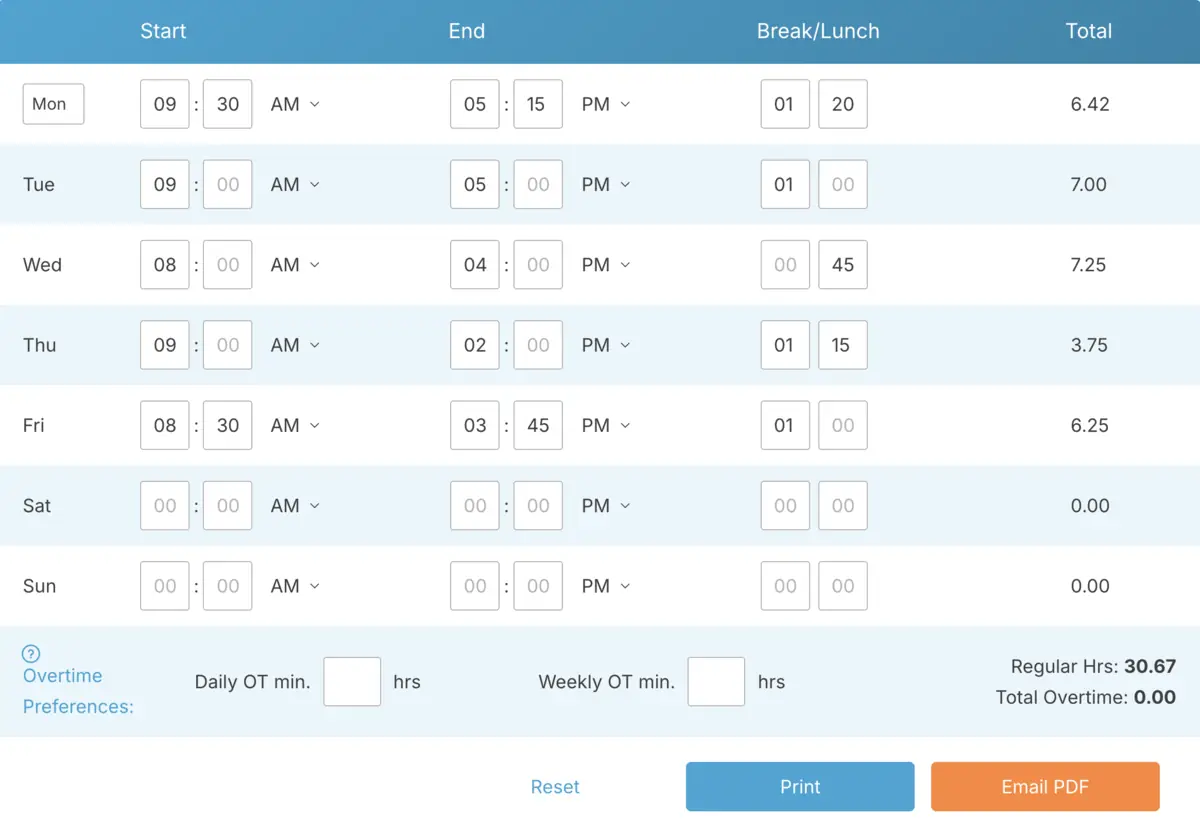
Why Payroll Prep Isn’t Just Adding Up Hours

Adding up shifts might seem simple enough, but preparing numbers for payroll is a whole different ballgame. When you’re just totaling hours casually, small inconsistencies might not seem like a big deal. But once those numbers turn into paychecks, every single minute counts.
Payroll prep means the numbers have to be final. Breaks should already be deducted, weekly hours should be totaled up clearly, and any overtime should stand out without you having to dig through multiple entries. You shouldn’t be doing math on the fly or second-guessing your calculations.
This is where a lot of small businesses hit a snag. They might track time during the week, but when it’s time to run payroll, the numbers still need to be cleaned up. That’s where a simple online hours calculator can help. It gives you totals that are ready to review, not ones that still need tweaking.
Instead of scrambling with scratch notes or fixing spreadsheet formulas, you can focus on reviewing the hours and moving forward. Payroll prep becomes a quick check, not a stressful math session at the end of your week.
What Small Business Owners Really Need Before Running Payroll
When it’s time to hit “process payroll,” you don’t need theory. You need clarity. The numbers in front of you should be clean, accurate, and easy to confirm. If they’re not, you’ll find yourself hesitating, double-checking, or scrambling to fix things at the last minute.
At a minimum, small businesses need a few essentials ready to go:
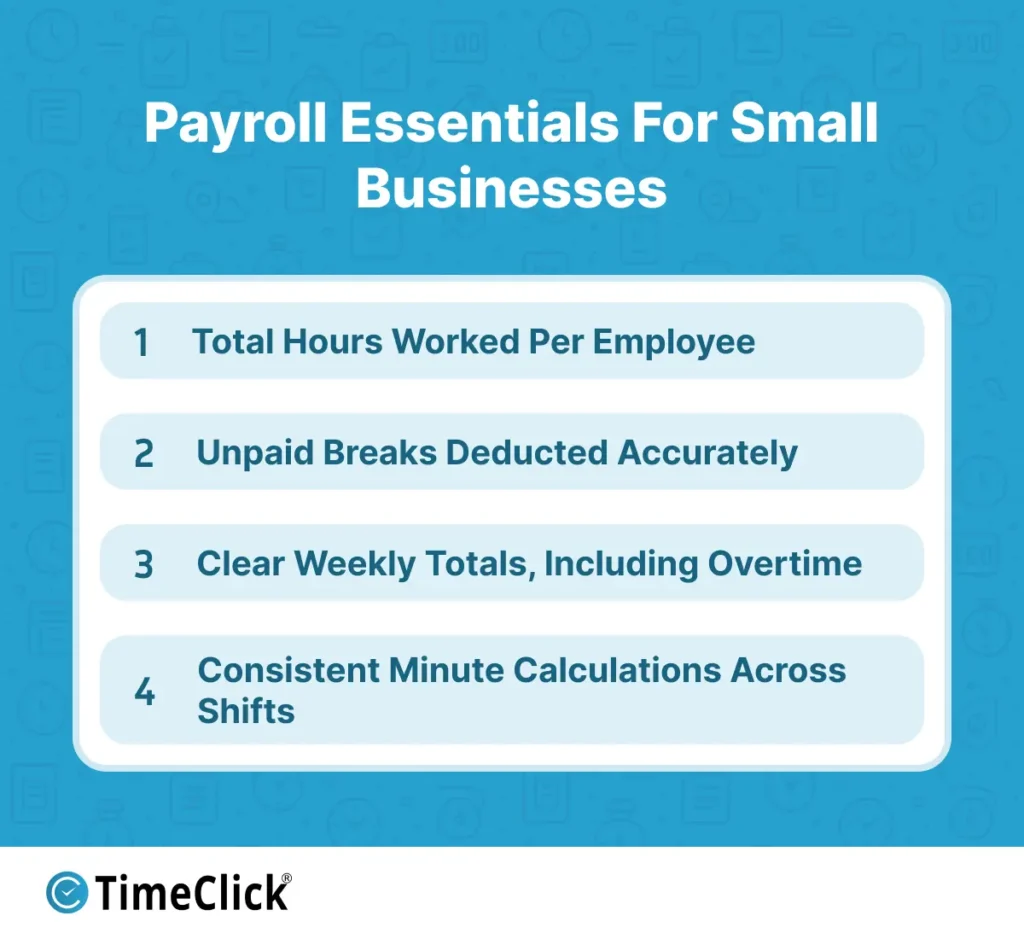
- Total hours worked for each employee during the pay period.
- Unpaid breaks already deducted properly.
- Clear weekly totals, especially if you’re tracking overtime.
- Consistency in how minutes are calculated across all shifts.
What you don’t want is a mix of handwritten notes, half-finished spreadsheet totals, and mental math. That’s where errors creep in. Even something as small as forgetting to subtract a 30-minute lunch can throw off a paycheck.
A free browser-based hours calculator takes care of those basics for you. You enter the shifts, the break time is subtracted, and the weekly total is right there. You’re reviewing numbers, not rebuilding them from scratch.
For a small team, that kind of simplicity can make a huge difference. Payroll becomes a quick confirmation step instead of a time-consuming reconstruction project.
How a Free Hours Worked Calculator Speeds Up Payroll Day
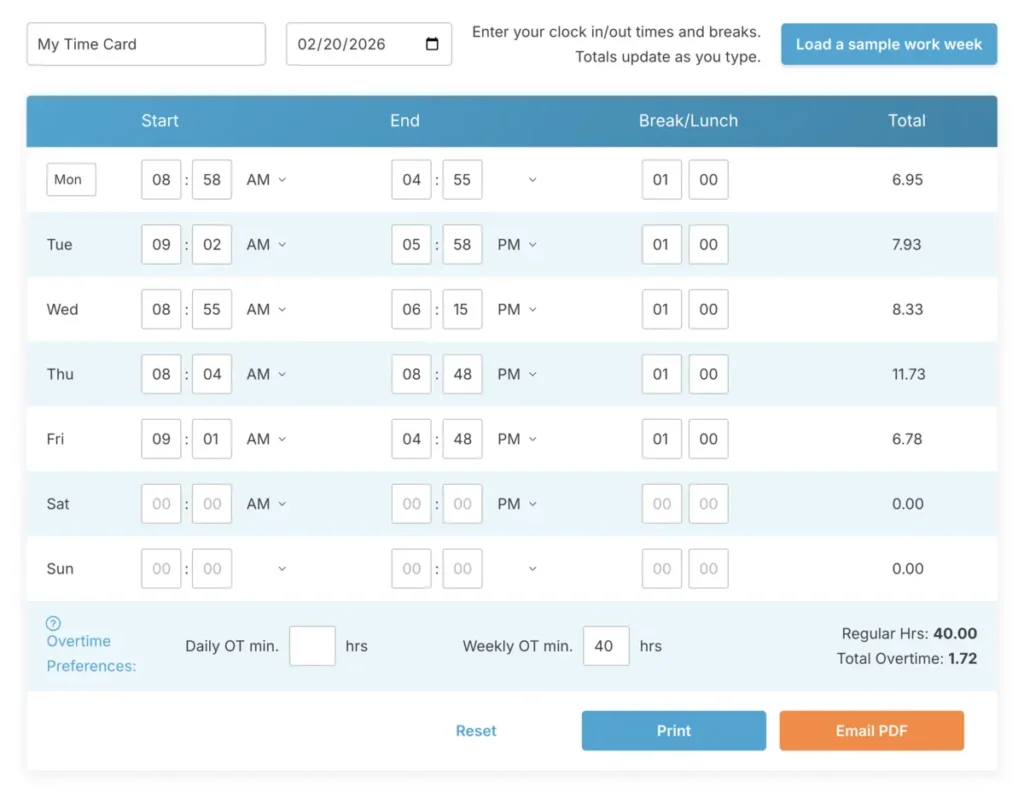
Think about what usually slows payroll down. It’s not cutting checks. It’s the review process. You’re double-checking totals, making sure breaks were deducted, and confirming that weekly hours look right before finalizing anything.
A simple online hours calculator can save you time. Instead of juggling multiple spreadsheet tabs or flipping through paper time cards, you get a clear breakdown of each shift and the weekly total all in one place. The math is already done for you.
That means fewer delays. If someone worked 38.5 hours, you’ll see it right away. If another employee went over 40 hours, the overtime portion is easy to spot. You’re not stuck converting 7 hours and 45 minutes into decimals while racing against the clock.
It also cuts down on last-minute fixes. When breaks are deducted consistently and totals are calculated automatically, there’s less chance for small errors that could force you to reopen payroll later.
For a small business owner, speed matters. Payroll day shouldn’t feel like an accounting test. With a free hours calculator that totals shifts instantly, you can review, confirm, and move on with the rest of your week.
Real-World Example: A Small Team Running Payroll

Imagine you run a small retail shop with five employees. Everyone clocks in and out during the week, and it’s your job to total up the hours every Friday before payroll.
Without a simple online calculator, you’d probably open a spreadsheet and start adding up shifts manually. One employee worked 8 hours and 12 minutes on Monday, 7 hours and 48 minutes on Tuesday, and so on. You’re converting minutes, subtracting lunch breaks, and hoping the formulas are correct. It works, but it’s time-consuming and requires a lot of focus.
Now picture using a free browser-based hours calculator instead. You enter the start time, end time, subtract the 30-minute lunch, and the daily total pops up instantly. As you add each day, the weekly total updates automatically.
By the time you finish entering hours for all five employees, there’s no guesswork. You see clear weekly totals for everyone. If one person worked 42 hours, the overtime portion is easy to spot. If someone worked 36.5 hours, it’s already calculated for you.
Instead of spending an hour double-checking math, you spend just a few minutes reviewing accurate, clean numbers. That’s the difference between scrambling to reconstruct payroll and being prepared to process it.
What to Look for in a Free Payroll-Ready Hours Calculator
Not all online tools are created equal. If you’re using a free hours worked calculator to prepare payroll, it should simplify your process, not make things more complicated.
Here’s what matters most for small business payroll:
- Clear daily totals that show exact hours and minutes worked.
- Automatic subtraction of unpaid break time.
- A running weekly total that updates as you add shifts.
- Overtime clearly separated once someone works more than 40 hours.
- No login or complicated setup required.
- A clean summary view that’s easy to review before processing payroll.
The goal is to keep things simple. You should be able to open the tool, enter shifts, confirm the totals, and move on. If the calculator feels cluttered or needs a tutorial to figure out, it’s not doing its job.
For most small teams, a straightforward browser-based hours calculator is all you need to turn raw shift times into payroll-ready numbers.
Who This Is Best For
A free hours worked calculator is a great fit for small teams that need clear, accurate totals without the hassle of adding new systems or paying for subscriptions.
It’s especially useful for businesses like:
- Retail shops with consistent weekly schedules.
- Service businesses like salons, repair shops, or cleaning companies.
- Small contractors with just a few hourly workers.
- Local offices where one person manages payroll part-time.
If you have fewer than 15 employees, straightforward pay rates, and predictable hours, you probably don’t need anything overly complex to calculate shifts correctly.
This type of tool isn’t meant to replace a full time tracking system. It’s designed to do one thing really well: turn start and end times into clean, payroll-ready numbers you can trust.

For a more detailed explanation of how these tools work, see our guide on what a time card calculator actually does
Try the Free Hours Worked Calculator
Tired of payroll slowing you down? Start simple. Enter a few shifts, review the totals, and experience how effortless payroll day can be when the calculations are already done for you.
Frequently Asked Questions
Small business owners often have practical questions about using a free online work hours tool for payroll. Here are some of the most common ones.
Is a free hours worked calculator accurate enough for payroll?
Yes, as long as the shift times you enter are correct. The calculator handles the math consistently, which can help reduce the small errors that often happen in spreadsheets.
Can I use this before exporting to payroll software?
Absolutely. Many small businesses use a simple online calculator to double-check totals before entering final numbers into their payroll system.
Does this replace a full time clock system?
No. It’s designed to total shifts and prepare payroll-ready hours. Businesses with more complex tracking needs may still rely on full time tracking software.
Can I use this for biweekly payroll?
Yes. You can enter shifts for the entire pay period and review the combined totals before processing payroll.
How do I verify totals before running payroll?
Review each employee’s daily entries, make sure breaks were deducted correctly, and double-check the final weekly or pay period total shown by the calculator before submitting payroll.
Final Thoughts
Payroll shouldn’t feel like a math test every week. When your totals are clear and consistent, running payroll becomes a quick review instead of a stressful process.
A free hours worked calculator gives small businesses a simple and practical way to prepare clean numbers fast. If your team is small and your schedules are predictable, starting with a straightforward online tool might be all you need to keep payroll running smoothly.
Not using TimeClick yet? Try our time clock software free. 10-minute setup, unlimited users, and built for small businesses. No credit card required.
Start your FREE TimeClick Trial Today.