
Payroll mistakes usually start small — a missed punch on Monday, someone rounding their start time on Tuesday, or an employee forgetting to clock out for lunch on Friday. By the time payroll runs, those small issues have piled up.
Now you are dealing with underpaid employees, overpaid wages, awkward conversations, or compliance problems you did not see coming. For small businesses, payroll accuracy is not just about getting the math right. It affects trust, morale, cash flow, and legal risk.
This is where modern employee time tracking tools help. When work hours are recorded digitally as employees clock in and out, instead of being guessed or filled in later, payroll becomes more predictable. There are fewer corrections and disputes, and far less scrambling at the end of the pay period.
Below, we will break down how employee time tracking software improves payroll accuracy, why it matters for small businesses, and which features tend to make the biggest difference in day to day operations.
Table of Contents
- Why payroll errors happen so often
- How digital time tracking fixes the root payroll problem
- Preventing time theft improves payroll accuracy
- GPS and location features add another layer of accuracy
- Automatic overtime calculations prevent costly mistakes
- Catching mistakes before payroll runs
- Payroll integrations eliminate data entry mistakes
- Visibility, compliance, and audit readiness
- Employees trust payroll when time tracking is accurate
- Why small businesses benefit the most
- Choosing the right time tracking software
- Frequently Asked Questions
- Final thoughts
Why payroll errors happen so often

Most payroll errors do not start when payroll runs. They start days earlier, with how employee work hours are tracked during regular shifts.
Manual methods like paper timesheets, spreadsheets, or shared punch clocks depend on people remembering to do the right thing. Someone forgets to clock out. Another employee fills in their hours at the end of the week. A manager approves time quickly because payroll is already behind.
Each issue feels small on its own. Together, they create bad data.
Small businesses feel this more than larger companies that have automated or online time tracking systems in place. There is rarely a dedicated payroll team. The same person running payroll may also be handling schedules, customers, and day to day problems. When time data is messy, payroll turns into a cleanup job instead of a routine process.
Common payroll accuracy problems include:
- Missed clock ins or clock outs that never get corrected
- Overtime that is calculated late or not at all
- Employees getting paid for time they were not working
- Missed or unpaid breaks that create compliance issues
- Manual data entry mistakes during payroll processing
- No clear record showing who edited or approved time
Employee time tracking software addresses these issues at the source by capturing work hours automatically and consistently.
How digital time tracking fixes the root payroll problem

Payroll mistakes usually show up at the end of the process, but the damage often happens much earlier in the time tracking process.
When employees rely on memory, handwritten notes, or spreadsheets filled out days later, the time data is already unreliable before payroll even begins. A missed clock out on Tuesday turns into a guessed number on Friday. That guess gets approved, payroll runs, and the mistake only shows up when someone notices their check looks wrong.
Digital time tracking changes this by recording work time as it happens through an online or software-based clock in system. Employees clock in and out in real time using a computer, tablet, or phone instead of filling in hours later. The system captures exact timestamps and totals hours automatically.
This removes several common sources of payroll errors:
- Clock ins or clock outs that are forgotten and never fixed
- Rounded or estimated hours added later
- Manual math mistakes when totaling time
- Re-entering time data at the end of the pay period
When time data is accurate from the start of the week, payroll becomes a simple review process instead of a guessing game.

Preventing time theft improves payroll accuracy

Not every payroll error comes from bad data or honest mistakes during time tracking. Some come from small habits that slowly inflate hours over time.
Clocking in five minutes early each day through a shared or manual clocking process. Forgetting to clock out for a break. Having a coworker punch in for someone who is running late. None of these feel serious on their own, but over a full pay period they can add hours that were never actually worked.
Time tracking software helps reduce this by requiring employees to clock in and out individually through a secure digital clock in system. Each time entry is tied to a specific person, not a shared clock or handwritten sheet.
When time is recorded automatically and consistently, payroll reflects real work instead of accumulated estimates or habits that quietly drive labor costs up.
GPS and location features add another layer of accuracy

For businesses with mobile employees or multiple job sites, payroll accuracy depends on more than just when someone clocks in. It also depends on where.
Location based clock ins help confirm that time is logged at the actual job site, not from home, the parking lot, or somewhere else by mistake. GPS tracking records where an employee is when they clock in or out using a mobile time tracking app. Geofencing can limit clock ins to approved locations.
This is especially useful for field teams, service crews, and jobs where employees move between sites during the day.
By tying time entries to real locations, payroll becomes easier to verify and far less likely to turn into a time or pay dispute later.
Automatic overtime calculations prevent costly mistakes

Overtime is one of the easiest places for payroll accuracy to break down.
When overtime is tracked manually, it is easy to miss the exact point when someone crosses the overtime threshold. An employee stays late a few nights, hours are added up at the end of the week, and overtime either gets miscalculated or missed entirely.
Time tracking software handles this automatically by tracking hours worked against your overtime rules. Once an employee reaches your overtime limit, the system tracks those hours separately and applies the correct pay rate.
This protects employees and the business. Employees get paid correctly, and businesses avoid back pay issues, complaints, or penalties that often start with a simple overtime tracking mistake.
Catching mistakes before payroll runs

Payroll problems are much easier to deal with before paychecks go out.
Time tracking software keeps a clear record of every clock in, clock out, and timecard edit. If someone forgets to clock out on Tuesday, that issue shows up immediately instead of days later when payroll is already in progress.
Most time tracking systems include a manager review step before payroll runs. This gives supervisors time to fix missing punches, double check overtime, and approve changes while the details are still fresh.
When audit trails and manager approvals are part of the time tracking setup, payroll becomes predictable. Fewer surprises, fewer corrections, and fewer uncomfortable conversations after payday.
Payroll integrations eliminate data entry mistakes
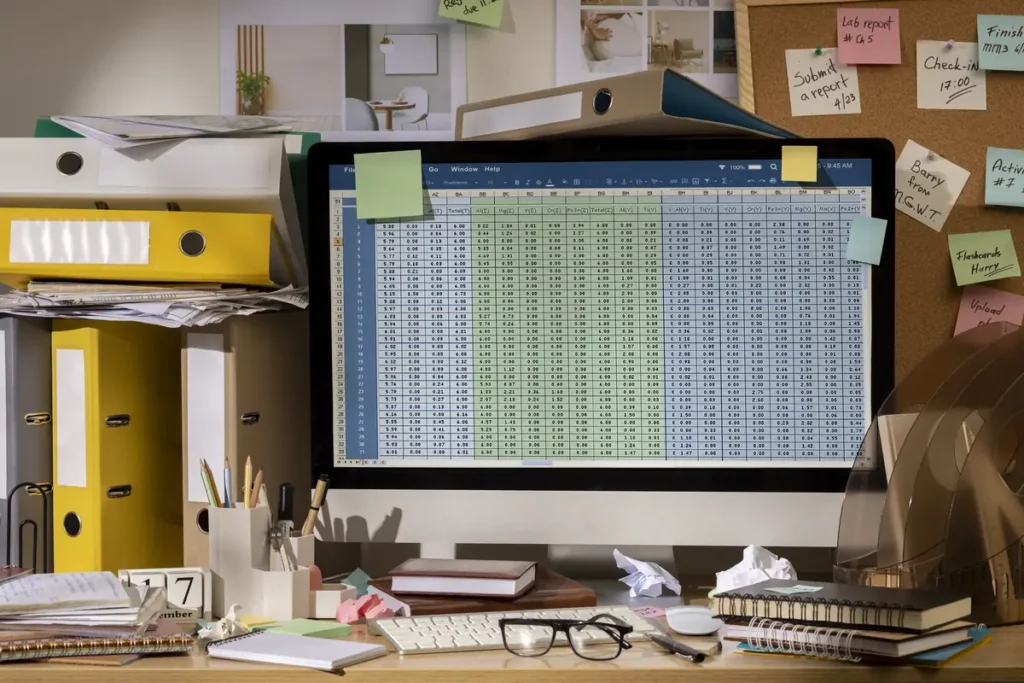
Even when time data is accurate, payroll can still go wrong during the handoff between systems.
Manually copying hours from a time tracking system into an online payroll system leaves room for mistakes. One missed employee, one wrong number, or one rushed entry can throw off an entire payroll run.
When time tracking software connects directly to payroll, approved work hours move over automatically. There is no retyping, no copying totals, and no second guessing whether the numbers match.
For many small businesses, this turns payroll from a multi-hour process into a short review step and reduces the need for corrections after paychecks are issued.
Visibility, compliance, and audit readiness

Accurate payroll depends on visibility into employee work hours. Business owners need to see what is happening with labor before payroll runs, not after a problem shows up.
Time tracking software gives real time visibility into hours worked, overtime trends, and attendance patterns across your team. This makes it easier to catch issues early, like unexpected overtime or repeated missed punches, and fix them before payroll is finalized.
Those same records also matter for compliance. Detailed time logs, break tracking, and historical records make it easier to meet labor law requirements and respond quickly if payroll or labor audits come up.
When time data is organized and easy to access, compliance stops feeling like a risk and becomes part of normal payroll operations.
Employees trust payroll when time tracking is accurate

Payroll accuracy plays a bigger role in employee trust than many business owners expect.
When someone notices their logged hours are off, even by a small amount, it creates doubt. They start double checking paychecks, asking questions, and wondering if the system is really fair.
Accurate digital time tracking changes that dynamic. Employees can see their hours, review their timecards, understand how pay is calculated, and know that payroll is based on real entries instead of estimates.
That clarity reduces paycheck disputes, cuts down on back and forth with managers, and helps payroll feel consistent and predictable across the team.
Why small businesses benefit the most

Large companies usually have payroll teams, multiple approval layers, and automated systems designed to catch mistakes early. Small businesses usually do not.
That makes payroll accuracy both more important and fragile for small business owners. One missed punch or miscalculated hour can take real time to untangle and lead to uncomfortable conversations with employees.
Time tracking software gives small businesses structure without slowing down day to day operations. It replaces manual steps with software systems that capture time automatically, apply pay rules consistently, and keep clean payroll records.
For small teams, this means fewer errors, less admin work each pay period, and payroll that runs smoothly as the business grows.
Choosing the right time tracking software

The right time tracking software is not the one with the longest list of features or the flashiest interface. It is the one that fits how your team actually works.
Some businesses need a simple on site clock in system that runs on a shared computer or workstation. Others need mobile tracking for employees who move between job sites or work remotely during the day. The way your team works should drive the decision.
For example, some small businesses choose tools like TimeClick because they want a straightforward time clock they own, that works reliably on their own computers, without ongoing monthly fees.

Want to see how a simple, locally installed time clock works? Take a quick look at how TimeClick handles clock ins, overtime, and payroll reports. Explore our time tracking features here.
It also helps to look at how overtime is handled, how easy reports are to pull, and whether time data connects cleanly to your payroll process.
The goal is straightforward. Time data you can trust and payroll that runs without constant fixes or manual cleanup.
Frequently Asked Questions
These are common questions business owners ask when looking at employee time tracking software and how it affects payroll accuracy.
How does employee time tracking software improve payroll accuracy?
Employee time tracking software improves payroll accuracy by recording work hours as employees clock in and out. This removes guesswork, reduces manual entry errors, and ensures payroll is based on real timestamps instead of estimates.
What causes payroll errors in small businesses?
Most payroll errors come from manual time tracking. Missed clock outs, rounded hours, handwritten timesheets, and re-entering hours into payroll systems all increase the chance of mistakes.
Is online time tracking better than paper timesheets?
Yes. Online time tracking records hours in real time and stores them digitally. Paper timesheets rely on memory and manual entry, which makes payroll errors more likely.
Can time tracking software help prevent overtime mistakes?
Time tracking software automatically tracks hours against overtime rules. This helps prevent missed overtime, incorrect pay rates, and compliance issues caused by manual calculations.
Does time tracking software reduce time theft?
Yes. Digital clock in systems reduce time theft by requiring individual logins and accurate timestamps. This helps prevent buddy punching, early clock ins, and forgotten clock outs.
Is time tracking software required by law?
Labor laws require accurate records of hours worked, including overtime and breaks. While specific software is not required, time tracking software makes compliance much easier.
Can time tracking software work without internet access?
Some time tracking systems can run locally or offline and sync data later. This can be useful for businesses that want more control over their data or operate with unreliable internet access.
What should small businesses look for in time tracking software?
Small businesses should look for software that fits how employees work, tracks overtime correctly, provides clear records, and connects cleanly to payroll without adding unnecessary complexity.
Final thoughts

Payroll accuracy starts with reliable time tracking. When hours are captured digitally, reviewed consistently, and sent directly into payroll, mistakes drop fast.
Employee time tracking software improves payroll accuracy by removing guesswork, preventing time theft, enforcing pay rules, and keeping clear time and payroll records. For small businesses, that means fewer errors, less time spent fixing problems, and fewer surprises on payday. A consistent time clock system that runs the same way every day makes this even more reliable.
Accurate payroll is not just about numbers on a paycheck. It affects trust, compliance, and how smoothly the business runs. Getting time tracking right makes the rest of the payroll process easier to manage.
Not using TimeClick yet? Try our time clock software free. Simple setup, unlimited users, and built for small businesses. No credit card required.
Start your FREE TimeClick Trial Today.