Ever found yourself staring at a timesheet, wondering how to turn an 8:47 AM clock-in and a 5:22 PM clock-out into a simple number you can multiply by an hourly wage? If so, you've stumbled upon a classic payroll puzzle. How do you convert minutes into a format that plays nicely with your calculator?
That moment of friction is exactly what separates standard time from decimal time. And if you're running payroll for even a small team, understanding the difference can save you from costly miscalculations.
This post breaks down both formats side by side — what they look like, where they're used, and what happens when businesses try to skip the conversion step. No heavy math required. Think of it as a format comparison guide, not a tutorial.
Table of Contents
What Is Standard Time Format?

Standard time is the format you've been reading your whole life. It's the clock on your wall, your phone, your microwave. Hours and minutes separated by a colon: 9:15, 5:45, 8:30.
It's completely natural for employees to clock in and out using this format. A time card that shows "IN: 8:00 AM / OUT: 4:45 PM" is easy for anyone to read at a glance.
The problem shows up when you try to use those numbers in a payroll formula. You can't simply multiply 8:45 by an hourly rate. The math doesn't work that way. Hours and minutes don't operate on a base-10 system, which means that 8 hours and 45 minutes isn't the same as 8.45 hours. That distinction matters a lot when wages are involved.
What Is Decimal Time Format?

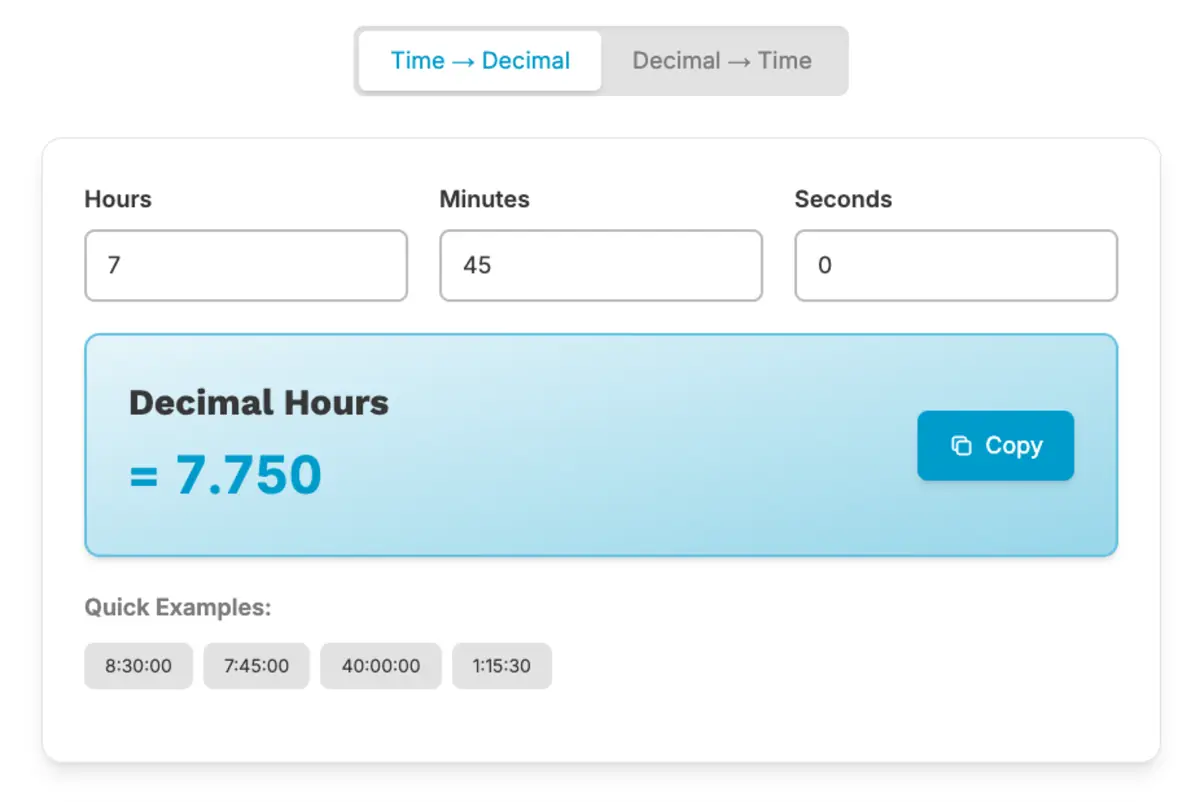
Decimal time solves that problem by expressing time as a single number. Instead of separating hours and minutes, it converts the minutes into a fraction of an hour.
Here's a quick example: 45 minutes is three-quarters of an hour, so it becomes 0.75. That makes 8 hours and 45 minutes equal to 8.75 hours in decimal format.
Why does that matter? Because 8.75 multiplied by an hourly rate gives you an exact dollar amount. No guesswork, no manual conversion mid-formula. It's payroll-ready right out of the gate.
Most payroll software and automated time clock systems work in decimal format for exactly this reason. It's not about complexity — it's about compatibility with the math that payroll requires.

Want to go deeper on the concept? Check out our guide on What Are Decimal Hours and Why Payroll Uses Them
Standard Time vs. Decimal Time: A Side-by-Side Comparison
Here's a quick look at how the two formats stack up across the dimensions that matter most for timekeeping and payroll.
| Feature | Standard Time (HH:MM) | Decimal Time |
|---|---|---|
| Format Example | 8:45 | 8.75 |
| Easy to Read? | Yes | Takes getting used to |
| Payroll Math Ready? | No | Yes |
| Requires Conversion? | Yes | No |
| Used in Time Clocks? | Common | Increasingly standard |
| Risk of Manual Error? | Higher | Lower |
A few things worth noting from that table:
- Readability favors standard time. Employees and managers naturally think in hours and minutes, so clock-in/clock-out records in HH:MM format are intuitive.
- Payroll math favors decimal time. Multiplying 8.75 by $18/hour is straightforward. Multiplying 8:45 by $18/hour requires an extra conversion step.
- Error risk is higher with standard time when someone tries to use it directly in payroll formulas without converting first. That's where most mistakes happen.
When Is Each Format Used?

Both formats show up in the payroll process, just at different stages.
Standard time is what employees interact with. They clock in at 8:00 AM and clock out at 4:30 PM. That information gets recorded on a time card or in a time tracking system using the familiar HH:MM format.
Decimal time is what payroll uses on the back end. Once hours are logged, they need to be converted into decimal format before any wage calculations can happen. Payroll software, accounting platforms, and wage reports all run on decimal hours.
Many modern time clock systems handle this conversion automatically. The employee clocks in and out using standard time, and the system outputs decimal hours that are ready for payroll. That automatic handoff is where a lot of manual error gets eliminated.
The confusion tends to creep in for businesses still using paper timesheets or spreadsheets, where someone has to manually make that conversion. And that's where small errors can quietly add up.
Common Points of Confusion Between the Two

The most frequent mistake is treating minutes as if they're already in decimal form. It seems like a small thing, but it throws off wage calculations every time.
Here's the main issue: minutes are out of 60, not out of 100. So you can't just drop them after a decimal point and move on.
A few examples that illustrate this clearly:
- 30 minutes is 0.50, not 0.30
- 15 minutes is 0.25, not 0.15
- 45 minutes is 0.75, not 0.45
So 8 hours and 30 minutes is 8.50 hours, not 8.30 hours. That difference might look small, but multiply it across multiple employees and multiple pay periods, and it starts to add up in ways that affect both business costs and employee paychecks.
This kind of error shows up more often than you'd think, especially when teams are doing manual conversions under time pressure. According to ADP's Minutes to Hundredths Conversion Chart, even single-minute differences have specific decimal equivalents — 1 minute equals 0.02, not 0.01. Small rounding assumptions can quietly compound into real discrepancies.
It's also worth knowing that the U.S. Department of Labor permits rounding time to the nearest quarter hour under 29 CFR 785.48(b), but only when it's applied consistently and doesn't systematically shortchange employees. That means the math still has to be right — you can't use rounding as a workaround for inaccurate conversion.
Curious what errors come up most often in real payroll situations? Read our full breakdown: Common Decimal Time Conversion Mistakes to Avoid
Which Format Should Your Business Use?
Here's the honest answer: most businesses will use both.
Employees will always clock in and out using standard time — that's what feels natural. Payroll will always need decimal time to calculate wages accurately. The real question isn't which format to choose. It's whether the conversion between them is being handled correctly.
Businesses relying on paper timesheets or manual spreadsheets carry the most risk here. Every time someone eyeballs a conversion or rushes through a calculation, there's an opportunity for error.
Automated time clock systems that output decimal hours directly remove that step from the equation. The conversion happens in the background, and what lands in your payroll process is already in the right format.
TIMECLICK TIP
TimeClick automatically records employee hours and outputs decimal time, so you don't have to manually convert a thing before running payroll. It's one less step — and one less place for errors to sneak in.
Format Clarity Leads to Payroll Confidence
Standard time is human-friendly. Decimal time is math-friendly. Payroll needs both, and the bridge between them has to be accurate.
Knowing the difference protects your employees from being underpaid and protects your business from overpaying or misreporting hours. It's a small piece of the payroll puzzle, but it's one that causes a surprising number of headaches when it's overlooked.
A good next step? Take a look at how your current timekeeping process handles the standard-to-decimal conversion. Is it happening automatically, or is someone doing it manually each pay period? If it's the latter, that's worth a second look.
TimeClick handles decimal conversion automatically, making it easy for small businesses to track time accurately and head into payroll with confidence. Learn more about how TimeClick works.
New to decimal time? Start with the basics: What Are Decimal Hours and Why Payroll Uses Them
Already familiar with decimal hours? Make sure you're not making these errors: Common Decimal Time Conversion Mistakes to Avoid
Frequently Asked Questions
Still have questions about standard time versus decimal time? Here are answers to some of the most common ones.
What is the difference between standard time and decimal time?
Standard time displays hours and minutes separately using a colon, like 8:45. Decimal time expresses the same duration as a single number, like 8.75, by converting minutes into a fraction of an hour. Standard time is easy to read; decimal time is easy to calculate with.
Why can't I just use standard time for payroll calculations?
Because minutes aren't base-10. You can't multiply 8:45 by a wage rate the way you can multiply 8.75. The colon format needs to be converted to decimal before the math works correctly. Skipping this step leads to payroll errors.
How do I convert minutes to decimal hours?
Divide the number of minutes by 60. For example, 30 minutes divided by 60 equals 0.50. So 8 hours and 30 minutes becomes 8.50 in decimal format. Our full conversion guide walks through the process step by step.
What's the most common decimal time mistake?
Treating minutes as if they're already decimal. For example, assuming 8 hours and 30 minutes equals 8.30 hours. It doesn't — it's 8.50 hours. Minutes run out of 60, not out of 100, which is why the conversion step matters.
Do time clock systems handle the conversion automatically?
Many do. Automated time clock systems like TimeClick record clock-in and clock-out times in standard format and output decimal hours for payroll. This removes the manual conversion step and reduces the chance of errors in your wage calculations.
Not using TimeClick yet? Try our time clock software free. 10-minute setup, unlimited users, and built for small businesses. No credit card required.
Start your FREE TimeClick Trial Today.