
Most businesses don’t start looking for time tracking software because they’re excited about new tools. It’s usually because something stopped working. A free system became unreliable, a subscription price crept up, payroll got messy, or someone finally questioned why they’re paying monthly for software that rarely changes.
That’s when the big question comes up: should we keep renting time clock software, or is it better to buy it outright and be done with it? One-time purchase time tracking isn’t new, but it’s getting more attention as subscription tools become pricier and more complicated. Some businesses love the flexibility of cloud platforms, while others just want something simple, predictable, and free of recurring bills.
This review breaks down how one-time purchase time tracking works, where it shines, where it doesn’t, and how TimeClick fits into the picture. The goal isn’t to push one option over the other. It’s to help you figure out what makes the most sense for your business.
Table of Contents
- What “One-Time Purchase” Really Means in Practice
- Why Some Businesses Actively Avoid Subscription Time Tracking
- Where TimeClick Fits Into the One-Time Purchase Model
- What TimeClick Does Well for the Right Businesses
- Predictable Costs
- Offline Reliability
- Data Control
- Responsive Support
- Perfect for Fixed Locations
- Where TimeClick May Not Be the Best Fit
- One-Time Purchase vs Free Time Clock Tools
- Common Questions Business Owners Ask Before Buying a One-Time Purchase Time Clock
- Frequently Asked Questions
- Final Thoughts: Is One-Time Purchase Time Tracking Worth It?

What “One-Time Purchase” Really Means in Practice

When people hear “one-time purchase,” they might think it means outdated software or limited features. In reality, it just means you pay once for the license instead of signing up for a recurring monthly fee.
With a buy-once system, the software is installed on your business computers or network. You own it, decide how it’s used, and don’t need an internet connection just to track time. Setup is quick — usually under 10 minutes — and employees can start clocking in right away.
Day-to-day, it’s simple. Employees clock in and out, managers review time cards, and payroll reports are generated. The big difference? You have more control over the system, and costs stay predictable over time. For businesses that value ownership and offline reliability, this model can feel refreshingly straightforward.
Why Some Businesses Actively Avoid Subscription Time Tracking
Subscription time tracking works for many teams, especially those that need access from anywhere and don’t mind ongoing costs. But over time, some businesses feel stuck with the model.
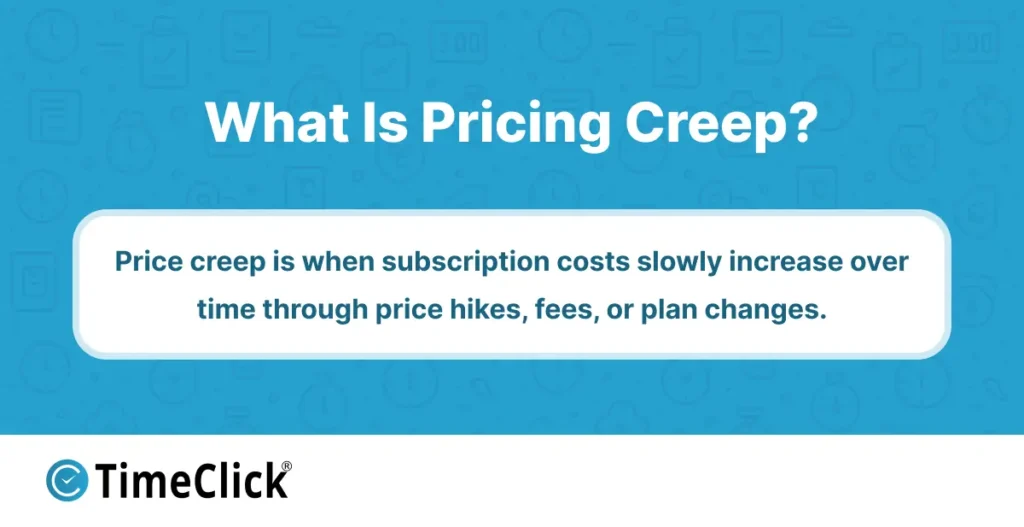
One common frustration is pricing creep. What starts as an affordable monthly fee can grow as your team expands, features get bundled, or pricing tiers shift. For businesses with steady headcounts, those recurring costs can feel unnecessary.
Another issue is dependency. Most subscription tools need a constant internet connection, so if the connection drops, clock-ins stop. For teams in areas with spotty internet or shared workstations, this can be a real headache. Frequent updates can also disrupt workflows, with reports moving or settings changing unexpectedly. For businesses that value consistency, this churn can add friction.
This doesn’t mean subscription software is bad — it just explains why some businesses start exploring alternatives that offer more control, fewer surprises, and predictable costs.

If you want a deeper look at how long-term costs compare between owning software and paying monthly, check out our guide How Buy-Once Time Tracking Software Saves Small Businesses Money
Where TimeClick Fits Into the One-Time Purchase Model

TimeClick is built on a simple idea: you shouldn’t have to rent your time tracking software forever. Instead of charging per employee or per month, it’s sold as a one-time purchase based on how many computers you need.
The software runs locally on your business computers, so there’s no need for a browser login or constant internet connection. Employees clock in and out at designated workstations, and all time data stays securely on your systems.
This setup is great for businesses that want fewer moving parts. There’s no subscription to manage, no cloud account to maintain, and no reliance on external servers. Once it’s installed, it just works — day after day — even if your internet goes down. Optional support and upgrades are available, but you decide when (or if) you want them.
TimeClick shows what one-time purchase time tracking looks like when it’s designed for real-world use. It’s reliable, cost-predictable, and puts control back in your hands.
If you want to see how the one-time purchase model works in practice, including what’s included and how licenses are structured, check out TimeClick's pricing here.
What TimeClick Does Well for the Right Businesses

Predictable Costs
One of TimeClick’s biggest strengths is predictability. Since you buy the software outright, costs don’t change as your team grows or over time. With zero monthly fees and unlimited users, budgeting becomes simpler, and you eliminate another recurring bill.
Offline Reliability
Because TimeClick runs on local computers, employees can clock in and out even if the internet goes down. This is especially helpful in places with spotty connectivity or shared workstations.
Data Control
All time records are stored on your systems, not on a third-party server. For businesses that prioritize keeping sensitive employee data in-house, this added control offers peace of mind.
Responsive Support
TimeClick’s Utah-based support team is highly rated, with a 4.7 out of 5-star rating from over 400 customer reviews. Their live chat response times average just 10 seconds, so you can be sure you'll get the help you need fast, whether you’re setting up or just have a question along the way.
Perfect for Fixed Locations
TimeClick is a great fit for workplaces with fixed locations and predictable workflows — like retail shops, warehouses, manufacturing floors, or offices with shared clock-in stations. It’s a straightforward way to track hours without adding unnecessary complexity or long-term commitments.
Where TimeClick May Not Be the Best Fit

While a one-time purchase system like TimeClick is reliable, it’s not the perfect fit for every business. It works best in specific environments, so it’s important to know where it might fall short.
If your team prefers managing time tracking entirely through an online dashboard that’s accessible from anywhere, a locally installed system might feel too hands-on. Cloud-first platforms are often a better match for businesses that want everything browser-based.
TimeClick also prioritizes stability over constant updates. For businesses that value consistency, this is a plus. But if your team expects frequent interface changes or a steady stream of new features, it might feel slower compared to SaaS tools that evolve more rapidly.
Although TimeClick supports mobile clock-ins through its app, it’s still designed around local control rather than being fully cloud-managed. This hybrid approach works well for businesses that want flexibility without giving up control of their data, but it may not suit teams looking for a purely browser-based experience.
In short, if your business thrives on a fully cloud-managed system with subscription-based tools, TimeClick’s one-time purchase model might not be the best fit.
One-Time Purchase vs Free Time Clock Tools

Many businesses start with free time tracking tools, and that makes sense. For small teams with simple schedules, free options can handle the basics without any upfront cost.
But as businesses grow, the cracks in free tools often start to show. They might limit the number of employees you can add, how long records are stored, or which reports you can access. Exporting clean data for payroll can become a hassle, and support is often minimal or nonexistent when issues arise.
For businesses that need accurate, reliable records, these limitations can quickly become more than just an inconvenience. Manual fixes creep back in, and the time saved by using software starts to disappear.
That’s where a one-time purchase system like TimeClick comes in. Instead of upgrading to a subscription just to unlock features or remove limits, buying the software outright gives you full access without adding another recurring expense.
TimeClick fills the gap between free tools and subscription models. It’s not meant to replace every free option, but it offers a stable, long-term solution for businesses that have outgrown what free software can provide.
Common Questions Business Owners Ask Before Buying a One-Time Purchase Time Clock

Even when the pricing model makes sense, business owners often have practical questions before committing to a one-time purchase system. Here’s a breakdown of the most common ones.
How hard is it to set up? Installation might sound intimidating, but it’s actually quick. With TimeClick, setup usually takes less than 10 minutes, including adding employees and setting basic pay rules. Once it’s installed, employees can clock in and out at designated computers, and managers can review time cards as needed — no long onboarding process required.
What happens if something needs to be fixed? Managers can easily adjust entries if an employee forgets to clock out or if corrections are needed. The system keeps a clear record of any changes, so nothing gets lost.
What about support? TimeClick includes full support during the first year, handled by a responsive Utah-based team. Customer surveys show a 4.7 out of 5-star rating for support, with response times measured in seconds, not days. After the first year, you can choose whether to continue support coverage — there’s no requirement to keep paying just to keep the software running.
Will it hold up over time? One of the biggest benefits of buying software outright is knowing it’ll keep working year after year without forcing upgrades or price hikes. TimeClick is built to provide long-term stability without surprises.
Frequently Asked Questions
Is a one-time purchase time clock still worth it in 2026?
Absolutely. For businesses that value predictable costs and long-term stability, buying time tracking software once can make a lot of sense. It’s especially great for teams with steady headcounts and consistent workflows who want to avoid ongoing subscription fees.
Does TimeClick require an internet connection to work?
No. TimeClick runs on your local computers, so employees can clock in and out even if the internet is down. This is one of the main reasons businesses in fixed locations choose a locally installed system.
Who owns the time tracking data?
With TimeClick, all time records are stored on your own computers or network. Your business retains full control over employee time data instead of relying on third-party servers.
How do updates and upgrades work with one-time purchase software?
One-time purchase software lets you decide when and if you want to upgrade. Updates aren’t forced automatically, so you have full control over changes to your system.
Is TimeClick hard to learn for employees?
Not at all. Clocking in and out is straightforward, and managers handle setup and approvals behind the scenes. For teams used to shared workstations, the learning curve is minimal.
Final Thoughts: Is One-Time Purchase Time Tracking Worth It?
One-time purchase time tracking isn’t about chasing trends or flashy features. It’s about deciding how much control, predictability, and simplicity you want from a tool your business relies on every day.
For companies that value stable systems, fixed costs, and software that works the same way year after year, buying once can feel like a breath of fresh air. There are no monthly fees to justify, no surprise price hikes, and no forced updates disrupting your workflows.
TimeClick is designed for businesses that want reliable time tracking without tying it to a subscription or an always-online platform. It’s not for everyone, but for the right teams, it solves a real problem in a straightforward way.
The real question isn’t whether one-time purchase software is better overall. It’s whether it fits how your business prefers to operate. If you’re comfortable owning your software, managing it locally, and prioritizing consistency over constant change, a one-time purchase time clock can absolutely be worth it.
If you’re still comparing options, this guide walks you through what to look for based on how your business operates. How to Choose Time Clock Software For Small Businesses
Not using TimeClick yet? Try our time clock software free. Simple setup, unlimited users, and built for small businesses. No credit card required.
Start your FREE TimeClick Trial Today.