Total Hiring Cost $0
Break-Even Point 0 months
Know the Cost. Now Track the Hours.
Use TimeClick to track hours offline, prevent time theft, and simplify payroll.
See plans and pricingBringing on a new employee costs more than just their paycheck. Between taxes, benefits, onboarding, and training, the true price of a hire often ends up much higher than expected.
If you’re not tracking those extra costs, your business could be losing thousands without realizing it. That’s exactly why we built TimeClick’s free Employee Cost Calculator.
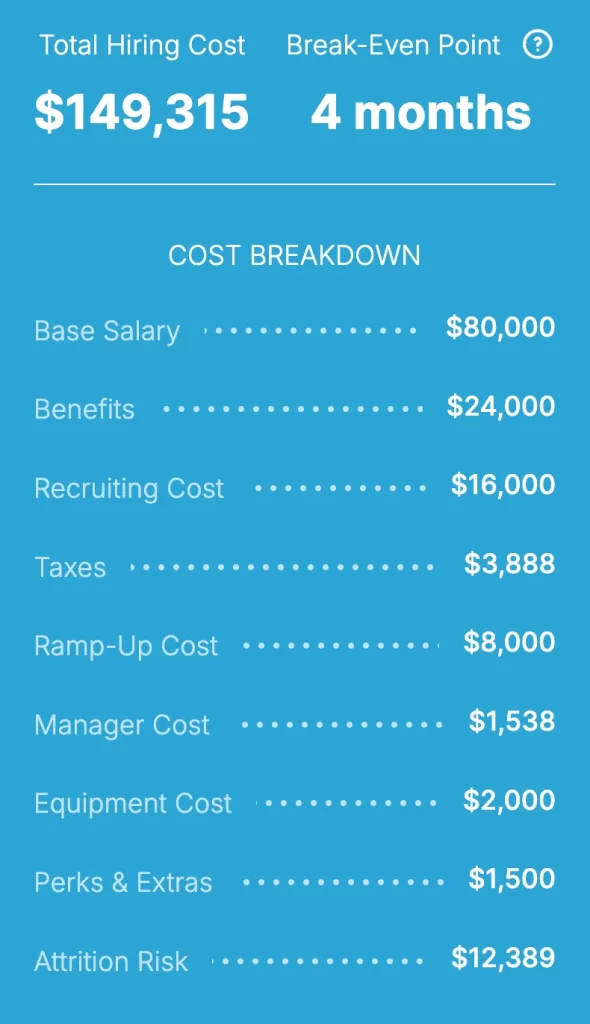
Our calculator breaks down every part of your real hiring cost – base pay, payroll taxes, benefits, recruiting and onboarding expenses, and even the temporary dip in productivity while new hires ramp up.
Whether you’re hiring your first employee or expanding your team, it gives you a clear look at what each role will actually cost before you make the decision.
With real-time estimates that adjust for worker type (full-time, part-time, or contractor) and state-specific tax rates, TimeClick’s calculator turns a complicated formula into a quick, easy snapshot of your total labor cost. Use it to plan smarter, set accurate budgets, and eliminate payroll surprises before they happen.
How to Use the Employee Cost Calculator
-
Enter the Base Salary: Start by entering the employee’s expected annual salary (for example, $60,000). This becomes the foundation for all other cost calculations.

-
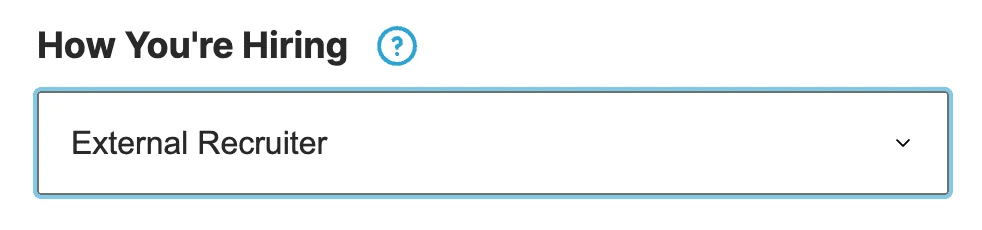
Select the Hiring Method: Choose how you’re filling the role – through a recruiter, your internal HR team, or another process. This determines potential recruiting fees and related costs.
-
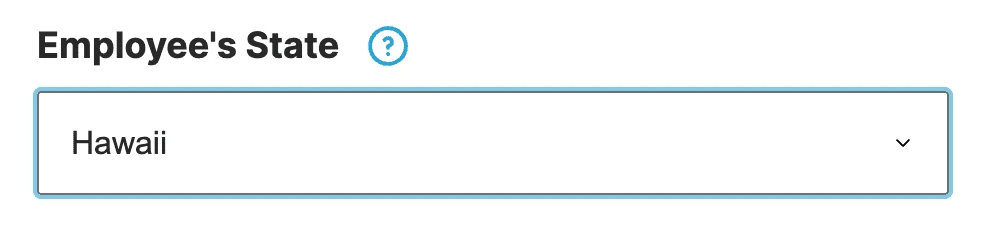
Choose the Employee’s Work State: The calculator automatically applies state-specific payroll tax rates for FUTA, SUTA, and Workers’ Comp. Just select the correct U.S. state from the dropdown.
-
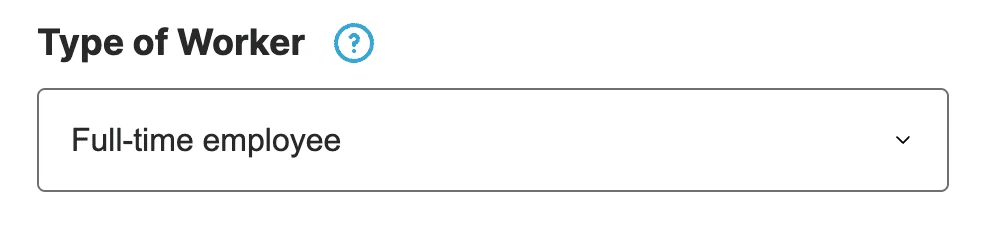
Pick the Worker Type: Choose between full-time (2,080 hours/year), part-time (1,040 hours/year), or contractor. The calculator automatically adjusts cost formulas, taxes, and hours accordingly.
- Include or Exclude Payroll Taxes: Keep this option on for W-2 employees to include mandatory employer taxes. Turn it off for independent contractors.
-
Add Benefits: Enter the percentage of salary you expect to spend on benefits like healthcare, retirement plans, or paid leave. Most companies spend between 20% and 40% of base salary here.

-
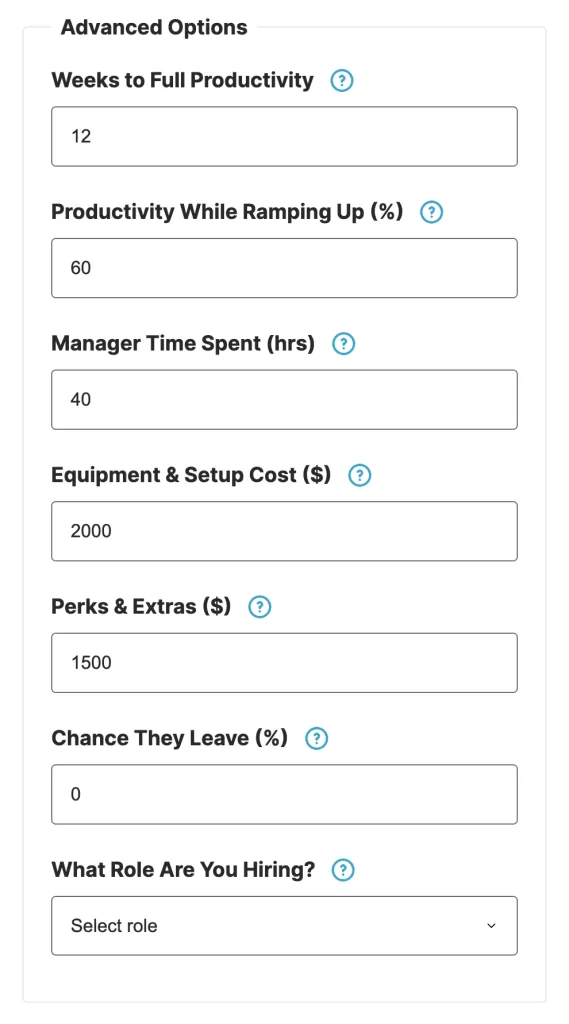
Activate Advanced Mode (Optional): Turn on Advanced Mode for a deeper analysis that includes equipment costs, ramp-up time, manager training hours, perks, and attrition risk.
-
Review the Results: Instantly see a full breakdown of your total employee cost – including both hard and soft expenses. Perfect for planning budgets, forecasting payroll, or comparing job roles.
What Is an Employee Cost Calculator?
An employee cost calculator is a simple way to see what it really costs to hire someone – not just their hourly rate or annual salary, but the full financial picture.
It’s designed for business owners, HR managers, and finance teams who want to understand every expense tied to bringing on a new team member.
The calculator factors in both hard costs and soft costs.
Hard costs are the obvious ones – things like wages, payroll taxes, benefits, recruiting fees, and equipment.
Soft costs are the hidden expenses that add up quietly over time, such as training hours, onboarding time, slower productivity during the first few weeks, and the time your managers spend helping new hires get settled.
When you add those pieces together, you get a true picture of your total employee cost. That clarity helps you budget more accurately, plan smarter hiring strategies, and make confident decisions as your team grows.
Why Use TimeClick’s Employee Cost Calculator?
TimeClick’s Employee Cost Calculator isn’t just another hiring widget – it’s a practical tool built by people who understand how much goes into managing a workforce.
After years of helping small businesses streamline payroll, stay compliant, and cut labor costs through smarter time tracking, we’ve built that knowledge into this calculator. The result? A clearer, more useful way to plan your hiring costs than any spreadsheet can offer.
Here’s why thousands of businesses turn to TimeClick’s calculator before making their next hire:
- Comprehensive Cost Breakdown: Go beyond salary alone. The calculator includes payroll taxes, benefits, recruiting fees, onboarding time, and productivity ramp-up – so you can see the true cost of each hire upfront.
- Customizable for Every Worker Type: Hiring a full-timer, part-timer, or contractor? The calculator automatically adjusts to reflect each worker type, making it easy to compare costs and plan your budget accurately.
- Built-In Payroll Tax Intelligence: Get accurate FUTA, SUTA, and Workers’ Comp calculations by state – no need to look up rates or crunch numbers manually.
- Advanced Options, Simple Interface: Use Simple Mode for a quick overview, or switch to Advanced Mode to include deeper details like productivity, manager time, or equipment costs.
- Free and Private: No account, no ads, no data sharing. Just a clean, easy tool you can use anytime to get an honest look at your employee costs.
Understanding Hard Costs vs. Soft Costs
When you’re figuring out what it truly costs to hire someone, salary is just one piece of the puzzle.
Every new employee comes with a mix of hard costs – the direct, measurable expenses – and soft costs, which are harder to see but can have a big impact on your team’s time, productivity, and budget.
What Are Hard Costs?
Hard costs are the tangible expenses that show up in your books and are easy to plan for. They’re the most visible part of hiring and include things like:
- Base Salary or Hourly Wages: The core pay you offer to your employee.
- Payroll Taxes: Employer-paid contributions for Social Security, Medicare (FICA), federal (FUTA) and state unemployment insurance (SUTA), and Workers’ Comp – all of which vary by state.
- Benefits: Health, dental, and vision insurance, 401(k) contributions, paid leave, and other perks – often adding 20%–40% to an employee’s total cost.
- Equipment & Software: The essentials for doing the job – laptops, monitors, software, phones, desks, or uniforms – typically ranging from $1,000 to $3,000 per employee.
- Recruitment Costs: Job ads, recruiter fees, background checks, or internal HR time – which can add up to 15%–25% of a new hire’s annual salary.
What Are Soft Costs?
Soft costs are the less obvious expenses that don’t appear directly in your accounting system but still affect your bottom line. They’re tied to time, efficiency, and the learning curve that comes with every new hire. Examples include:
- Onboarding & Training: The hours your team spends training, mentoring, and helping the new hire settle in.
- Productivity Ramp-Up: New employees often take 8–12 weeks to reach full productivity, which means some output is temporarily lost.
- Manager Oversight: Supervisors spend extra time reviewing work, answering questions, and correcting early mistakes.
- Employee Turnover: If the new hire doesn’t work out, the cost of replacing them – including time and lost momentum – can be substantial.
TimeClick’s calculator accounts for both types of costs, giving you a fully loaded employee cost estimate. That means you can make hiring decisions with confidence, plan your budgets more accurately, and avoid unpleasant financial surprises later.

Benefits of Accurate Employee Cost Calculation
Understanding the real cost of each employee is key to running a healthy, profitable business – especially in today’s competitive job market.
When you know exactly where your labor dollars are going, you can hire smarter, manage budgets with confidence, and plan for growth without surprises. Here’s how TimeClick’s Employee Cost Calculator helps make that happen:
- Smarter Budgeting: Stop guessing and start planning with real numbers. By including taxes, benefits, and overhead in your forecasts, you’ll avoid unexpected payroll costs and stay on track financially.
- Better Hiring Decisions: Compare the true costs of full-time, part-time, and contract roles to find the most cost-effective setup for each position.
- Efficient Resource Allocation: Knowing what each hire truly costs helps you distribute budgets wisely across departments and projects – especially as your team grows.
- Higher Profit Margins: Spot and reduce hidden costs like prolonged onboarding, inefficient processes, or excess equipment to protect your bottom line.
- Stronger Compliance: Track payroll taxes and benefits accurately to stay aligned with state and federal labor laws, helping you avoid costly penalties or audits.
- Fewer Financial Surprises: Get a clear picture of your total labor costs upfront so you can make confident, data-driven decisions without last-minute budget shocks.
- Seamless Time Tracking Integration: Pair the calculator with TimeClick’s time tracking software to compare estimated vs. actual labor costs, track productivity, and make real-time adjustments.
Whether you’re hiring one person or building a whole department, accurate cost modeling helps you grow intentionally, not by trial and error.
With TimeClick’s free Employee Cost Calculator, you’ll always have a clear view of your workforce investment.
Frequently Asked Questions About Employee Cost Calculators
What is included in an employee cost calculation?
A complete calculation goes beyond salary. TimeClick’s calculator includes payroll taxes (FUTA, SUTA, Workers’ Comp), benefits, recruiting expenses, onboarding and training time, temporary productivity loss during ramp-up, and overhead like equipment or software. Advanced fields let you fine-tune each item to match your situation.
How accurate are employee cost calculators?
Accuracy depends on your inputs. Our tool uses current U.S. state payroll tax assumptions and lets you enter your own numbers for benefits, recruiter fees, equipment, and more. With realistic inputs, you’ll get a close estimate of total employee cost-far better than using salary alone.
How does the calculator handle part-time vs. full-time employees?
It uses standard hours (2,080 for full-time, 1,040 for part-time) and scales items like onboarding, ramp-up, and manager time accordingly. That way, you can compare employment types on an apples-to-apples basis.
Can I use this for contractors or freelancers?
Yes. Selecting “Contractor” turns off payroll tax and benefits fields (since they usually don’t apply to 1099 workers). You can still include one-time costs like onboarding or equipment to see the full picture.
Why do soft costs like lost productivity or manager time matter?
New hires typically take 8–12 weeks to reach full speed, and managers spend extra time reviewing work and training. Those hours translate to real dollars. Including soft costs gives you a truer forecast and helps prevent budget surprises.
How does the calculator account for U.S. state-specific payroll taxes?
The calculator applies state-level assumptions for FUTA, SUTA, and Workers’ Comp based on the state you choose. These assumptions are reviewed periodically so your estimates reflect real-world obligations.
Is this calculator suitable for startups and small businesses?
Absolutely. It’s built for teams of all sizes and is especially helpful for small businesses that need clear labor cost visibility before hiring. Use it to plan budgets, compare roles, and make confident decisions.
Do I need to sign up or create an account?
No account needed. It’s free to use-no sign-up, no ads, no hidden fees. Enter your numbers and see results instantly.
Ready to Optimize Your Hiring Costs?
Hiring isn’t just about choosing the right person-it’s about making a smart financial decision for your business.
Whether you’re a small business owner, HR manager, or operations lead, understanding the full cost of adding someone to your team helps you stay profitable, compliant, and prepared for growth.
TimeClick’s free Employee Cost Calculator gives you instant insight into every part of that investment-from payroll taxes and benefits to onboarding, training, and equipment.
With live estimates and adjustable inputs, you can plan ahead, budget more precisely, and avoid costly payroll surprises.
And that’s only the start. When you pair the calculator with TimeClick’s offline time tracking software, you gain a complete system for managing labor costs in real time.
Track actual employee hours, manage PTO, and generate payroll-ready reports-all without relying on the cloud or paying per user.
Whether you’re comparing contractors and full-time hires, building a department budget, or improving ROI across your workforce, TimeClick gives you the clarity and control to make informed decisions.
Start making smarter hiring decisions today. Use the calculator above to take full control of your workforce costs, then start your 14-day free trial of TimeClick. No credit card required.
