TimeClick Time Card
- Week of
This free time card calculator totals your hours as you type, subtracts lunch breaks, and calculates overtime automatically. Scroll down to learn how it works, who it's for, and how to save or export your time card.
Does this include lunch breaks and overtime?
Yes. Enter break time and overtime rules and totals update instantly.
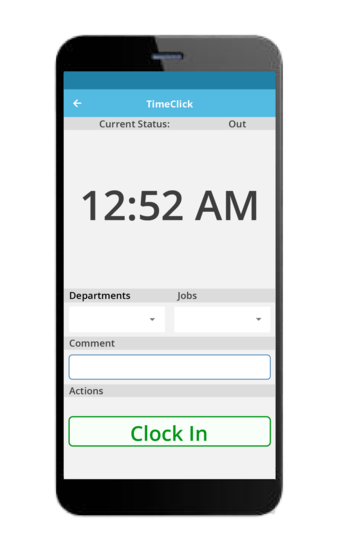
Add Up Work Hours Automatically
If you need to add up work hours for payroll, billing, or personal records, this calculator handles the math for you. Enter start and end times, include lunch or rest breaks, and see accurate daily and weekly totals instantly.
It works for weekly schedules, biweekly pay periods, and jobs with unpaid lunch breaks. Overtime is calculated automatically based on daily or weekly limits.
Punch In and Out Calculator
This page also works as a punch in and punch out calculator. Add the time you start work and the time you clock out each day. The calculator totals hours automatically and subtracts breaks when entered.
How to Use the Free Time Card Calculator
We built this online time card tool to be as easy as possible. No downloads. No signups. No confusing setup. Just enter your hours, set your overtime preferences, and the calculator handles the math for you. Watch the video below or scroll down for step-by-step instructions.
Calculate Your Work Hours
- Enter your name or company. Optional, but it prints on your time card and in the emailed PDF so everything looks polished.
- Select your week’s start date. Use the date picker to choose when your workweek or pay period begins. This appears in the header on print/PDF.
- Fill in your clock-in and clock-out times. Minutes left blank are treated as 00. We default to AM for clock-in and PM for clock-out. Change them via the dropdowns if needed. Totals update as you type.
- Enter break or lunch time. Add hours and/or minutes (e.g., 0 hrs 30 min). Breaks are automatically subtracted from your daily total.
- Set your overtime rules. Enter daily (e.g., 8 hrs) and/or weekly (e.g., 40 hrs) thresholds. The free time card calculator flags overtime above those limits and uses whichever rule yields more OT for the week.
- Review, then download, print, or email. Daily totals, weekly regular hours, and overtime update automatically.




Track Breaks Automatically
Taking a lunch break or quick rest? Just enter the break duration – like 0 hours and 30 minutes for a standard half-hour lunch – and the calculator automatically subtracts it from your total hours. This makes it ideal for tracking unpaid lunch breaks and rest periods without manual adjustments.

Track Overtime Hours
Need to keep an eye on overtime for payroll or compliance? The tool shows regular and overtime hours separately, making it easier to review totals for payroll or compliance.
Download or Email Your Time Card
After you’ve filled everything out, choose how you want to save your time card. You can print a copy, download it as a polished PDF, or email it straight to yourself or someone else.
Customize Your Time Card
The calculator is flexible enough to match how you actually work. Leave days blank if you don’t work weekends, choose any start date to align with your pay period, and add a name or company for a polished time card. Whether you’re tracking personal hours, billing clients, or preparing payroll, the tool adjusts easily without extra setup.
Want to Save Time Cards Long-Term?
Need a more powerful way to track hours over time or across multiple employees? Our full Time Clock Software gives you secure data storage, offline access, payroll exports, detailed reports, and per-device pricing with no monthly user fees. Start your free 14-day trial to explore everything it can do.
What Is a Time Card?
A time card helps track when employees start and end their shifts. It’s been around since the late 1800s, back when factory workers used mechanical punch clocks. The tools have changed – going from paper to digital – but the goal is still the same: record hours, calculate pay, and stay compliant with labor laws.

Time cards are still used every day in all kinds of industries – retail, healthcare, construction, legal, remote work, and more. They help track total hours, spot overtime, manage breaks, and keep payroll running smoothly. But using paper timesheets or spreadsheets can be a hassle. They’re slow, easy to mess up, and even small mistakes can cause paycheck errors, compliance problems, or lost billable time.
To make time tracking easier, TimeClick built a Free Time Card Calculator. This easy-to-use work hours calculator runs right in your browser and lets you enter clock-in and clock-out times, breaks, and overtime rules. It does the math for you, subtracts break time, and gives you a clear summary – ready to print, save, or email. No account needed, no software to download, and completely free.
The Free Time Card Calculator is a great fit for freelancers tracking billable hours, business owners managing a team, HR staff handling timesheets, or anyone keeping track of their own time. Whether you work a regular 9-to-5 or cover weekend shifts, the tool supports both 5-day and 7-day schedules. AM/PM dropdowns help prevent mistakes, and the built-in overtime settings make sure your totals are accurate.
You can use it on any device – laptop, tablet, or phone – and when you’re done, export your results. Print a physical copy, download a clean PDF, or email your time card to yourself or a manager. If you need more advanced features, our full Time Clock Software includes offline tracking, automated payroll exports, custom reports, and secure data storage. TimeClick is a one-time license per device, not a monthly subscription. That means you pay once and have it forever! Try it free for 14 days and see the difference.
What Is a Time Card Calculator?

A Time Card Calculator is a digital tool that helps you total up work hours quickly and accurately. Instead of writing times down on paper or setting up complicated spreadsheets, the time card calculator does the math for you – adding clock-in and clock-out times, subtracting breaks, and flagging any overtime. It takes the guesswork out of one of the most common admin tasks in any business – figuring out how much time was actually worked.
TimeClick’s browser-based time card calculator is a free tool you can use right away. Just plug in your AM/PM clock-in and clock-out times, set your daily or weekly overtime limits, and enter any break time like lunch or short rests. The free time card calculator does the rest – instantly giving you totals for each day and the entire week. It works with both standard schedules and more flexible ones, including weekend shifts or changing hours.
Spreadsheets can be tricky to set up and easy to mess up with formulas. Our free time card tool skips all that. It’s ready to go with no downloads, no learning curve, and no account needed. Whether you’re logging your own hours, keeping track of a small team, or prepping payroll, it’s a quicker, more dependable way to calculate time.
Who Uses This Free Time Card Calculator?

Our Free Time Card Calculator is designed for flexibility. It’s trusted by people in many different roles who want a quick, reliable way to track hours without complicated systems or costly subscriptions.
For Freelancers

Freelancers often need a clean way to track billable hours without maintaining spreadsheets or learning new tools. This calculator lets you enter work times, account for breaks, and review totals instantly. You can export a clear record for invoices or client reports, helping ensure every hour worked is documented and billed accurately.
For HR Teams

HR teams often need a fast, reliable way to review hours without digging through spreadsheets or manual logs. This tool helps total regular and overtime hours, account for breaks, and review daily entries in one place. It’s especially useful for payroll prep, audits, or quick checks when a full time-tracking system isn’t required.
For Small Business Owners

Small business owners often need something simple that still gets payroll right. This calculator makes it easy to review hours worked, subtract breaks, and spot overtime without managing software or subscriptions. Whether you’re checking a few employees’ hours or reviewing your own time, it’s a straightforward way to stay accurate without extra overhead.
For Professionals

Professionals who bill by the hour need clear, defensible time records. This tool helps track hours by day or project, review totals, and generate a clean record for invoicing or internal use. There’s no setup or learning curve. Just enter your time, confirm the totals, and export what you need.
Because it includes optional fields for breaks, it also functions as a Time Card Calculator with Lunch, automatically subtracting rest periods from your totals. If you’re looking for a fast, reliable, and free way to track time, this is it. For those who need more robust functionality – like offline time tracking, advanced reports, or payroll exports – our full Time Clock Software is available as a one-time purchase with optional yearly support. Try it free for 14 days.
Why Use TimeClick’s Free Time Card Calculator?
- Auto-calculates as you type. Daily totals, weekly regular hours, and overtime update instantly. No manual math or extra button presses.
- Truly free – no account, no catches. No logins, no fees, and no trial limits. Just open the time card calculator and get to work.
- Accurate totals, every time. Enter your times and get instant daily and weekly summaries – including overtime, breaks, and custom rules.
- Breaks handled automatically. Enter your lunch or rest time and it’s subtracted from your totals right away – no manual math required.
- Works on any device. Whether you’re at a desk or on a job site, the free time card calculator adapts to your device.
- Clean exports that match your screen. Print, save as PDF, or email – your time card export matches the live totals you see.
Whether you’re tracking your own time or managing a small team, the Free Time Card Calculator helps you stay accurate and organized – no spreadsheets, no setup, no stress.
Need more features down the road? TimeClick’s full Time Clock Software adds offline tracking, secure data storage, powerful reports, and one-click payroll exports. Best of all, you pay once and own it for life. That’s right – it’s a one-time license per device – no subscriptions or per-user fees. Explore the full feature list or start your free 14-day trial.
Frequently Asked Questions
Got questions? We’ve got answers. Whether you’re curious about how the time card calculator works, if there’s a catch, or what comes with the full version of TimeClick, this section clears things up. Browse below to learn more.
Is the Time Card Calculator really free?
Yes. Our Free Time Card Calculator is 100% free to use. There’s no sign-up, no account needed, and no trial limits. Just open the page and start tracking time as often as you want.
Do I need to download anything?
No downloads, no installations. The free time card calculator runs entirely in your browser. That means no apps, no plug-ins – just open the page and you’re ready to go.
How do I calculate hours worked with lunch breaks?
Enter your clock-in and clock-out times, then add the length of your lunch break. The time card calculator subtracts the break automatically and shows your net hours worked.
Can I use this as a free time card calculator for payroll?
Yes. This free time card calculator totals regular and overtime hours, making it useful for payroll prep, timesheets, and pay calculations.
Does this calculator work for weekly and biweekly time cards?
The calculator supports any start date, so it works for weekly, biweekly, and custom pay periods.
Can I use this to track employee hours?
Absolutely. Whether you’re tracking your own time or logging hours for someone else, the time card calculator works great for individuals, contractors, and small teams. It’s simple, quick, and accurate – perfect for prepping timesheets or payroll.
How do breaks and lunch times work?
You’ll find a space to enter break durations for each day – like lunch or short rest periods. The free time card calculator automatically subtracts those breaks from your daily totals, making it a true Time Card Calculator with Lunch.
How is the full software different?
The full version of TimeClick’s Time Clock Software goes beyond the basics. You’ll get offline tracking, secure record-keeping, payroll exports, and detailed reporting. It’s built for businesses that want long-term time management – and it’s a one-time license per device, not a subscription.
Is there a free trial of the full software?
Yes – and no credit card is required. You can try the full version of TimeClick free for 14 days. Start your trial here.
If you’re wondering what else you can do with TimeClick, the answer is: a lot. The full version is built to take your time tracking further – without monthly fees or complicated setup.
Take Time Tracking Further
The Free Time Card Calculator is perfect for quick, no-hassle tracking. But if you’re looking for more – like detailed reports, payroll-ready exports, and offline access – the full version of TimeClick is ready when you are. No subscriptions. No per-user fees. Just powerful time management that keeps up with your business.

Start your 14-day free trial and see how much easier time tracking can be.
