
For a long time, the answer felt obvious. If you needed time tracking software, you picked something cloud-based and paid for it every month. That’s just how software worked. Desktop tools were seen as old-school, something businesses used before everything moved online.
But in 2026, that assumption doesn’t hold up the way it used to. A lot of small and mid-sized businesses are taking a second look at how they track time and asking a more practical question. Does a monthly subscription actually make sense for how we operate, or are we just paying because everyone else does?
Desktop time clock software hasn’t disappeared. For certain businesses, it still solves problems that cloud tools quietly introduce over time. Things like rising long-term costs, unreliable internet, unnecessary complexity, and losing control over your own data.
This isn’t about nostalgia. It’s about fit. Some teams genuinely benefit from cloud-based systems. Others work better with software that runs on their own computers, does one job well, and keeps working no matter what’s happening online.
If you’ve ever wondered whether desktop time tracking still makes sense for your business, or if you’re questioning why you’re paying month after month for features you barely use, this guide will help you figure that out.
Table of Contents
- What We Mean by Desktop Time Clock Software
- Businesses That Benefit Most From Desktop Time Tracking
- Teams That Clock In From the Same Location
- Owners Who Want Predictable Software Costs
- Businesses That Need Time Tracking to Work Offline
- Companies That Want Control Over Their Own Data
- Small Teams That Prefer Simplicity Over Extras
- When Desktop Time Clock Software Is Probably the Wrong Fit
- Fully Remote or Distributed Teams
- Mobile-First Workforces
- Businesses That Rely on Heavy Software Integrations
- Why Desktop Time Clock Software Still Makes Sense in 2026
- What Day-to-Day Use Actually Looks Like
- Where TimeClick Fits Into This Picture
- How to Decide If Desktop Time Tracking Is Right for You
- Frequently Asked Questions
- Final Thoughts
What We Mean by Desktop Time Clock Software
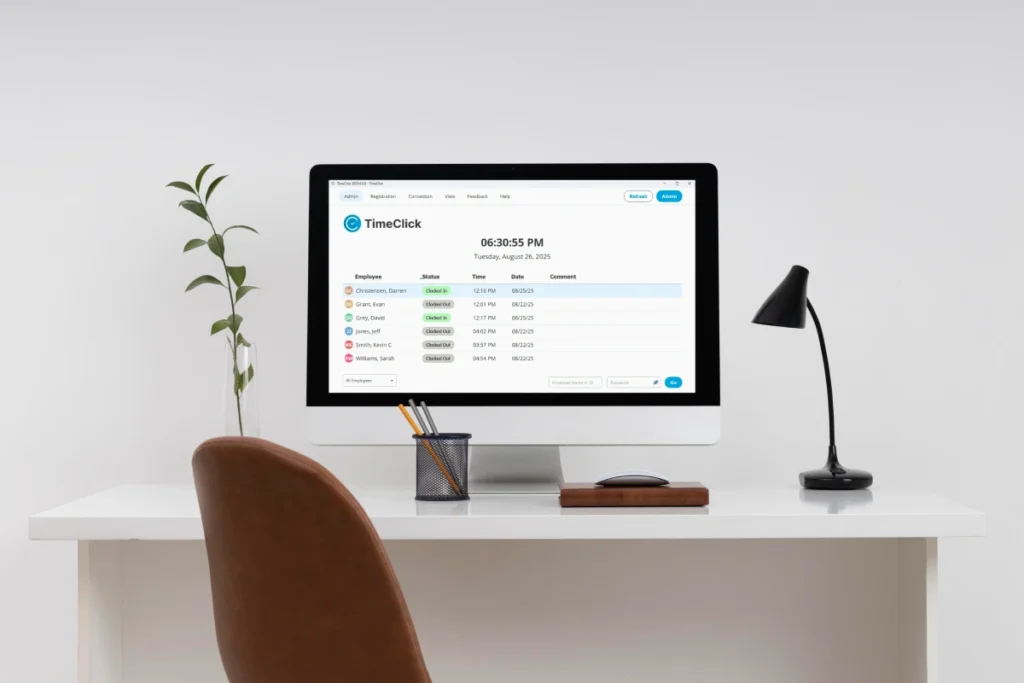
When people hear “desktop” software, they sometimes picture something outdated or clunky. That’s not what we’re talking about here. Desktop time clock software simply means a system that runs on your own computers or local network instead of living entirely in a web browser.
In a typical setup, employees clock in and out on a workstation, shared computer, or office terminal. The software records those punches locally, stores the data on your system, and keeps everything working even if your internet goes down. When it’s time to run payroll, you export the hours and move on.
Some desktop systems can connect to the internet for updates or optional features. Others stay fully offline by design. The key difference is control. The software lives with you, not on someone else’s servers.
This model often goes hand in hand with a buy-once license instead of a recurring monthly fee. You purchase the software, use it as long as you want, and decide if or when you upgrade. For businesses that value stability and predictable costs, that distinction matters.
Desktop time clock software isn’t trying to be everything. It focuses on reliable time tracking, clean records, and straightforward payroll data. For the right kind of business, that simplicity is exactly the point.

Businesses That Benefit Most From Desktop Time Tracking

Desktop time clock software works best when it matches how your business actually runs day to day. It’s not about company size or industry labels. It’s about where your people work, how often they clock in, and what you expect the system to do for you.
Teams That Clock In From the Same Location
If most of your employees start and end their shifts in the same place, desktop software fits naturally. Offices, shops, clinics, warehouses, and small production spaces all fall into this category.
A shared computer or dedicated clock-in station keeps things simple. Everyone uses the same setup, the rules are consistent, and there’s less confusion about how and where time gets recorded. You’re not chasing punches across devices or locations. You’re just tracking hours where the work actually happens.
Owners Who Want Predictable Software Costs
Some businesses are fine with subscriptions. Others get tired of watching another monthly charge stack up year after year. Desktop time tracking appeals to owners who want to pay once and be done with it.
When you know your team size is stable and your needs aren’t constantly changing, a buy-once setup makes budgeting easier. You’re not recalculating costs every time you add an employee or worrying about price increases down the line.
Businesses That Need Time Tracking to Work Offline
Not every workplace has rock-solid internet. Even in well-connected areas, outages happen. When your time clock depends entirely on being online, those interruptions turn into missing punches and cleanup work later.
Desktop systems keep running whether the internet is up or not. Employees can clock in and out as usual, and the data stays intact. For businesses in rural areas, older buildings, or places where reliability matters more than convenience, this is a big deal.
Companies That Want Control Over Their Own Data
Some owners are comfortable storing employee records on third-party servers. Others would rather keep everything in-house. Desktop time tracking puts that choice back in your hands.
Your time records live on your system. You decide how long they’re kept, who has access, and how they’re backed up. For businesses that care about privacy, compliance, or just knowing exactly where their data sits, that control adds peace of mind.
Small Teams That Prefer Simplicity Over Extras
Not every business needs dashboards, alerts, and layers of features they’ll never touch. Sometimes the goal is straightforward. Track hours accurately. Review them quickly. Run payroll without surprises.
Desktop time clock software tends to stay focused on those basics. There’s less to configure, less to train, and fewer ways for things to go wrong. For small teams, that simplicity often leads to fewer mistakes and smoother pay periods.
When Desktop Time Clock Software Is Probably the Wrong Fit

Desktop time tracking works well in the right situations, but it’s not a universal solution. Some businesses will struggle with it, no matter how reliable or affordable the software is. Knowing when it’s not a good match can save you a lot of frustration.
Fully Remote or Distributed Teams
If your employees rarely work from the same location, desktop software becomes harder to manage. Teams spread across cities, states, or countries usually need a system they can access from anywhere without extra setup.
In those cases, relying on a shared workstation or local network doesn’t line up with how people actually work. Cloud-based tools tend to handle remote access more naturally for distributed teams.
Mobile-First Workforces
Field crews, delivery teams, and service workers who clock in from job sites often need phone-based tools. GPS, location checks, and quick access from personal devices are usually part of the workflow.
Desktop time clocks aren’t built around that kind of mobility. Trying to force them into a mobile-first environment can lead to workarounds and missed punches.
Businesses That Rely on Heavy Software Integrations
Some companies run everything through connected apps. Scheduling, payroll, HR, and reporting all talk to each other automatically. If your operation depends on that level of integration, a standalone desktop system may feel limiting.
Desktop time tracking focuses on doing one job well. If you expect your time clock to plug into a large ecosystem of online tools without manual steps, a cloud-based system is often a better fit.
Why Desktop Time Clock Software Still Makes Sense in 2026

A few years ago, it was easy to assume desktop software would fade away. Everything was moving to the cloud, subscriptions felt unavoidable, and owning software outright seemed like a thing of the past. What actually happened looks a little different.
Many businesses are realizing that convenience often comes with long-term tradeoffs. Monthly fees add up quietly. Tools grow more complex over time. Features change, prices change, and you end up adjusting your workflow around the software instead of the other way around.
Desktop time clock software avoids a lot of that friction. You install it, set it up once, and it keeps doing the same job year after year. There’s no pressure to keep logging in to new dashboards or learning new layouts just because an update rolled out.
Reliability also plays a bigger role than it used to. When time tracking is part of payroll, missed punches and outages turn into real money problems. Software that works regardless of internet conditions gives businesses one less thing to worry about during a busy week.
In 2026, choosing desktop time tracking isn’t about resisting change. It’s about picking tools that stay affordable, stable, and consistent while everything else around your business keeps shifting.
What Day-to-Day Use Actually Looks Like

One reason desktop time clock software keeps sticking around is that it tends to fit cleanly into a normal workday. There’s no guessing about where to log in or which app to open. Employees clock in when they arrive, clock out when they leave, and the system handles the rest.
Most teams use a shared computer or a dedicated workstation for clocking in and out. The process stays consistent across shifts, which reduces confusion and cuts down on missed punches. People know exactly where to go and what to do.
On the management side, reviewing time is usually straightforward. You check hours, look for anything that needs attention, approve the pay period, and export the data for payroll. There’s less cleanup because the system captures time as it happens instead of relying on memory at the end of the week.
Because the software runs locally, everything keeps working even if the internet drops. Employees can still clock in and out, and managers can still access records. That reliability matters more than it sounds when payroll deadlines are involved.
For businesses that value routine and consistency, this kind of setup feels familiar. It doesn’t ask you to change how your team works. It just makes time tracking quieter and more dependable in the background.
Where TimeClick Fits Into This Picture

For businesses that match the situations described above, TimeClick is a practical example of how desktop time clock software still works well today. It’s built for teams that want reliable time tracking without locking themselves into ongoing monthly fees.
TimeClick runs on your computers, keeps your time data local, and continues working even when the internet isn’t available. That makes it a good fit for offices, shops, clinics, and other workplaces where employees clock in from the same location and consistency matters more than constant remote access.
The buy-once model also lines up with businesses that prefer predictable costs. Instead of paying per employee every month, you purchase the software and use it as long as it meets your needs. For owners thinking in terms of years rather than short-term trials, that difference adds up.

If you want to understand the cost upfront and over time, you can see how TimeClick pricing works.
TimeClick focuses on accurate punches, clear records, and payroll-ready reports. It doesn’t try to replace every system you use or overwhelm you with extras. The goal is simple time tracking that stays dependable over time.
If you want a deeper look at how this model compares to subscription-based tools, you can explore our guide on buy-once time tracking software and see how desktop systems differ from cloud-based options.
How to Decide If Desktop Time Tracking Is Right for You

If you’re still on the fence, the decision usually comes down to a few practical questions. You don’t need to overthink it or compare feature lists for hours. You just need to be honest about how your business actually operates.
Start with where your employees work. If most of them clock in and out from the same location, a desktop setup already fits your routine. If everyone is scattered and mobile, it probably doesn’t.
Next, think about reliability. How often does your internet go down, slow down, or cause small problems that turn into bigger ones later? If time tracking is tied directly to payroll, even short outages can create unnecessary cleanup work.
Cost is another big factor. If you plan to run your business for years and don’t like watching monthly software fees creep up, owning your time clock software outright can feel like a relief. You pay once, set it up, and move on.
Finally, consider control. Some owners are fine storing employee time data on third-party servers. Others prefer knowing exactly where those records live and who has access to them. There’s no right answer, just what you’re comfortable with.
If your answers lean toward consistency, predictability, and simplicity, desktop time tracking is still very much worth considering in 2026.
Frequently Asked Questions
These are some of the most common questions businesses ask when deciding whether desktop time clock software still makes sense.
Is desktop time clock software still supported in 2026?
Yes. Many desktop time tracking systems are actively maintained and supported. Updates tend to focus on stability, compatibility, and compliance rather than frequent interface changes.
Do desktop time clocks still work if the internet goes down?
In most cases, yes. That’s one of their main advantages. Because the software runs locally, employees can keep clocking in and out even during outages.
Can desktop time tracking handle payroll accurately?
Desktop systems are designed to produce clean, payroll-ready reports. As long as pay rules are set up correctly, they can track regular hours, overtime, and totals reliably.
Is buy-once time tracking software cheaper long term?
For many businesses, yes. If your team size is stable and you plan to use the software for several years, a one-time purchase can cost less than ongoing monthly fees.
Who should avoid desktop time clock software?
Fully remote teams, mobile-first workforces, and businesses that rely heavily on cloud integrations usually do better with online systems built around constant remote access.
Final Thoughts

Desktop time clock software isn’t outdated. It’s specific. It works best for businesses that value stability over constant change and want their tools to quietly do their job without adding friction.
In a world full of subscriptions and ever-expanding platforms, some businesses are choosing software that stays put. It tracks time accurately, supports payroll, and keeps costs predictable year after year.
The right choice isn’t about following trends. It’s about picking a system that fits how your team works today and won’t force a switch later. For the right businesses, desktop time tracking still earns its place.
Not using TimeClick yet? Try our time clock software free. Simple setup, unlimited users, and built for small businesses. No credit card required.
Start your FREE TimeClick Trial Today.