We’re thrilled to introduce TimeClick 25 - our biggest, most customer-driven update yet.
Whether you’ve used TimeClick for years or are just getting started, this version adds the modern tools and mobile flexibility you’ve been asking for, while keeping the same simplicity that makes TimeClick easy to use.
Here’s what’s new in TimeClick 25:
A Sleek New Design
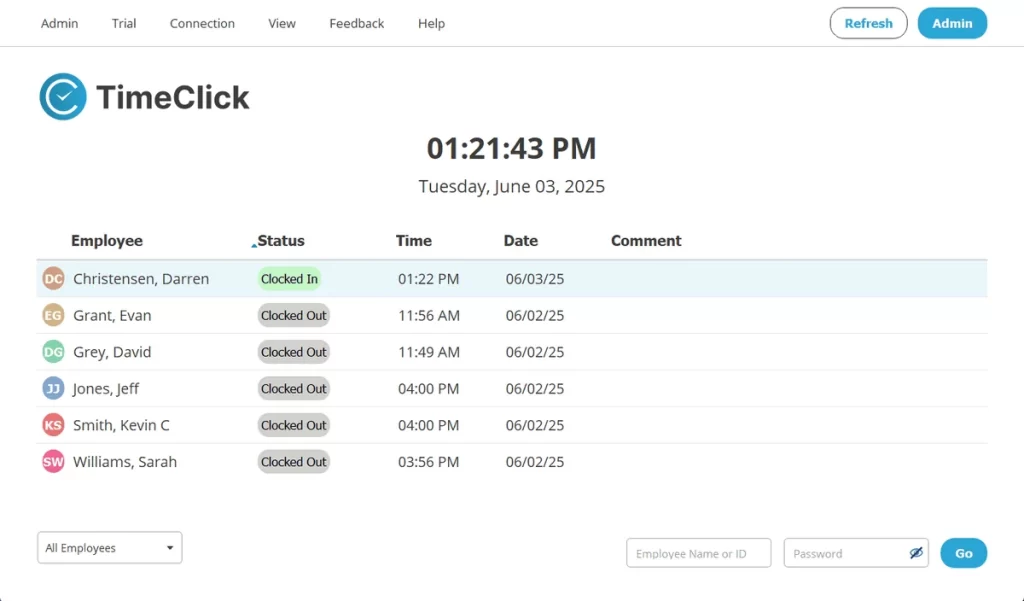
The first thing you’ll notice? A fresh, modern design that’s clean, fast, and easy to navigate.
We completely rebuilt the TimeClick interface to make every task - from clocking in to running reports - feel smoother and more intuitive for your whole team.
Location-Based Tracking
We’ve added new location tools to the TimeClick mobile app to give you better insight and control over where your team clocks in.
These updates are especially useful if you manage remote employees or field crews.
Geo Location
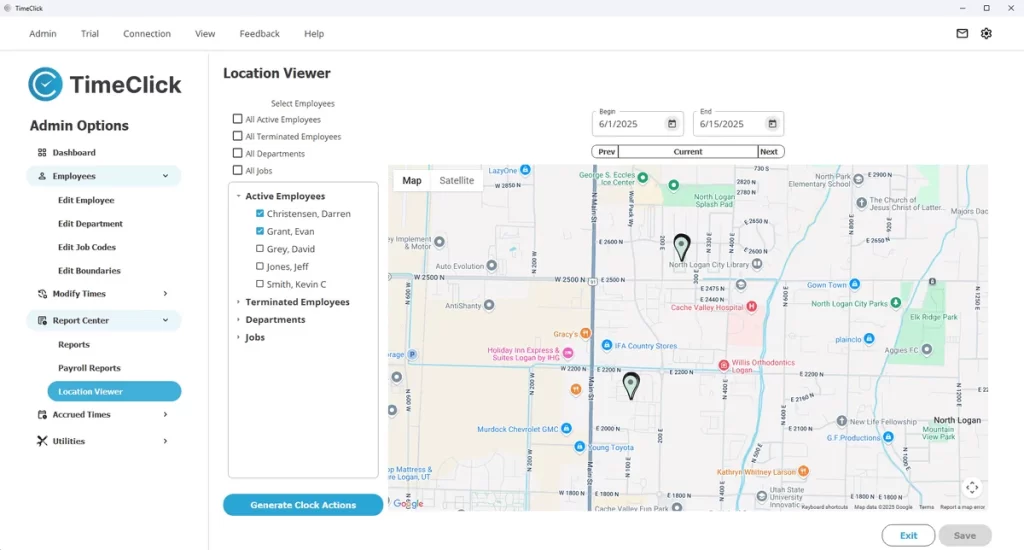
With Geo Location turned on, TimeClick records the exact spot where each clock-in or clock-out happens.
You’ll always know whether someone started their shift at the office, on-site, or somewhere else. It’s an easy way to keep time records accurate without adding extra steps.
Geo Fencing
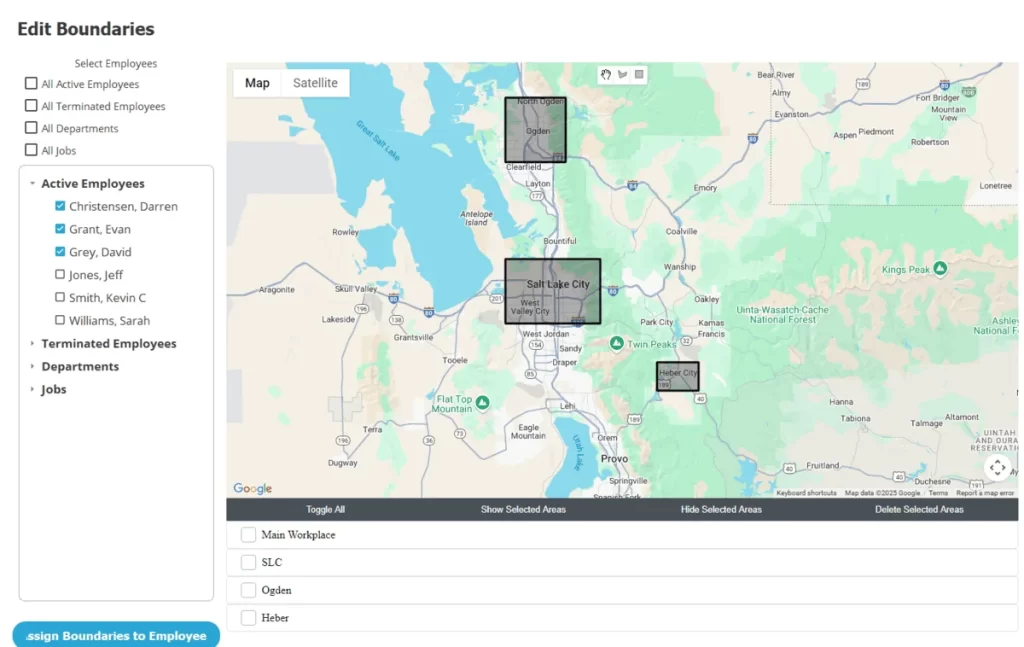 Geo Fencing lets you draw virtual boundaries around approved work areas - like your office or job site.
If an employee tries to clock in outside those zones, the app blocks the punch.
It’s a simple, automated way to prevent early or off-site punches and keep your team’s time data clean - no micromanaging required.
Together, Geo Location and Geo Fencing cut down on time fraud, improve accuracy, and give you confidence that everyone’s clocking in where they should.
Want to see how they work? Check out our new Geofencing features page.

PTO Balances & Requests from the App
Managing time off just got easier. With TimeClick 25, employees can view their PTO balance right in the mobile app - no more checking with HR or waiting for an update.
They can also submit PTO requests directly from their phone, so it’s simple for remote and on-site employees alike. (For now, PTO approvals and denials still happen in the desktop app to keep admin control secure.)
These updates remove the back-and-forth of managing time off and help teams stay coordinated - without extra calls, emails, or interruptions.
Missed Time Requests from the App
Forgot to clock in? It happens. With TimeClick 25, employees can now submit a Missed Time Request right from the mobile app.
They can explain what happened, suggest the correct time, and send it to an admin or manager for review - no desktop needed.
If the request is approved, the record updates automatically. If it’s denied, the time entry stays as is.
TIMECLICK TIP
Messaging between employees and admins isn’t available in the app yet, but it’s coming soon. Once added, you’ll be able to send comments, notes, and detailed feedback on any request directly in the app.
Want a full walkthrough of the mobile app and all its features? Visit our TimeClick Mobile Setup Guide.
New Payroll Reports
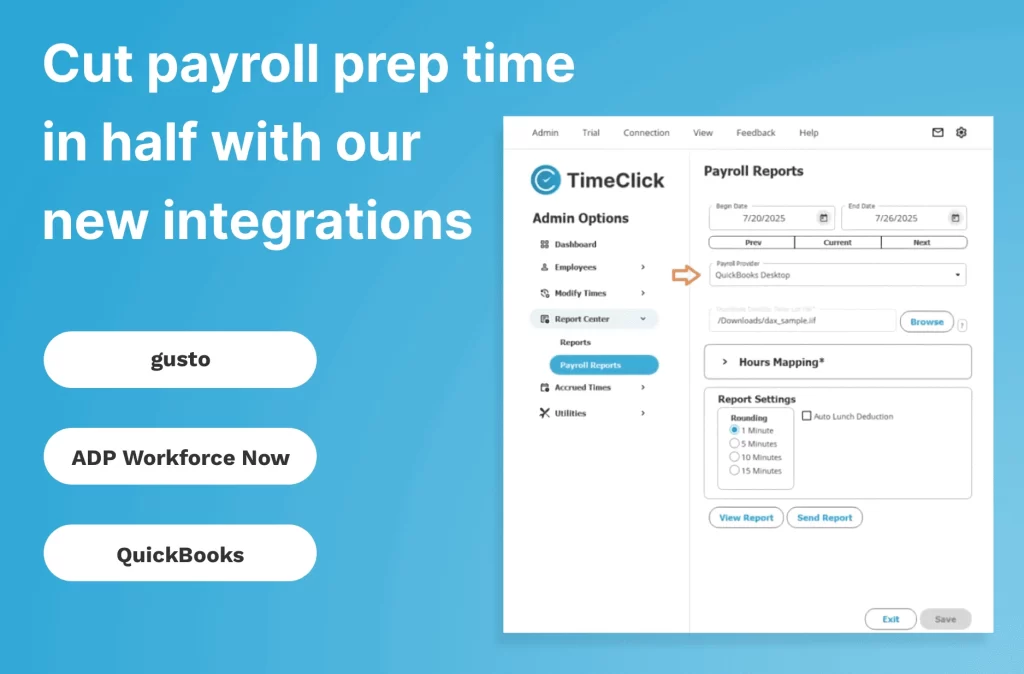
We know no one enjoys formatting payroll files. That’s why TimeClick 25 now includes ready-to-export payroll reports for:
- QuickBooks Online & Desktop
- Gusto
- ADP Workforce
Just export your report, upload it to your payroll provider, and you’re done.
We’re also expanding support for more payroll formats - and we’d love your feedback. If your system isn’t on the list, let us know.
Send an email to support@timeclick.com with:
- Your company name
- Your payroll software
- An example file (
.csv,.xlsx, or.pdf) you currently upload to your provider
We’ll review it and see if we can build a compatible report for you. The more details you share, the better we can help.
Want a closer look at how payroll reports work in TimeClick 25? Check out our new Payroll Reports Guide.
What This Means for You
TimeClick 25 brings together the updates you’ve been asking for - an improved design, smarter mobile tools, and new ways to manage teams on the go.
If you’re ready to make the switch, upgrading is simple: follow this quick guide to get started.
And this is just the beginning. We’re already working on even more ways to make TimeClick faster, easier, and more convenient - while keeping the simplicity our customers love most.
Thanks for growing with us, and for being part of the TimeClick community!
Not using TimeClick yet? Try our time clock software free. Simple setup, secure offline data, and built for small businesses. No credit card required.
Start your FREE TimeClick Trial Today.