
If you are trying to decide between desktop and cloud time clock software for your business, you are not alone. Most small businesses reach this point once spreadsheets and paper timesheets stop being reliable.
At a glance, the choice looks simple. Cloud tools promise fast setup and access from anywhere. Desktop systems focus on ownership, offline reliability, and fewer ongoing costs. What is harder to see is how those differences affect payroll once you are dealing with it every week.
This guide walks through how desktop and cloud time clock software compare when it comes to cost, security, reliability, and daily use. The goal is not to push one option, but to help you understand which tradeoffs matter most for your business.
Table of Contents
- What Is Desktop Time Clock Software?
- What Is Cloud Time Clock Software?
- Core Differences Between Desktop and Cloud Time Clock Software
- Cost Over Time
- Security and Data Control
- Reliability and Internet Dependence
- Real-World Use Cases
- When Cloud Time Clocks Make More Sense
- When Desktop Time Clocks Are a Better Fit
- What About Free Online Time Clock Tools?
- Where TimeClick Fits in This Comparison
- Desktop vs Cloud Time Clock Software at a Glance
- How to Choose Between Desktop and Cloud Time Clock Software
- Frequently Asked Questions
- Final Thoughts
What Is Desktop Time Clock Software?

Desktop time clock software runs on your own computer or local network. Employees clock in and out using a shared workstation, kiosk, or connected device inside your business. All time data is stored locally rather than sent to a third-party server, which gives businesses direct control over their time records.
Because the system runs on your equipment, it does not depend on an internet connection to record time. If your internet goes down, employees can still clock in and out and payroll data is still captured.
Desktop systems are usually sold as a one-time purchase instead of a monthly subscription. You install the software and keep using it. Updates and support may be optional, but the core system continues to work either way.
What Is Cloud Time Clock Software?
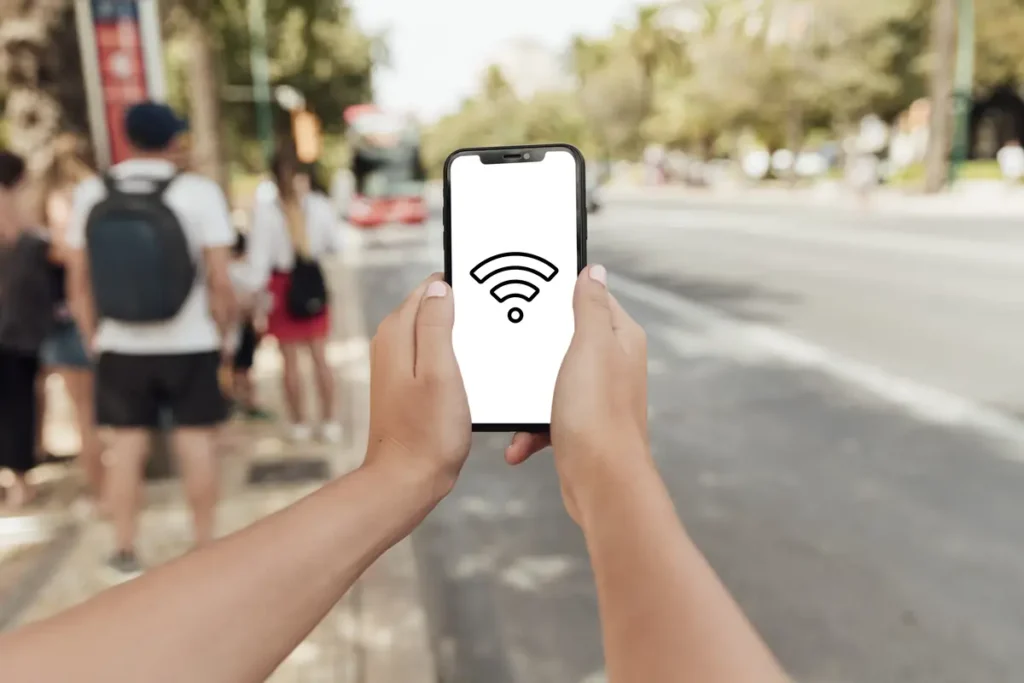
Cloud time clock software runs through a web browser or mobile app. When employees clock in and out, those punches are sent over the internet and stored on the provider’s servers.
You will often hear these tools called online time clocks or web-based time tracking systems. They let managers view hours from anywhere and make it easy for remote or mobile employees to clock in using their own devices.
Most cloud time clocks use subscription pricing. You typically pay a monthly fee based on the number of employees or locations. Many platforms offer free plans for very small teams, with paid tiers unlocking reports, integrations, and more control.
Because cloud systems rely on internet access, a connection is required for normal operation. Some tools offer limited offline options, but most need to sync punches online to generate accurate reports.

Core Differences Between Desktop and Cloud Time Clock Software

The real difference between desktop and cloud time clocks usually comes down to three things: how much they cost over time, who controls your data, and what happens when something goes wrong.
Cost Over Time
Cloud time clock software is usually cheaper at the start. Many tools advertise low monthly fees, and free plans can work for very small teams. That makes cloud systems appealing if you want to get set up quickly without a large upfront expense.
The tradeoff is that cloud pricing almost always grows with usage. As you add employees, locations, or features, the monthly bill increases. Over time, per-user fees can quietly stack up, especially for businesses with steady or growing headcount.
What starts as a small monthly expense can turn into a meaningful long-term cost once you factor in employee growth, feature upgrades, and several years of ongoing billing.
Desktop time clock software works differently. You usually pay once for the software and keep using it. There may be optional support or upgrade fees, but there is no per-employee charge. For businesses with stable staffing, this often leads to lower total costs over the long run.
Neither option is inherently better. The difference comes down to whether you prefer predictable ownership costs or recurring fees that increase as your business grows.
For many small businesses, this long-term cost difference becomes more noticeable after the first year or two of use.
Security and Data Control
With cloud time clocks, employee time data is stored on the provider’s servers. Established vendors put a lot of effort into security, backups, and system redundancy. For many businesses, that removes the need to worry about managing data storage themselves.
The tradeoff is control. Access to your data depends on the vendor, your account status, and their retention policies. If you cancel the service, you usually need to export your records before access is removed.
Desktop time clock software keeps data on your own computer or local network. You own the files outright and decide how long they are kept. There are no third-party servers involved and no automatic data deletion tied to a subscription.
That level of control also comes with responsibility. Local systems require you to manage backups and protect the machine storing the data. For businesses comfortable with basic IT upkeep, this is often a reasonable trade.
Reliability and Internet Dependence
Cloud time clocks rely on an internet connection to work as intended. When everything is online and stable, this usually is not an issue. Employees clock in, data syncs right away, and managers can review hours from anywhere.
Issues show up when the connection drops or service is interrupted. Some cloud tools offer offline punching, but those features are often limited and still need to sync later. When syncing fails, missed punches tend to turn into manual fixes during payroll.
Desktop time clocks do not depend on an internet connection to record time. Employees can clock in and out even during outages, and time data is saved immediately. For businesses with spotty internet or frequent disruptions, this can remove a lot of stress.
In day-to-day use, cloud tools favor flexibility and access, while desktop tools favor consistency and independence. Knowing which one matters more in your operation makes the decision much clearer.
Real-World Use Cases

The simplest way to choose between desktop and cloud time clock software is to look at how your business actually operates. Different setups benefit from different approaches.
When Cloud Time Clocks Make More Sense
Cloud-based time clocks tend to work best for businesses with employees spread across multiple locations or working remotely.
If your team clocks in from job sites, client locations, or home offices, an online system makes it easier to collect hours without setting up hardware everywhere. Managers can review time cards, approve edits, and run reports from wherever they are.
Cloud tools also fit businesses that expect frequent staffing changes. Adding or removing users is usually quick, and there is no software to install on individual machines.
Industries like construction, cleaning services, home healthcare, and distributed retail often lean toward cloud systems because access matters more than ownership.
When Desktop Time Clocks Are a Better Fit
Desktop time clock software is often a better match for businesses operating from a single location or a small number of fixed sites.
If employees clock in from the same workstation or kiosk each day, a locally installed system keeps things simple. There are no per-user fees, no multiple logins to manage, and no dependence on outside servers.
Businesses with unreliable internet, strong data control preferences, or long-term staffing stability often prefer desktop systems. Manufacturing shops, medical offices, small retailers, and professional offices commonly fall into this category.
In these environments, reliability and predictable cost usually matter more than remote access.
What About Free Online Time Clock Tools?

Free online time clocks are tempting, especially if you are running a very small team. For basic clock in and clock out tracking, they can work well at the start.
Most free tools come with clear limits. User counts are capped, reports are basic, and historical data may only be available for a short period unless you export it yourself.
Support is another common drawback. Free plans usually rely on help articles or community forums, which can be frustrating when something goes wrong close to payroll.
Once you need more detailed reports, longer data retention, integrations, or audit trails, free tools tend to fall short. At that point, businesses usually upgrade to a paid cloud plan or switch to a desktop system.
Free options work best as short-term solutions or entry points, not long-term infrastructure for a growing business.
Where TimeClick Fits in This Comparison

TimeClick is primarily a desktop-based time clock system built for businesses that want ownership, reliability, and predictable costs.
Instead of charging per employee or per month, TimeClick is licensed as a one-time purchase based on the number of devices you need. The core system runs on your own machines and stores time data locally, which means employees can continue clocking in and out even if the internet goes down.
At the same time, TimeClick is not limited to on-site use. With the TimeClick mobile app, businesses can also support remote and mobile employees who need to clock in from job sites, client locations, or while traveling.
This hybrid approach works well for companies that have a primary location but also need flexibility for off-site work. Offices, clinics, manufacturing environments, retail businesses, and service teams often fall into this category.
Rather than forcing everything into a browser-only model, TimeClick gives businesses the option to combine local reliability with mobile access, while avoiding ongoing subscription fees and keeping control of their time data.

Want a closer look at what TimeClick can do day to day? Explore our full list of features, including desktop tools, mobile clock-ins, reporting, and payroll support. Browse TimeClick's features here
Desktop vs Cloud Time Clock Software at a Glance
Seeing the differences side by side can make the tradeoffs easier to spot. This table summarizes how desktop and cloud time clock software compare across the areas that matter most day to day.
| Category | Desktop Time Clock Software | Cloud Time Clock Software |
|---|---|---|
| Pricing Model | One-time purchase, usually based on number of computers or stations | Monthly subscription, often priced per employee or location |
| Long-Term Cost | Predictable and stable over time with no per-user fees | Can increase steadily as headcount or features grow |
| Internet Requirement | No internet required for clocking in and out | Internet required for normal operation and syncing |
| Offline Reliability | Fully functional during internet outages | Limited or partial offline modes, depending on the tool |
| Data Storage | Stored locally on your computer or network | Stored on the provider’s servers |
| Data Ownership | You fully own and control your data | Access depends on the vendor and account status |
| Backups | Managed by the business | Managed by the software provider |
| Remote Access | Limited without remote desktop or additional setup | Built-in access from anywhere |
| Best For | Single-location businesses, shared clock-in stations, stable teams | Remote teams, field workers, multi-location businesses |
How to Choose Between Desktop and Cloud Time Clock Software

If you are still weighing your options, a few practical questions can usually make the decision clearer.
- How many employees need to clock in and out, and how often does that number change?
- Do employees work from one location, or from multiple sites and job locations?
- How reliable is your internet connection during business hours?
- Do you prefer a one-time purchase, or are ongoing monthly fees acceptable?
- How important is it to own and control your time tracking data?
- Will managers need to review time cards and reports remotely?
- Are free tools enough for now, or will reporting and retention needs grow quickly?
If your answers lean toward predictable costs, offline reliability, and a shared work location, a desktop time clock is often the better fit.
If your answers point to remote access, mobile clock-ins, and frequent team changes, a cloud-based system is usually easier to manage.
The right choice is the one that fits how your business operates today and where you expect it to go next.
Frequently Asked Questions
These are some of the most common questions businesses ask when comparing desktop and cloud time clock software.
Is cloud time clock software secure?
Most established cloud time clock providers invest heavily in security, backups, and data protection. For many small businesses, this level of security is more than enough. The tradeoff is that your data lives on a third-party server and access depends on the provider and your account status.
Can desktop time clock software work without internet?
Yes. Desktop time clock software runs locally on your computer or network and does not require an internet connection to record time. Employees can continue clocking in and out during outages without losing data.
Are free online time clocks reliable long term?
Free online time clocks can work for very small teams or short-term use. Over time, most businesses outgrow them due to limits on users, reporting, data retention, or support. At that point, upgrading or switching systems is usually necessary.
Which option usually costs less over time?
Cloud systems tend to cost less upfront but become more expensive as employee counts grow because of monthly per-user fees. Desktop systems often have higher upfront costs but lower long-term expenses since there are no ongoing subscription charges.
Do both desktop and cloud time clocks meet compliance requirements?
Both desktop and cloud time clock systems can meet compliance expectations when used correctly. What matters most is accurate time tracking, keeping records for the required period, and being able to produce clear reports if questions come up.
Final Thoughts

Choosing between desktop and cloud time clock software comes down to how your business actually operates day to day.
Cloud systems make sense when flexibility and remote access are priorities. They are easy to start, scale quickly, and work well for teams spread across locations. The tradeoff is ongoing subscription costs and reliance on internet access.
Desktop systems focus on ownership, stability, and predictable costs. They work well in fixed locations, keep data in-house, and continue running even when connectivity is unreliable.
There is no single right answer for every business. The best time clock software is the one that fits your workflow, your budget, and the tradeoffs you are comfortable making.
When you choose based on real operational needs rather than trends or marketing promises, time tracking becomes simpler, payroll gets cleaner, and the system stays useful as your business grows.
Not using TimeClick yet? Try our time clock software free. Simple setup, unlimited users, and built for small businesses. No credit card required.
Start your FREE TimeClick Trial Today.