Restricted Admins let you give managers or supervisors limited admin control - enough to handle daily tasks, but not full access to everything. They’ll see the familiar Admin layout, but you decide exactly which tools and modules they can use.
What is a Restricted Admin?
A Restricted Admin is a regular employee who’s been given partial admin rights. It’s a great way to let trusted team members take on small administrative responsibilities, like editing time or running reports, without exposing sensitive company settings.
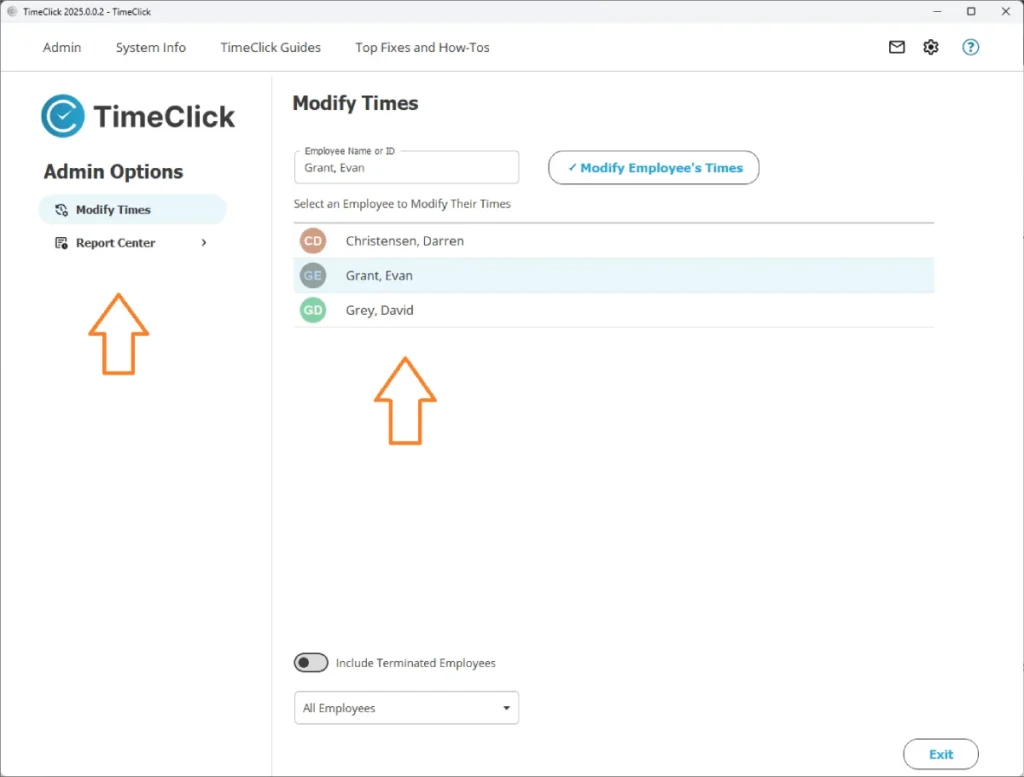
Restricted Admins can:
- Modify or review time for their team or department
- Approve PTO requests
- Run and view reports
- View accrued time balances
- Send messages to employees or other admins
Think of them as “assistant admins” - they can help you manage the day-to-day work while you keep control over the bigger picture.

How to Set One Up
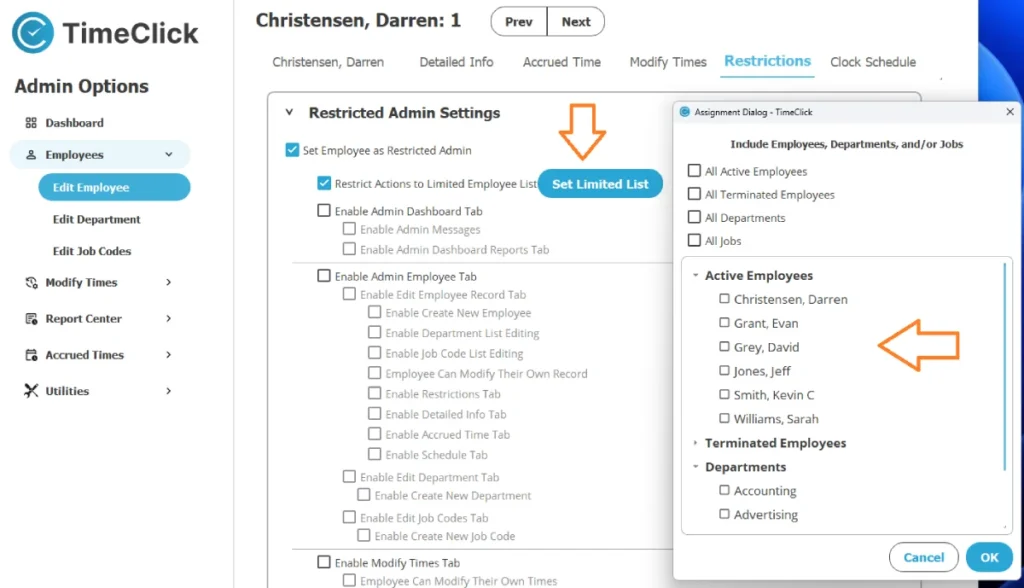
Creating a Restricted Admin only takes a few steps:
- Go to Admin Mode → Employees Module → Select Employee → Edit Employee Record.
- Open the Restrictions tab.
- Scroll down and check Set Employee as Restricted Admin.
- Select which modules or actions they can use - for example, Modify Times, Reports, Accrued Time, or Messages.
- Click Save.
You can update or remove their permissions anytime - it’s completely flexible.
Limiting Who They Can Manage
By default, a Restricted Admin can manage all employees. If you want to limit that access:
- Check Restrict Actions to Employee List.
- Select the specific employees or departments they should oversee.
For instance, you could give a department manager access to modify time and run reports, but only for their own team.
How Restricted Admins Log In
Restricted Admins log in just like everyone else:
- On the main TimeClick screen, click Admin in the top-left corner.
- Select Restricted Admin.
- Enter their employee password.
They’ll see the Admin interface but only the tabs and buttons they’ve been given permission to use. If something’s missing, that permission simply hasn’t been enabled.
What Restricted Admins Can Do
Their capabilities depend entirely on what you allow. Here are some common examples:
- Modify Times: Edit or approve time entries.
- Report Center: Run or print reports for their department.
- Accrued Time: View and approve PTO balances.
- Messages: Communicate with employees or other admins.
- Dashboard: Check attendance, total hours, and team stats.
What They Can’t Do
There aren’t fixed limits - you control their access. You can give them just enough authority to approve time or handle PTO, or extend it to more advanced admin tasks. Their access is fully customizable.
Wrap-Up
Restricted Admins are an easy, secure way to delegate responsibility while keeping your system protected. They let trusted managers take care of everyday tasks - like approving time, reviewing reports, or managing PTO - without giving them full administrative control.
For a closer look at specific modules, check out:
It’s a smart, flexible way to share admin duties while maintaining control over your company’s data.
