Consulting lives in the small stuff: a 12 minute scoping recap, 6 minutes answering a client message, 9 minutes tweaking a deck. Miss a few of those and your week leaks away. Reliable consultant time tracking keeps those minutes from evaporating, protects your margin, and makes billing simple and defensible.
With the right consultant time tracking software you can log time as you work, tag it by client and project phase, and produce clean reports clients trust. Even a tiny gap adds up. If you miss 18 minutes a day at $150 per hour, that is about $10,800 a year left on the table.
In this guide you will find:
- A clear definition of consultant time tracking and why it matters for hourly, fixed fee, and retainer work
- The most common pitfalls and how to avoid them
- A manual vs software comparison to choose the right approach
- Practical habits that help you capture every billable minute
- How TimeClick fits a consultant workflow with offline security and client ready reports
Let’s get you paid for the work you already do.
Table of Contents
- What is Consultant Time Tracking?
- Manual vs Software Time Tracking for Consultants
- Common Time Tracking Challenges for Consultants
- Features to Look for in Consultant Time Tracking Software
- Why TimeClick is Ideal for Consultant Time Tracking
- Best Practices for Consultant Time Tracking
- How Much Money Are You Losing Without Tracking?
- Frequently Asked Questions About Consultant Time Tracking
- Start Tracking Every Billable Hour Today
What is Consultant Time Tracking?

At its core, consultant time tracking is a record of where your hours go – broken down by client, project, and task. It is more than just a log. It is a living dataset that shows exactly how you spend your working day and turns that information into something you can bill, analyze, and improve.
For example, tracking time on a marketing campaign might involve logging every planning call, creative revision, and report build. For a strategy consultant, it could mean documenting research, workshop prep, and travel hours. The goal is to create a clear trail from effort to invoice so there is no guesswork about what was done and when.
When done well, consultant time tracking delivers three major wins:
- Accurate billing – Every minute of client work is captured and supported with detailed notes.
- Better forecasting – Historical time data helps you price future projects and set realistic timelines.
- Stronger client relationships – Transparent reports show exactly where their budget went, building trust and reducing disputes.
Whether you bill hourly, offer project-based fees, or work on a retainer, precise time tracking is the foundation of both profitability and client confidence. Without it, you are relying on memory and estimates – and that is where revenue starts slipping away.
Manual vs Software Time Tracking for Consultants
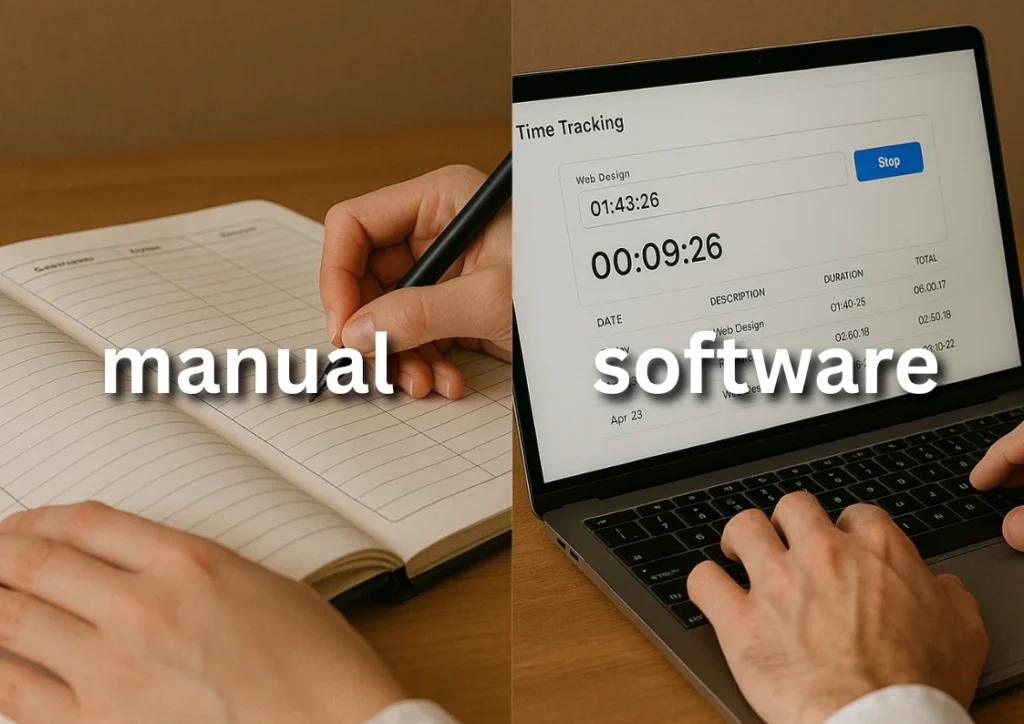
Consultants often start with the simplest option – jotting hours in a notebook or updating a spreadsheet at the end of the week. While it feels quick, this approach relies heavily on memory and can easily miss small but billable chunks of time. Over months, those missed minutes add up to serious revenue loss.
Dedicated consultant time tracking software eliminates that guesswork. It logs your hours as you work, organizes them by client or project, and produces professional reports you can send straight to your client. It also gives you a record you can analyze to improve future estimates and streamline your workflow.
Here’s a side-by-side comparison of the two approaches:
| Method | Pros | Cons |
|---|---|---|
| Manual Tracking (spreadsheets, notebooks) |
|
|
| Software Tracking (like TimeClick) |
|
|
If your consulting work is project-heavy, involves multiple clients, or requires precise reporting for compliance, moving to a software-based system is one of the fastest ways to protect revenue and simplify your admin workload.
Common Time Tracking Challenges for Consultants

Even the most organized consultants run into problems when it comes to tracking time. It is easy to underestimate how much work you have done, or to lose track of small but important tasks that still need to be billed. Over time, these gaps create stress, inaccurate invoices, and missed income.
- Forgetting to log short tasks – A quick client call or email reply might only take a few minutes, but multiplied over weeks, those moments can equal hours of unpaid work.
- Switching between multiple clients – When juggling several projects, it is easy to mix up hours or forget which client a specific task was for.
- Relying on estimates – Guessing how long something took often leads to undercharging and unrealistic project timelines.
- Handling client disputes – Without clear, timestamped records, it becomes harder to justify invoices if a client questions them.
- Spending too much time on admin – Updating spreadsheets or tracking hours manually pulls you away from high-value work.
The good news is that each of these challenges can be solved with a consistent process and the right tools. Real-time tracking, organized project categories, and clear notes for every entry make it easier to bill accurately and maintain client trust.
Features to Look for in Consultant Time Tracking Software

Not all time tracking tools are built with consulting work in mind. The right software should fit into your workflow without adding friction, give you clear records for every billable minute, and help you make better business decisions over time.
- Organized tracking by client and project – Being able to assign every entry to the right client and specific project phase keeps your records clean and ready for invoicing.
- Real-time tracking – Starting and stopping a timer as you work prevents forgotten tasks from slipping through the cracks.
- Offline access and data security – If you work with sensitive client information, keeping your time logs stored locally instead of in the cloud gives you greater control over privacy.
- Detailed reporting – Professional, easy-to-read reports make it simple to show clients exactly how their budget was spent and to analyze your own productivity.
- Integration with invoicing tools – Direct export to accounting software like QuickBooks can save hours in manual data entry and reduce errors.
- Notes and categorization – Adding quick descriptions to each entry helps when justifying invoices or reviewing past work for process improvements.
When evaluating a platform, think about how quickly you can start using it without training, whether it fits your billing structure, and how much time it will save you each week. The best software is the one you actually use every day.
Why TimeClick is Ideal for Consultant Time Tracking

TimeClick was built for businesses that need accurate, secure time records without the clutter or complexity of typical cloud-based tools. For consultants, that means you can track work as it happens, organize it in a way that makes sense for your clients, and produce clear reports without spending hours on admin.
- Made for small businesses – Designed to be straightforward and practical, so you can start tracking time right away without a long onboarding process or complex setup.
- Customizable tracking – Record time by client, project, or task, and add notes for full context on each entry.
- Accurate and secure – All time logs are stored locally on your company’s server, giving you full control over access and backups.
- Professional reports in seconds – Generate client-ready timesheets and productivity summaries with just a few clicks.
- Payroll integration – Export tracked hours directly to Gusto, QuickBooks (Desktop and Online), ADP, and more platforms coming soon, so you can run payroll faster and with fewer errors.
TIMECLICK TIP
Start your timer the moment you begin a client task – even if it’s just reviewing notes or sending an email. Those small blocks of time add up quickly over a month.
TimeClick is not just a way to log hours – it’s a way to protect your revenue, keep client relationships strong, and reduce the mental load of remembering where your day went. Once you set it up, the system works quietly in the background so you can focus on the work clients actually hire you for.

Best Practices for Consultant Time Tracking
Even the best software will not save you money if you do not use it consistently. These habits will help you capture every billable minute, keep your reports clean, and make invoicing painless.
- Create separate projects for each client – This keeps entries organized and makes it easy to pull detailed reports without digging through mixed data.
- Track time as you work – Avoid logging hours at the end of the day or week. Real-time tracking reduces errors and forgotten tasks.
- Use short, clear notes for each entry – A few words describing what you did will make reports more transparent and help you remember details later.
- Review weekly – Take five minutes at the end of each week to scan your time logs for missing entries, misassigned tasks, or unusual patterns.
- Integrate with your invoicing process – If you use accounting software like QuickBooks, exporting your tracked hours directly can save hours of manual entry.
- Track non-billable time too – Logging admin work, marketing efforts, and internal meetings helps you understand the full picture of where your hours go.
- Set time goals – Whether you aim for a certain number of billable hours or a balanced workweek, monitoring progress keeps you accountable.
These practices are easy to adopt and build into your daily routine. Once they become second nature, you will spend less time chasing down hours and more time doing the work that pays.
How Much Money Are You Losing Without Tracking?

Time leaks are easy to miss when they happen in small chunks – five minutes here, ten minutes there. But over a year, those small gaps can take a serious bite out of your income.
Let’s put it in perspective. Say you bill $150 an hour and you forget to log just 15 minutes a day. That is $37.50 in lost revenue daily. Over a standard 5-day week, that’s $187.50. Multiply that by 50 working weeks in a year and you have left $9,375 unbilled – for work you actually did.
If your rates are higher, or you miss more than a few minutes each day, the numbers climb quickly. Missing just one billable hour per week at $200/hour adds up to $10,000 in lost income annually. And that is before considering the administrative time you spend trying to reconstruct your week when reports are due.
Consistent, accurate consultant time tracking is one of the simplest ways to protect your margins without taking on more clients or working longer hours.
Frequently Asked Questions About Consultant Time Tracking
Here are answers to the questions consultants most often have about tracking their time and getting paid for every billable minute.
What is the best way to track time as a consultant?
The most reliable way is to use time tracking software that logs hours in real time, organizes entries by client or project, and generates professional reports. Manual tracking in spreadsheets or notebooks often leads to missed tasks and inaccurate billing.
Why is consultant time tracking important?
Without accurate tracking, it is easy to underbill, overwork, or run into disputes with clients. Time tracking creates a detailed record of your work, helps you set realistic project timelines, and ensures you are paid for the work you do.
Can consultant time tracking software help with taxes?
Yes. Accurate time logs can separate billable and non-billable work, making it easier to track deductible business activities and provide clear records to your accountant during tax season.
How does time tracking prevent lost revenue?
By recording hours as you work, you capture all billable time – even short tasks that are easy to forget. Over a year, this can add up to thousands of dollars in income that might otherwise be missed.
Is manual time tracking still effective?
It can work for very small workloads, but it relies on memory and takes more time to maintain. Software reduces errors, saves administrative hours, and makes reporting far easier.
Does TimeClick work for teams of consultants?
Yes. TimeClick supports multiple users and can track collective hours for team-based consulting projects. You can assign tasks, monitor progress, and generate combined reports for the whole team.
Does TimeClick offer a free trial?
Yes. TimeClick offers a 14-day free trial so you can test its features before purchasing. You can download the trial here and see how it fits your workflow.
Start Tracking Every Billable Hour Today
Accurate consultant time tracking does more than protect your income – it helps you work with less stress, keep projects on schedule, and build trust with your clients. The sooner you put a reliable system in place, the sooner you can stop worrying about missed hours and start focusing on delivering great results.
TimeClick makes it simple to track your time in real time, organize it by client or project, and produce clear, professional reports in seconds. With offline security and quick setup, it fits seamlessly into your consulting workflow.
Download your free 14-day trial today and see how much easier managing your time – and your billing – can be.
Start your FREE TimeClick Trial Today.