
On this page
Running a small business means wearing a lot of hats: owner, manager, HR, payroll, and sometimes even frontline worker.
In all the chaos, it’s easy to treat employee time tracking as a background task. But without accurate records, you risk paying for hours that weren’t worked, missing overtime compliance, and losing money you can’t afford to waste.
The good news is that with the right system, time tracking doesn’t have to be complicated or time-consuming.
Whether you have two employees or twenty, putting a reliable process in place can improve payroll accuracy, control labor costs, and keep your business running smoothly.
In this guide, we’ll cover:
- Why time tracking is critical for small business success
- Common mistakes business owners make
- Best practices for tracking employee time
- How payroll integration can save hours each month
- How TimeClick helps small businesses work smarter
Let’s start with why tracking time accurately is one of the smartest investments you can make in your business.
Why Time Tracking Matters for Small Business Owners

In a small business, every dollar matters, and every minute does too.
Without a reliable time tracking system, it’s easy to lose sight of how much time your team is actually working. That can lead to overpaying on payroll, missing overtime pay requirements, or simply not knowing where your labor costs are going.
Over time, those gaps add up, cutting into profits and creating potential compliance issues. That’s why accurate time tracking is so powerful for small business owners. It brings structure, visibility, and control to one of your biggest expenses: your people.
Here’s what consistent, reliable time tracking can do for your business:
- Accurate payroll: Make sure your employees are paid for the exact hours they work. No more, no less. This keeps payroll fair and eliminates overpayment, underpayment, and unnecessary disputes.
- Labor cost control: Knowing how many hours each role or department works helps you staff smarter, match schedules to demand, and prevent costly overtime.
- Compliance with labor laws - For hourly employees, accurate time records are essential for meeting state and federal requirements for breaks, overtime, and minimum wage.
- Better forecasting: Reviewing past time data helps you predict future staffing needs, plan for busy seasons, and set more accurate budgets.
- Employee accountability: Transparent time tracking promotes responsibility. When hours are clearly recorded, employees are more likely to show up on time and stay focused during the day.
When time tracking becomes part of your daily workflow, you gain visibility into where every payroll dollar goes, and the confidence that your labor costs are exactly where they should be.
Common Time Tracking Mistakes Small Businesses Make

Most small business owners want to keep accurate time records, but even with the best intentions, common habits can lead to costly errors.
When time isn’t tracked consistently or correctly, it can cause payroll disputes, compliance problems, and wasted labor costs.
Here are some of the most common time tracking mistakes small businesses run into:
- Relying on paper timesheets: Handwritten records are easy to lose, alter, or misread. They also have to be entered into payroll manually, which opens the door for typos and math errors.
- Logging hours after the fact: When employees record their time at the end of the day or week, they’re often guessing instead of remembering exactly when they worked.
- Skipping break and overtime tracking: Missing this data can lead to labor law violations, penalties, or costly back pay if an audit happens.
- Using different tracking methods across teams: When each department tracks time differently, reports become inconsistent and it’s harder to spot trends or errors.
- Not reviewing or approving time entries: Without manager review, small errors can sneak into payroll and add up fast, not to mention create frustration among employees who feel their time isn’t handled fairly.
Recognizing these issues early makes it easier to fix them. The key is building a simple, consistent time tracking process that every employee follows each time they clock in and out.
Time Tracking and Payroll Integration
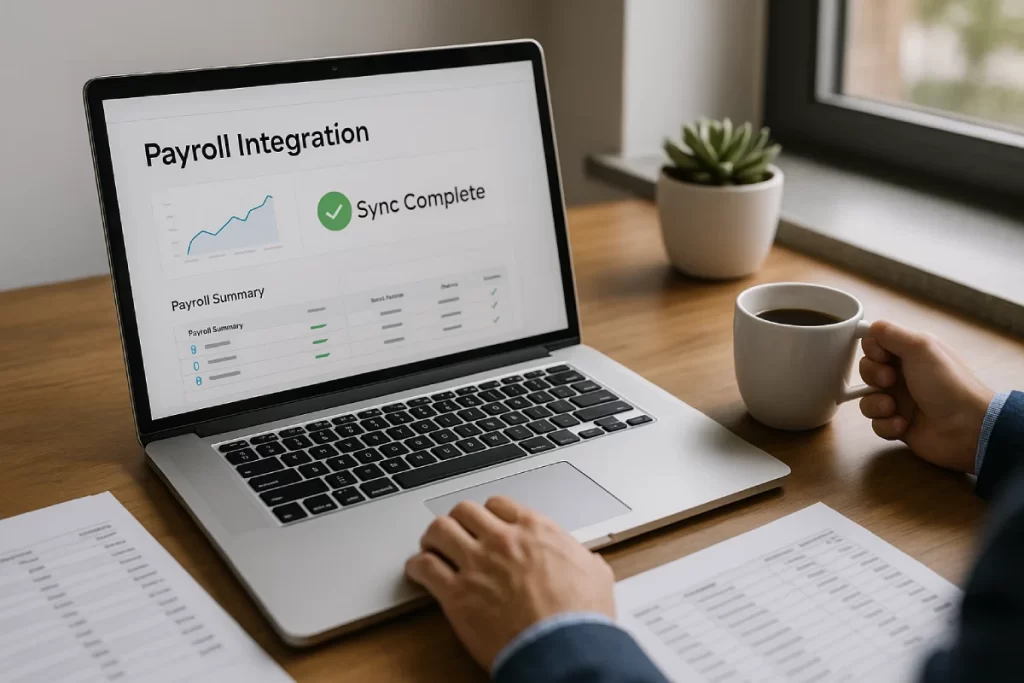
One of the easiest ways to save time on payroll is to connect your time tracking system directly to your payroll provider. When hours flow automatically into your payroll software, you eliminate manual entry and the errors that come with it.
With TimeClick, you can export tracked hours directly to popular platforms like:
- Gusto
- QuickBooks Desktop
- QuickBooks Online
- ADP
- More integrations coming soon
This connection removes double entry, reduces payroll mistakes, and speeds up processing time.
Whether you manage payroll yourself or work with a provider, integrating your time tracking system helps keep everything accurate, efficient, and stress-free.
How TimeClick Helps Small Businesses

Small business owners need tools that are easy to set up, simple to use, and built to handle everyday challenges without unnecessary extras.
TimeClick was designed with that in mind. There’s no fluff, just practical time tracking and reporting features that focus on what really matters for your business.
Here’s how TimeClick makes time tracking easier and more efficient for small businesses:
- Lifetime license with easy setup: Setup takes about five minutes, and you never have to deal with recurring per-user fees. Just pay once for your license size and own the software for life.
- Unlimited users - With TimeClick, you pay per device, not per user. This helps you save thousands when employees share time clocks.
- Simple clock in and clock out tracking: Employees can clock in and out with a single click. You can categorize hours by department or job task, and include notes for extra clarity.
- Off the cloud: All time data is stored locally on your company’s server, so you have full control over access, security, and backups. Your data stays private and in your hands.
- Customizable reports - Generate timesheets and reports in the exact format you need for payroll or management review.
- Payroll integration - Export tracked hours directly to Gusto, QuickBooks (Desktop and Online), ADP, and more. It’s fast, accurate, and eliminates manual entry errors.
TIMECLICK TIP
Even if you manage a small team, tracking time in real time can save hours of payroll adjustments each month and keep your labor budget on target.
With TimeClick, you get a reliable and affordable time tracking system that keeps your payroll days simple and stress-free.
Frequently Asked Questions About Small Business Time Tracking

Here are answers to some of the most common questions small business owners ask about tracking employee time accurately and efficiently.
What is the best way to track employee time in a small business?
The most reliable approach is to use a dedicated time tracking system that records hours in real time, organizes them by employee or department, and automatically generates reports for payroll.
Paper timesheets or spreadsheets can work in the short term, but they often lead to errors, confusion, and extra admin work.
Why is accurate time tracking important for small businesses?
Accurate time tracking makes sure employees are paid correctly, helps you manage labor costs, keeps your business compliant with labor laws, and gives you a clear picture of how your team’s time is being spent.
Can time tracking integrate with payroll?
Yes. Many time tracking systems, including TimeClick, can export tracked hours directly to payroll providers such as Gusto, QuickBooks (Desktop and Online), and ADP Workforce.
Do small businesses need to track breaks and overtime?
Is time tracking worth it for very small teams?
Absolutely. Even with a handful of employees, time tracking helps prevent payroll mistakes, protects your labor budget, and provides useful data for scheduling and forecasting.
Start Tracking Time the Smart Way

Investing in a reliable time tracking system is one of the easiest ways for a small business to protect its payroll budget, stay compliant with labor laws, and keep daily operations running smoothly.
The right system removes the guesswork from scheduling, ensures every employee is paid correctly, and saves you hours of manual data entry each week.
TimeClick makes it simple. With quick setup, a one-time payment, offline data security, and seamless payroll integrations with Gusto, QuickBooks, ADP, and more on the way, it’s built to save time and reduce stress.
Try it free for 14 days: no credit card required, no risk, just a faster, smarter way to track employee time.