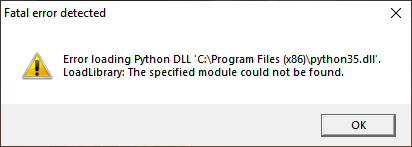
What Does This Error Mean?
This means that there is a problem with the TimeClick program files. If this error is happening on your server computer, contact our tech support to get this resolved. If it’s happening on a workstation it’s a fairly simple error to fix. Just follow the steps below.
- Uninstall TimeClick
- As a precaution turn off any anti virus software temporarily
- Reinstall TimeClick with the correct version of TimeClick. Here is a link to our installation files page

Ready to streamline your employee time tracking, boost productivity, and simplify payroll? Sign up for your FREE 14-day trial today and see how TimeClick can transform your business!
Start your FREE TimeClick Trial Today.