
Free Timesheet Templates for Excel, Google Sheets and PDF
These free timesheet templates total hours for you, show overtime by the week and print on one page. The spreadsheets download as Excel files that also open in Google Sheets, and every template also comes as a printable PDF. There’s no sign-up and no email form.
Download a timesheet template
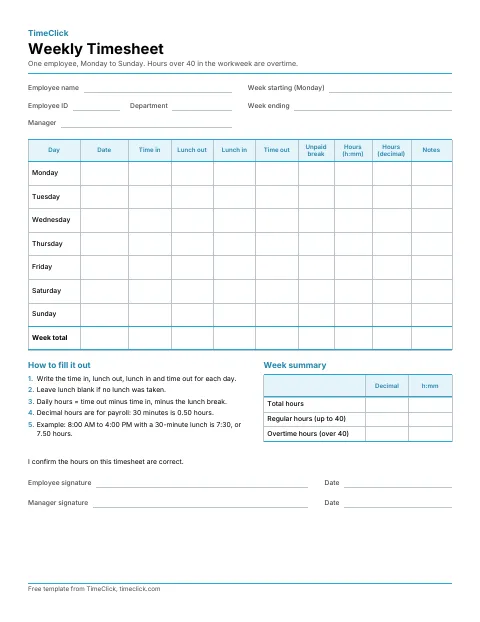
Weekly timesheet
One employee, Monday to Sunday, with time in, lunch out, lunch in and time out for each day. Daily and weekly hours show in hours and minutes and in decimal hours, and hours over 40 in the week land in the overtime line. Enter a pay rate to see regular and overtime pay.
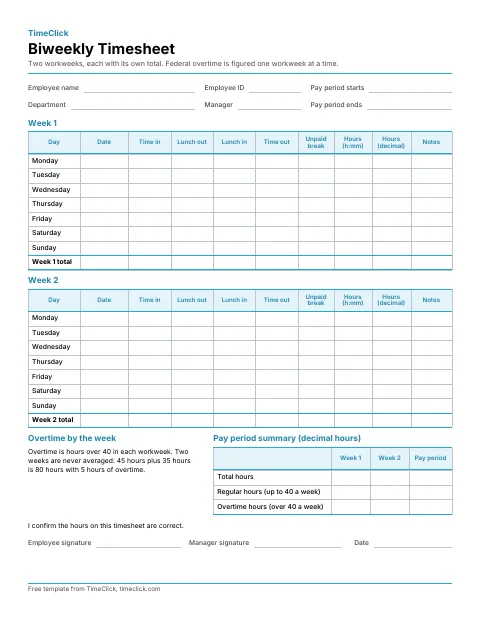
Biweekly timesheet
Two weeks on one sheet for businesses that pay every other week. Each week has its own total and its own overtime line, because overtime is counted per workweek.
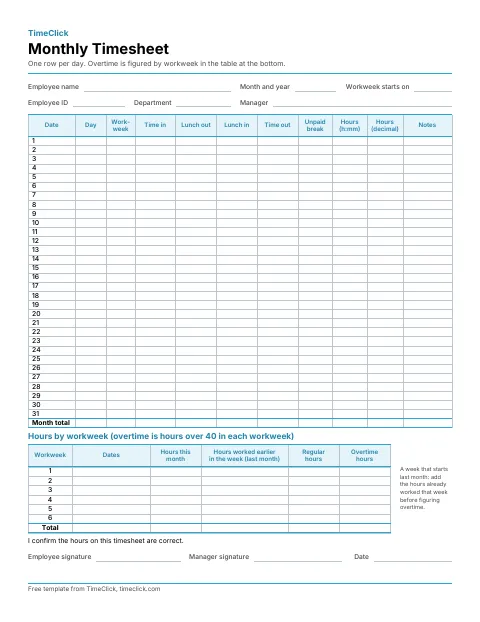
Monthly timesheet
One row per day for the whole month, with a total for each workweek so overtime still works. You pick the day your workweek starts, and a box carries in hours from a workweek that began last month.
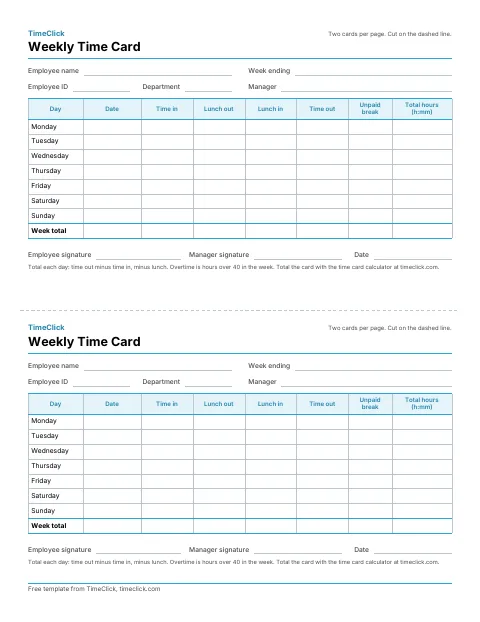
Printable time card
A one-week card for a clipboard or a wall rack, two cards to a page. Employees write their times, and you total them with the time card calculator.
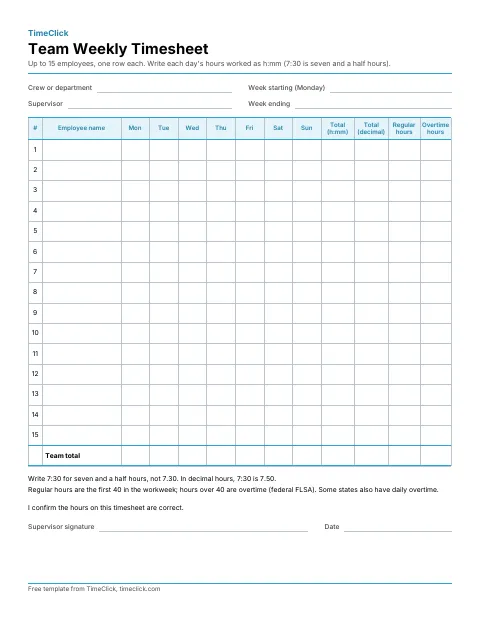
Team weekly timesheet
Up to 15 employees on one sheet, one row per person with a column for each day’s hours. Handy for a small crew with one supervisor.
Employee attendance tracker
A year of attendance for up to 20 employees: one tab per month, a code for each day (present, absent, late, paid time off, sick, holiday) and yearly counts on a summary tab.
How to fill out a timesheet
- Write the employee’s name and the week’s start date at the top.
- For each day, enter the time they started, when lunch started and ended, and when they left. Use the same format every day, such as 8:00 AM.
- Leave lunch blank if they didn’t take one.
- The sheet totals each day and the week. In the PDF version, total the hours with the time card calculator.
- Check the total, then have the employee and a manager sign if that’s your policy.
Example: an employee starts at 8:00 AM, takes lunch from 12:00 to 12:30 PM and leaves at 4:00 PM. That’s 8 hours at work minus a 30-minute unpaid lunch, so 7.5 hours (7:30) for the day. The filled-in weekly example (PDF) starts with this day.
How the templates total hours
Each day’s hours are time out minus time in, minus the unpaid lunch. The sheet shows the result two ways:
- Hours and minutes (7:30), which is how people read time.
- Decimal hours (7.50), which is what payroll needs. Thirty minutes is 0.50 hours.
If you’re entering totals into payroll by hand, the decimal conversion chart and the hours to decimal calculator save you the math. For more on adding hours across a week, see totaling hours and minutes on timesheets.
Which template fits your pay period
| Pay period | Paydays a year | Template to use |
|---|---|---|
| Weekly | 52 | Weekly timesheet |
| Biweekly | 26 | Biweekly timesheet |
| Semi-monthly | 24 | Monthly timesheet, split at the 15th |
| Monthly | 12 | Monthly timesheet |
Not sure which pay period suits you? Here’s a guide to the four common pay period types.
How overtime works on a biweekly timesheet
Under the federal Fair Labor Standards Act, overtime for non-exempt employees is figured one workweek at a time. You can’t average two weeks together.
Say an employee works 45 hours in week one and 35 in week two. The two-week total is 80 hours, but week one has 5 hours of overtime, paid at time and a half. That’s why the biweekly template keeps a separate total for each week. The filled-in biweekly example (PDF) shows this week. Some states also have daily overtime rules; see how to calculate overtime pay.
Timesheet mistakes that cause payroll errors
- Treating minutes as decimals. 7:30 is 7.5 hours. Typing 7.30 underpays by 12 minutes.
- Rounding by hand. It’s easy to round in one direction without meaning to. If you round, use the same rule every time.
- Missing lunch times. A blank lunch on a long day leaves you guessing whether a break happened.
- Filling in times later. Times written at the end of the week come from memory.
- Someone else’s handwriting. When one employee fills in a coworker’s times, the sheet stops being proof of anything.
When to move from timesheet templates to time clock software
A template is fine for one to three people with regular hours. It starts to cost you when:
- you have more than a handful of hourly employees,
- people forget to write their times and you chase them on payday,
- totaling hours and overtime takes you an afternoon each pay period,
- you can’t tell whether everyone wrote their own times.
That’s when time clock software pays for itself. TimeClick installs on a Windows PC in your office. Employees clock in with their own login, TimeClick totals hours and overtime, and you export the pay period to QuickBooks, Gusto, ADP or Passport. One PC is $299 once, with unlimited employees. See how TimeClick timesheets work or compare time clock software with timesheets.
Timesheet template FAQ
Is there a free timesheet template in Excel?
Yes. Every spreadsheet template on this page downloads as an Excel file with no sign-up.
Can I use these templates in Google Sheets?
Yes. Download the Excel file, then open it in Google Sheets with File, Import. The formulas use standard functions that Google Sheets supports.
How do I calculate hours worked on a timesheet?
Subtract the start time from the end time, subtract unpaid breaks, then add up the days. The time card calculator does it for a whole week.
How do I convert minutes to decimal hours for payroll?
Divide the minutes by 60. For example, 45 minutes is 0.75 hours. The conversion chart lists every minute.
Should a biweekly timesheet show overtime for each week?
Yes. Federal overtime is figured per workweek, so a biweekly sheet needs a total for each week.
Do employees have to sign their timesheets?
The federal recordkeeping rules in DOL Fact Sheet 21 list the records employers must keep and don’t include a signature. Many employers ask for one so the employee confirms the hours.
What’s the difference between a timesheet and a time card?
A time card usually records punches for one week on a single card. A timesheet can cover any period and often adds totals, breaks and approvals. People use the words for the same thing.
What can I use instead of paper timesheets?
Time clock software. TimeClick runs on your Windows PC, totals hours and overtime, and costs $299 once for one PC with unlimited employees.
Let TimeClick total timesheets for you every pay period
Employees clock in on a shared PC or the phone app, and TimeClick totals their hours, overtime and time off for payroll, with a one-time license from $299 and unlimited employees.