
Clockify Alternative for Hourly Employees and Payroll
Clockify is an online time tracker built around timers, timesheets and projects, priced per seat each month, with a free plan for up to 5 users. TimeClick is time clock software you install on your own Windows computer and buy once, with unlimited employees on every license. This page compares TimeClick vs Clockify for hourly employees who clock in and out and get paid through payroll, using each company’s own website. Prices were checked on Nov 16, 2026.
If you track billable time against projects and clients, Clockify has project, billable rate and invoicing tools that TimeClick’s pages do not list. If your team has 5 people or fewer, Clockify’s free plan costs nothing. TimeClick fits hourly teams that clock in at a shared PC or on their phones and send hours to payroll.
TimeClick vs Clockify compared in one table
| Clockify | TimeClick | |
|---|---|---|
| Pricing model | Subscription per seat, billed monthly or yearly | One-time license, priced by number of devices |
| Free plan | Free for up to 5 users | None; 14-day free trial |
| Per-seat price | $3.99 to $11.99 per seat per month with yearly billing; $4.99 to $14.99 billed monthly | None; employees are unlimited |
| Who takes a seat | Every active or invited user, including the owner, admins and managers | No seats; you pay per device |
| Shared clock-in station | Kiosk from Basic; kiosk-only seats from $0.79 per month with yearly billing | Unlimited employees on one shared Windows PC with a 1-device license |
| Apps | Web app, iPhone and Android apps, and desktop apps for Windows, Mac and Linux | Windows desktop (Windows 8 or newer) and the iPhone and Android app; on a Mac, through a Windows virtual machine or remote login |
| Location | GPS tracking during the shift, from Pro | Geofencing at clock-in, included at no extra cost today with an active TimeClick Unlimited plan |
| Overtime, time off and rounding | Attendance and overtime report, time off and rounding, from Standard | Overtime, PTO tracking and rounding on every license |
| Payroll | Exports, plus a QuickBooks integration from Standard | Export files for QuickBooks Desktop, QuickBooks Online, Gusto, ADP Workforce Now and Passport PBS |
| Free trial | 7 days of Pro features, no credit card | 14 days, no credit card |
Checked Nov 16, 2026 on Clockify pricing, Clockify integrations, Clockify desktop apps and TimeClick pricing.
What Clockify costs
Clockify charges per seat per month. Every active or invited user on the Team page takes a seat, including the owner, admins and managers. Paying yearly saves 20%.
| Plan | Yearly billing, per seat per month | Monthly billing, per seat per month | Kiosk-only seat (yearly / monthly) |
|---|---|---|---|
| Free | $0 for up to 5 users | $0 | Not available |
| Basic | $3.99 | $4.99 | $0.79 / $0.99 |
| Standard | $5.49 | $6.99 | $1.19 / $1.49 |
| Pro | $7.99 | $9.99 | $1.59 / $1.99 |
| Enterprise | $11.99 | $14.99 | $2.39 / $2.99 |
Kiosk-only seats are for employees without an email address who clock in only at a kiosk. To use the mobile app, an employee needs a full seat.
By plan, the kiosk starts on Basic. The attendance and overtime report, time off, rounding, approvals and the QuickBooks integration start on Standard. GPS tracking, scheduling and kiosk photo capture start on Pro.
What TimeClick costs
TimeClick is a one-time purchase priced by the number of devices. Every license includes unlimited employees and the first year of TimeClick Unlimited (U.S.-based support, new versions and the phone app).
| Devices | One-time price | TimeClick Unlimited renewal after year one |
|---|---|---|
| 1 (desktop only) | $299 | $149 a year |
| 2 | $499 | $199 a year |
| 5 | $749 | $249 a year |
| 10 | $999 | $299 a year |
| 15 | $1,249 | $349 a year |
| 20 | $1,499 | $379 a year |
| 35 | $1,999 | $449 a year |
| 50 | $2,349 | $499 a year |
The full list of 10 license sizes is on the pricing page. You can upgrade later by paying the difference between licenses. Renewing TimeClick Unlimited is optional, but the phone app needs it.
How TimeClick counts devices
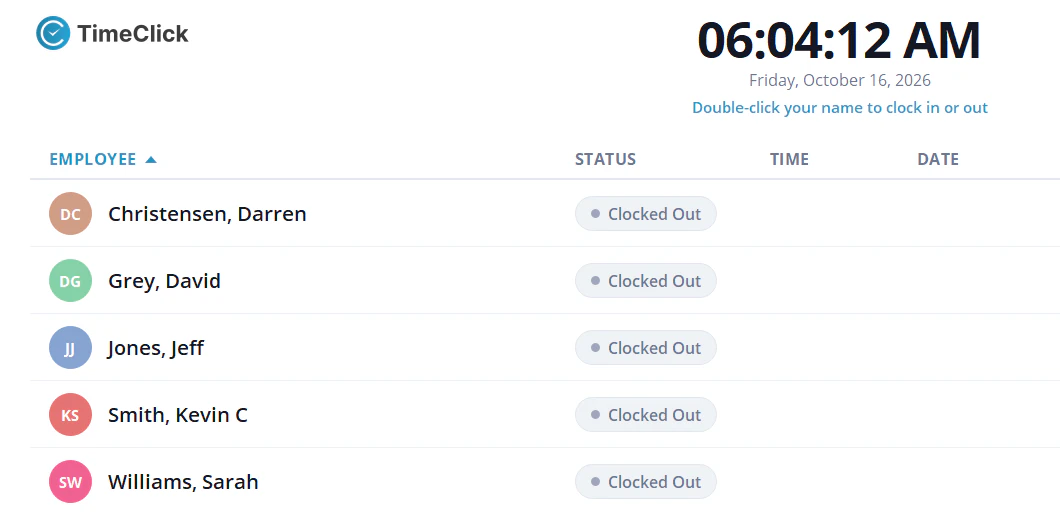
Each Windows PC that runs TimeClick is one device, and so is each phone or tablet that runs the TimeClick app. Ten employees sharing one office PC need a 1-device license. One office PC plus four phones for field staff need a 5-device license.
Three-year cost for 10 and 25 employees
These totals use the prices above. Each Clockify option includes one full seat for the owner, who also needs a seat. They do not include taxes.
10 employees
| Option | How it is calculated | 3-year cost |
|---|---|---|
| Clockify Basic, owner plus 10 kiosk-only seats, yearly billing | ($3.99 + 10 x $0.79) x 36 months | $428.04 |
| Clockify Standard, owner plus 10 kiosk-only seats, yearly billing | ($5.49 + 10 x $1.19) x 36 months | $626.04 |
| Clockify Standard, 11 full seats, yearly billing | 11 x $5.49 x 36 months | $2,174.04 |
| TimeClick, 10 employees on one shared PC | $299 license, plus $149 a year in years 2 and 3 if you keep TimeClick Unlimited | $299 to $597 |
| TimeClick, one PC plus 4 phones | $749 license (5 devices), plus $249 a year in years 2 and 3 | $1,247 |
25 employees
| Option | How it is calculated | 3-year cost |
|---|---|---|
| Clockify Basic, owner plus 25 kiosk-only seats, yearly billing | ($3.99 + 25 x $0.79) x 36 months | $854.64 |
| Clockify Standard, owner plus 25 kiosk-only seats, yearly billing | ($5.49 + 25 x $1.19) x 36 months | $1,268.64 |
| Clockify Standard, 26 full seats, yearly billing | 26 x $5.49 x 36 months | $5,138.64 |
| TimeClick, 25 employees on one shared PC | $299 license, plus $149 a year in years 2 and 3 if you keep TimeClick Unlimited | $299 to $597 |
| TimeClick, one PC plus 9 phones | $999 license (10 devices), plus $299 a year in years 2 and 3 | $1,597 |
Prices checked Nov 16, 2026. Kiosk-only seats are Clockify’s lowest cost for a shared clock, and those employees cannot use the mobile app. Standard is the first Clockify plan with the attendance and overtime report, rounding and the QuickBooks integration.
Project time and punch-clock time: what each tool is built for
Clockify’s plans center on timers, timesheets, projects, billable rates, invoicing and expenses. Its kiosk adds a shared clock-in station from the Basic plan.
TimeClick is a punch clock for hourly employees. Each employee clocks in and out with their own login and picks a department and job code with each punch. TimeClick calculates overtime, deducts lunches, tracks PTO with auto-accrual and creates the payroll file. You can create unlimited departments and job codes, and give department heads restricted admin access.
Clockify features to check before you switch
Clockify lists these on its pricing page. TimeClick’s pages do not list them, so check whether your team uses them:
- Timers, project budgets, billable rates and invoicing from tracked time
- Expenses and profitability reports (Pro)
- Scheduling and GPS tracking during the shift (Pro)
- Photos taken when employees log in at the kiosk (Pro)
- A web app and desktop apps for Mac and Linux
- A free plan for up to 5 users
Where TimeClick is the better fit
- Hourly employees clock in and out at a shared PC, and you want unlimited employees on one license.
- You want to pay once and stop paying per seat.
- You want overtime, rounding, lunch deductions and PTO on every license.
- You run payroll in QuickBooks Desktop, Gusto, ADP Workforce Now or Passport PBS and want a ready file for it.
- You want time records on your own Windows computer or server, and desktop clock-ins that keep working when the internet is down.
Payroll in each product
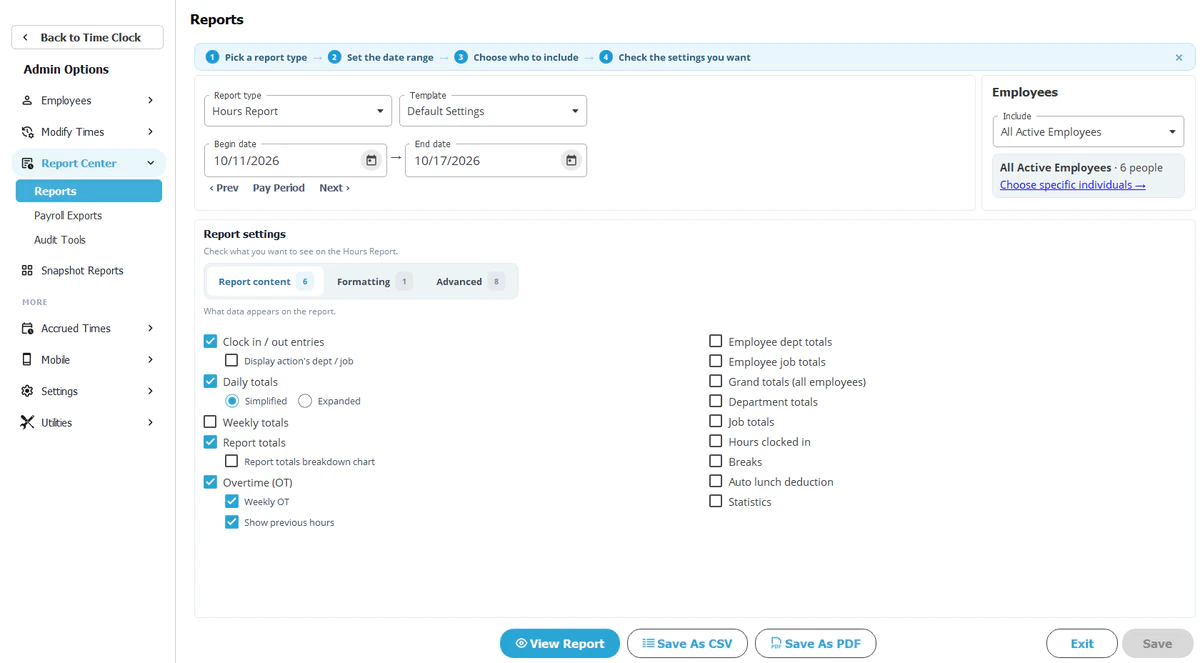
TimeClick creates export files from Report Center, Payroll Reports, for QuickBooks Desktop, QuickBooks Online, Gusto, ADP Workforce Now and Passport PBS. Exports are included in every license. Overtime is flagged automatically, rounding can be set to 1, 5, 10 or 15 minutes, and lunch deductions are applied before the file is made. See TimeClick payroll integrations.
Clockify’s payroll page describes exporting hours for each employee and importing them into other software to run payroll. Its integrations page lists QuickBooks and Xero among its native integrations, and Zapier for other apps. The QuickBooks integration needs Clockify Standard or higher, QuickBooks Online Essentials, Plus or Advanced, and the QuickBooks Payroll add-on.
How to switch from Clockify to TimeClick
- Save your employee list and your last pay period’s reports from Clockify. Past time entries stay in Clockify, so keep its last reports.
- Download the 14-day free trial and install TimeClick on the PC that will hold your data.
- Import or add your employees and departments.
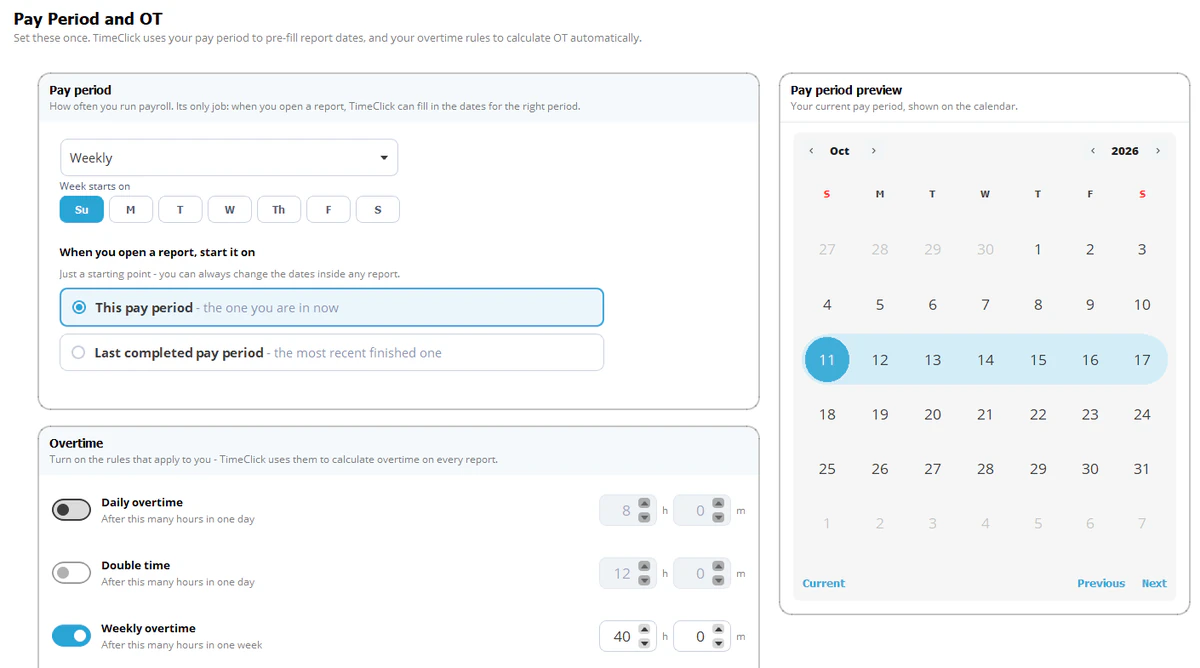
- Set your pay period, rounding, lunch deductions and overtime rules.
- Set up phones, crew tablets and geofences if your team clocks in away from the office.
- Run both systems for one pay period and compare the hours.
- Export the pay period to your payroll system from Report Center, Payroll Reports.
- Cancel the Clockify paid plan after your last payroll from it.
For a side-by-side look at installed and online time clocks, see desktop vs cloud time clock software.
Clockify alternative FAQ
Is there a Clockify alternative without a per-seat fee?
TimeClick is a one-time license from $299 with unlimited employees. The optional TimeClick Unlimited plan renews once a year, from $149 for a 1-device license, and the phone app needs it.
Is Clockify free?
Clockify’s free plan covers up to 5 users. The kiosk is not in the free plan. It starts on Basic, at $3.99 per seat per month with yearly billing on Nov 16, 2026.
How does TimeClick compare with Clockify?
Clockify is an online tracker for timers, projects and billable time, priced per seat. TimeClick is a Windows punch clock for hourly employees, bought once, with payroll export files. The table at the top of this page compares them line by line.
Can TimeClick track hours by job?
Yes. Employees pick a department and job code with each punch, and reports can be filtered by department, job or employee. Timers, project budgets and invoicing are not listed on TimeClick’s pages.
Does TimeClick work on a Mac?
Not natively. TimeClick runs on Windows 8 or newer. On a Mac you can run it in a Windows virtual machine such as Parallels, or connect to a Windows PC by remote login. See running TimeClick on a Mac.
Does TimeClick run payroll?
No. It creates export files for QuickBooks Desktop, QuickBooks Online, Gusto, ADP Workforce Now and Passport PBS, and your payroll system pays employees.
Try TimeClick for 14 days
Install TimeClick on your office PC, add your hourly team and run one pay period. No credit card is needed.