
ClockShark Alternative for Crews That Want a One-Time Price
ClockShark is a time tracking app for field crews, with GPS, crew clock-in, scheduling and job costing, priced with a monthly base fee plus a fee per user. TimeClick is time clock software you install on your own Windows computer and buy once, with unlimited employees on every license. This page compares the two on cost, crew clock-ins, GPS and payroll, using each company’s own website and ClockShark’s help center. Prices were checked on Nov 16, 2026.
ClockShark tracks GPS during the shift, lets a crew leader clock in the whole crew, and covers scheduling and job costing. TimeClick checks location only at clock-in and has no shift scheduling. If your crews need those ClockShark tools, it covers more. If you need hours and a payroll file at a one-time price, compare the three-year costs below.
ClockShark and TimeClick compared in one table
| ClockShark | TimeClick | |
|---|---|---|
| Pricing model | Monthly base fee plus a monthly fee per user | One-time license, priced by number of devices |
| Plans | Standard: $42 a month plus $9.50 per user. Pro: $63 a month plus $11.50 per user | $299 once for 1 device, up to $2,349 for 50 devices |
| Contract | A three-year contract term applies to all plans | None; renewing TimeClick Unlimited each year is optional |
| Crew clock-in | Crew Clock: a supervisor or crew leader clocks others in and out from the mobile app | Tablet kiosk mode: crew members log in one at a time on a shared tablet |
| GPS | Location at clock-in, job switches, breaks and clock-out; optional tracking about every 15 to 20 minutes while clocked in | Geofencing at clock-in only, included at no extra cost today with an active TimeClick Unlimited plan |
| Phone app | ClockShark mobile app | iPhone and Android app, with a 2-device license or larger and an active TimeClick Unlimited plan |
| Scheduling and job costing | Help center guides for scheduling employees, job costing and labor budgets | No shift scheduling. Hours by department and job code on every punch |
| Payroll and accounting | Integrations with QuickBooks Online and Desktop, ADP RUN, Gusto, Paychex, Paylocity, Sage 100 Contractor, Xero, MYOB AccountRight and Simpro Premium | Export files for QuickBooks Desktop, QuickBooks Online, Gusto, ADP Workforce Now and Passport PBS |
Checked Nov 16, 2026 on ClockShark pricing, the ClockShark help center (integrations, GPS requirements and Crew Clock) and TimeClick pricing.
What ClockShark costs
ClockShark’s pricing page listed two plans on Nov 16, 2026, each with a monthly base fee and a monthly fee per user:
| Plan | Base fee | Per user |
|---|---|---|
| Standard | $42 a month | $9.50 per user per month |
| Pro | $63 a month | $11.50 per user per month |
The page says: “Contract term of three (3) years applies to all pricing plans.” It showed no separate monthly or yearly price.
What TimeClick costs
TimeClick is a one-time purchase priced by the number of devices. Every license includes unlimited employees and the first year of TimeClick Unlimited (U.S.-based support, new versions and the phone app).
| Devices | One-time price | TimeClick Unlimited renewal after year one |
|---|---|---|
| 1 (desktop only) | $299 | $149 a year |
| 2 | $499 | $199 a year |
| 5 | $749 | $249 a year |
| 10 | $999 | $299 a year |
| 15 | $1,249 | $349 a year |
| 20 | $1,499 | $379 a year |
| 35 | $1,999 | $449 a year |
| 50 | $2,349 | $499 a year |
The full list of 10 license sizes is on the pricing page. You can upgrade later by paying the difference between licenses. Renewing TimeClick Unlimited is optional, but the phone app needs it.
How TimeClick counts devices
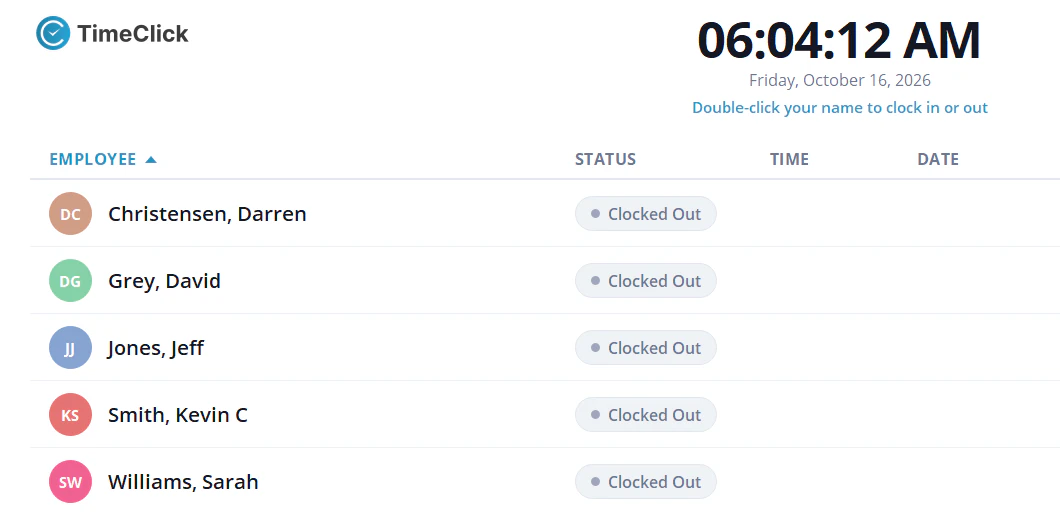
Each Windows PC that runs TimeClick is one device, and so is each phone or tablet that runs the TimeClick app. A crew of six sharing one tablet in kiosk mode, plus the office PC, is 2 devices. Four crews with one tablet each, plus the office PC, is 5 devices.
Three-year cost for field crews
These totals use the prices above. ClockShark’s contract term is three years, so its 3-year total is the contract total. They do not include taxes.
| Option | How it is calculated | 3-year cost |
|---|---|---|
| ClockShark Standard, 10 users | ($42 + 10 x $9.50) x 36 months | $4,932 |
| ClockShark Pro, 10 users | ($63 + 10 x $11.50) x 36 months | $6,408 |
| ClockShark Standard, 25 users | ($42 + 25 x $9.50) x 36 months | $10,062 |
| TimeClick, office PC plus 4 crew tablets in kiosk mode | $749 license (5 devices), plus $249 a year in years 2 and 3 | $1,247 |
| TimeClick, office PC plus 10 phones | $1,249 license (15 devices), plus $349 a year in years 2 and 3 | $1,947 |
| TimeClick, office PC plus 25 phones | $1,999 license (35 devices), plus $449 a year in years 2 and 3 | $2,897 |
Prices checked Nov 16, 2026. ClockShark’s help center covers GPS tracking during the shift, Crew Clock, scheduling and job costing. Compare the features you need first, then the price.
ClockShark features to check before you switch
ClockShark’s help center has guides for these. TimeClick’s pages do not list them, so check whether your crews use them:
- GPS tracking about every 15 to 20 minutes while employees are clocked in
- Crew Clock, where a supervisor clocks the crew in and out
- Shift scheduling
- Job costing, labor budgets and job stages
- Mileage tracking
- Quotes and invoices
- Integrations with Sage 100 Contractor, Paylocity, Paychex, Xero, MYOB AccountRight and Simpro Premium
Where TimeClick is the better fit
- You want to pay once, with no multi-year contract and no per-user fee.
- Your crews can share a tablet in kiosk mode, or clock in at the shop PC before heading out.
- You want location checked only at clock-in, with no tracking between punches.
- You want time records kept on your own Windows computer or server.
- You want payroll export files for QuickBooks, Gusto, ADP Workforce Now or Passport PBS included in the license.
- You want support from a U.S.-based team in Utah, included for the first year.
GPS and crew clock-ins in each product
ClockShark records a GPS location when an employee clocks in, switches jobs or tasks, starts or ends a break, and clocks out. With Enable GPS Tracking turned on, it also records a location about every 15 to 20 minutes while the employee is clocked in. Crew Clock lets a supervisor or crew leader clock others in and out from the mobile app.
TimeClick geofencing checks phone clock-ins against the zones you draw around each worksite. Location is checked only at clock-in, so employees are not tracked between punches. Geofencing is included at no extra cost today with an active TimeClick Unlimited plan. The TimeClick phone app runs on iPhone and Android and needs a 2-device license or larger. A tablet in kiosk mode lets crew members clock in one at a time on a shared device, each with their own login.
Payroll in each product
TimeClick creates export files from Report Center, Payroll Reports, for QuickBooks Desktop, QuickBooks Online, Gusto, ADP Workforce Now and Passport PBS. Exports are included in every license. Overtime is flagged automatically, rounding can be set to 1, 5, 10 or 15 minutes, and lunch deductions are applied before the file is made. See TimeClick payroll integrations.
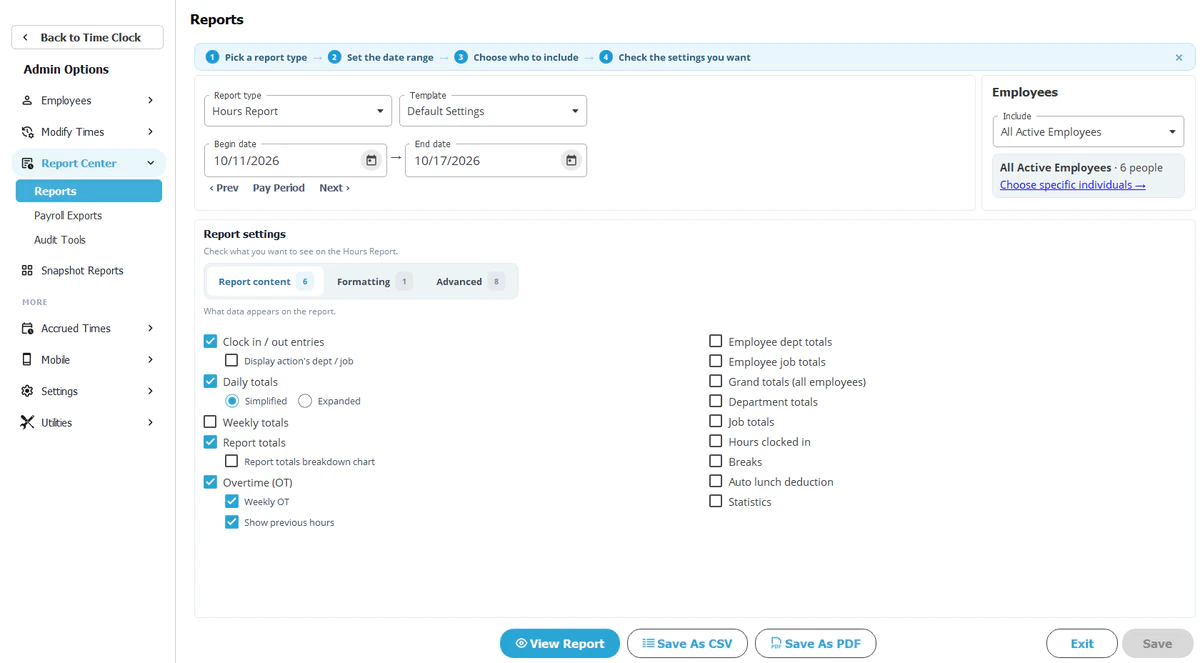
ClockShark’s help center lists integrations with QuickBooks Online and QuickBooks Desktop, ADP RUN, Gusto, Paychex (a formatted export file), Paylocity, Sage 100 Contractor, Xero, MYOB AccountRight, Simpro Premium and Zapier.
How to switch from ClockShark to TimeClick
- Check the end date of your ClockShark contract term before you plan the switch.
- Save your employee list and your past timesheet reports from ClockShark. Past punches stay in ClockShark, so keep its last reports.
- Download the 14-day free trial and install TimeClick on the PC that will hold your data.
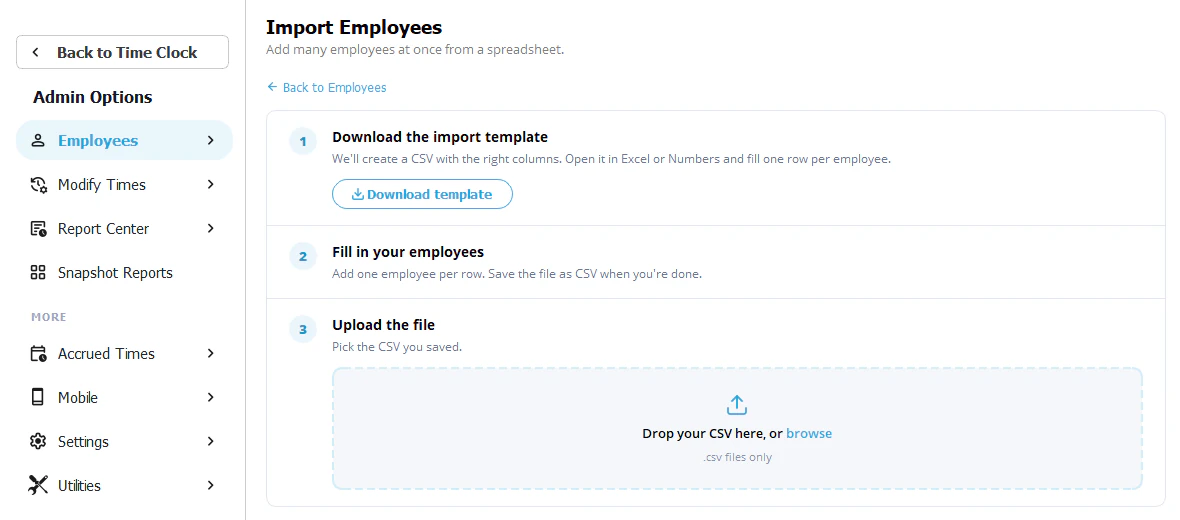
- Import or add your employees and departments.
- Set your pay period, rounding, lunch deductions and overtime rules.
- Set up phones, crew tablets and geofences if your team clocks in away from the office.
- Run both systems for one pay period and compare the hours.
- Export the pay period to your payroll system from Report Center, Payroll Reports.
- Stop using ClockShark after your last payroll from it.
For crews clocking in from job sites, see time tracking for construction and field crews.
ClockShark alternative FAQ
Is there a ClockShark alternative without a monthly fee?
TimeClick is a one-time license from $299 with unlimited employees. The optional TimeClick Unlimited plan renews once a year, from $149 for a 1-device license, and the phone app needs it.
How much does ClockShark cost for 10 users?
ClockShark’s pricing page, checked on Nov 16, 2026, listed Standard at $42 a month plus $9.50 per user, which is $137 a month for 10 users, and Pro at $63 a month plus $11.50 per user, which is $178 a month. A three-year contract term applies to all plans.
Can a crew share one device to clock in with TimeClick?
Yes. In tablet kiosk mode, each crew member logs in, punches in or out and logs out. The tablet counts as one device and needs a 2-device license or larger with an active TimeClick Unlimited plan.
Does TimeClick track GPS during the shift?
No. TimeClick checks the phone’s GPS location only at clock-in. Employees are not tracked between punches.
Can TimeClick track hours by job?
Yes. Employees pick a department and job code with each punch, and reports can be filtered by department, job or employee. You can create unlimited departments and job codes.
Does TimeClick work without internet?
The desktop clock does. If a phone can’t reach your TimeClick server, its punches are saved on the phone until it reconnects.
Try TimeClick for 14 days
Install TimeClick on your office PC, set up one crew tablet or phone and run one pay period. No credit card is needed.