
Connecteam Alternative for Businesses That Want a One-Time Price
Connecteam is an online app for managing hourly teams, with a time clock, scheduling, chat and HR tools, paid by the month. TimeClick is time clock software you install on your own Windows computer and buy once, with unlimited employees on every license. This page compares the two on cost, phone clock-ins, payroll exports and where your records are kept, using each company’s own website. Prices were checked on Nov 8, 2026.
If your team has 10 people or fewer and one time clock is enough, Connecteam’s free Small Business plan costs nothing, and TimeClick starts at $299. In that case TimeClick is worth it only if you want time records on your own computer or payroll export files. For larger teams, the cost table below shows where a one-time license comes out ahead.
Connecteam and TimeClick compared in one table
| Connecteam | TimeClick | |
|---|---|---|
| Pricing model | Monthly subscription, billed monthly or yearly | One-time license, priced by number of devices |
| Free plan | Small Business plan, $0 for up to 10 users | None; 14-day free trial |
| Paid plans | $29 to $99 a month (yearly billing) for the first 30 users | $299 once for 1 device, up to $2,349 for 50 devices |
| Extra users | $0.8 to $4.2 per user per month after 30 users (yearly billing) | No charge; employees are unlimited |
| Where records are kept | Connecteam’s online service | On your own Windows computer or server |
| Phone app | iPhone and Android | iPhone and Android, with a 2-device license or larger and an active TimeClick Unlimited plan |
| Web and Mac access | Web admin in any browser | Windows desktop (Windows 8 or newer) and the phone app; no web version. Mac through remote login or a Windows virtual machine |
| Geofencing | Included; the number of geofence sites depends on the plan | Limits phone clock-ins to approved locations; included at no extra cost today |
| Payroll | Payroll integration on Basic and up, not on the free plan | Export files for QuickBooks Desktop, QuickBooks Online, Gusto, ADP Workforce Now and Passport PBS |
| Scheduling, chat and HR tools | Included | No shift scheduling, chat or HR tools. A start time can be set for each employee to track late arrivals |
| Free trial | 14 days of Expert features, no credit card | 14 days, full features, no credit card |
Checked Nov 8, 2026 on Connecteam pricing, TimeClick pricing and the TimeClick app page.
What Connecteam costs in 2026
Connecteam prices its Operations Hub, which holds the time clock, by plan. Each paid plan covers the first 30 users, then charges for each extra user.
| Plan | Yearly billing, per month | Monthly billing | Each user after 30, per month (yearly / monthly) |
|---|---|---|---|
| Small Business | $0 for up to 10 users | $0 | not available |
| Basic | $29 | $35 | $0.8 / $1.0 |
| Advanced | $49 | $59 | $2.5 / $3.0 |
| Expert | $99 | $119 | $4.2 / $5.0 |
| Enterprise | quote | quote | quote |
The free Small Business plan has one time clock and one schedule, up to 3 automated reports, and no payroll integration. Yearly billing saves 18%, according to the pricing page.
What TimeClick costs
TimeClick is a one-time purchase priced by the number of devices. Every license includes unlimited employees and the first year of TimeClick Unlimited (U.S.-based support, new versions and the phone app).
| Devices | One-time price | TimeClick Unlimited renewal after year one |
|---|---|---|
| 1 (desktop only) | $299 | $149 a year |
| 2 | $499 | $199 a year |
| 5 | $749 | $249 a year |
| 10 | $999 | $299 a year |
| 20 | $1,499 | $379 a year |
| 50 | $2,349 | $499 a year |
The full list of license sizes is on the pricing page. Renewing TimeClick Unlimited is optional, but the phone app needs it.
How TimeClick counts devices
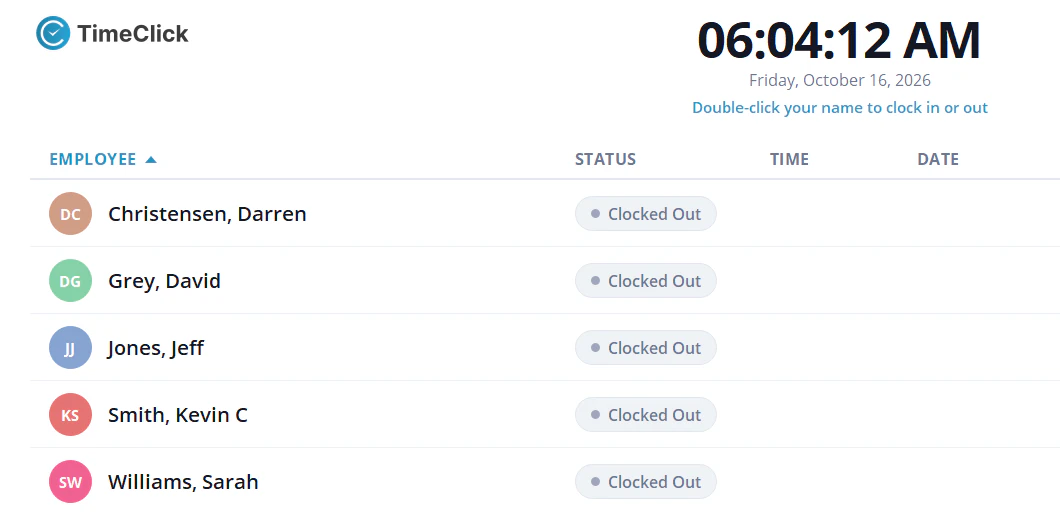
Each Windows PC that runs TimeClick is one device, and so is each phone or tablet that runs the TimeClick app. Twenty employees clocking in at one office PC need a 1-device license. Ten field workers each clocking in on their own phone, plus the office PC, make 11 devices, which needs the 15-device license.
Three-year cost for a 30-person team
These totals use the prices above. They do not include taxes or add-ons.
| Setup | Year 1 | Years 2 and 3 | 3-year total |
|---|---|---|---|
| Connecteam Basic, yearly billing | $348 | $696 | $1,044 |
| Connecteam Advanced, yearly billing | $588 | $1,176 | $1,764 |
| Connecteam Expert, yearly billing | $1,188 | $2,376 | $3,564 |
| TimeClick, everyone clocks in at one office PC | $299 | $0 to $298 | $299 to $597 |
| TimeClick, one office PC and one phone | $499 | $398 | $897 |
| TimeClick, one office PC and four phones | $749 | $498 | $1,247 |
At 40 people, Connecteam adds the per-user charge: Basic becomes $37 a month ($1,332 over 3 years) and Advanced $74 a month ($2,664). TimeClick’s price does not change with headcount.
Connecteam’s plans include scheduling, chat, forms and HR tools. TimeClick is a time clock. Compare the features you need first, then the price.
Connecteam’s objections to on-premise time clocks, answered for TimeClick
Connecteam publishes a review of Virtual TimeClock, another installed time clock, that lists the usual concerns about software you run yourself (Connecteam’s review, updated Feb 22, 2026). Here is how each one applies to TimeClick.
- No mobile or web app. TimeClick has an iPhone and Android app with individual logins and a shared kiosk mode. It needs a 2-device license or larger and an active TimeClick Unlimited plan. TimeClick has no web app.
- The server computer must stay on. When several PCs or phones share one TimeClick database, the computer that holds it has to be on for punches to reach it. The app sends each punch to your server over the internet. If the server PC is off or offline, the app saves its punches on the phone until it reconnects with the server. A single shared PC needs no separate server.
- Setup needs technical skills. Most businesses set up TimeClick in 10 minutes or less, and setup help by phone or chat is free during the trial. For several PCs, the server IP address guide shows how workstations find the server.
- No geofencing. The TimeClick app can limit phone clock-ins to approved locations. Geofencing is included at no extra cost today.
- Large upfront cost. A 1-device license is $299 once. The table above shows the 3-year totals.
- Paid support after 30 days. TimeClick includes a full year of U.S.-based support with every license. After that, TimeClick Unlimited renews from $149 a year for 1 device.
- No live chat. TimeClick has chat on every page, Monday to Friday, 7am to 4pm Mountain Time. Chats are answered within 10 seconds and phone calls within 30 seconds.
- Reports export only as PDF. TimeClick saves reports as PDF or CSV and creates payroll export files for five payroll systems.
What Connecteam does that TimeClick does not
- A free plan for teams of up to 10 users.
- Scheduling, team chat, forms and checklists, onboarding and HR tools in the same app.
- A web dashboard that works from any browser, including on a Mac.
- GPS location tracking during shifts on the Expert plan.
If your team works mostly in the field and you want one app for scheduling, messages and time, Connecteam covers more ground.
When TimeClick is a better choice than Connecteam
- You want to pay once. One license price with unlimited employees, and the yearly plan after year one is optional unless you use the phone app.
- You want your records on your own computer. TimeClick stores time data on your Windows PC or server.
- Your internet goes down sometimes. The desktop clock keeps working during an internet outage. Phone punches made while the phone can’t reach your server are saved on the phone and sent when it reconnects.
- You run payroll in QuickBooks, Gusto, ADP or Passport. TimeClick creates export files for each, with no per-export fee.
- You want a long-standing company. Hawk Eye Technologies, LLC, the company that makes TimeClick, was founded in 1977 and has sold TimeClick since 1993. More than 8,000 businesses use TimeClick.
Payroll exports in Connecteam and TimeClick
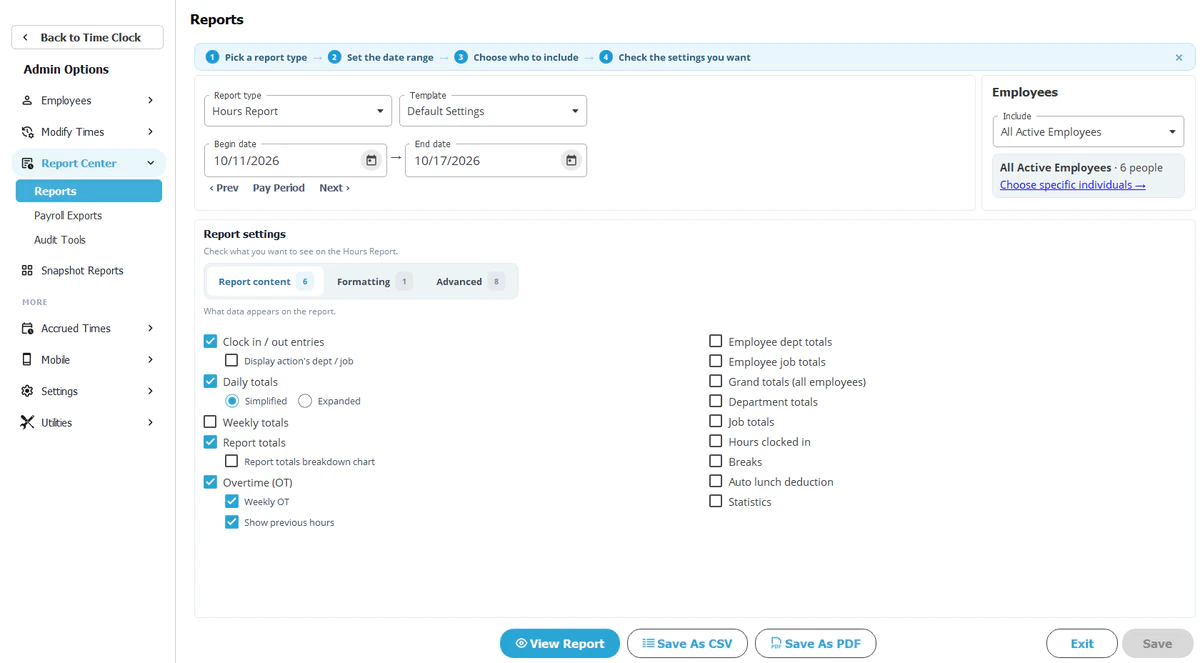
TimeClick creates formatted export files for QuickBooks Desktop, QuickBooks Online, Gusto, ADP Workforce Now and Passport PBS Payroll (payroll integration). The exports are included on every license.
Connecteam lists payroll integration on its Basic plan and above, and not on the free Small Business plan. Its integrations page lists the systems it connects to.
How to switch from Connecteam to TimeClick
- Save your employee list and your past pay period reports from Connecteam for your records.
- Start the 14-day TimeClick trial on the office PC.
- Set your pay period, rounding and overtime rules.
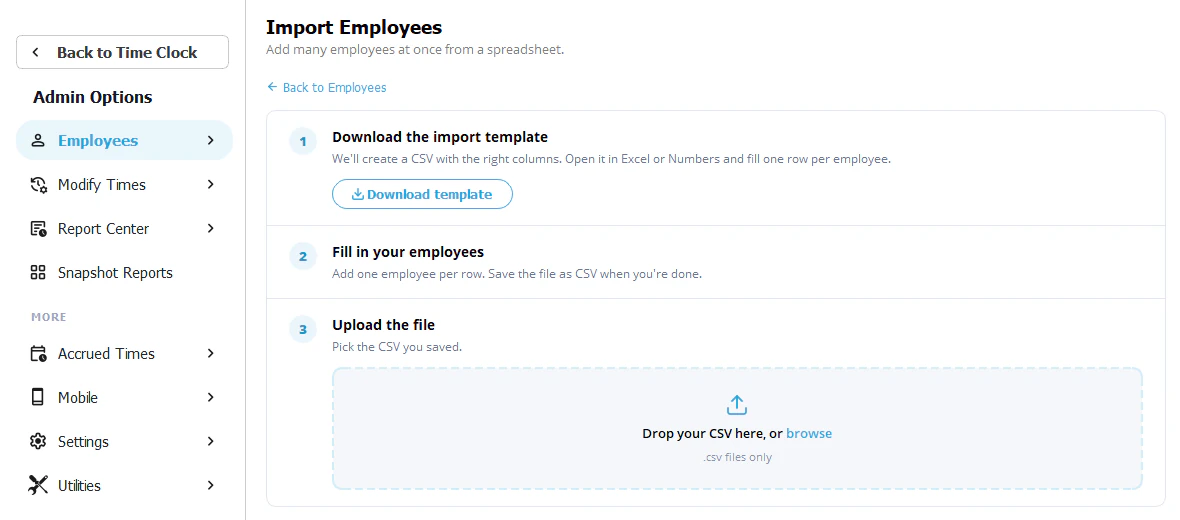
- Add your employees, or import your employee list. Clock-in history can’t be imported. If field staff will clock in by phone, plan for a 2-device license or larger.
- Run TimeClick and Connecteam side by side for one pay period and compare the totals.
- Send the TimeClick export to your payroll system.
- Cancel Connecteam after the last payroll it covers.
Connecteam alternative FAQ
Is there a Connecteam alternative without a monthly fee?
TimeClick is a one-time license from $299 with unlimited employees. After the first year, the TimeClick Unlimited plan is optional, except for the phone app, which needs it.
Is Connecteam free for small teams?
Connecteam’s Small Business plan is free for up to 10 users, with one time clock and no payroll integration. Larger teams pay from $29 a month with yearly billing for the first 30 users.
Where does TimeClick store time records?
On your own Windows PC or server.
Can TimeClick employees clock in from their phones?
Yes, with the TimeClick app for iPhone and Android, on a 2-device license or larger with an active TimeClick Unlimited plan. Each phone counts as one device.
Does TimeClick run on a Mac?
Not directly. Mac users can run it through remote login to a Windows PC or a Windows virtual machine. See running TimeClick on a Mac.
Does TimeClick work without internet?
The desktop clock does. If a phone can’t reach your TimeClick server, the app saves its punches until it reconnects with the server.
Try TimeClick for 14 days
Install TimeClick on your office PC, add your team and run one pay period. No credit card is needed.