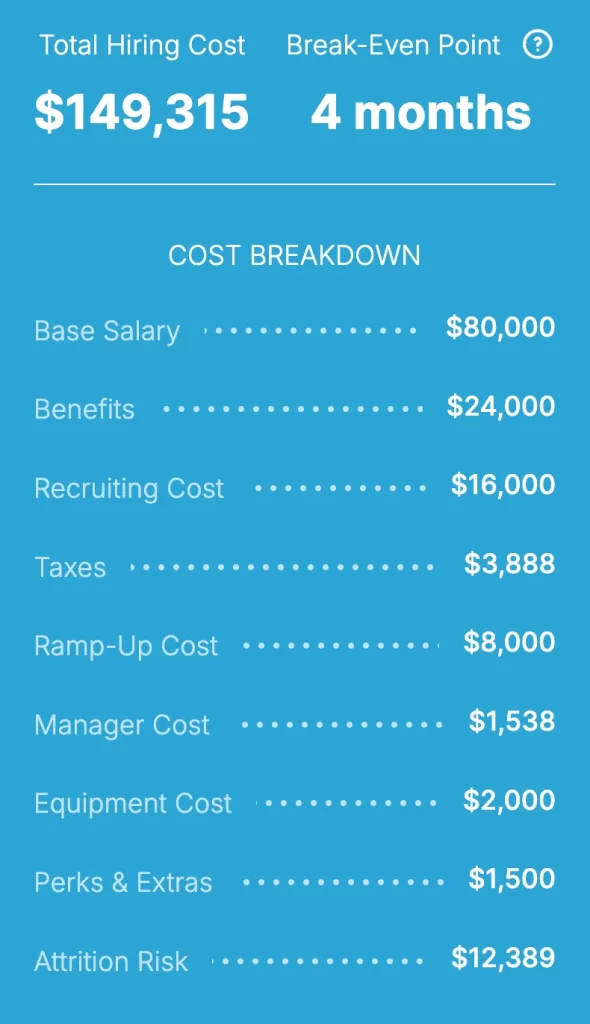
Total Hiring Cost $0
Break-Even Point 0 months
Know the Cost. Now Track the Hours.
Use TimeClick to track hours offline, prevent time theft, and simplify payroll.
See plans and pricingBringing on a new team member is exciting, but do you know exactly how much they will cost your business?
Between payroll taxes, benefits, onboarding, and training, the true price tag of a new hire often ends up much higher than their salary alone. If you skip tracking these extra costs, you risk losing thousands of dollars without even noticing.
We built TimeClick’s free Employee Cost Calculator to eliminate the guesswork.
Our tool breaks down every single part of your real hiring cost. It calculates base pay, mandatory payroll taxes, and benefits. It also factors in recruiting expenses, onboarding costs, and even the temporary dip in productivity while your new hire gets up to speed.
Whether you want to hire your very first employee or expand a growing department, you get a clear look at what each role actually costs before you make a decision.
The calculator delivers real-time estimates tailored directly to your needs. Simply adjust the worker type—full-time, part-time, or contractor—and select your state. The tool automatically applies state-specific tax rates to turn a complicated math problem into a quick, easy snapshot of your total labor cost.
Move from rough estimates to confident, data-driven hiring decisions. Plan smarter, set accurate budgets, and stop payroll surprises before they happen.
How to Use the Employee Cost Calculator
-
Enter the Base Salary: Start by entering the employee’s expected annual salary (for example, $60,000). This becomes the foundation for all other cost calculations.

-
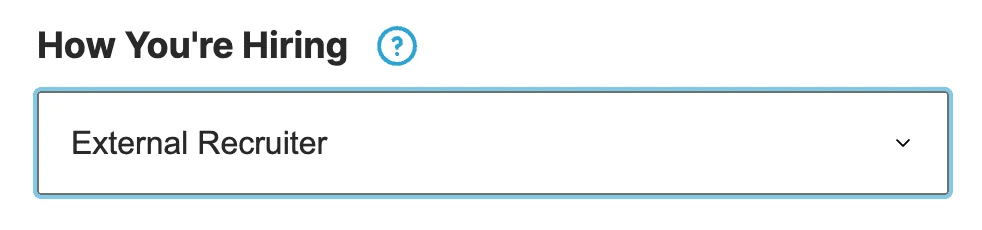
Select the Hiring Method: Choose how you’re filling the role – through a recruiter, your internal HR team, or another process. This determines potential recruiting fees and related costs.
-
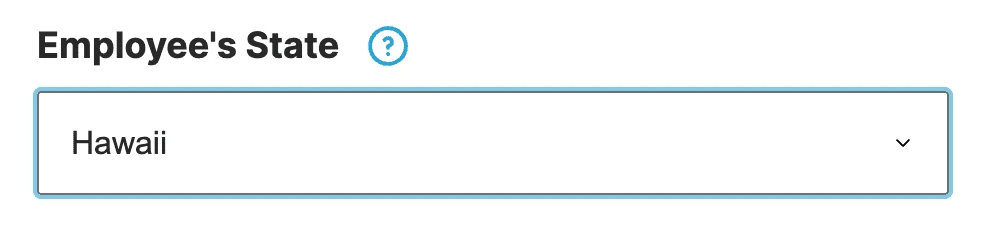
Choose the Employee’s Work State: The calculator automatically applies state-specific payroll tax rates for FUTA, SUTA, and Workers’ Comp. Just select the correct U.S. state from the dropdown.
-
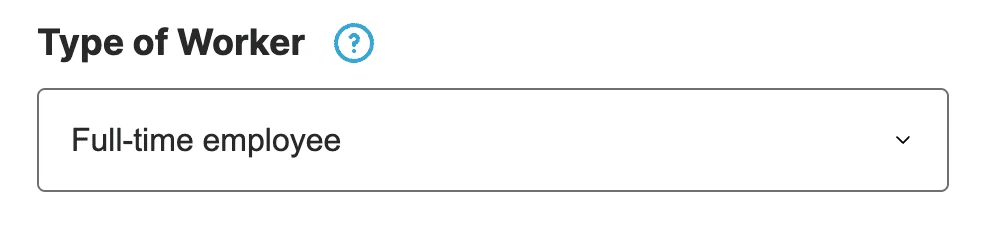
Pick the Worker Type: Choose between full-time (2,080 hours/year), part-time (1,040 hours/year), or contractor. The calculator automatically adjusts cost formulas, taxes, and hours accordingly.
- Include or Exclude Payroll Taxes: Keep this option on for W-2 employees to include mandatory employer taxes. Turn it off for independent contractors.
-
Add Benefits: Enter the percentage of salary you expect to spend on benefits like healthcare, retirement plans, or paid leave. Most companies spend between 20% and 40% of base salary here.

-
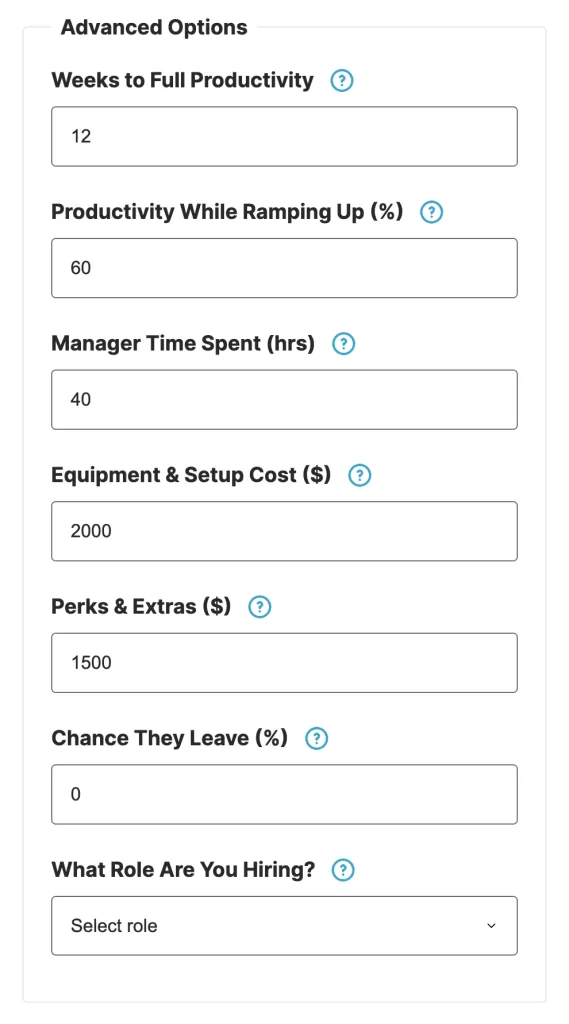
Activate Advanced Mode (Optional): Turn on Advanced Mode for a deeper analysis that includes equipment costs, ramp-up time, manager training hours, perks, and attrition risk.
-
Review the Results: Instantly see a full breakdown of your total employee cost – including both hard and soft expenses. Perfect for planning budgets, forecasting payroll, or comparing job roles.
What Is an Employee Cost Calculator?
An employee cost calculator helps you understand the true cost of hiring someone — not just their salary or hourly rate, but the full financial picture.
It’s a practical tool for business owners, HR managers, and finance teams who want to account for all expenses tied to hiring a new employee.
The calculator considers both hard costs and soft costs:
Hard costs include wages, payroll taxes, benefits, recruitment fees, and equipment.
Soft costs cover less obvious expenses, such as training, onboarding, reduced productivity during the first few weeks, and the time managers spend supporting new hires.
By combining these factors, the calculator gives you an accurate view of your total employee cost. This insight helps you budget effectively, plan smarter hiring strategies, and make informed decisions as your team grows.
Why Use TimeClick’s Employee Cost Calculator?
TimeClick’s Employee Cost Calculator isn’t just another tool — it’s a practical resource built by people who understand the challenges of running a small business.
After years of helping small businesses streamline payroll, stay compliant, and reduce labor costs with reliable time tracking, we’ve put that expertise into this calculator. The result? A clearer, more effective way to plan hiring costs than any spreadsheet could offer.
Here’s why thousands of businesses rely on TimeClick’s calculator before making their next hire:
- Detailed Cost Breakdown: Go beyond just salary. The calculator includes payroll taxes, benefits, recruiting expenses, and onboarding time, giving you a complete picture of hiring costs upfront.
- Customizable for Any Role: Whether you’re hiring a full-time, part-time, or contract employee, the calculator adjusts automatically, helping you compare costs and budget accurately.
- Accurate Payroll Tax Calculations: Get precise FUTA, SUTA, and Workers’ Comp projections by state — no need to look up rates or do the math yourself.
- Simple and Flexible Interface: Use Simple Mode for a quick overview, or switch to Advanced Mode to add details like productivity, manager time, or equipment costs.
- Free and Private: No accounts, no ads, and no data sharing. Just a straightforward tool you can use anytime to get a transparent view of employee costs.
Hard Costs vs. Soft Costs: What You Need to Know
When calculating the true cost of hiring an employee, salary is just one part of the equation.
Every new hire comes with a combination of hard costs—direct, measurable expenses—and soft costs, which may be less visible but significantly impact time, productivity, and budgets.
What Are Hard Costs?
Hard costs are tangible, easy-to-track expenses that directly show up in your budget. These include:
- Base Salary or Hourly Pay: The core compensation you offer your employee.
- Payroll Taxes: Required employer contributions, including Social Security, Medicare (FICA), federal (FUTA) and state unemployment taxes (SUTA), and Workers’ Comp, varying by state.
- Benefits: Health, dental, vision insurance, 401(k) contributions, paid leave, and other perks, often adding 20%–40% to an employee’s total cost.
- Equipment & Software: Tools and essentials like laptops, monitors, software, or uniforms, typically costing $1,000 to $3,000 per employee.
- Recruitment Costs: Expenses for job ads, recruiter fees, background checks, or internal HR time, often totaling 15%–25% of the hire’s annual salary.
What Are Soft Costs?
Soft costs are indirect expenses that don’t show up directly in your accounting but still affect your bottom line. These include:
- Onboarding & Training: Time spent training, mentoring, and helping new employees settle into their roles.
- Productivity Ramp-Up: New hires typically take 8–12 weeks to reach full productivity, leading to temporary output loss.
- Manager Oversight: Supervisors invest extra time reviewing work, answering questions, and addressing early mistakes.
- Employee Turnover: If a hire doesn’t work out, the cost of replacing them—including time and lost momentum—can be significant.
TimeClick’s calculator considers both hard and soft costs, giving you a complete fully-loaded employee cost. This ensures you can hire confidently, budget accurately, and avoid unexpected financial surprises.

Why Accurate Employee Cost Calculation Matters
Understanding the true cost of each employee is essential for running a healthy, profitable business—especially in today’s competitive job market.
When you know exactly where your labor dollars are going, you can make smarter hiring decisions, manage budgets confidently, and plan for growth without surprises. TimeClick’s Employee Cost Calculator is designed to help you achieve that. Here’s how:
- Smarter Budgeting: Plan with precision by incorporating taxes, benefits, and overhead costs into your forecasts. Avoid unexpected payroll expenses and keep your finances on track.
- Better Hiring Decisions: Evaluate the true costs of full-time, part-time, and contract roles to determine the most cost-effective option for each position.
- Optimized Resource Allocation: Understand the real cost of each hire to allocate budgets more effectively across departments and projects as your team grows.
- Higher Profit Margins: Identify and eliminate hidden costs, such as inefficient onboarding or unnecessary equipment, to protect your bottom line.
- Improved Compliance: Accurately track payroll taxes and benefits to comply with state and federal labor laws, reducing the risk of penalties or audits.
- Fewer Financial Surprises: Gain a clear understanding of your total labor costs upfront, enabling data-driven decisions and preventing last-minute budget shocks.
- Seamless Time Tracking Integration: Pair the calculator with TimeClick’s time tracking software to compare estimated vs. actual labor costs, monitor productivity, and make real-time adjustments.
Whether you’re hiring one person or building an entire department, accurate cost modeling helps you grow strategically rather than by trial and error.
With TimeClick’s free Employee Cost Calculator, you’ll always have a clear view of your workforce investments.
FAQs About Employee Cost Calculators
What does an employee cost calculation include?
A thorough calculation goes beyond salary. TimeClick’s calculator accounts for payroll taxes (FUTA, SUTA, Workers’ Comp), benefits, recruiting costs, onboarding and training time, temporary productivity loss during ramp-up, and overhead like equipment or software. Advanced options let you adjust each factor to fit your needs.
How accurate are employee cost calculators?
Accuracy depends on the data you provide. Our tool uses up-to-date U.S. state payroll tax assumptions and allows you to input your own figures for benefits, recruiting fees, equipment, and more. With realistic entries, you’ll get an estimate that’s far more precise than relying on salary alone.
How does the calculator handle part-time vs. full-time employees?
It uses standard hours (2,080 for full-time, 1,040 for part-time) and adjusts costs like onboarding, training, and manager time accordingly. This ensures fair comparisons between employment types.
Can I use this for contractors or freelancers?
Yes. Selecting “Contractor” disables payroll tax and benefits fields, as these typically don’t apply to 1099 workers. You can still include one-time costs like onboarding or equipment for a complete estimate.
Why are soft costs like productivity loss or manager time important?
New hires usually take 8–12 weeks to reach full productivity, and managers often spend extra time on training and reviews. These hours have real costs. Including soft costs provides a more accurate forecast and helps avoid budget surprises.
How does the calculator handle state-specific payroll taxes?
The calculator uses state-specific assumptions for FUTA, SUTA, and Workers’ Comp based on your selected state. These assumptions are regularly updated to ensure accurate estimates.
Is this calculator useful for startups and small businesses?
Definitely. It’s designed for teams of all sizes and is especially useful for small businesses that need a clear view of labor costs before hiring. Use it to plan budgets, compare roles, and make informed decisions.
Do I need to sign up or create an account?
No account required. It’s free to use—no sign-up, no ads, and no hidden fees. Just enter your numbers and see results instantly.
Ready to Lower Your Hiring Costs?
Hiring isn’t just about finding the right person—it’s about making a smart financial decision for your business.
Whether you’re a small business owner, HR manager, or operations lead, understanding the true cost of adding someone to your team helps you stay profitable, compliant, and ready for growth.
TimeClick’s free Employee Cost Calculator gives you instant insights into every part of that investment—from payroll taxes and benefits to onboarding, training, and equipment costs.
With live estimates and customizable inputs, you can plan ahead, budget more accurately, and avoid unexpected payroll expenses.
But that’s just the beginning. When paired with TimeClick’s offline time tracking software, you’ll have a complete system to manage labor costs in real time.
Track actual employee hours, manage PTO, and generate payroll-ready reports—all without relying on the cloud or paying per user.
Whether you’re comparing contractors to full-time hires, planning a department budget, or improving workforce ROI, TimeClick gives you the clarity and tools to make informed decisions.
Start making smarter hiring decisions today. Use the calculator above to take full control of your workforce costs, then start your 14-day free trial of TimeClick. No credit card required.
