
One of the more common errors that can occur when you first install legacy versions of TimeClick is the dllregisterserver HR=80004005.
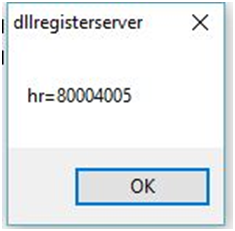
This error is related to a Windows permission issue. During the installation of the TimeClick application, Windows didn’t give permission for TimeClick to register the .dll file located in the TimeClick program files. Clicking OK will close the window and allow you to use TimeClick as normal.
Removing the Message Box
Getting rid of the error message window is very straight forward. The simplest way is to right-click on the TimeClick icon located on your desktop and select Run as administrator.

This will resolve the issue most of the time. If for some reason this doesn’t resolve the issue use the following steps to register the .dll manually.
- Right click on the TimeClick icon and select Properties
- Copy the target except for tclik.exe or wstclk.exe
- Open the Command Prompt in Windows
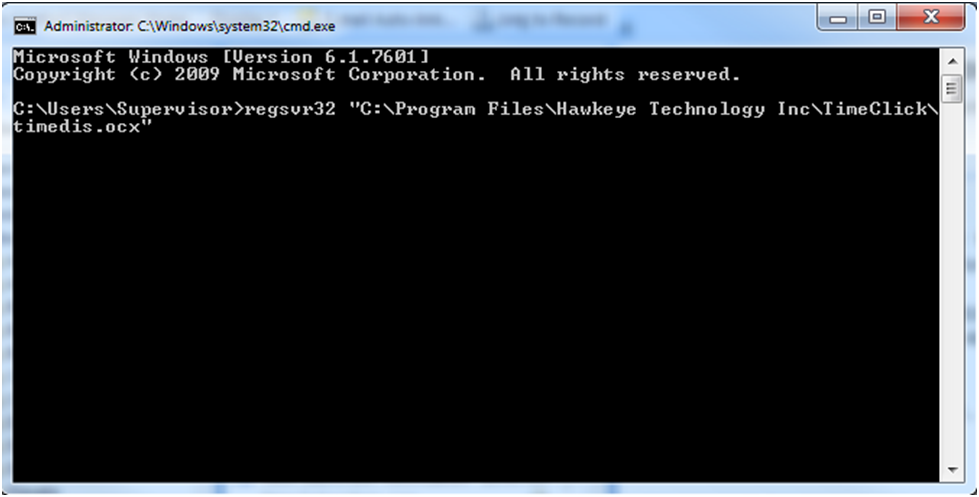
- Type the following command: regsvr32 “(paste your target here)\timedis.ocx” and press Enter
- Example regsvr32 “C:\Program Files\Hawkeye Technology” Inc\TimeClick\timedis.ocx” if you are running a 32 bit OS or regsvr32 “C:\Program Files (x86)\Hawkeye Technology Inc\TimeClick\timedis.ocx” if you are running a 64 bit OS.
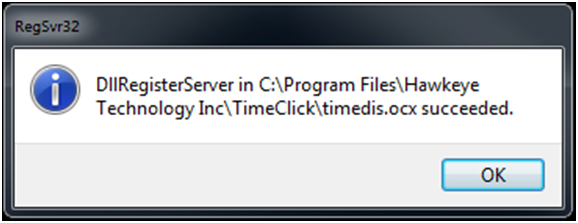
- The following success message will appear if you have entered the command properly.
If you have further problems with this error, please contact our support staff
Ready to streamline your employee time tracking, boost productivity, and simplify payroll? Sign up for your FREE 14-day trial today and see how TimeClick can transform your business!
Start your FREE TimeClick Trial Today.