Time Clock Wizard Alternative: TimeClick Compared on Price, Data and Payroll
Time Clock Wizard is an online time clock with a free plan and monthly paid plans. TimeClick is time clock software you install on your own Windows computer and pay for once. This page compares the two on price, where your records are kept, phone clock-ins and payroll, using each company’s own website. Prices were checked on Nov 8, 2026.
Time Clock Wizard and TimeClick compared in one table
| Time Clock Wizard | TimeClick | |
|---|---|---|
| Pricing model | Monthly or annual subscription | One-time license, priced by number of devices |
| Starting price | Free plan at $0; Value plan from $29.95 a month | $299 once for a 1-device license |
| Number of users | Unlimited on Free, Value and Enterprise; Pro is priced by user band up to 50 users | Unlimited employees on every license |
| Where records are kept | Online service with off-site data protection | On your own Windows computer or server |
| Computers it runs on | Online, so any computer with a browser | Windows 8 or newer (Windows 10 or newer recommended); no web version |
| Phone app | iOS and Android | iPhone and Android, with a 2-device license or larger and an active TimeClick Unlimited plan |
| Location controls | GPS employee locator; clock-in restriction by IP address or device | Geofencing for phone clock-ins, included at no extra cost today with TimeClick Unlimited |
| Payroll | Payroll reporting; QuickBooks Online sync | Export files for QuickBooks Desktop, QuickBooks Online, Gusto, ADP Workforce Now and Passport PBS |
| Free trial | 14 days, no credit card | 14 days, no credit card |
Prices and features checked Nov 8, 2026 on Time Clock Wizard’s pricing page and TimeClick’s pricing page.
How Time Clock Wizard pricing works
Time Clock Wizard lists four plans on its pricing page:
- Free: $0, basic time tracking for unlimited users.
- Value: $29.95 a month ($34.95 also shown), unlimited users, with reporting and support.
- Pro: priced by number of users. 1 to 10 users $49.95 or $54.95 a month, 11 to 20 users $79.95 or $84.95, 21 to 30 users $89.95 or $99.95, 31 to 50 users $109.95 or $119.95. Time Clock Wizard describes Pro as including scheduling, time tracking and payroll reporting.
- Enterprise: $219.95 a month ($249.95 also shown), unlimited users, priority support and a dedicated account manager.
The page shows two prices for each paid plan and a switch between annual and monthly payments. Check which price applies to the billing you choose.
What the Time Clock Wizard free plan covers
The free plan is listed as basic employee time tracking for unlimited users. If basic tracking is all you need, it costs nothing, and TimeClick cannot beat that on price.
Three-year cost for a 10-person and a 25-person team
Subscription figures are the monthly price times 36 months, using both prices Time Clock Wizard shows. TimeClick figures use its listed license and renewal prices.
| Option | 3-year cost |
|---|---|
| Time Clock Wizard Value, any number of users | $1,078.20 to $1,258.20 |
| Time Clock Wizard Pro, 10 users | $1,798.20 to $1,978.20 |
| Time Clock Wizard Pro, 25 users | $3,238.20 to $3,598.20 |
| TimeClick, 10 or 25 employees on one shared office PC (1-device license) | $299 with year-one support, or $597 with support kept for all 3 years |
| TimeClick, one office PC plus 4 phones (5-device license) | $749 with year-one support, or $1,247 with support kept for all 3 years |
Prices checked Nov 8, 2026. TimeClick renewal prices are $149 a year for 1 device and $249 a year for 5 devices.
How TimeClick pricing works
TimeClick is a one-time purchase. The price depends on how many devices run TimeClick, and every license includes unlimited employees.
| Devices | One-time price | TimeClick Unlimited renewal after year one |
|---|---|---|
| 1 (desktop only) | $299 | $149 a year |
| 2 | $499 | $199 a year |
| 3 | $599 | $229 a year |
| 5 | $749 | $249 a year |
| 10 | $999 | $299 a year |
| 15 | $1,249 | $349 a year |
| 20 | $1,499 | $379 a year |
| 25 | $1,749 | $399 a year |
| 35 | $1,999 | $449 a year |
| 50 | $2,349 | $499 a year |
Prices from TimeClick’s pricing page, Nov 8, 2026. More than 50 devices is priced by quote.
What counts as a device in TimeClick
Each PC that runs TimeClick counts as one device, and each phone that connects to your TimeClick server counts as one device. A 2-device license covers the server PC plus one phone.
What TimeClick Unlimited covers
The first year of TimeClick Unlimited is included with every license. It covers new versions, unlimited U.S.-based support and the mobile app. After the first year it renews at the price for your license size in the table above. Renewing is optional: you can keep using the version you have. If you cancel and later want upgrades again, TimeClick says you will need to buy a new license. Details are on the TimeClick Unlimited page.
Where your time records are stored
Time Clock Wizard is an online time clock and describes its data protection as off-site. TimeClick installs on your office computer, which becomes the server and keeps your time records on your own hardware. There are no storage fees. For a longer comparison of the two approaches, see desktop vs cloud time clock software. For how that office computer works as the server, see Windows time clock software.
Clock-ins when the office internet goes down
The TimeClick server can keep taking desktop clock-ins without internet. If a phone can’t reach the TimeClick server, for example because the server PC is off, the app saves its punches on the phone until it reconnects with the server.
Clocking in from phones and job sites
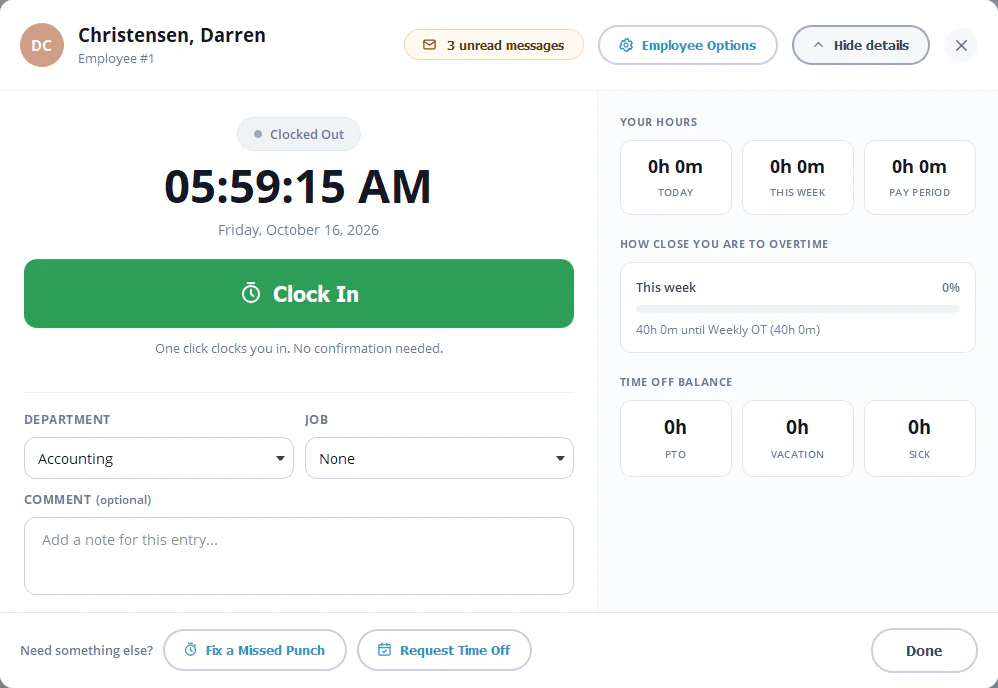
Both products have iOS and Android apps. Time Clock Wizard lists a GPS employee locator and clock-in restriction by IP address or by device. TimeClick offers geofencing, which blocks clock-ins outside a zone you draw around each worksite and logs each blocked attempt. TimeClick checks GPS only at clock-in and does not track employees between punches. Geofencing is included at no extra cost today with an active TimeClick Unlimited plan.
License rule for the TimeClick phone app
The TimeClick phone app needs a 2-device license or larger and an active TimeClick Unlimited plan. Each phone counts as one device. The 1-device license at $299 covers one office PC and does not include the app.
Payroll exports in each product
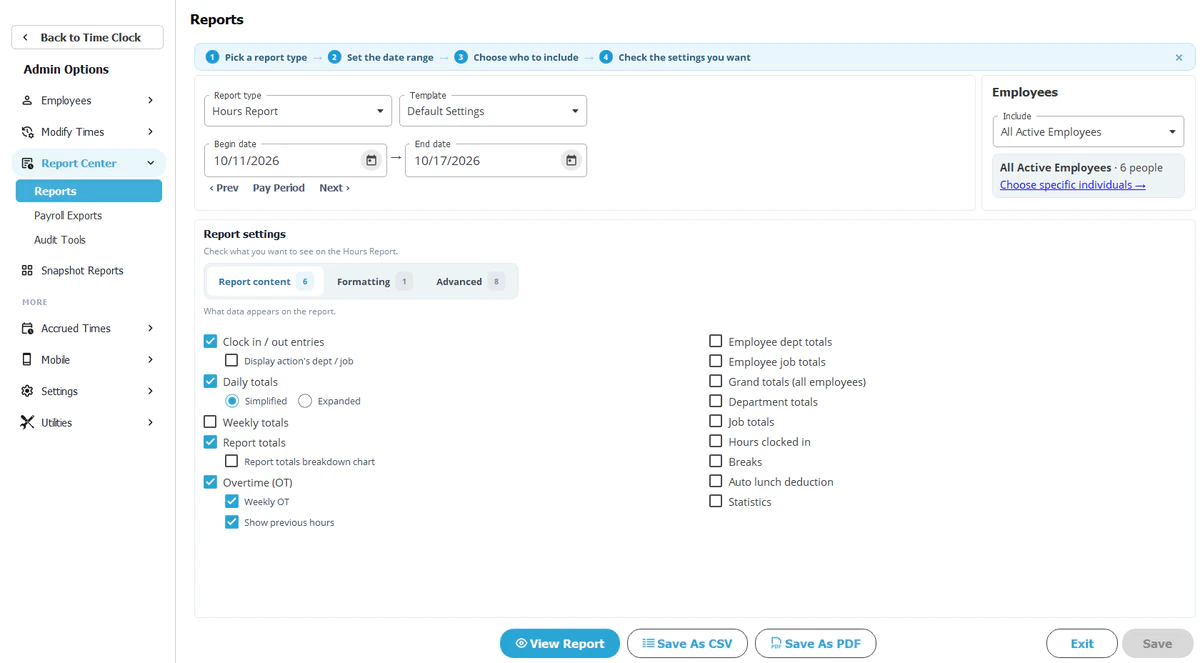
TimeClick creates payroll export files from Report Center, Payroll Reports, for QuickBooks Desktop, QuickBooks Online, Gusto, ADP Workforce Now and Passport PBS. Exports are included in every license with no per-export fee. Overtime is flagged automatically, rounding can be set to 1, 5, 10 or 15 minutes, and you can export all employees or filter by department, job or person. See TimeClick payroll integrations.
Time Clock Wizard lists payroll reporting on its pricing page and names QuickBooks Online sync on its homepage.
When Time Clock Wizard is the better choice
- You only need basic time tracking and want to pay nothing: its free plan covers unlimited users.
- Your office uses Macs or Chromebooks. Time Clock Wizard runs online. TimeClick runs on Windows only (see running TimeClick on a Mac for the workarounds).
- You want employee scheduling, task management and expense reimbursements in the same tool. Time Clock Wizard lists these on its pricing page.
- You do not want to install anything.
When TimeClick is the better choice
- You want to stop paying every month and own the license.
- You want time records kept on your own Windows computer or server.
- You want clock-ins at the office to keep working when the internet is down.
- You run payroll in QuickBooks Desktop, QuickBooks Online, Gusto, ADP Workforce Now or Passport PBS and want an export file built for it.
- You have more than 10 employees on one shared PC, where a 1-device license covers everyone.
For a broader look at the two pricing models, see buy once vs subscription time clock software.
How to switch from Time Clock Wizard to TimeClick
- Run your last Time Clock Wizard reports and save them for your records.
- Download the 14-day free trial and install TimeClick on the PC that will hold your data. Setup help by phone or chat is free during the trial.
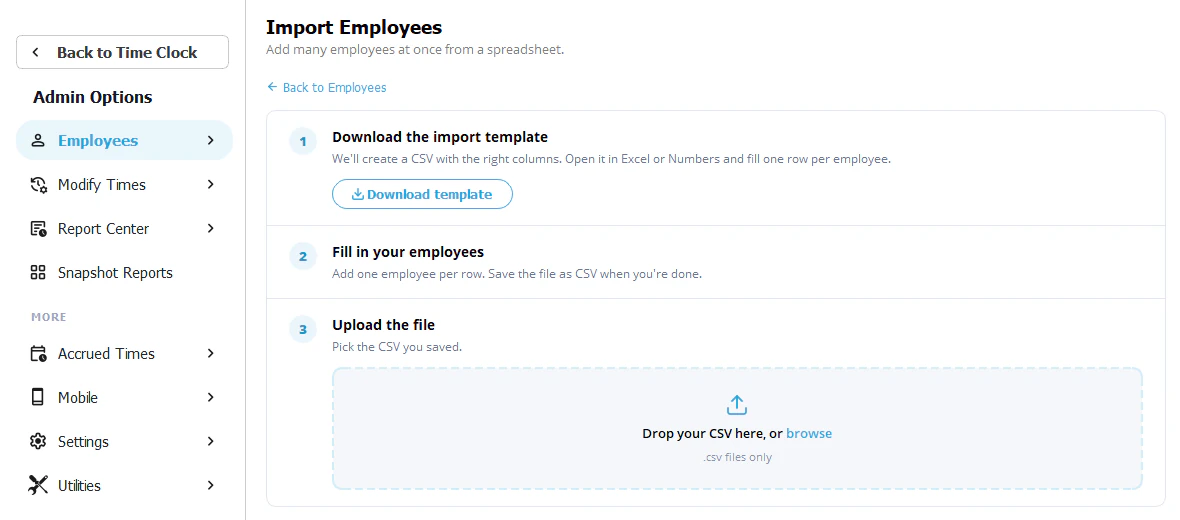
- Add your employees and departments. TimeClick can import your employee list, but it can’t import clock-in and clock-out history.
- Set your pay period, overtime rules, rounding and lunch deductions.
- Add other PCs, and phones if you use the app.
- Run TimeClick and Time Clock Wizard side by side for one pay period and compare the hours.
- Export the pay period to your payroll system from Report Center, Payroll Reports.
- Cancel the Time Clock Wizard plan after your last payroll from it.
Time Clock Wizard alternative FAQ
Is there a free alternative to Time Clock Wizard?
Time Clock Wizard has its own free plan for basic tracking. TimeClick has no free plan. It is a one-time purchase from $299, with a 14-day free trial and no credit card needed.
Can TimeClick import my data from Time Clock Wizard?
Only your employee list. TimeClick can import employees, but it can’t import clock-in and clock-out history, and it has no direct import from Time Clock Wizard. Keep your Time Clock Wizard reports for past pay periods. TimeClick support can help you set up your employee list by phone at (435) 753-4102 or by chat, Monday to Friday, 7am to 4pm Mountain Time.
Does TimeClick work on a Mac?
Not natively. TimeClick runs on Windows. Mac users can connect to a Windows PC that runs TimeClick, or run Windows on the Mac. See running TimeClick on a Mac for the options.
Do I need internet for TimeClick?
Not for clock-ins on the office PC. If a phone can’t reach your TimeClick server, the app saves its punches until it reconnects with the server.
What does TimeClick cost after the first year?
The license has no further cost. TimeClick Unlimited (support, new versions and the phone app) renews yearly from $149 for a 1-device license. Renewal is optional, but the phone app needs it.
Which payroll systems does TimeClick export to?
QuickBooks Desktop, QuickBooks Online, Gusto, ADP Workforce Now and Passport PBS.