TimeClick vs Virtual TimeClock Compared
TimeClick and Virtual TimeClock (made by Redcort Software) are both time clock programs you buy once and install on your own computers. Neither charges a monthly subscription for the license. They differ on price per computer, how long support is included, Mac support, phone clock-ins and payroll exports. Everything below comes from each company’s own website, checked on Nov 8, 2026.
TimeClick and Virtual TimeClock compared in one table
| Virtual TimeClock | TimeClick | |
|---|---|---|
| Pricing model | One-time purchase | One-time purchase |
| 1 computer | Basic $95 (up to 3 workers) or Pro $295 (unlimited workers) | $299 (1 device, unlimited employees) |
| 5 computers or devices | $695 (Network edition) | $749 |
| 10 computers or devices | $895 | $999 |
| 20 computers or devices | $1,195 | $1,499 |
| Workers | Up to 3 on Basic; unlimited on Pro and Network | Unlimited on every license |
| Support included | 30 days of Standard Support | First year of TimeClick Unlimited |
| Support after that | $69 each, or Premier Support (1 year, price not listed) | TimeClick Unlimited renewal from $149 a year |
| Upgrades | Up to 30% off for registered users; included with Premier Support | Included while TimeClick Unlimited is active |
| Mac | Native | Not native |
| Windows | Native | Native |
| Phone clock-in | No phone app; clock-ins on Mac or Windows computers or Windows tablets | iPhone and Android app (2-device license or larger and TimeClick Unlimited) |
| Geofencing | Not listed | Included at no extra cost today with an active TimeClick Unlimited plan |
| Payroll exports | AccountEdge, ADP, CheckMark, Gusto, Paychex, PayChoice, Paylocity, QuickBooks, SurePayroll | QuickBooks Desktop, QuickBooks Online, Gusto, ADP Workforce Now, Passport PBS |
| Free trial | Not time-limited, 300 punches (100 on Basic), no credit card | 14 days, no credit card |
Checked Nov 8, 2026 on Virtual TimeClock pricing, the Virtual TimeClock product page, Redcort’s TimeClick comparison page and TimeClick pricing.
License prices side by side
Both products are one-time purchases. Virtual TimeClock’s license prices are lower than TimeClick’s at every size listed here.
| Size | Virtual TimeClock | TimeClick |
|---|---|---|
| 1 computer | $95 Basic (3 workers) or $295 Pro | $299 |
| 2 | $495 | $499 |
| 5 | $695 | $749 |
| 10 | $895 | $999 |
| 15 | $1,045 | $1,249 |
| 20 | $1,195 | $1,499 |
| 25 | $1,345 | $1,749 |
| 50 | $1,795 | $2,349 |
Virtual TimeClock also lists 30 computers at $1,495 and 75 at $2,195. TimeClick lists 3 devices at $599 and 35 at $1,999, and quotes more than 50 devices.
What counts as a device or computer in each product
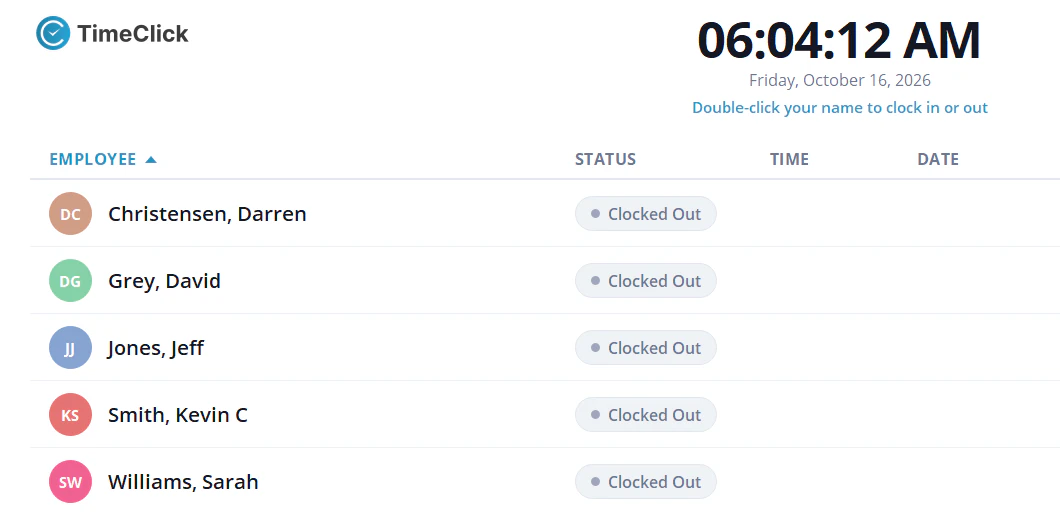
Virtual TimeClock prices its Network edition by the number of computers. TimeClick counts each PC that runs TimeClick and each phone that connects to the TimeClick server as one device.
First-year cost with support included
TimeClick’s license price includes a year of support, new versions and the phone app. Virtual TimeClock’s includes 30 days of support. For a full year of support and upgrades, Virtual TimeClock offers Premier Support, and its pricing page does not list the price.
| Size | Virtual TimeClock, first year | TimeClick, first year |
|---|---|---|
| 1 computer | $295 Pro plus Premier Support (price by quote) | $299, support included |
| 5 computers | $695 plus Premier Support (price by quote) | $749, support included |
| 10 computers | $895 plus Premier Support (price by quote) | $999, support included |
Support and updates after you buy
TimeClick: the first year of TimeClick Unlimited is included. It covers unlimited U.S.-based support, new versions and the mobile app. After that it renews yearly at a price set by license size: $149 for 1 device, $199 for 2, $249 for 5, $299 for 10 and $379 for 20. Renewal is optional. See the TimeClick Unlimited page.
Virtual TimeClock: Standard Support is included with every purchase. It covers 30 days of support, then $69 each after that, 30% off software upgrades and 24×7 online support resources. Premier Support adds 1 year of unlimited support and training, and includes software upgrades. Redcort’s support team is based in California.
Three-year cost with support for a 5-device office
- TimeClick: $749 license, plus $249 in year 2 and $249 in year 3 = $1,247, with support, new versions and the phone app for all 3 years.
- Virtual TimeClock: $695 license. Support after the first 30 days costs $69 each, or Premier Support at a price Redcort quotes. The 3-year total depends on how often you need help and whether you buy upgrades.
Clocking in from phones and job sites
TimeClick has an iPhone and Android app. It needs a 2-device license or larger and an active TimeClick Unlimited plan, and each phone counts as one device. Geofencing can block phone clock-ins outside a zone you draw around each worksite; it is included at no extra cost today with an active TimeClick Unlimited plan. See the TimeClick phone app.
Virtual TimeClock has no phone app. Redcort’s own comparison page says employees clock in from Mac or Windows computers, or Windows tablets, at the workplace. If your staff work from job sites or clock in on their own phones, this is the main reason to choose TimeClick.
Mac and Windows support
Virtual TimeClock runs natively on both Mac and Windows. TimeClick runs on Windows only. If your office uses Macs, this is the main reason to choose Virtual TimeClock. TimeClick’s Mac workarounds (remote login to a Windows PC, or running Windows on the Mac) are in running TimeClick on a Mac. For how TimeClick runs on a Windows PC, see Windows time clock software.
Payroll exports in each product
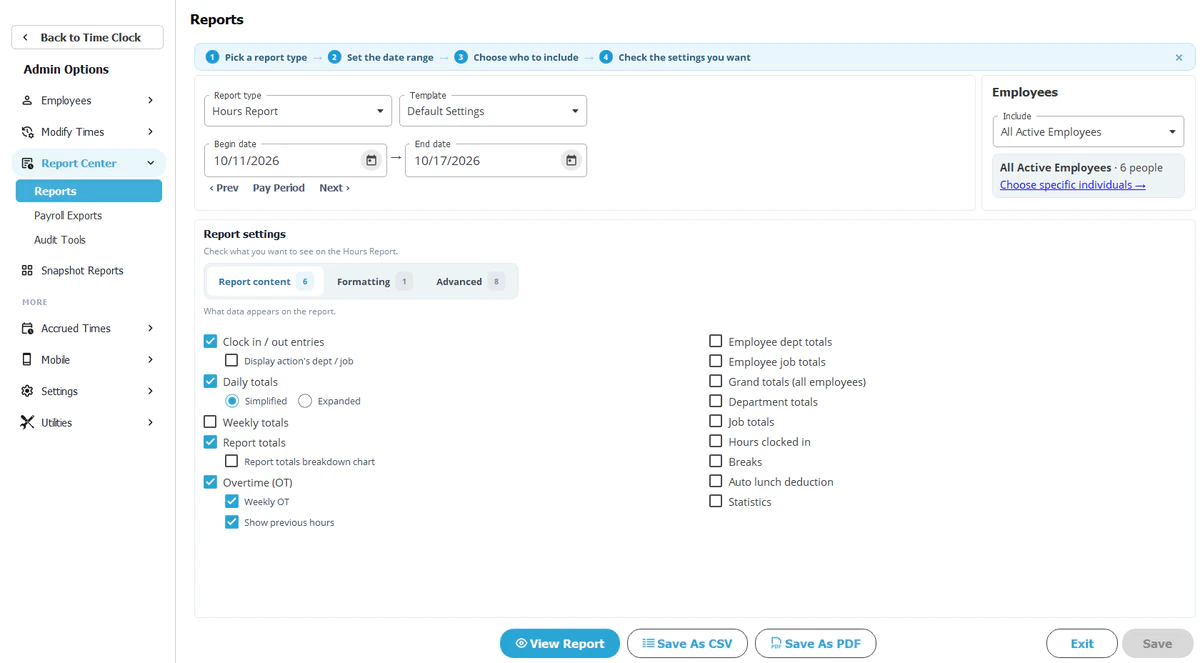
TimeClick creates export files for QuickBooks Desktop, QuickBooks Online, Gusto, ADP Workforce Now and Passport PBS from Report Center, Payroll Reports. Exports are included in every license, overtime is flagged automatically, and rounding can be set to 1, 5, 10 or 15 minutes. See TimeClick payroll integrations.
Virtual TimeClock lists AccountEdge, ADP, CheckMark, Gusto, Paychex, PayChoice, Paylocity, QuickBooks and SurePayroll.
Free trial terms
TimeClick: 14 days, no credit card. You install it on one office PC and add your employees. Start the TimeClick trial.
Virtual TimeClock: the trial is not time-limited and allows 300 punches (100 on Basic), with no credit card.
Which one fits your business
Virtual TimeClock fits these offices
- Your office uses Macs, or a mix of Macs and Windows PCs.
- You have 3 workers or fewer and want the $95 Basic edition.
- You run payroll in Paychex, Paylocity, SurePayroll, AccountEdge, CheckMark or PayChoice.
- You want the lowest license price and rarely call support.
TimeClick fits these offices
- Your office runs Windows.
- Some staff clock in from phones or job sites.
- You want a full year of support and new versions included with the license.
- You run payroll in QuickBooks Desktop, QuickBooks Online, Gusto, ADP Workforce Now or Passport PBS.
How to switch from Virtual TimeClock to TimeClick
- Run your last Virtual TimeClock reports and save them for your records.
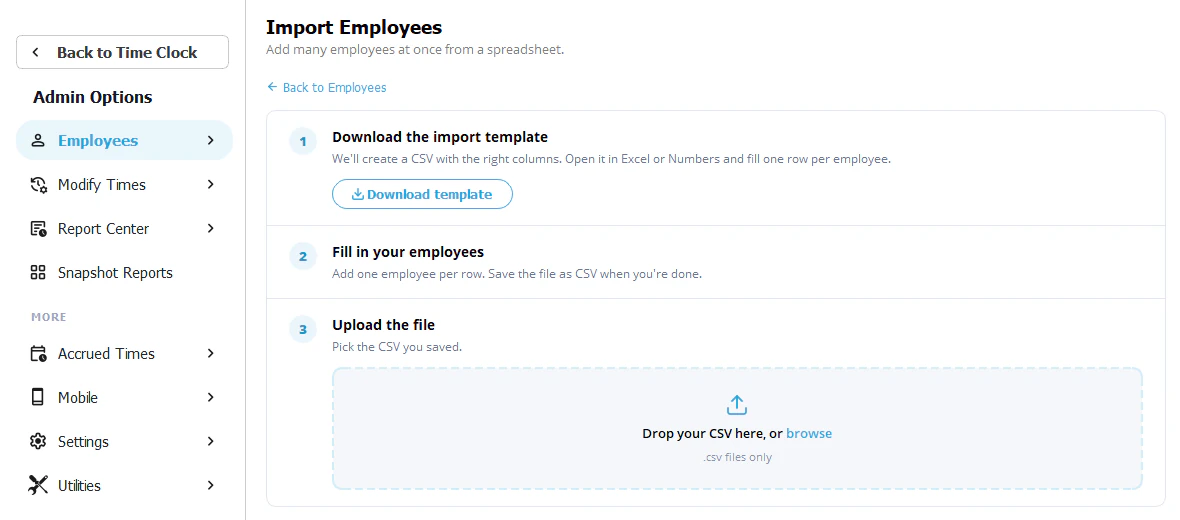
- Download the 14-day free trial and install TimeClick on the Windows PC that will hold your data.
- Import or add your employees and departments. Past punches stay in Virtual TimeClock, so keep its last reports.
- Set your pay period, overtime rules, rounding and lunch deductions.
- Install the TimeClick client on your other PCs, and set up phones if you use the app.
- Run both programs for one pay period and compare the hours.
- Export the pay period to your payroll system from Report Center, Payroll Reports.
TimeClick vs Virtual TimeClock FAQ
Is Virtual TimeClock a one-time purchase?
Yes. Its pricing page lists one-time prices and its product page says there are no monthly or per-user fees. TimeClick is also a one-time purchase.
Which is cheaper, TimeClick or Virtual TimeClock?
Virtual TimeClock’s licenses cost less at every size. TimeClick includes a year of support, new versions and the phone app in the license price, where Virtual TimeClock includes 30 days of support. For a 5-device office, TimeClick costs $1,247 over 3 years with support for all 3 years.
Does TimeClick run on a Mac?
Not natively. Virtual TimeClock does. TimeClick’s Mac workarounds are in running TimeClick on a Mac.
Can employees clock in from their phones?
In TimeClick, yes, with a 2-device license or larger and an active TimeClick Unlimited plan. Virtual TimeClock has no phone app, per Redcort’s own comparison page; its employees clock in on Mac or Windows computers or Windows tablets.
Which payroll systems does each one export to?
TimeClick: QuickBooks Desktop, QuickBooks Online, Gusto, ADP Workforce Now and Passport PBS. Virtual TimeClock: AccountEdge, ADP, CheckMark, Gusto, Paychex, PayChoice, Paylocity, QuickBooks and SurePayroll.
How long is each free trial?
TimeClick’s trial lasts 14 days. Virtual TimeClock’s trial has no time limit and stops at 300 punches (100 on Basic).