On this page
- Why Employee Time Tracking Compliance Matters
- Federal Time Tracking Laws for U.S. Employers
- How Long to Keep Employee Time Records
- State and Local Time Tracking Rules
- Overtime and Tip Reporting on 2026 Forms W-2
- Best Practices for Staying Compliant
- Common Compliance Mistakes to Avoid
- How TimeClick Supports Compliance
- Frequently Asked Questions
- Final Tips for Employee Time Tracking Compliance
Employee time tracking is easy to put off until something goes wrong. Federal law expects every covered employer, including small businesses, to keep accurate records of hours and pay for non-exempt employees. If those records are missing or wrong, you can owe back wages, damages and penalties, even when the mistake was an honest one.
The Fair Labor Standards Act (FLSA) sets the federal rules for recordkeeping, overtime and what counts as paid time. Many states add their own rules on top, like daily overtime, meal break records or advance notice of work schedules.
This guide covers what you have to record, how long to keep it, how rounding and short breaks work, the state rules most likely to affect you, and the new 2026 W-2 reporting for overtime and tips.

Key Takeaways
- The FLSA requires you to record the hours worked each day and each workweek, plus pay details, for every non-exempt employee.
- Keep payroll records for at least 3 years, and keep time cards, work schedules and wage rate tables for at least 2 years.
- Rounding punches to the nearest 5 minutes, tenth of an hour or quarter hour is allowed only if it doesn't underpay employees over time.
- Short rest breaks (usually 20 minutes or less), required training and any work done during an unpaid meal break all count as paid time.
- Starting with 2026 Forms W-2, you'll report each employee's qualified overtime in Box 12 using code TT.
- Repeated or willful minimum wage or overtime violations can bring a civil penalty of up to $2,515 per violation, on top of back wages.
What's New for 2026
Overtime gets its own W-2 code. Employees can deduct part of their overtime pay on their federal income taxes for 2025 through 2028. Starting with 2026 Forms W-2, you'll report qualified overtime in Box 12, code TT.
Tips get new W-2 boxes too. The 2026 Form W-2 adds Box 12, code TP, for cash tips employees reported to you, and a new box 14b for the employee's tipped occupation code.
The federal salary threshold stays at $684 a week. The Department of Labor formally removed the vacated 2024 overtime rule on May 15, 2026, so the 2019 thresholds remain in place.
Why Employee Time Tracking Compliance Matters

Time tracking feels like a small task, but it carries real legal weight. If an employee files a wage complaint, your time records are usually the main proof of what you paid and why.
Federal law requires you to keep records for every non-exempt employee, including the hours they work each day, their total hours each workweek and what you paid them. It doesn't matter how much you trust your team. If the records aren't there, the problem is yours to fix.
When the Department of Labor finds unpaid wages, here's what you can owe:
- Back wages for up to 2 years, or up to 3 years if the violation was willful
- An equal amount in liquidated damages, which can double the total
- A civil penalty of up to $2,515 per violation for repeated or willful minimum wage or overtime violations (the 2026 amount, listed on the DOL penalties page)
Willful violations can also lead to criminal prosecution, with fines of up to $10,000.
Some states go further, with paid rest breaks, meal period records or longer record retention. If you don't know your state's rules, you could be out of compliance without realizing it.
Good records help you:
- Pay employees correctly every pay period
- Answer an audit or wage complaint quickly, with proof
- Catch overtime and break problems before they add up
- Run payroll faster, with fewer corrections
It doesn't have to be complicated or time-consuming. A simple, consistent system covers most of what the law asks for.
Federal Time Tracking Laws for U.S. Employers

If you run a business in the U.S., the main law for tracking employee hours is the Fair Labor Standards Act (FLSA).
It applies to most employers and sets the base rules for wages, overtime and recordkeeping.
What the FLSA Requires You to Record
For each non-exempt employee, the Department of Labor's recordkeeping fact sheet lists 14 items to keep. Here they are, grouped so they're easier to scan:
| Record | What to Keep |
|---|---|
| Employee details | Full name and Social Security number, address with ZIP code, birth date if younger than 19, sex and occupation |
| Workweek | The time and day of the week when the employee's workweek begins |
| Hours | Hours worked each day and total hours worked each workweek |
| Pay basis and rate | How the employee is paid (for example, $18 an hour, $720 a week or piecework) and their regular hourly rate |
| Earnings | Total daily or weekly straight-time earnings and total overtime earnings for the workweek |
| Changes to pay | All additions to or deductions from the employee's wages |
| Payments | Total wages paid each pay period, the date of payment and the pay period it covers |
Meal and rest breaks aren't on the federal list, but your records still need to show the hours actually worked, and some states, like California, require meal period records.
You can use whatever system works best: paper timesheets, punch clocks or time tracking software. The law doesn't require any particular form. What matters is that your records are complete, accurate and easy to produce if the Department of Labor asks to see them.
If an employee works a fixed schedule, you can record that schedule and then note only the days when their actual hours were different.
Exempt vs. Non-Exempt Employees
Non-exempt employees are the ones who qualify for overtime, and they're the ones whose hours you must track.
Paying someone a salary doesn't make them exempt. Under the most common white-collar exemptions, an employee generally has to be paid a salary of at least $684 a week ($35,568 a year) and do work that meets the job duties tests. Job titles don't decide it. Our federal overtime salary threshold guide explains the tests.
If you misclassify someone as exempt, you could owe their unpaid overtime plus damages.
Overtime Requirements
Federal law says non-exempt employees must earn at least 1.5 times their regular rate for every hour over 40 in a workweek. A workweek is a fixed, recurring period of 168 hours.
You can't average hours across two or more weeks. Private employers also can't give comp time off in place of overtime pay. That option is only for state and local government agencies.
That's why accurate daily records matter; estimates or guesswork won't hold up. For the math, see how to calculate overtime pay rates and our overtime laws guide.
Rounding Time Entries
Federal rules (29 CFR 785.48) allow rounding start and stop times to the nearest 5 minutes, tenth of an hour or quarter hour. The condition is that, over time, rounding can't leave employees underpaid for the hours they actually worked.
Neutral rounding works because it goes both ways. Here's how rounding to the nearest quarter hour plays out over four punches:
Clock-in at 8:07 rounds back to 8:00 (the employee gains 7 minutes)
Clock-in at 8:08 rounds up to 8:15 (the employee loses 7 minutes)
Clock-out at 5:06 rounds back to 5:00 (the employee loses 6 minutes)
Clock-out at 5:09 rounds up to 5:15 (the employee gains 6 minutes)
Net difference across the four punches: 0 minutes
WATCH OUT
Rounding that only moves in your favor, like always rounding clock-ins forward and clock-outs back, shortchanges employees and won't pass the federal test. Early or late punches can be left out only when the employee isn't doing any work during that time.
De Minimis Time Under Federal Rules
Federal rules let you skip a few seconds or minutes of time that can't practically be recorded. This is called de minimis time (29 CFR 785.47).
The exception is narrow. You can't regularly ignore part of an employee's set working time, even a small amount. The regulation cites a court case where 10 minutes a day was too much to count as de minimis.
What Counts as Hours Worked
Federal law requires you to pay employees for all the time they're "suffered or permitted" to work. In plain terms, if you know or should know someone is working, that time counts, even if you didn't ask for it.
| Activity | Paid Time? | Notes |
|---|---|---|
| Setup, prep or cleanup that's part of the job | Yes | Examples include getting machines ready or prepping equipment before a shift. |
| Short rest breaks | Yes | Breaks of usually 20 minutes or less count as hours worked. |
| Meal break when the employee is fully off duty | No | A real meal break is typically 30 minutes or more. |
| Meal break when the employee keeps working | Yes | Answering phones or watching a counter during lunch makes it paid time. |
| Required meetings and training | Yes | Training can be unpaid only when it's outside normal hours, voluntary and unrelated to the job, with no other work done. |
| Normal commute from home to work | No | Ordinary home to work travel isn't work time. |
| Travel between job sites during the workday | Yes | Driving from one job to the next is paid time. |
| Overnight travel away from home | Limited | It counts as work time when it cuts across the employee's normal working hours. |
| On call at your workplace | Yes | An employee required to stay on your premises is working. |
| On call at home | Limited | Usually unpaid, but heavy limits on the employee's freedom can make it paid. |
| Waiting time when you've told the employee to wait | Yes | An employee who is "engaged to wait" is working. |
The DOL's hours worked fact sheet (Fact Sheet #22) has more detail. If an employee is doing something job-related, that time counts, and it must be tracked and paid.
How Long to Keep Employee Time Records

Once you're tracking time, you also need to keep those records organized, backed up and easy to find.
The Department of Labor can ask to inspect them. Here's how long federal law (29 CFR Part 516) says to keep each type:
| Record | Keep for at Least | What It Includes |
|---|---|---|
| Payroll records | 3 years | Each employee's name, address, hours, pay rate, earnings, deductions and pay dates |
| Certificates, agreements, plans and notices | 3 years | Union contracts, written pay or commission agreements, and written summaries of oral agreements |
| Sales and purchase records | 3 years | Total sales or business volume and goods purchased for each period |
| Time cards and timesheets | 2 years | Daily start and stop times, or piecework tickets |
| Wage rate tables | 2 years | Hourly, piece rate and overtime rate schedules used to figure pay |
| Work and time schedules | 2 years | Planned shifts and hours |
| Records of additions to or deductions from wages | 2 years | Records that show why an employee's pay went up or down in a pay period |
| Order, shipping and billing records | 2 years | Customer orders, invoices, shipping records and customer bills |
You can keep records at your workplace or at a central records office. If they're kept at a central office, you have 72 hours to make them available after the Department of Labor asks.
Paper and electronic records are both allowed. You can keep them on paper, on microfilm or in a computer system, as long as you can pull them up when needed and each copy is clear and identifiable by date or pay period.
TIMECLICK TIP
Even if you're using spreadsheets or paper timesheets, save a copy for every pay period, digitally or physically. If you're ever audited, those records will be your best defense.
If you hire minors, record the birth date of any employee younger than 19 and follow youth labor laws about when and how long they can work. Learn more at YouthRules.gov.
Some states require more. California, for example, requires you to keep time records, including meal periods, for at least 3 years, compared with 2 years for federal time cards. When state and federal laws differ, follow the one that gives the employee more protection.
For full federal details, see the official DOL reference: FLSA Recordkeeping (Fact Sheet #21).
State and Local Time Tracking Rules
Federal law sets the minimum, and many states go further. The FLSA says it doesn't excuse you from following a stricter state or local law, so if the rules conflict, the one that benefits the employee usually applies.
Depending on where you are, you may also have to give paid sick leave (see our PTO laws by state guide), pay daily overtime or provide extra breaks. Here are the state rules that most often affect time records.
California Meal Period Records and Daily Overtime
California requires overtime by the day as well as by the week. Employees earn 1.5 times their regular rate after 8 hours in a workday or 40 hours in a workweek, and double time after 12 hours in a workday. Special rules also apply to the seventh day in a row. Our California overtime laws guide has the details.
Under California's wage orders, your time records must show when each work period starts and ends, meal periods, split shift intervals and total daily hours. You must keep them for at least 3 years.
An employee who works more than 5 hours gets a meal period of at least 30 minutes (the employee and employer can agree to skip it if the workday is 6 hours or less). Employees also earn a paid 10-minute rest break for every 4 hours worked (or major fraction of 4 hours).
If you don't provide a required meal period, you owe one extra hour of pay at the employee's regular rate for that workday. The same rule applies separately to missed rest breaks.
New York Weekly Payroll Records
New York requires payroll records for each week an employee works. They must show daily and weekly hours, the pay rate and basis of pay, gross wages, deductions, any allowances or credits claimed toward the minimum wage, and net wages. Overtime records must show regular and overtime hours and rates.
New York also requires you to tell employees, in writing or by posting, your policies on sick leave, vacation, personal leave, holidays and hours. The New York State Department of Labor has the full list.
Predictive Scheduling Laws
Predictive scheduling (also called fair workweek) laws require large employers to post schedules in advance. Oregon's statewide law covers retail, hospitality and food service employers with at least 500 employees worldwide. Covered employers must:
- Give employees a written schedule at least 14 calendar days in advance
- Avoid scheduling an employee during the first 10 hours after their previous day's shift ends, unless the employee asks for it or agrees to it
- Pay 1.5 times the normal rate for any hours worked inside that 10-hour rest window
Most small businesses are well below Oregon's 500-employee threshold. If you operate in a large city, check whether it has its own scheduling ordinance and what size of business it covers.
Biometric Time Clock Laws in Illinois
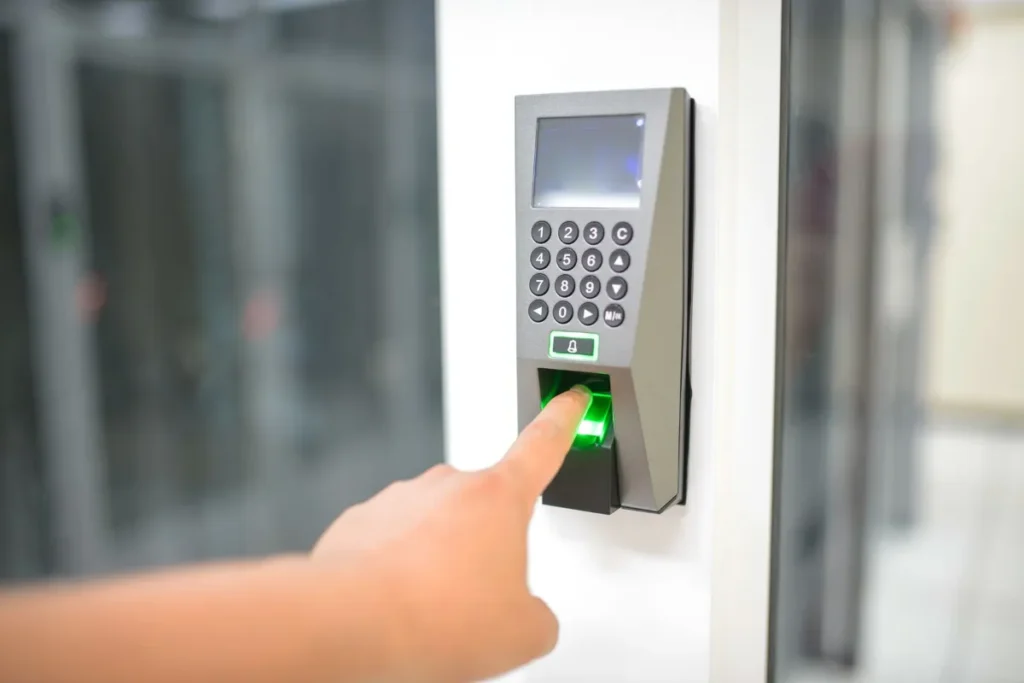
Fingerprint and face scan time clocks are popular because they stop buddy punching. If you use one, privacy laws can apply.
In Illinois, the Biometric Information Privacy Act (BIPA) covers fingerprints, voiceprints, retina or iris scans, and scans of hand or face geometry. Before you collect that data, you need a written release from the employee.
A 2024 amendment, signed in August 2024, made two big changes:
- An electronic signature now counts as a valid written release, and an employee can sign the release as a condition of employment.
- Collecting the same person's biometric data the same way over and over now counts as a single violation, so that person can recover damages only once.
Employees can still sue. Damages are $1,000 for each negligent violation or $5,000 for each intentional or reckless violation (or actual damages, if higher), plus attorney's fees and costs.
WATCH OUT
Other states may have their own biometric privacy rules. Before you install a fingerprint or face scan clock, check your state's law, get written consent from each employee, and decide how long you'll keep the data and how you'll delete it.
Overtime and Tip Reporting on 2026 Forms W-2
The One Big Beautiful Bill Act lets employees deduct qualified overtime pay on their federal income tax returns for 2025 through 2028, up to $12,500 a year ($25,000 for joint filers). The deduction shrinks once modified adjusted gross income passes $150,000 ($300,000 for joint filers).
Your part as the employer is reporting, and the IRS explains the details in its qualified overtime FAQ. Starting with 2026 Forms W-2, report each employee's total qualified overtime in Box 12 using code TT. If you find a mistake in that amount later, you'll fix it with a Form W-2c.
Qualified overtime is only the extra "half" of time and a half that the FLSA requires. Overtime that only state law or a contract requires doesn't count. Here's one workweek for an employee who earns $22 an hour and works 46 hours:
Regular pay: 40 hours × $22 = $880
Overtime pay: 6 hours × $33 = $198
Total pay for the week: $1,078
Qualified overtime (the extra half only): 6 hours × $11 = $66
Amount added to this employee's Box 12, code TT total: $66
WATCH OUT
Qualified overtime is figured one workweek at a time, so you need accurate weekly hours. Daily overtime under a state law like California's doesn't count unless the hours are also over 40 for the week. If you pay double time, only the half-time premium the FLSA requires counts. Overtime pay is still subject to payroll taxes and federal income tax withholding.
The 2026 Form W-2 also adds Box 12, code TP, for cash tips employees reported to you, and a new box 14b for the Treasury tipped occupation code. If your employees earn tips, see our tipped minimum wage by state guide and the IRS's 2026 Form W-2 instructions.
Best Practices for Staying Compliant

Following the law is the baseline. The clearer and more consistent your time tracking process is, the fewer surprises you'll face, like a wage complaint or an audit. These simple habits can save time, money and stress.
Use a Reliable Time Tracking System
However you track time, whether it's a physical clock, software like TimeClick or even a spreadsheet, it has to be accurate.
Record actual start and end times, breaks and time off. If you round, use neutral rounding (to the nearest 5 minutes, tenth of an hour or quarter hour) and check that it doesn't consistently favor you over your employees.
TIMECLICK TIP
TimeClick captures timestamps automatically and flags missing punches, which helps reduce errors and calculate overtime correctly.
Track Breaks, Overtime, and Off-the-Clock Work
Breaks matter. Short paid breaks, like a quick coffee stop, count as work time. Meal breaks can be unpaid only when the employee is completely relieved from duty.
If someone checks email during lunch or handles a task before or after a shift, that time is paid and should be recorded. The DOL's guidance for health care employers says that if you automatically deduct meal breaks, you're still responsible for making sure employees actually get the full break.
Track Hours for Remote Employees
The same rules apply when employees work from home. The DOL has said that if an employer knows or has reason to believe an employee is working, that time must be counted as hours worked.
Give remote employees a simple way to report all their time, including after-hours calls and messages, and pay for the time they report.
Store and Audit Your Records
Keep all time records in one place and hold onto them for at least three years, which covers every FLSA retention period. A digital system with backups and edit logs makes this easy.
Run regular audits to spot gaps, rounding patterns or edits that could raise questions later.
Train Managers and Employees
Make sure everyone understands the process. Employees should know how to log hours and fix mistakes, and managers should never change entries to cut payroll.
Clear policies (and quick check-ins each pay period) keep things consistent and compliant.
TIMECLICK TIP
Ask employees to review and confirm their time at the end of each pay period. It catches mistakes early and adds an extra layer of protection if a dispute comes up.
Common Compliance Mistakes to Avoid
You don't have to be cutting corners to run into trouble. Small, unintentional time tracking mistakes can still cause legal problems and unnecessary costs.
Here are the slip-ups small businesses make most often, and why they can come back to haunt you.
| Mistake | Why It's a Problem |
|---|---|
| Misclassifying employees as exempt | If someone doesn't actually qualify as exempt, you could owe years of unpaid overtime, plus damages. |
| Not recording off-the-clock work | Work done before or after a shift, or during breaks, still counts. If it's not recorded, it's unpaid time you still owe. |
| Auto-deducting unpaid meal breaks | If employees work through lunch, even briefly, that time must be paid. Automatic deductions often lead to underpayment. |
| Ignoring remote or after-hours work | Answering emails at home or taking a quick call after hours still counts as paid time under federal law when you know or should know about it. |
| Rounding that only favors the employer | Rounding has to even out over time. One-way rounding adds up to unpaid wages. |
| Using inaccurate or outdated records | If your records aren't complete or current, you'll have little defense during an audit or employee complaint. |
| Using a biometric clock without consent | In Illinois, collecting fingerprints or face scans without a written release can lead to liquidated damages of $1,000 or $5,000 per violation. |
| Overlooking state-specific rules | Some states require daily overtime, additional breaks or detailed recordkeeping. Missing those details can double your legal trouble. |
Most of these mistakes are easy to prevent with clear policies, good training and a reliable system.
TIMECLICK TIP
TimeClick automatically records every punch, flags missing entries and logs all edits, so you always have an accurate, trustworthy record if questions come up.
How TimeClick Supports Compliance

TimeClick helps small businesses keep the accurate records federal and state labor laws call for, without adding more work to your plate.
Accurate Time Capture
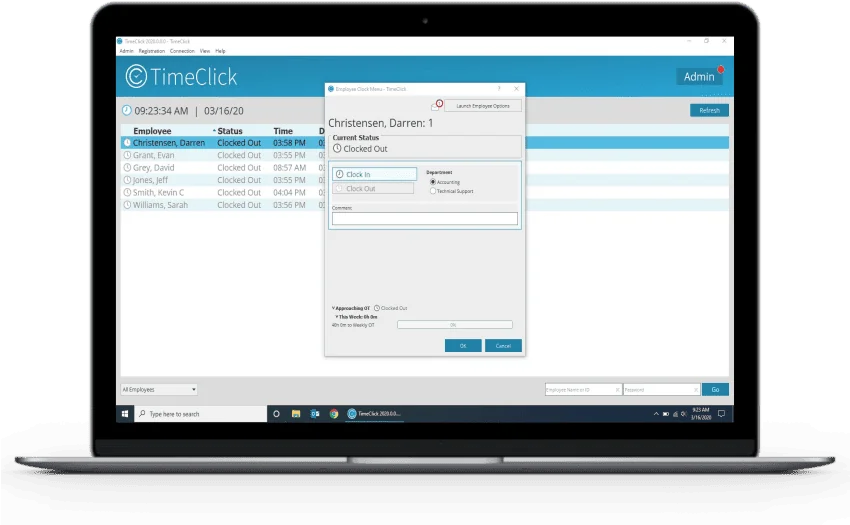
Every clock-in, clock-out and break is automatically time-stamped down to the minute. Whether employees are on-site or remote, TimeClick records their hours so you know your data is accurate.
Audit-Ready Records
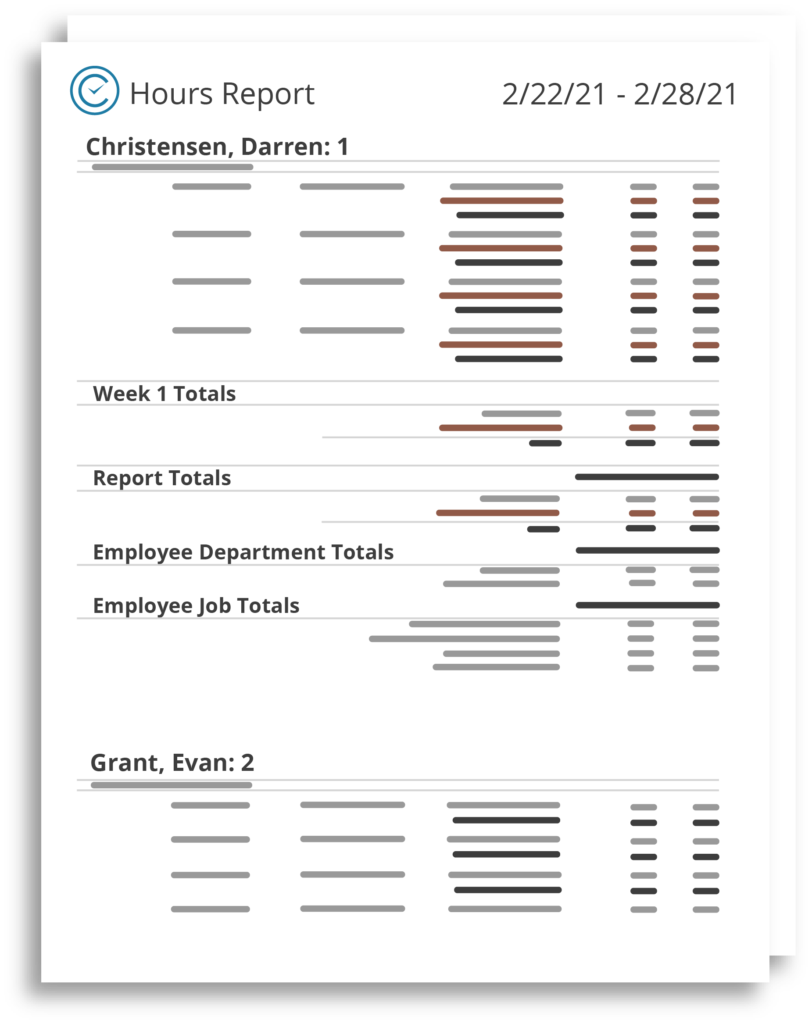
TimeClick logs every punch, edit and user action. If you're ever audited or handling a wage dispute, you'll have organized, easy-to-read records showing exactly what happened and when.
Built-In Rules for Overtime and Breaks
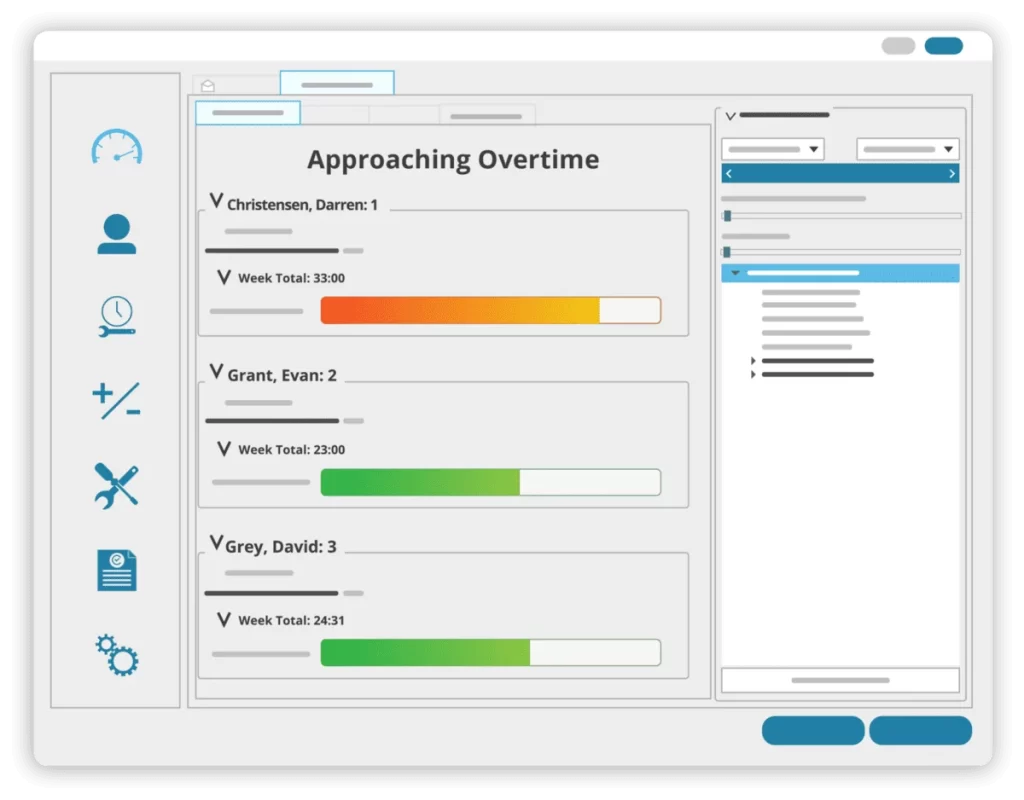
You can set TimeClick to follow federal and state labor rules, like overtime thresholds and required breaks. It can flag missing punches or alert you when an employee is nearing overtime, so you can fix issues before they become problems.
Secure, Centralized Recordkeeping
All your employee time data lives in one secure place. There's no need to dig through old spreadsheets or folders, because everything is right in your dashboard when you need it.
Payroll Integration
TimeClick connects directly with major payroll platforms, so you don't have to retype hours. Hours and overtime sync automatically, which makes payroll faster and more accurate.
Frequently Asked Questions
Here are quick answers to the most common time tracking and compliance questions.
Do I need to track hours for salaried employees?
Only if they're non-exempt. A salary alone doesn't make someone exempt from overtime. If an employee doesn't meet the federal salary level ($684 a week) and job duties tests, you have to track their hours just like hourly workers.
Can I round employee time entries?
Yes, as long as it's fair. You can round to the nearest 5 minutes, tenth of an hour or quarter hour, as long as it averages out over time and doesn't leave employees underpaid.
How long should I keep time records?
Federal law requires keeping payroll records for at least 3 years and time cards, work schedules and wage rate tables for at least 2 years. Some states require longer. California, for example, requires 3 years for time records.
Can I automatically deduct meal breaks?
You can, but it's risky. If an employee works through part of their break, even briefly, that time must be paid. Having employees clock out and back in for meals gives you records that show what actually happened.
What counts as off-the-clock work?
Any job-related task done before clocking in, after clocking out or during an unpaid break counts as work time. You're responsible for paying for it, even if you didn't approve it first.
Is it okay to use paper timesheets?
Yes, as long as they're accurate and complete. Federal law doesn't require any particular format. Paper is easier to lose or miscalculate, though, and software like TimeClick reduces those risks by tracking time automatically and keeping secure backups.
What are the penalties for non-compliance?
You can owe up to 2 years of back wages (3 years for willful violations), plus an equal amount in liquidated damages. Repeated or willful minimum wage or overtime violations can also bring a civil penalty of up to $2,515 per violation in 2026, and willful violations can be prosecuted as crimes.
Do I have to track hours for remote employees?
Yes. The same federal rules apply at home and at the office. If you know or have reason to believe a non-exempt employee is working, you have to count and pay for that time.
Is it legal to use a fingerprint or face scan time clock?
Generally yes, but some states regulate biometric data. In Illinois, you need a written release from each employee before you collect it. Check your state's rules before you install one.
What changes on 2026 Forms W-2 for overtime?
You'll report each employee's total qualified overtime (the FLSA-required half-time premium) in Box 12 using code TT. Employees use that amount to claim the new federal income tax deduction for overtime.
Final Tips for Employee Time Tracking Compliance
Staying compliant with time tracking laws doesn't have to be hard. It just takes the right system and a few consistent habits.
Record actual hours every day, keep your records for at least 3 years, round fairly, pay for all the time employees work, and check your state's rules. For 2026, add qualified overtime to your year-end W-2 checklist.
TimeClick makes that easy, with reliable tracking, precise records and built-in safeguards, so you can focus on running your business.
This guide is general information and isn't legal advice. For your specific situation, check with your state labor department or an employment attorney.
Ready to simplify compliance and take the guesswork out of time tracking? Try TimeClick and see how easy it is to track hours, manage records and stay audit-ready.
Start Your Free TimeClick Trial Today