Running a small business often feels like juggling too many tasks at once, and relying on handwritten timesheets or memory only adds to the chaos. Missed punches, messy handwriting, and payroll disputes not only waste valuable time but also eat into your profits. That's why more businesses are ditching outdated methods and turning to modern time clock software.
Today's time tracking tools go far beyond simply recording hours. They automate attendance tracking, calculate overtime, and generate accurate payroll reports. Whether your team works from a central office or remote locations, the right software transforms time tracking from a frustrating chore into a seamless, automated process.
In this guide, we'll explore what time clock software is, how it works, and how it can help your small business save time, reduce errors, and simplify payroll.
Table of Contents
- What Is Time Clock Software?
- Why Do Small Businesses Choose Time Clock Software?
- Reduce Payroll Errors
- Understand Your Labor Costs
- Stay Compliant with Labor Laws
- Increase Employee Accountability
- Reduce Administrative Work
- How Time Clock Software Works
- Types of Time Clock Software
- Browser-Based Time Clock Software
- Mobile Time Tracking Software
- On-Site Workstation Time Clock Software
- Installed Desktop Time Clock Software
- Free vs. Paid Time Clock Software
- What Free Time Clock Software Offers
- What Paid Time Clock Software Adds
- Key Features to Look for in Time Clock Software
- Simple Clock In and Out
- Overtime Tracking
- Editing Time Entries
- Payroll Reports
- Multi-Device Compatibility
- Data Ownership and Security
- Common Mistakes When Choosing Time Clock Software
- Focusing Only on the Price
- Getting Too Many Features
- Choosing Software That Doesn't Fit Your Team
- Not Planning for Growth
- Who Needs Time Clock Software?
- How Time Clock Software Improves Payroll Accuracy
- Cloud-Based vs. Locally Installed Systems
- Cloud-Based Systems
- Locally Installed Systems
- Which Option Is Right for You?
- Is Time Clock Software Difficult to Implement?
- How to Assess Your Needs Before Choosing a System
- Frequently Asked Questions
- Final Thoughts

What Is Time Clock Software?
Time clock software is a digital tool that helps businesses track when employees start and finish their workday. Instead of relying on paper timesheets or complicated spreadsheets, employees can clock in and out using a computer, mobile app, or specialized device.
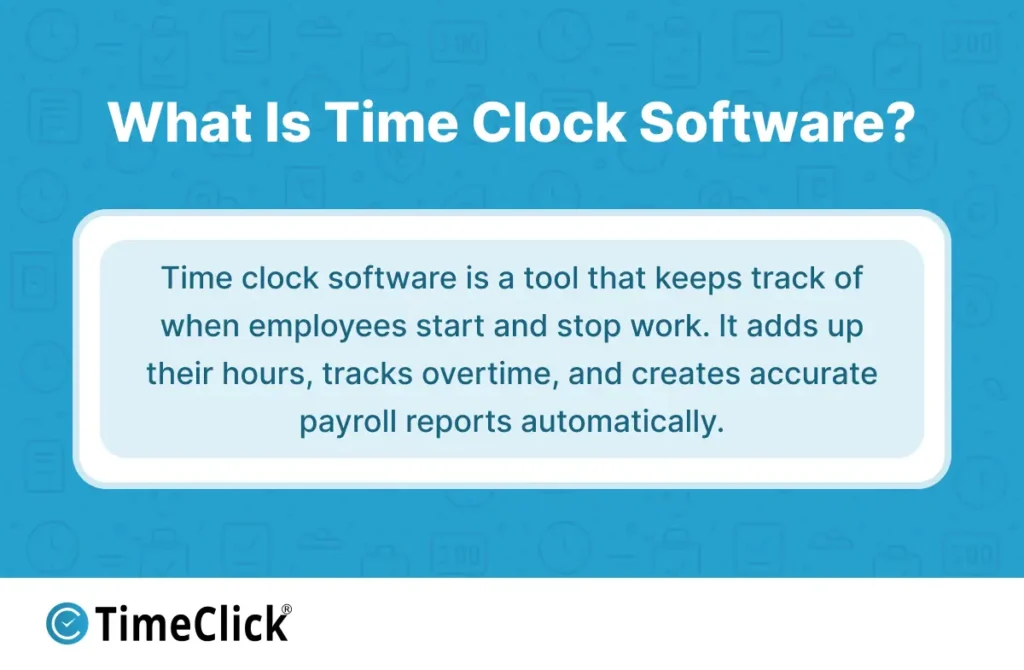
The software automatically calculates each employee's total work hours, organizes the data for payroll, and even tracks additional details like overtime, vacation days, and sick leave. By eliminating manual tracking, time clock software reduces errors, ensures employees are paid accurately, and saves valuable time for both managers and staff.
Why Do Small Businesses Choose Time Clock Software?

Small businesses turn to time clock software because it simplifies tracking work hours and ensures accuracy. As your team grows, managing hours manually can become overwhelming and lead to costly mistakes. Time clock software provides a clear, automated way to see who worked, when they worked, and for how long — making payroll faster, easier, and stress-free.
Here are some key reasons why small businesses choose time clock software:
Reduce Payroll Errors
Manual time tracking often leads to mistakes, like forgetting to record hours or miscalculating totals. These errors can result in employees being overpaid or underpaid. Time clock software eliminates this risk by automatically recording and calculating hours, ensuring everyone is paid correctly.
Understand Your Labor Costs
With time clock software, you can see exactly how many hours your team works and how much you're spending on labor. This insight helps you plan budgets, optimize staffing, and avoid unnecessary expenses.
Stay Compliant with Labor Laws
Accurate time records are required by law, including details like breaks and overtime. Time clock software automatically tracks and organizes this information, making it easy to stay compliant and avoid legal issues. For example, federal law requires employers to maintain detailed records of hours worked. Learn more about U.S. Department of Labor requirements here.
Increase Employee Accountability
Time clock software creates a reliable record of when employees clock in and out, reducing disputes over hours worked or break times. This transparency builds trust and ensures accountability across your team.
Reduce Administrative Work
By automating time tracking, the software frees up your time to focus on running your business. No more chasing down missing timesheets or fixing errors — just accurate records ready for payroll.
How Time Clock Software Works

Most time clock software follows a simple, efficient process, even though specific features and designs may vary. Here's how it typically works:
- Clocking In: Employees clock in at the start of their shift using a computer, mobile app, or shared device.
- Recording Time: The software securely records the exact time of each clock-in.
- Clocking Out: Employees clock out for breaks or at the end of their workday.
- Calculating Hours: The system automatically adds up total hours worked, including any overtime.
- Manager Review: Managers review the recorded times, make any necessary adjustments, and approve the data for payroll.
Some advanced systems offer additional features, such as GPS tracking to confirm employees are clocking in from the correct location or photo verification to prevent time theft. Certain platforms also allow managers to edit time entries if an employee forgets to clock in, while others lock records to prevent unauthorized changes.
By automating these steps, time clock software ensures accurate, reliable time tracking with minimal effort.
Types of Time Clock Software

Not all time clock software is the same. Understanding the different types can help you choose the best fit for your business needs:
Browser-Based Time Clock Software
This type of software runs directly in web browsers like Chrome or Safari. Employees can clock in and out from any approved computer, making it a convenient option for office environments. It's easy to set up and doesn't require installing software on individual devices, allowing businesses to get started quickly with minimal hassle.
Mobile Time Tracking Software
Mobile time tracking software allows employees to clock in and out using their smartphones or tablets, no matter where they are. This is especially useful for teams working at multiple locations, such as construction crews, delivery drivers, or field service workers. It provides flexibility for businesses with employees who are frequently on the move.
On-Site Workstation Time Clock Software
With on-site workstation software, employees clock in and out at a shared device using a PIN, swipe card, or even a fingerprint scanner. This setup is ideal for businesses like warehouses, manufacturing plants, or retail stores, where a centralized system keeps the process simple, secure, and easy for supervisors to monitor.
Installed Desktop Time Clock Software
Installed desktop software runs directly on your company's computers or internal network. It stores all time records locally, giving you full control over your data. This type of software works even without an internet connection, making it a reliable choice for businesses that prioritize data security and offline functionality. Many companies prefer this option for its one-time purchase model, which avoids ongoing subscription fees.
Each type of time clock software offers unique benefits, so the right choice depends on your team's specific needs and work environment.

TimeClick is one example of installed desktop time clock software. It runs on business computers, stores data locally, works offline, and uses a one-time purchase model. Explore our time clock features here.
Free vs. Paid Time Clock Software

Many businesses start with free time clock software to handle basic time tracking needs. While free tools can be a good starting point, they often come with limitations that may not meet the demands of a growing business. As your team expands or your needs become more complex, upgrading to a paid option can provide the flexibility and support you need.
What Free Time Clock Software Offers
Free time clock software is great for small teams or short-term projects. However, it typically includes only basic features, such as:
- Simple clock-in and clock-out functionality
- Limited user capacity
- Basic reports with minimal customization
- Little to no customer support if issues arise
While free tools can work for very small businesses, they often fall short as your operations grow, leading to inefficiencies and potential errors.
What Paid Time Clock Software Adds
Paid time clock software offers advanced features that make it a better fit for growing businesses. These include:
- Detailed, customizable reports for better insights
- Overtime and break tracking based on your pay rules
- Integration with payroll systems to streamline processing
- User access controls to manage who can view or edit time records
- Long-term data storage for compliance and recordkeeping
- Dedicated customer support to resolve issues quickly
Paid options typically come in two pricing models: subscription-based (monthly or annual fees) or one-time purchases. While subscription models often include ongoing updates and support, one-time purchases provide long-term cost savings and full ownership of the software.
Choosing between free and paid time clock software depends on your business size, budget, and specific needs. For most growing businesses, the added features and reliability of paid software make it a worthwhile investment.
Key Features to Look for in Time Clock Software

Not every business needs the same features in time clock software. The key is to choose a system with tools that match how your team works. Here are the most important features to consider:
Simple Clock In and Out
Your employees need a system that's easy to use. Complicated software can lead to mistakes and frustration. Look for a solution that allows workers to clock in and out quickly, whether they're using a computer, mobile app, or shared device.
Overtime Tracking
Good time clock software automatically calculates overtime based on your pay rules. This ensures compliance with labor laws and saves you from manually sorting through hours to figure out who qualifies for overtime pay.
Editing Time Entries
Mistakes happen — employees might forget to clock in or out. A good system allows managers to review and edit time entries when needed. It's even better if the software keeps a log of who made changes and when, ensuring transparency.
Payroll Reports
The software should make it easy to export time data into your payroll system. Look for tools that generate detailed, customizable reports to simplify payroll processing and reduce errors.
Multi-Device Compatibility
Your team might use a mix of devices, such as computers, tablets, or shared kiosks. Choose software that works seamlessly across all devices to ensure everyone can access it without issues.
Data Ownership and Security
It's important to know where your time data is stored and who controls it. Some businesses prefer cloud-based systems for convenience, while others opt for locally installed software to maintain full control over their data.
By focusing on these key features, you can find time clock software that fits your business needs and helps your team work more efficiently.
Common Mistakes When Choosing Time Clock Software

Selecting the right time clock software is crucial, but small businesses often make avoidable mistakes during the decision-making process. Here are some common pitfalls and how to avoid them:
Focusing Only on the Price
While it's tempting to choose the cheapest option, low-cost software can lead to hidden expenses down the line. Inaccurate tracking, limited features, or poor support can result in payroll errors and wasted time, costing you more in the long run. Instead, focus on value — choose software that meets your needs and offers reliable performance.
Getting Too Many Features
Some systems come packed with features you may never use. While these extras might seem appealing, they can make the software more complicated and harder to use. Stick to tools that align with your team's daily workflow to avoid unnecessary complexity.
Choosing Software That Doesn't Fit Your Team
A system designed for office workers might not work well for a team that's always on the move, like construction crews or delivery drivers. Consider how and where your employees will use the software to ensure it fits their needs.
Not Planning for Growth
Your business might be small now, but it's important to choose software that can scale as you grow. If the system can't handle more employees or advanced features later, you'll end up spending time and money switching to a new solution.
By avoiding these common mistakes, you can select time clock software that not only meets your current needs but also supports your business as it grows.
Who Needs Time Clock Software?
Time clock software is a game-changer for businesses of all kinds, but it’s especially valuable for:
- Retail stores and restaurants: Simplify payroll for hourly workers.
- Construction crews: Track time seamlessly across multiple job sites.
- Factories and warehouses: Manage rotating shifts with ease.
- Offices: Streamline payroll processing and save time.
- Remote teams and virtual assistants: Accurately track billable hours.
If your team gets paid by the hour, a time clock system isn’t just helpful — it’s essential. It not only simplifies your workload but also provides clear insights into how time is spent. This boosts productivity, enhances accountability, and helps your team work smarter.
How Time Clock Software Improves Payroll Accuracy
Payroll accuracy starts with reliable data, but manual methods like handwritten timesheets or memory often lead to errors. Missed punches, rounded times, and simple math mistakes can quickly add up, creating payroll headaches and compliance risks. The Fair Labor Standards Act (FLSA) also requires businesses to maintain accurate records of hours worked, making precise time tracking essential. Learn more about FLSA recordkeeping requirements here.
Time clock software solves these problems by capturing time directly at the source. When employees clock in and out, the system records exact timestamps, ensuring accurate data. Managers can review and correct any discrepancies before payroll is processed, reducing the risk of errors and disputes.
With automated time tracking, you'll experience:
- Fewer Payroll Errors: Accurate records mean employees are paid correctly, avoiding overpayments or underpayments.
- Faster Payroll Processing: Automated calculations save time and reduce manual work.
- Improved Compliance: Reliable records help you meet labor law requirements and avoid penalties.
By using time clock software, you can trust your payroll data, resolve issues before they become problems, and ensure smooth, error-free payroll processing.
For a deeper look at how accurate time tracking affects payroll workflows and error reduction, see our full guide on how employee time tracking software improves payroll accuracy
Cloud-Based vs. Locally Installed Systems

When choosing time clock software, one of the key decisions is whether to use a cloud-based system or a locally installed one. Each option has its own advantages, depending on your business needs.
Cloud-Based Systems
Cloud-based time clock software stores your data on the provider's servers and is accessible from anywhere with an internet connection. Key benefits include:
- Accessibility: Manage time tracking remotely, ideal for businesses with multiple locations or remote teams.
- Automatic Updates: The provider handles software updates and maintenance, ensuring you always have the latest features.
- Subscription Pricing: Typically involves monthly or annual fees, which may include support and updates.
- Data Backup: Your records are securely stored in the cloud, reducing the risk of data loss.
Locally Installed Systems
Locally installed software runs on your company's computers or internal network, giving you full control over your data. Key benefits include:
- Offline Access: The system continues to work even if your internet connection goes down.
- One-Time Purchase: Often involves a single upfront cost, with optional fees for support or upgrades.
- Data Control: You decide where and how your time records are stored, offering greater security and ownership.
- Reliability: No reliance on external servers, making it a dependable option for businesses with limited internet access.
Which Option Is Right for You?
Neither option is universally better — it depends on your priorities. If you value remote access and automatic updates, a cloud-based system may be the best fit. If you prefer full control over your data and a one-time purchase model, locally installed software might be the way to go. Consider your team's workflow, internet reliability, and budget when making your decision.
Is Time Clock Software Difficult to Implement?
For most small businesses, implementing time clock software is a quick and straightforward process. Many systems are designed to be user-friendly and can be fully set up in just a few minutes.
Here's what a typical setup looks like:
- Add Employees: Input your team's details into the system.
- Set Pay Rules: Configure your pay rates, overtime policies, and any other rules specific to your business.
- Choose Clock-In Methods: Decide how employees will clock in and out — whether through a computer, mobile app, or a shared kiosk.
- Test the System: Run a few test scenarios to ensure reports, exports, and other features are functioning as expected.
Training your team is usually quick, especially if the software has an intuitive interface. With clear instructions and consistent policies, employees can adapt to the system with little effort.
How to Assess Your Needs Before Choosing a System

Before diving into comparisons, it's essential to evaluate your business's unique needs. The way your team operates, your payroll process, and your preferences for data control will all influence the best choice for you.
Start by asking yourself these key questions:
- Team Size: How many employees will need access to the system?
- Work Environment: Are employees working in an office, remotely, or in the field?
- Policy Complexity: Do your pay rules or overtime policies change frequently?
- Budget: Would you prefer a subscription model or a one-time purchase?
- Data Control: How important is it for you to have direct ownership of your time records?
Answering these questions will help you narrow down your options and focus on systems that align with your business's specific requirements.
If you're ready to compare options and decide which type of time clock software fits your business, check out our walk-through guide on how to choose time clock software for small businesses in the USA
Frequently Asked Questions
Here are answers to some of the most common questions business owners have about time clock software:
What is the main purpose of time clock software?
The primary goal of time clock software is to accurately track employee work hours. It simplifies payroll, calculates overtime, and provides insights into labor costs, all while reducing errors and administrative work.
Can small businesses use this software without technical expertise?
Absolutely. Most modern time clock systems are designed to be user-friendly, requiring no IT expertise. Setup typically involves adding employees and defining pay rules, and many businesses can start using the software the same day they purchase it.
Is time clock software only for hourly employees?
No. While it's most beneficial for hourly workers, salaried employees can also use it for attendance tracking, project costing, or compliance purposes. Some businesses use it simply to log work hours without linking it to payroll.
Do employees need internet to clock in and out?
It depends on the system. Cloud-based platforms require an internet connection, while locally installed software can track time offline and sync data later.
How does time clock software help reduce time theft?
Time clock software records exact punch times, reducing the chance of employees misrepresenting their hours. Features like GPS tracking and IP restrictions ensure employees clock in from approved locations.
Is free time clock software sufficient for a growing business?
Free tools can work for very small teams, but they often lack advanced features like detailed reporting, user controls, and customer support. As your business grows, these limitations can lead to inefficiencies and payroll errors.
Can time clock data be exported for payroll?
Yes, most systems allow you to export time data in formats compatible with popular payroll and accounting software. This eliminates manual data entry and ensures accurate, on-time payments.
How long should time clock records be kept?
Labor laws typically require businesses to retain time and payroll records for several years. Time clock software securely stores this data, making it easy to access when needed.
What should small businesses consider before choosing a system?
Focus on ease of use, accuracy, reporting capabilities, and how well the system fits your workflow. Also, consider the pricing model, data ownership, and whether the software can scale with your business as it grows.
Is time clock software a worthwhile investment?
For most small businesses, yes. The time saved on payroll, the reduction in costly errors, and the improved visibility into labor costs often provide a quick return on investment. Even preventing a few payroll mistakes can justify the cost of the software.
Final Thoughts

Time clock software is no longer just for large corporations. Small businesses are using it every day to save time, reduce manual work, and bring consistency to their time tracking processes.
The right system eliminates guesswork and provides reliable records you can trust. It transforms time tracking from a tedious task into a seamless part of your operations. Whether you choose a browser-based platform, a mobile app, or locally installed software, the goal is the same: to make tracking work hours easier and more accurate for everyone.
Not using TimeClick yet? Try our time clock software free. Simple setup, unlimited users, and built for small businesses. No credit card required.
Start your FREE TimeClick Trial Today.